Sales Automation
•
HubSpot Alternatives for Growing Sales Teams
Pick the CRM that matches your sales motion: speed-first for outbound, pipeline-first for quick adoption, control-first for deep workflows and reporting.

If I were choosing a HubSpot alternative for a growing sales team, I’d split the market into two groups: sales-first CRMs like Close and Pipedrive for rep activity, and control-first CRMs like Salesforce and Zoho CRM for process depth. HubSpot still fits teams that want one system for marketing, sales, and service, but cost and tier limits often push sales teams to look elsewhere.
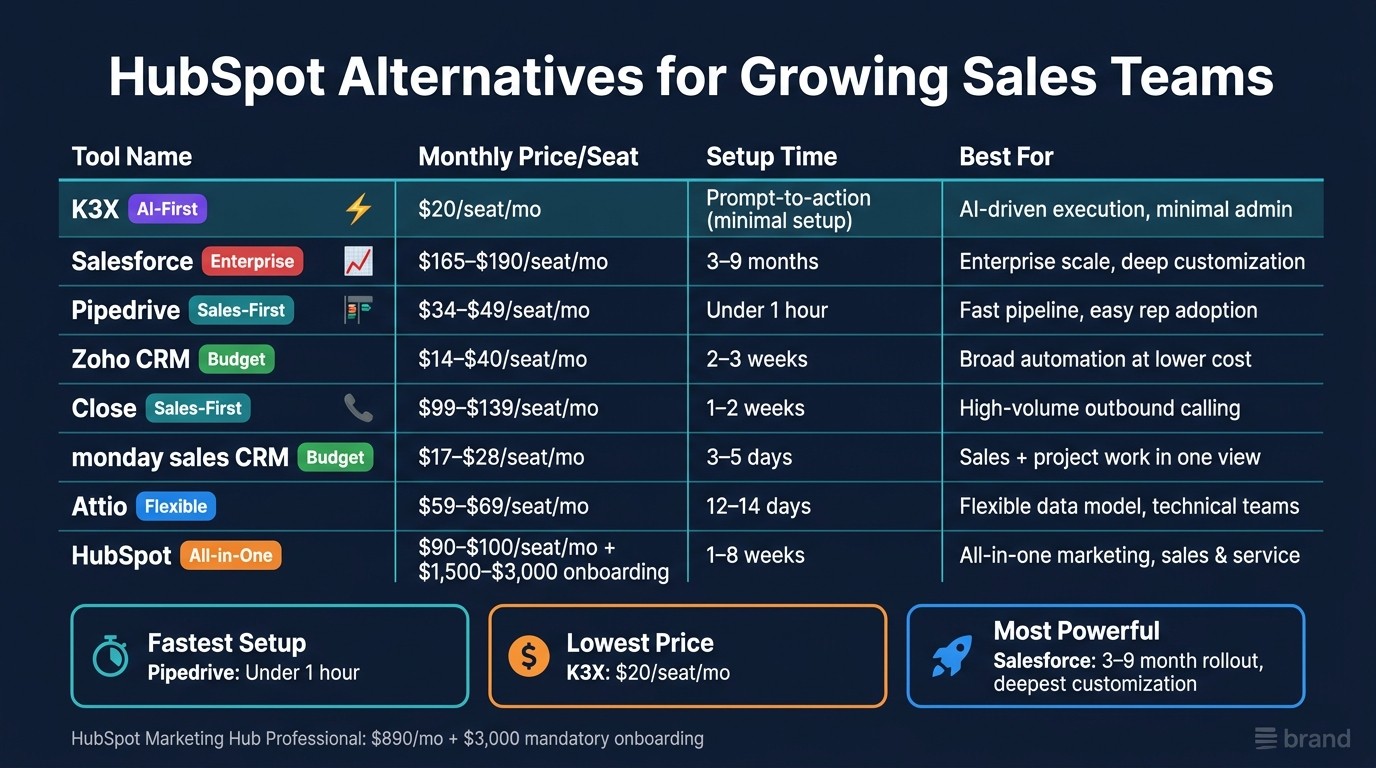
My short take: Close fits outbound-heavy teams, Pipedrive fits teams that want a simple pipeline, Zoho CRM fits teams that want lower-cost process control, Salesforce fits large orgs with custom process needs, Attio fits teams with non-standard data models, and monday sales CRM fits teams that want a visual workspace. K3X is positioned here as the prompt-to-action option for teams that want less manual CRM work.
What matters most when leaving HubSpot?
The main issue is usually not just seat price. It is the mix of platform fees, onboarding fees, contact-based pricing, and gated features.
In the article, HubSpot’s pricing pressure shows up in a few places:
Marketing Hub Professional: $890/month on annual billing
Mandatory onboarding: $3,000
Extra 5,000 marketing contacts: about $250/month
Sales Hub Professional: about $90–$100 per seat/month
That cost stack can hit teams even if they only need a sales CRM. For many operators, the better question is not “What is cheaper than HubSpot?” but “Which tool matches the work my reps do every day?”
Which HubSpot alternatives make the most sense by use case?
I’d match the tool to the bottleneck.
Choose Close if your reps spend most of the day calling and texting leads.
Choose Pipedrive if you want a sales CRM that reps can learn fast.
Choose Zoho CRM if you want more workflow control at a lower seat cost.
Choose Salesforce if you need custom objects, strict process rules, or deep BI.
Choose Attio if your team has non-standard relationships between people, companies, and deals.
Choose monday sales CRM if sales work overlaps with project or service handoffs.
Keep HubSpot if your main need is one shared system across marketing, sales, and service.
That is the cleanest way to read the comparison.
How do the tradeoffs look in plain terms?
Here is the shortest useful version:
Tool | Best fit | Main tradeoff |
|---|---|---|
Close | High-call outbound teams | Lighter reporting and forecasting |
Pipedrive | Simple sales pipeline management | Less depth in cross-team reporting |
Zoho CRM | Lower-cost process control | UI and setup take more work |
Salesforce | Large teams with custom process needs | Long rollout and admin cost |
Attio | Flexible data relationships | Less native marketing/reporting depth |
monday sales CRM | Visual workflow across teams | Sales analytics need more manual setup |
HubSpot | All-in-one GTM stack | Cost climbs as usage grows |
K3X | Prompt-led execution | Smaller ecosystem than large suites |
I’d use a table here because the article compares several tools across the same buying criteria.
What does the article say about rollout time and admin load?
The clearest pattern is this: the more process control you want, the more setup and admin work you usually take on.
A few numbers from the article make that point fast:
Salesforce: rollout often takes 3 to 9 months
HubSpot: often 1 to 8 weeks, depending on scope
Pipedrive: often under 1 hour to get started
Zoho CRM: about 2 to 3 weeks
monday sales CRM: about 3 to 5 days
Attio: about 12 to 14 days
Close: about 1 to 2 weeks
For sales leaders, that matters because rollout time affects rep adoption. A tool can look good on paper and still fail if the team waits months for fields, workflows, and routing to get built.
Which tools stand out on outbound sales work?
For outbound-heavy teams, the article points most clearly to Close and K3X.
Close stands out because calling, SMS, and sequences are built into the product. The article lists:
Growth plan: $99/user/month with native Power Dialer
Scale plan: $139/user/month with Predictive Dialer
Chloe AI: starts at $9/user/month
That matters if you are trying to avoid stacking HubSpot with a dialer and note-taking add-ons. The article also notes that teams making 80+ dials per day are where Close makes the most sense.
Pipedrive can support sales activity too, but the article frames it more as a pipeline tool than a call-first system.
Which tools stand out on reporting and process control?
If reporting depth and process control matter most, the article leans toward Salesforce first and Zoho CRM second.
Salesforce is the pick for teams that need:
custom objects
Apex and Flow
CPQ
territory rules
cross-business-unit analytics
The downside is cost outside the seat price. The article says training, customization, and maintenance can make up 40% to 60% of total cost over three years.
Zoho CRM is the lower-cost version of that idea. The article lists:
Standard: $14/user/month
Professional: $23/user/month
Enterprise: $40/user/month
For a 10-person team, it estimates $2,760/year on Zoho CRM Professional versus about $16,200/year for HubSpot Sales Hub Professional. That gap is large enough to matter for teams that need workflow control but do not want Salesforce-level spend.
Which tools are easiest for reps to adopt?
Based on the article, Pipedrive is the clearest pick for rep ease of use.
The reasons are simple:
visual Kanban pipeline
sales-first layout
low setup time
fewer menus than HubSpot
Its mid-tier pricing in the article lands around $34–$49 per seat/month, with $0 onboarding fees. That makes it easier to test without a big services commitment.
HubSpot is still easier to learn than Salesforce or Zoho for many teams, but the article’s point is that HubSpot can start to feel heavier once teams only want sales execution and not the full marketing-service layer.
Where does Attio fit?
Attio is for teams that outgrow standard CRM objects but do not want Salesforce overhead.
The article highlights Attio’s graph-based relational model, which gives teams more freedom in how records relate. It also says custom objects are available on all paid tiers, while HubSpot gates them behind higher plans.
The tradeoff is that reporting and automation are less mature than what teams get in HubSpot or Salesforce. If your buying priority is schema flexibility, Attio looks strong. If your buying priority is built-in nurture flows or deep forecasting, it looks thinner.
Where does monday sales CRM fit?
monday sales CRM fits teams that want a visual workspace more than a standard CRM structure.
The article points to:
3–5 day setup
Standard plan: $17/seat/month
Pro plan: $28/seat/month
250 automations/month on Standard
25,000 automations/month on Pro
The catch is reporting. The article says dashboards are board-centric, so sales reporting often needs more manual setup. I’d read that as: good for teams that want flexible process views, less ideal for teams that need finance-grade forecasting and attribution.
Is HubSpot still the right choice for some teams?
Yes. The article does not argue that HubSpot is a bad CRM. It argues that HubSpot becomes harder to justify when a team’s needs are mostly sales-led and usage grows.
HubSpot still makes sense when you want:
one system across marketing, sales, and service
a polished UI
a large integration marketplace
standard workflows without heavy custom buildout
The point of friction is cost scaling and feature gating. In the article, custom code steps may require Operations Hub at about $800/month, and higher reporting depth sits in upper tiers.
What should a team check before switching?
The article’s migration advice is practical: assume 4 to 8 weeks, not a weekend move.
The main checks before switching are:
clean duplicates and bad records
list the workflows reps use every day
identify business-critical integrations for day one
map custom properties and reporting needs
run a 3–5 user pilot on live deals
That is where many CRM projects go off track. Data export is usually not the hard part. Rebuilding workflows, history, routing, and reports is where the time goes.
My bottom line
If I reduce the article to one decision rule, it is this: pick the CRM that matches the daily sales motion, not the one with the longest feature list.
For most growing teams, the short list is
HubSpot Alternatives Compared: Price, Setup Time & Best Fit (2024)
The Best Hubspot Alternatives (for Growing Businesses)
1. K3X
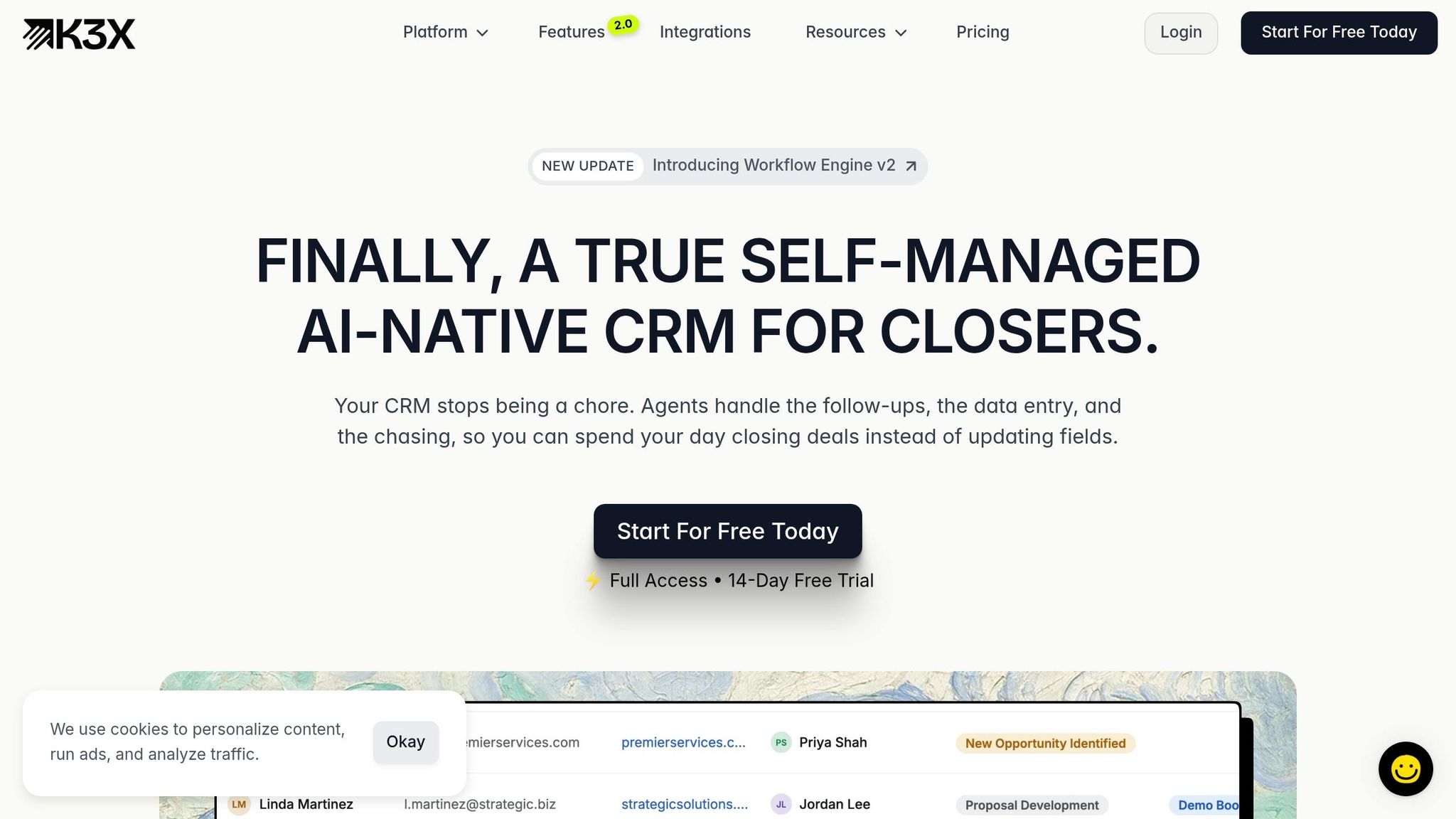
K3X is built for speed. Reps can state the result they want, and AI agents handle pipeline updates, follow-ups, logging, and outreach.
For teams hitting limits with HubSpot’s workflow-heavy setup, that means less admin work and a shorter path to launch. Salesforce setups often take 8–12+ weeks before a team is fully up and running [3][7]. K3X skips sequence-building and workflow mapping, so teams can get started without admin setup. It makes the most sense when HubSpot’s tiered automation, reporting limits, or paid add-ons start slowing outbound work.
K3X also includes native email, calling, SMS, and a one-click dialer in Adaptive. HubSpot requires Sales Hub Professional for sequences and dialing, while Close includes dialer and SMS on every paid plan [9][10].
Pricing is one of the clearest differences. K3X’s Adaptive plan costs $20/month per seat and includes 1,000 AI credits, unlimited contacts and leads, unlimited workflows, and unlimited call recordings. HubSpot’s AI add-on, Breeze, adds about $50/user/month [11]. Salesforce charges $60/user/month for Einstein as a separate line item [11]. In K3X, AI is part of the seat price.
Feature | K3X | HubSpot Sales Hub Professional | Salesforce Enterprise | Close |
|---|---|---|---|---|
Monthly Price/Seat | $20 | $165 [11] | ||
AI Approach | Prompt-to-action | Breeze (assistive) [3] | Einstein (predictive) [3] | Call Assistant |
Native Dialer | Included | Add-on | Included [9] | |
Native SMS | Included | Add-on | Add-on | Included [9] |
Contact Limits | Unlimited contacts and leads | Tiered / expensive [2] | Custom / usage-based | Unlimited |
Use K3X when the main goal is faster pipeline movement rather than layered governance or deep reporting. It fits teams that need high-volume outbound execution without a dedicated RevOps admin.
Salesforce is still the stronger option for governance and deep customization, but it comes with more time, cost, and overhead. K3X sets the speed-first baseline, while Salesforce is the next option for teams that need tighter control and more customization.
2. Salesforce
Salesforce fits large, complex sales orgs that need tight control. The tradeoff is time: rollouts often take 3 to 9 months, and rep adoption can add 4 to 8 weeks of training [14].
That gap matters if your team needs reps live fast and wants to keep admin work low. Salesforce gives you more control, but you usually pay for it in setup time, training, and day-to-day upkeep.
Salesforce also tends to need a certified admin or a fractional consultant. Over a 3-year period, training, customization, and maintenance can account for 40% to 60% of total cost [15].
Where Salesforce stands out is process control. Custom objects, Apex, and Flow Builder support CPQ, territory management, and contract lifecycle logic that goes past HubSpot’s standard limits [6][3]. Its reporting engine, especially with Tableau CRM, is also a better fit for cross-business-unit analytics and forecasting [6][16].
K3X takes a very different approach. It removes workflow design work, while Salesforce tends to reward teams that have the staff and time to support a more involved system. If your goal is less admin and faster rep uptake, the next set of tools is simpler by design.
Feature | Salesforce Enterprise | HubSpot Professional | K3X Adaptive |
|---|---|---|---|
Monthly price per seat | $190/user/month [13] | Base seat around $90/month plus platform fee [14] | $20/user/month |
Setup model | Longer rollout; 3 to 9 months [14] | Faster time-to-value; 2 to 8 weeks [13] | Prompt-to-action model |
Operational overhead | Lean RevOps team [14] | Prompt-to-action execution; minimal admin | |
Automation depth | Strong workflows with less granular control [6] | AI agents execute prompts and actions |
Salesforce is the control-first choice. K3X is the speed-first option.
Salesforce makes sense for teams that need governance, custom routing, and cross-team process rules. K3X fits teams that want pipeline movement without adding an admin layer.
3. Pipedrive

Pipedrive is a solid HubSpot alternative for sales teams that want a fast, rep-friendly pipeline tool without much setup work. It stays centered on sales execution, while HubSpot covers marketing, sales, and service [5].
That narrower scope makes Pipedrive easier to roll out. It also means teams may run into limits later if they need deeper automation or reporting across the business.
Pipedrive stands out on pipeline speed and ease of use. Setup takes under 1 hour [18], compared with weeks or months for a full HubSpot deployment [18][20]. Its visual Kanban pipeline, deal-rotting alerts, and activity-based prompts match how many reps already work day to day. By contrast, HubSpot’s broader interface can feel like too much for sales-only teams.
The tradeoff is automation depth. Pipedrive handles basic triggers, follow-up sequences, and SMB-level reporting, but it does not match HubSpot’s multi-branch workflows or cross-object reporting [18][19][6][20]. There is also no native multi-touch attribution, marketing funnel analysis, or customer support reporting, so teams that need one view across sales, marketing, and service will hit limits [5][6][20]. For teams that want more automation without adding admin work, K3X takes a different path.
Pricing is one of Pipedrive’s clearest advantages. It has $0 onboarding fees and lower per-seat pricing than HubSpot [21]. Mid-tier plans run about $34–$49 per seat/month for Pipedrive versus $90–$100 per seat/month for HubSpot Sales Hub [10][18]. That said, add-ons such as LeadBooster, Campaigns, and AI can push the total cost up fast [18][11].
Feature | Pipedrive | HubSpot Sales Hub | K3X |
|---|---|---|---|
Best for | Sales-led teams with light ops needs | Marketing-aligned teams | AI-native execution |
Setup time | Under 1 hour [18] | Prompt-to-action model | |
Mid-tier price | $34–$49/seat/month [10] | $90–$100/seat/month [18] | $20/seat/month |
Onboarding fee | $0 [21] | $1,500+ [21] | None |
Automation depth | Basic triggers and sequences [6] | Multi-branch, programmable workflows [6] | AI agents execute on prompts |
Reporting | Sales-focused reporting [6] | Full-funnel attribution [20] | Real-time AI dashboards |
Scalability | Less fit for multi-team RevOps [20] | Scales to enterprise [20] | Usage-based, scales with AI credits |
In practice, Pipedrive helps reps manage deals. K3X is built to automate the deal motion itself. For teams that want speed without hiring a dedicated CRM admin, that’s the main gap.
Pipedrive is the simpler sales-only option. The next tools expand the comparison toward systems built for deeper CRM structure or AI-driven execution.
4. Zoho CRM
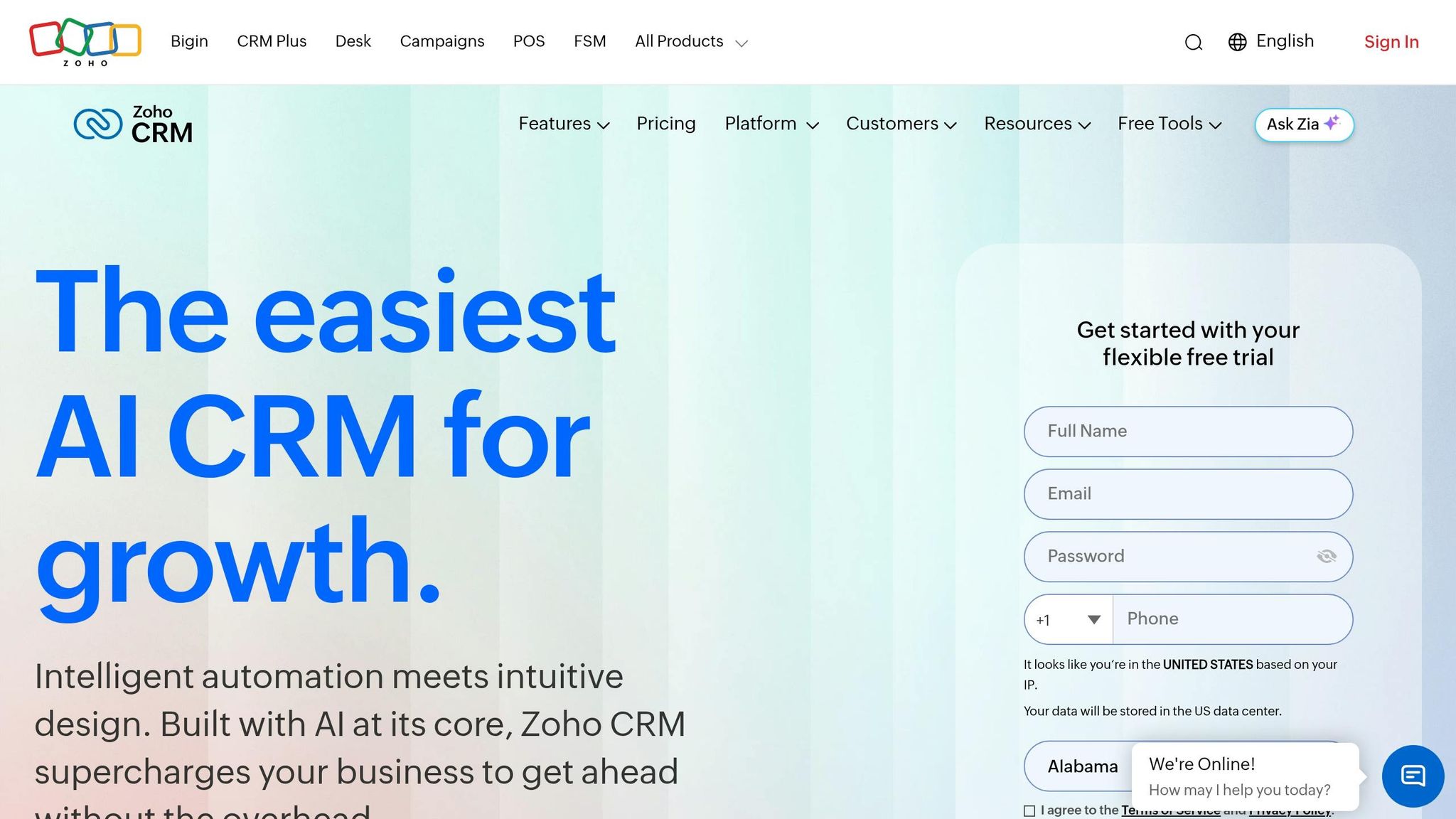
Zoho CRM is the lower-cost pick for teams that want more control than HubSpot without paying HubSpot-level prices. It works best for sales teams that can spend a bit more time on setup in exchange for deeper process control.
A 10-person team on Zoho CRM Professional pays about $2,760 per year, compared with roughly $16,200 per year for HubSpot Sales Hub Professional [16]. Zoho keeps seat pricing low across its plans: Standard starts at $14/user/month, Professional at $23/user/month, and Enterprise at $40/user/month, with Zia AI included [16]. By contrast, HubSpot Professional is about $90/user/month plus a platform fee, and higher tiers may include mandatory onboarding.
The main downside is the user experience. Zoho usually takes about 2–3 weeks to implement, versus 1–2 weeks for HubSpot, because teams have to make more setup decisions upfront [6]. Its UI is less polished than HubSpot’s, and configuration takes more time. If your team cares more about a cleaner interface and a shorter ramp, HubSpot is the better fit [8].
Zoho is stronger on automation depth and RevOps control for the price. Blueprint can enforce multi-stage sales processes, and Zia adds lead scoring, anomaly detection, and predictive insights at the Enterprise tier [6][22]. Zoho also supports forecasting and custom dashboards for multi-currency, multi-subsidiary teams. In HubSpot, teams often need to move up to Professional to get custom reporting and more advanced workflow logic, which is where costs start to jump [6][16]. K3X takes a different path by skipping workflow buildout; Zoho still depends on manual configuration.
Feature | Zoho CRM | HubSpot Sales Hub | K3X |
|---|---|---|---|
Best for | Budget-conscious teams with complex needs [16] | Teams that prioritize ease of use [8] | AI-native execution without workflow buildout |
Setup time | About 2–3 weeks [6] | 1–2 weeks [3] | Prompt-to-action model |
Mid-tier price | $23/user/month (Professional) [16] | $90/user/month + platform fee (Professional) [16] | $20/seat/month |
Onboarding fee | None mandatory | $1,500–$3,000 at higher tiers [2] | None |
AI tool | Zia - lead scoring and anomaly detection [6] | Breeze - content and meeting workflows [3] | AI agents execute on prompts |
Automation depth | Blueprints, macros, multi-stage workflows [6] | Visual no-code builder, sequences [6] | Outcome-based, no workflow building |
Platform model | Flexible CRM plus Zoho ecosystem [2] | Large integration ecosystem [22] | AI-native, prompt-to-action CRM |
Zoho fits teams with structured sales processes that need low-cost customization. The tradeoff is clear: more control, but a less intuitive experience out of the box. If outbound calling and fast rep workflows matter more than configuration depth, Close is the next comparison.
5. Close
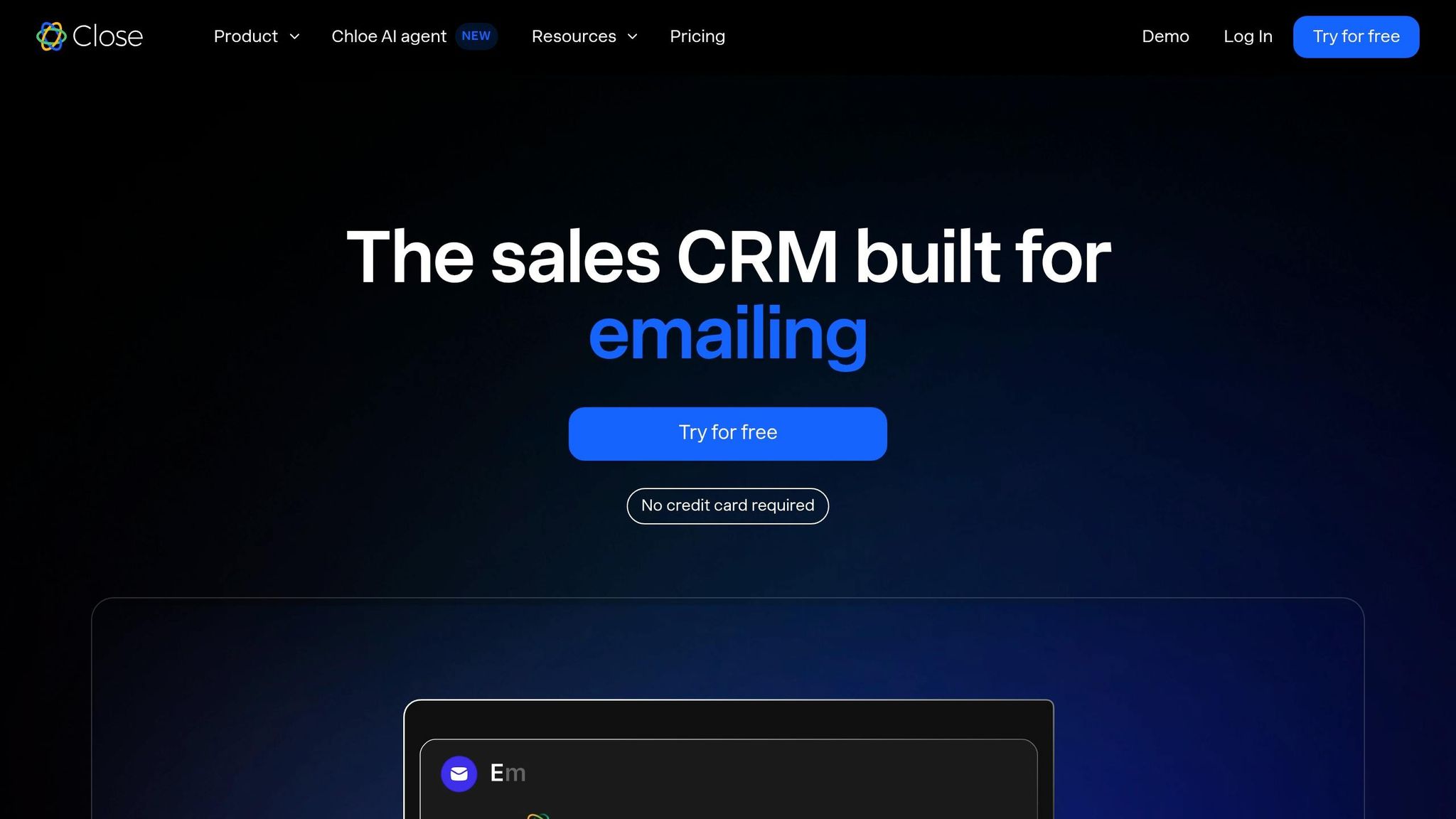
Close is the better fit when your team lives on the phone and HubSpot feels too broad. It is built for inside sales and outbound motion first, with calls, texts, and sequences at the center of the workflow rather than a shared record system across marketing, sales, and service [23].
That difference shows up right away in the product design. HubSpot is built around a shared contact graph used by multiple teams, while Close keeps reps focused on activity and follow-up. In practice, that means reps spend less time moving through records and more time working a queue of next actions.
Close’s interface reflects that focus. Its Smart Views automatically surface no-touch leads and hot follow-ups, so reps work from something closer to a task queue than a database [23].
For calling and outbound automation, Close has the edge for phone-heavy teams. Its native Power Dialer is included in the Growth plan at $99/user/month, and its Predictive Dialer is included in the Scale plan at $139/user/month [23]. HubSpot usually needs a third-party tool such as Aircall, which adds about $30–$50/user/month, to get similar dialing depth [23].
Close also includes more outbound-focused AI at a lower entry point. Chloe AI handles notetaking, draft generation, and enrichment starting at $9/user/month, while HubSpot’s Breeze AI is limited to Pro and higher tiers [23].
The tradeoff is reporting depth and scale. Close reports well on rep activity such as calls per day, emails sent, and pipeline velocity, but it is lighter on attribution and offers only basic forecasting next to HubSpot’s custom dashboards and revenue forecasting [10].
Team size matters here too. Close is usually the better fit for teams with fewer than 30 reps. Once you get to 50+ reps, especially with complex ABM programs or shared records across sales and customer success, HubSpot’s shared contact model becomes the stronger structure [23].
Its app marketplace is also smaller. Close has 100+ integrations, compared with HubSpot’s 1,500+ apps [6][10].
Feature | Close | HubSpot Sales Hub | K3X |
|---|---|---|---|
Best for | High-velocity outbound and inside sales [23] | Marketing-led GTM and shared records [23] | AI-native execution without workflow buildout |
Dialer | Native Power/Predictive Dialer [23] | Add-on required for depth (e.g., Aircall) [23] | Built-in one-click power dialer |
SMS | Native [23] | Add-on required [23] | Built-in |
AI tool | Chloe - notetaking, drafts, enrichment [23] | Breeze - available only on Pro+ tiers [23] | AI agents execute on prompts |
Mid-tier price | $99/user/month (Growth) [23] | $90–$100/user/month + $1,500 onboarding [23] | $20/seat/month |
Setup time | 1–2 weeks [23] | 4–12 weeks [23] | Prompt-based; no workflow buildout |
Scalability | Best under 30 reps [23] | Scales to enterprise [23] | Usage-based, no long-term contracts |
Close makes the most sense if reps are making 80+ dials per day and you want to replace a HubSpot + Aircall + notetaker stack with a single system and one invoice. If pipeline visibility matters more than dial volume, monday sales CRM is the next comparison.
6. monday sales CRM
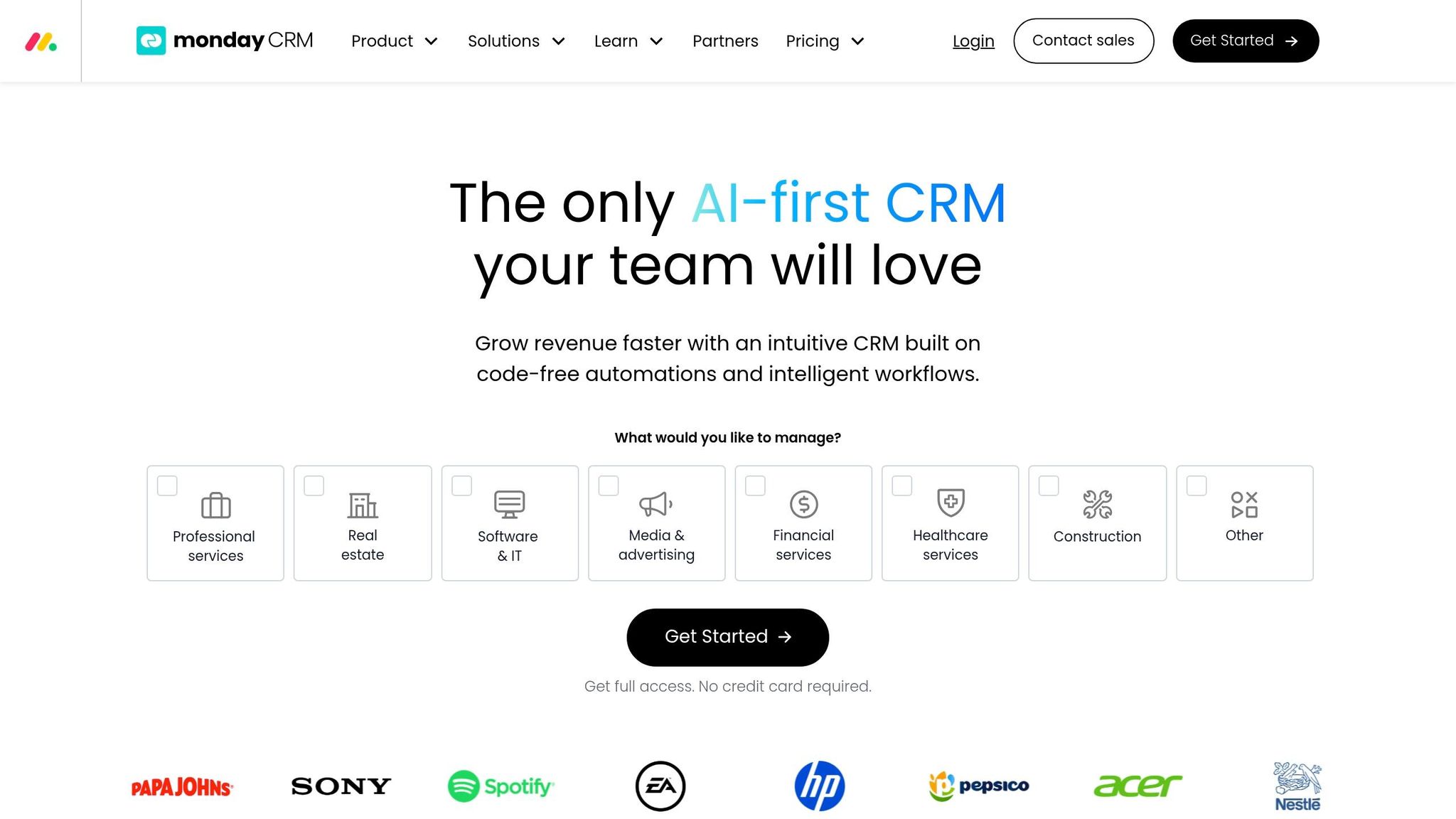
monday sales CRM fits teams that want a visual, flexible pipeline and find HubSpot too heavy for sales-only work. It uses spreadsheet-style boards, drag-and-drop setup, and no-code customization, which works well for teams with sales processes that don't match a standard CRM layout [6][4].
Setup is one of monday's main strengths. Teams can often get live in 3–5 days [6], compared with 1 week to 2 months for HubSpot setups [4]. For sales teams that want to move fast and avoid a long rollout, that gap matters.
Automation is good, but it comes with limits. monday includes 200+ no-code automation recipes [6], which covers many common sales tasks. On pricing, the Standard plan costs $17 per seat/month and caps automations at 250 per month, while the Pro plan costs $28 per seat/month and lifts that cap to 25,000 per month [18]. K3X takes a different route by skipping recipe setup and turning plain-language prompts into actions.
Reporting is the main tradeoff. monday's dashboards are board-centric, so common sales reporting often needs more manual setup [6]. That can keep day-to-day admin light, but it doesn't give teams the same depth in forecasting or attribution that HubSpot offers. If RevOps needs tight reporting structure, monday may feel limited.
Price is another clear difference. monday stays much lower-cost as teams grow, but that lower price comes with lighter reporting and more manual dashboard work. HubSpot has a more advanced workflow builder, but it sits behind the Professional tier at $90 per seat/month plus a required $1,500 onboarding fee [10]. K3X is priced at $20 per seat/month, has no long-term contracts, and uses usage-based AI credits, which puts it closer to monday on price while replacing manual workflow setup with prompt-driven actions.
Feature | monday sales CRM | HubSpot Sales Hub | K3X |
|---|---|---|---|
Best for | Visual, project-minded sales teams | Inbound marketing + sales alignment | AI-native, prompt-to-action CRM |
Setup time | 3–5 days [6] | 1 week to 2 months [4] | Prompt-driven; no workflow buildout |
Automation | 200+ no-code recipes; 250/mo cap on Standard [18] | More sophisticated workflow builder on Professional | Prompt-driven execution with AI agents |
Reporting | Board-centric; more manual sales reporting [6] | Deeper sales analytics and attribution | Real-time dashboards and performance insights |
Mid-tier price | $28/seat/month (Pro) [18] | $90/seat/month + $1,500 onboarding [10] | $20/seat/month |
Onboarding fee | $0 [18] | $1,500 (Sales Hub Professional) [10] | $0 |
AI capability | Timeline summaries and autofill [4] | Breeze AI on Pro+ tiers [6] | AI agents act on plain-language prompts |
monday sales CRM works best when sales, delivery, and operations need to work in the same system and pass work across teams cleanly [4]. Teams that need deeper sales analytics or a tighter RevOps setup should compare Attio next.
7. Attio
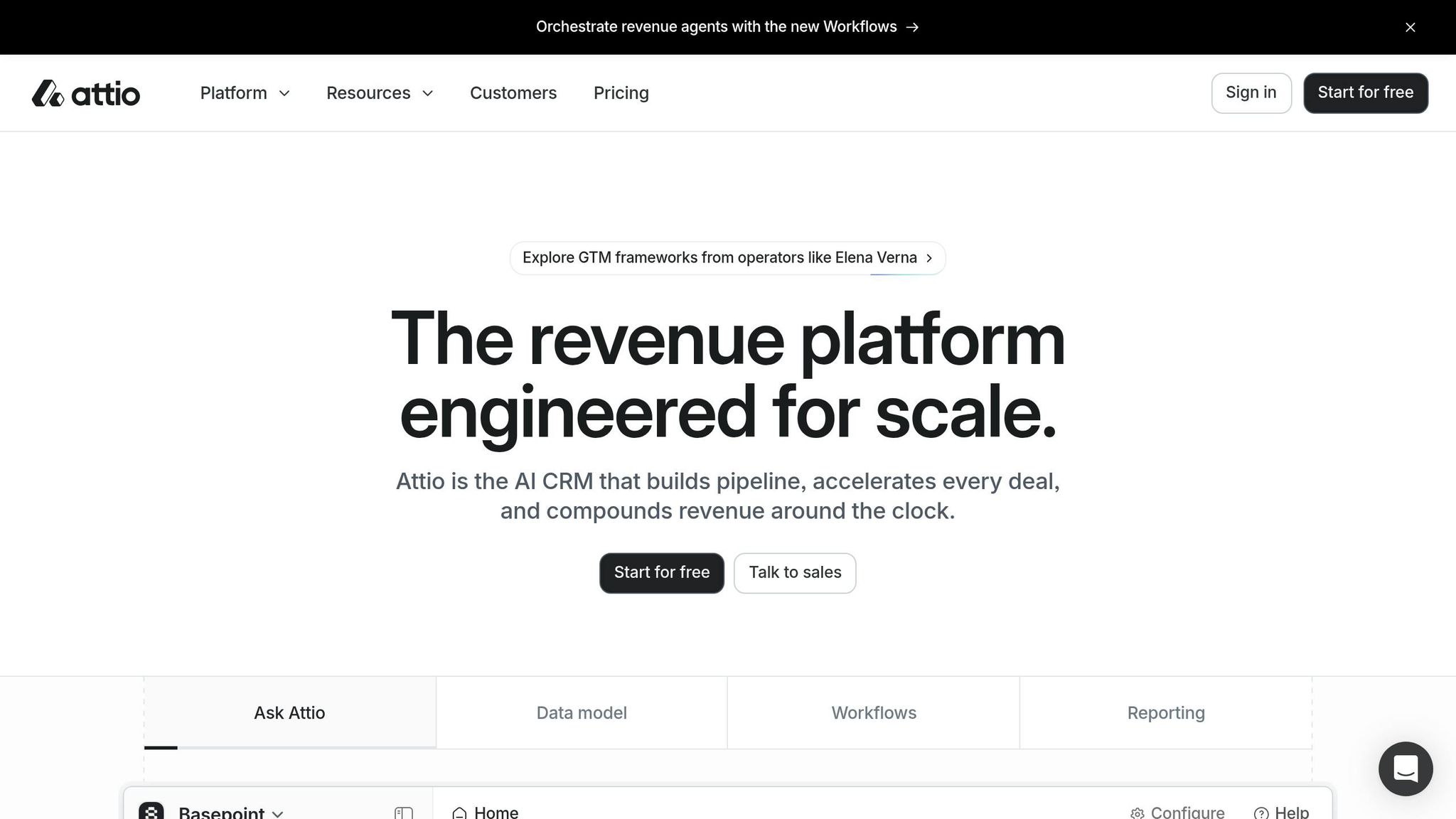
Attio fits teams that need more CRM flexibility than monday sales CRM but don't want the weight and setup burden that often comes with Salesforce. In practice, that usually means technical sales teams with lean ops and non-standard data relationships.
One of Attio's clearest strengths is speed. Page loads stay under 200 ms, and setup averages 12–14 days, compared with 6–8 weeks for HubSpot [24][25][26]. That shorter setup window matters for sales teams: reps can start using the system sooner and spend less time waiting on config before the first deal moves.
Attio stands out most in data modeling. It uses a graph-based relational model, which means records can connect in many-to-many ways instead of being locked into HubSpot's stricter Contact/Company/Deal structure. Custom objects are also available on all paid tiers, while HubSpot limits them to Enterprise or Ops Hub Pro [24].
The tradeoff is automation depth. Attio's workflow builder supports record-change triggers and basic branching, but it does not match HubSpot's more mature workflow engine for complex re-enrollment logic or time-based delays [12][25]. It also lacks native marketing automation, and teams that want deeper reporting often need BI tools. K3X takes a different path: it skips workflow building and external tool stitching by executing the outcome directly.
On cost, Attio is much less expensive than HubSpot for larger teams. A 10-seat team on Attio Pro pays about $4,080/year, compared with about $24,000/year for HubSpot Professional [25][26]. Attio's paid plans are billed annually and have no onboarding fee [12][27], while HubSpot charges a mandatory $1,500 onboarding fee for Professional [24]. K3X costs $20/seat/month, with no long-term contracts and usage-based AI credits, which makes it the lowest-cost choice here for teams that want AI-native execution without Attio's data-model overhead.
Feature | Attio | HubSpot Sales Hub | K3X |
|---|---|---|---|
Best for | Technical teams with non-standard data models | Inbound marketing + sales alignment | AI-native, prompt-to-action CRM |
Data model | Flexible graph-based model; custom objects on paid tiers | Rigid standard objects; custom objects gated | Prompt-driven; no schema buildout required |
Setup time | ~12–14 days | 6–8 weeks | Prompt-driven; no workflow buildout |
Automation | Visual builder; record-change triggers and basic branching | Mature workflow engine with branching and time-based delays | AI agents act on plain-language prompts |
Reporting | Standard pipeline views; BI tools needed for deeper analytics | Deep native analytics and forecasting | Real-time dashboards and performance insights |
Mid-tier price | $59–$69/seat/month (Pro) | $90–$100/seat/month (Professional) | $20/seat/month |
Onboarding fee | $0 | $1,500 (Professional) | $0 |
AI approach | AI-assisted enrichment and research | AI-capable via Breeze | AI agents execute from plain-language prompts |
Attio starts to fall short when a team needs native nurture flows, stricter compliance support such as HIPAA, or more built-in marketing ops [28]. For teams that want a full-suite option, the next section covers HubSpot.
8. HubSpot
HubSpot is often the default benchmark for growing sales teams. It brings marketing, sales, and service into one system, has a polished interface, and offers more than 1,500 native integrations [2][5]. For many teams, that makes it easy to adopt early. The strain usually shows up later, when pricing and feature limits start to affect how the team works.
The first issue is the jump in plan cost. The free CRM covers basic needs, but moving to Professional changes the budget fast. Marketing Hub Professional costs $890/month and includes a $3,000 onboarding fee, while contact-based pricing adds about $250/month for each extra 5,000 marketing contacts [2][17]. If your database grows fast, costs can climb even when your process stays mostly the same.
Feature access is the next sticking point. HubSpot’s automation tools are solid, but many of them sit behind higher plans. Modern teams often look for AI-native CRM features that handle these workflows without the tier-based friction. Standard workflows require Professional, and custom code steps require Operations Hub, which adds about $800/month [5]. Teams that need detailed approval paths, tighter territory rules, or more complex routing often find that HubSpot stops short and Salesforce starts to look like the next step.
The same pattern shows up in reporting. Custom dashboards and multi-touch attribution are also pushed into higher tiers [6][3]. That can be a problem for revenue teams that need clean reporting across marketing, sales, and customer success without adding another layer of spend.
Dimension | HubSpot Friction Points for Growing Teams |
|---|---|
Pricing | Mandatory onboarding fees ($1.5k–$3.5k) and aggressive contact-tier scaling. |
Customization | Limits on complex object relationships and multi-step approval processes. |
Automation | Professional tier required for workflows; custom code requires Operations Hub ($800/mo). |
Admin Overhead | Increases significantly when managing multiple "Hubs" and cross-hub reporting. |
HubSpot tends to work best for teams with a marketing-led motion, fairly standard workflows, and a clear preference for one vendor across the funnel. It becomes harder to justify when contact volume rises fast, when automation needs go past the built-in workflow engine, or when adding more Hubs pushes annual spend far beyond the core CRM use case. For sales and revenue operators, those are usually the points worth checking first before deciding to stay or switch.
Pros, Cons, and Migration Considerations by Platform
Each platform has a clear upside and a clear breaking point. This table shows where each one fits, where it tends to fall short, and how much work a switch usually takes.
Platform | Major Pros | Notable Cons | Migration Effort | Outside Help |
|---|---|---|---|---|
K3X | Prompt-to-action execution; avoids workflow buildout and admin overhead | Smaller ecosystem than Salesforce or HubSpot | Low | Minimal |
Salesforce | Infinite customization | High cost; steep learning curve | High (3–9 months) [6] | |
Pipedrive | Fast setup; low migration effort | Weak native marketing tools [6] | Low (3–5 days) [6] | No [6] |
Zoho CRM | Best value for the price | Dated UI; complex configuration [6] | Medium (2–3 weeks) [6] | Optional [6] |
Close | Outbound-first design; native dialer and SMS | Lighter reporting and basic forecasting [6] | Low–Medium (1–2 weeks) [6] | No [6] |
monday sales CRM | Visual flexibility; fast setup | Not purpose-built for sales | Low–Medium (1–4 weeks) [6] | Optional [6] |
Attio | Flexible data model; custom objects on all paid tiers | No native marketing automation [30] | Medium–High (4–8 weeks) [30] | Optional [30] |
HubSpot | All-in-one platform | Aggressive price jumps; marketing-contact scaling [2] | Native platform; no migration | Yes - for Professional and Enterprise tiers [2] |
For teams leaving HubSpot, migration effort matters just as much as feature fit. A CRM may look better on paper, but if the move drags on for weeks and breaks day-to-day work, that gap shows up fast in pipeline coverage and rep output.
Migration timing: plan for 4–8 weeks for a normal HubSpot migration, not a weekend cutover. Contacts, companies, and deals usually export cleanly, but email history, custom properties, and automation often need manual rebuilds. For sales teams, that workflow rebuild is usually where the project slows down most.
Before you import anything, focus on three things:
Clean your data - deduplicate contacts and validate records [3]
Audit daily HubSpot usage - identify which workflows run daily and which integrations are business-critical on day one [6]
Map workflows before migration - most platforms cannot replicate complex HubSpot automation logic automatically [6]
A 3–5-user pilot on live deals is one of the simplest ways to catch issues early [29]. It gives you a small test group to check field mapping, workflow gaps, reporting changes, and rep adoption before the full rollout.
Outside help becomes more common as workflow complexity goes up. Pipedrive and Close usually need the least outside support. K3X cuts down on workflow-heavy setup by letting teams define outcomes in plain language. Salesforce sits at the other end of the range, with implementation often costing $10,000–$50,000+ and carrying the heaviest admin load in this group [3][6].
Conclusion
The right CRM depends on the main problem you need to fix. Pick the tool that best matches the bottleneck: speed, automation, reporting, or cost.
Use the matrix below to match each CRM to the job it handles best.
Team Scenario | Best Fit | Why |
|---|---|---|
AI-driven execution, minimal admin | K3X | Prompt-to-action; no workflow buildout |
High-volume outbound calling | Close | Native dialer, SMS, and AI calling |
Fast pipeline visibility, easy rep adoption | Pipedrive | Simple pipeline; low admin |
Enterprise scale and deep reporting | Salesforce | Deep customization and analytics |
Broad automation at lower cost | Zoho CRM | Broad automation at lower cost |
Sales + project work in one view | monday sales CRM | Flexible boards; no IT tickets |
Flexible data model and governance | Attio | Flexible data model; custom objects |
All-in-one marketing, sales, and service | HubSpot | Best all-in-one if you can absorb the cost |
If you already run on HubSpot, the core choice is simple: stay with one all-in-one platform, or move to a sales-first stack. For teams that want to split systems and tune for sales execution, K3X, Close, and Pipedrive are the main tools to compare. For teams that still want one connected system, Zoho CRM is the closest lower-cost all-in-one option [1][2][6].
Among the older platforms, Salesforce still gives teams the deepest customization. The tradeoff is a heavier setup process and more admin work over time [3].
For many growing sales teams, the best CRM is the one reps will open and use every day.
FAQs
How do I choose the right CRM for my sales motion?
Choose a CRM by matching your main bottleneck to the tool that handles it best. If pricing is the issue, look first at lower-cost options; if your team needs deep custom setup, broad automation, or a sales-only workspace, start there instead.
Compare each tool across sales focus, AI depth, total cost of ownership, time to value, and data export. In practice, Pipedrive and Close work well for pipeline-first or outbound teams, K3X centers on AI-native automation, and Salesforce gives larger companies more room for deep customization. A structured pilot helps you check workflow fit, setup speed, and integration reliability before you commit.
What costs matter most when switching CRM?
Focus on the real first-year cost, not just the sticker price. In many CRM deals, the listed subscription price is only part of what you’ll pay in the first 12 months.
Look at the full cost stack:
seat licenses and base platform fees
onboarding or implementation fees
usage-based charges, such as contact-based add-ons
migration, setup, training, and needed integrations
These costs can outweigh the advertised price. That’s often the case in admin-heavy setups like Salesforce, or when a team moves off HubSpot and has to replace features that were bundled before.
How can I reduce migration risk during a switch?
Standardize your sales process before you switch. If you move messy data into a new CRM, you usually carry the same problems with you.
Plan for 4–8 weeks for small datasets and 8–16 weeks for large ones. That timeline should cover data cleanup, the move itself, and post-migration validation.
You should also expect some setup work after the data transfer. In most cases, workflows, email templates, reporting logic, and integrations need to be rebuilt or reconnected because they do not always map cleanly from one system to another.
To cut risk, run both systems in parallel for a short period. That gives your team time to compare records, check reports, and catch issues before the old system is turned off.
Document the migration as you go, and use evidence-based scorecards to track what worked, what failed, and what still needs review. This makes handoff easier and gives sales and revenue teams a clear record of data quality and system readiness.