Sales Automation
•
Copper CRM Alternatives for Google Workspace Teams in 2026
K3X is best for small Google Workspace teams needing AI follow-up; Attio for custom data models; Pipedrive for visual pipelines.

If I had to narrow it down fast, I’d say this: K3X is the top Copper alternative for Google Workspace teams of 1–9 that want the CRM to handle follow-up work, Attio is the stronger pick for custom data structure, and Pipedrive is the easiest choice for a visual sales pipeline. Copper still fits teams that live in Gmail, but once automation, channel mix, or seat cost become the issue, these tools make more sense.
What I’d focus on is simple: how much of your sales process still runs by hand, how tied your team is to Gmail, and what plan level you need before automation starts. Those three points explain most Copper replacement decisions in 2026.
I’d summarize the market like this:
Pick K3X if I want AI to run follow-up, stage updates, and outreach across email, SMS, and calls.
Pick Attio if I need custom objects, tighter control over record structure, and support for Gmail plus Outlook.
Pick Pipedrive if I want a pipeline-first CRM at a lower entry price.
Pick HubSpot if sales and marketing need to share one system.
Pick Streak if I never want to leave Gmail.
Pick Zoho CRM if I want more workflow depth at a lower price than Copper’s higher tiers.
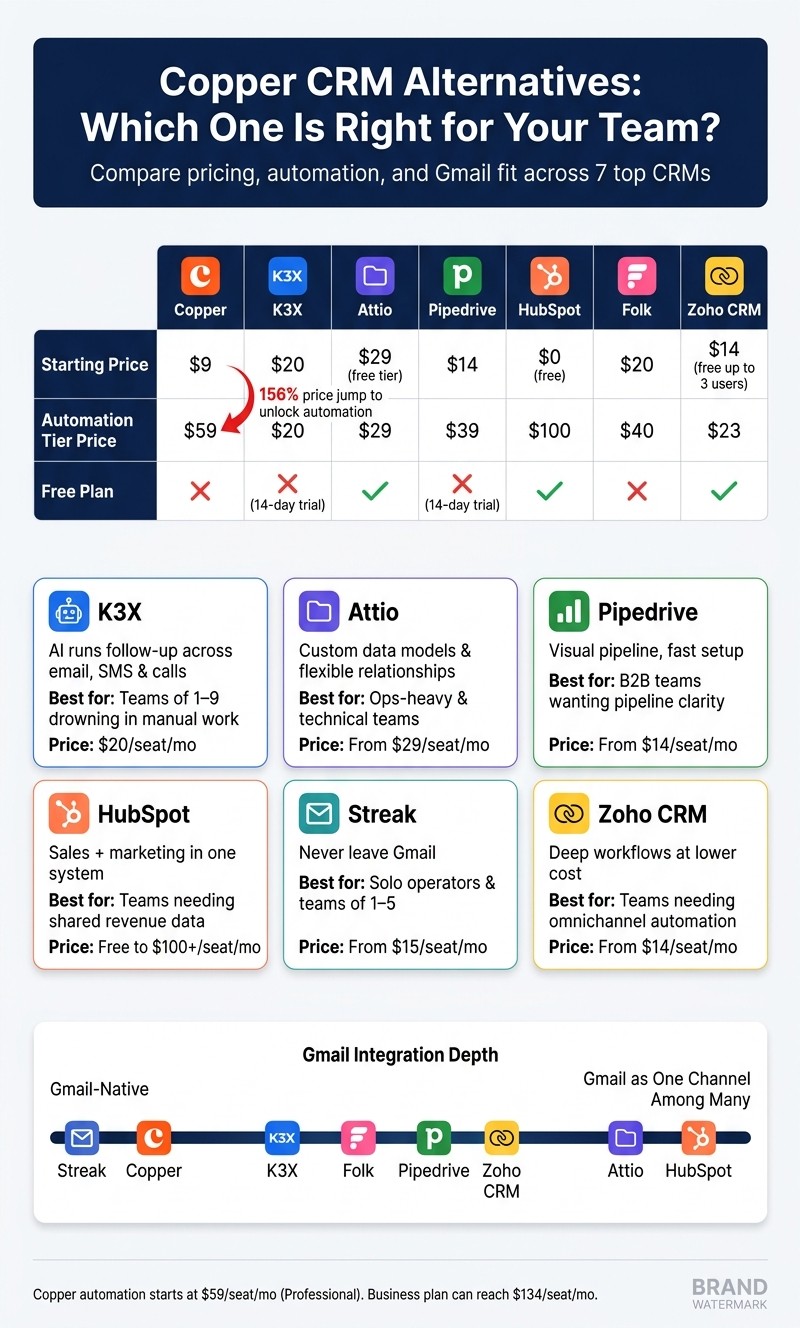
The main reason teams move off Copper is not just price. It’s the gap between what Copper does well inside Gmail and what a team needs once selling starts happening across more than email. In the article, Copper’s workflow automation starts at $59 per seat/month on Professional, up from $23 per seat/month on Basic, a 156% jump. That pricing step is one of the clearest pressure points called out.
I also think the article makes a clean distinction between visibility and execution. Copper is still fine when the job is to track deals in Gmail. It gets weaker when the job is to trigger actions, route work through integrations, manage calls or SMS, or support a sales motion that no longer fits an inbox-first setup.
If I were choosing fast, I’d use this filter:
Stay with Copper if Gmail is still the main workspace and the pipeline is simple.
Move to K3X if reps lose time on follow-up and admin work.
Move to Attio if your team cares more about schema and relationships than inbox flow.
Move to Pipedrive if the top need is getting a visual pipeline live without much setup.
One point worth underlining is cost shape, not just starting price. Copper may start at $9 per seat/month, but the article notes that the plan with workflow automation is $59 per seat/month, and Business can reach $134 per seat/month. By comparison, the article places K3X at $20, Pipedrive at $14, Folk at $20, Streak at $15, and Zoho CRM Standard at $14. That changes the math once a team needs more than contact tracking.
I’d also separate these tools by how they expect work to happen:
Copper and Streak assume Gmail stays at the center.
Pipedrive and Zoho CRM assume the pipeline is the main workspace.
Attio assumes the data model comes first.
K3X assumes the problem is getting actions done, not just logged.
HubSpot assumes sales, marketing, and service need one shared record.
The migration advice in the article is also practical. If I were leaving Copper, I would move Companies → Contacts → Deals in that order, then rebuild workflows after the data is clean. The estimated path in the piece runs from a few hours for export and cleanup to about 1 week for training and parallel use before canceling Copper.
My short take: the best Copper alternative depends less on “best CRM” and more on what broke first - Gmail-first workflow, automation limits, or plan cost. For small Google Workspace teams that want less manual work, the article’s answer is K3X. For teams that need custom structure, it’s Attio. For teams that want a pipeline on screen fast, it’s Pipedrive.
Copper CRM vs Top Alternatives: Pricing & Features Compared (2026)
🔝 Best Google CRM for Business in 2026 | NetHunt vs Streak vs Copper vs HubSpot vs Pipedrive
Why Do People Look for Copper Alternatives?
Teams look for Copper alternatives when Gmail stops being the center of their sales process. The main pressure points are automation limits, rising per-seat cost, and pipeline work that doesn’t fit inside the inbox.
Copper's value depends heavily on Gmail. That works for teams that spend most of the day in Gmail, but it becomes less useful once even one rep works elsewhere. The sidebar is the main product experience, and teams that rely on calls, SMS, or stage management outside email often run into limits [2][8].
Automation is gated behind higher tiers. The $9 Starter plan does not include pipelines or workflows. The $23 Basic plan adds pipelines, but still does not include automated workflows. Full workflow automation starts on Professional at $59 per seat/month, which is a 156% increase from Basic [8]. Copper also does not include native calling, SMS, lead scoring, or round-robin routing [2][8].
Price becomes harder to justify as teams grow. Copper's Business plan can reach $134 per seat/month [2]. For many teams, the issue is not just the list price. It’s paying more and still needing tools that are not built in. That gap between cost and needed features is a common reason teams move to another CRM [5]. More than 40% of businesses have left a previous CRM because it did not have the features they needed as they scaled [2].
Pipeline management eventually outgrows the inbox. Once a team adds phone calls, cross-channel follow-up, or routing rules, Copper’s inbox-first setup can start to feel limiting. At that point, pipeline stages tied mostly to email threads no longer match how the team actually sells.
That’s why the alternatives below are grouped by use case: AI automation, flexible data, simple pipelines, and Google Workspace fit.
1. K3X
K3X is a strong Copper alternative for small teams that want the system to do sales work, not just log it. Its prompt-based AI agents handle follow-up and pipeline tasks across email, SMS, and calls, which makes it a better fit when execution is the main problem, not visibility.
Best for: Teams of 1–9 that want AI to run follow-up and pipeline tasks, not just track activity.
Pricing: $20/seat/month. That includes 1,000 AI credits, unlimited integrations, and a built-in power dialer. There are no long-term contracts, and K3X offers a 14-day free trial at k3x.ai/pricing.
Setup Model
K3X is set up through plain-language prompts rather than a workflow builder. Users describe the outcome they want, and the AI creates the follow-up logic, timing, and pipeline actions for them. Setup takes under an hour, and no long-term contract is required [1].
Google Workspace Fit
K3X works with Google Workspace for activity capture, but it is not embedded inside Gmail the way Copper is. Google Workspace acts more like an input source than the main place where work happens, so K3X fits better for teams working across email, SMS, and calls instead of staying mostly in the inbox [1].
Automation Depth
K3X handles follow-up, stage changes, data entry, and outreach from a prompt instead of relying on manual trigger setup. Ruby Capital Group reported that the team moved time away from admin tasks and toward customer conversations after adopting K3X [1].
Feature | K3X | Copper (Professional) |
|---|---|---|
Starting price for automation | $20/seat/month | $59/seat/month |
Setup time | Under 1 hour | Manual setup |
Automation model | Prompt-driven AI agents | Manual trigger-based workflows |
Channels | Email, SMS, built-in power dialer | Email only (third-party integrations for calls/SMS) |
Pros:
AI executes follow-up and pipeline outcomes across email, SMS, and calls without a workflow builder
Flat $20/seat/month includes 1,000 AI credits, a built-in power dialer, and unlimited integrations
Setup takes under an hour, with no long-term contract
Cons:
Newer product with a smaller native integration catalog than more established options [1]
AI credit usage needs monitoring, and the product is not built for teams above 100 seats or teams that need deep admin governance [1]
If your main need is flexible data modeling rather than AI-led execution, Attio is the closer fit.
2. Attio
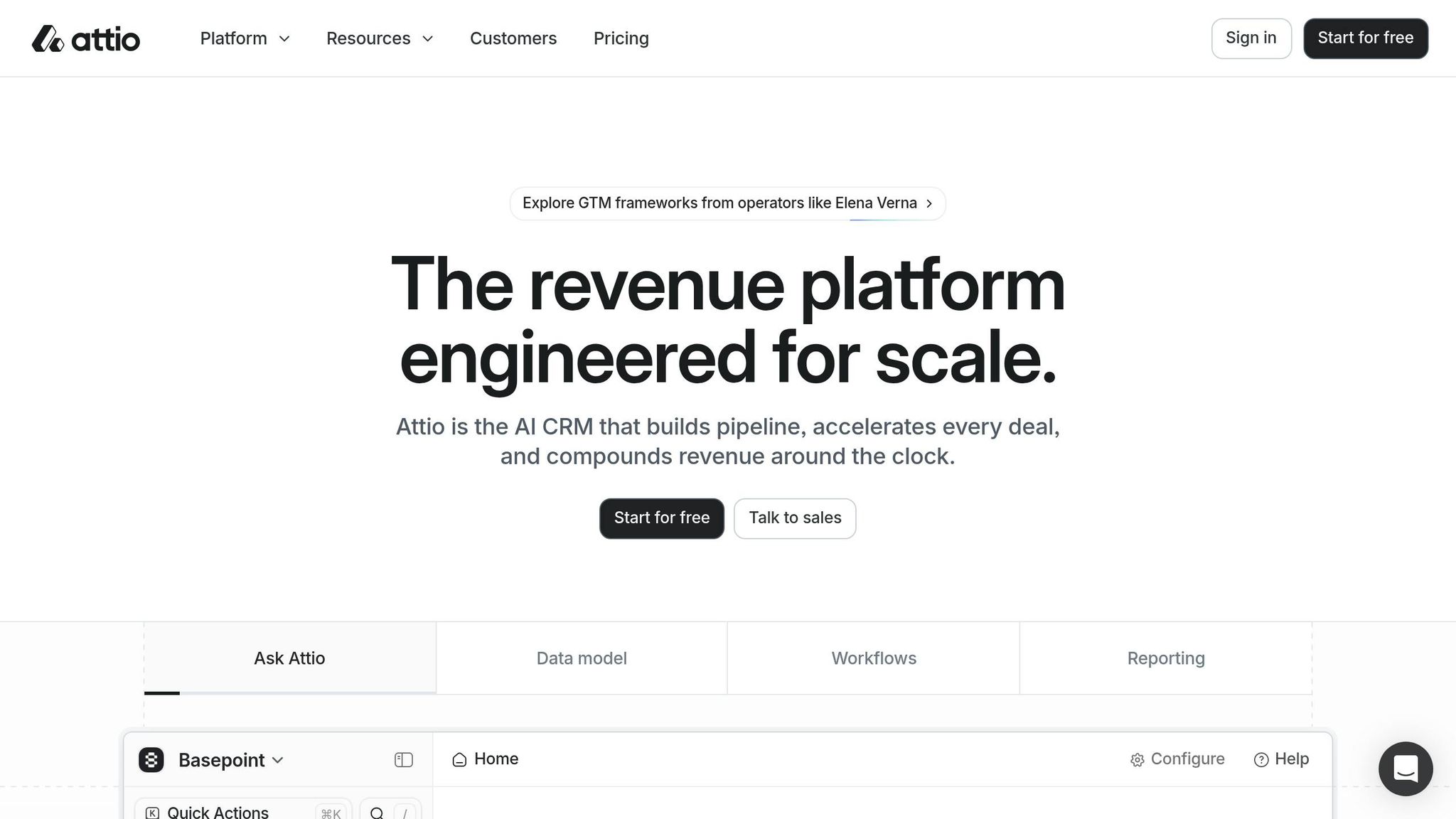
Attio fits better than Copper when your team needs a CRM that matches your data structure, not just your inbox. Copper is built around a fixed contact-and-deal setup inside Gmail, while Attio lets you shape objects and relationships around how your business works.
Best for: Ops-heavy teams and technical operators who need custom data modeling and relationships beyond a standard pipeline.
Pricing: Attio has a free tier. Paid plans start at $29/seat/month billed monthly, and some 2026 sources list the Plus tier at $34/seat/month billed annually; Enterprise is $119/seat/month [7][2]. That free starting point matters if you want to test a CRM before committing, since Copper does not offer a free plan.
Google Workspace Fit
Attio connects to Gmail and syncs communication context, but it does not force users to work from the inbox [7]. That gives teams more room to build process outside email, though it also means setup is less plug-and-play than Copper.
Setup Model
Attio is set up around your data model first. You decide how contacts, companies, deals, and custom objects connect before the CRM is fully filled in [2].
That takes more work at the start than Copper’s Gmail-based setup. For teams with custom workflows, multiple sales motions, or more than one pipeline type, that extra work can pay off.
Automation Depth
Attio includes a built-in AI assistant for suggestions and automated data entry [7]. Its API-first design also supports real-time data sync, which matters when data needs to move between tools without delay.
The tradeoff is its native integration library is still smaller than platforms like HubSpot or Pipedrive [2]. If your pipeline logic needs to follow the business rather than the sidebar, Attio is the stronger option.
Feature | Attio | Copper (Basic) |
|---|---|---|
Starting paid price | $29/seat/month | $23/seat/month |
Free tier | Yes | No |
Data model | Custom objects, flexible relationships | Fixed contact-and-deal structure |
Email support | Gmail + Outlook | Google Workspace only |
AI features | Built-in AI assistant | No native AI capabilities |
Pros:
Flexible data model lets teams define custom objects and relationships instead of fitting into a vendor schema [2]
Free tier available, unlike Copper, which has no free plan [7]
Works with both Gmail and Outlook [7]
Cons:
Smaller native integration library than players like HubSpot or Pipedrive [2]
Does not include a native dialer or multi-channel inbox, so outbound calling and SMS need third-party tools [2]
If you do not need custom objects and want faster pipeline setup, Pipedrive is the next comparison.
3. Pipedrive
Pipedrive is a better fit for teams that manage sales through pipeline stages, not email threads. It also gives you workflow automation at lower plan levels than Copper, so teams can move past inbox-led selling without paying for Copper's Professional tier.
Best for: B2B sales teams that want clear pipeline visibility and workflow automation without moving to Copper's Professional tier.
Pricing: Pipedrive's Lite plan starts at $14/user/month billed annually [4][5]. Growth is $39/user/month, Professional is $59/user/month, and Ultimate is $79/user/month [4]. A 14-day free trial is available, and LeadBooster, Campaigns, and Web Visitors are sold separately [4][5].
Google Workspace Fit
Pipedrive works well with Google Workspace, but it is not built around a Google-only setup. It offers a Gmail sidebar extension, two-way Google Calendar sync, and Google Drive integration, while still supporting teams that use other email providers [3][5].
That setup means reps will work in one more browser tab than they would in Copper. For mixed-email teams, though, that tradeoff is often worth it [3][5].
Setup Model
Pipedrive is built for a fast rollout. Most teams can get it live in about 1–2 weeks, with moderate migration work, based on setup benchmarks cited here [10].
Its import tools and simple interface help reps get started fast. If your main goal is to stand up a working pipeline without a long implementation cycle, Pipedrive is easier to adopt than many heavier CRM systems.
Automation Depth
Pipedrive gives you more automation earlier in the pricing ladder. By contrast, Copper puts workflow automation behind its $59/user/month Professional plan [5][8].
Pipedrive includes workflow automation from mid-tier plans and adds an AI Sales Assistant that shows win probability scores and deal recommendations [4]. It also flags stale deals on its own, which helps managers find neglected opportunities without pulling a separate report.
Feature | Pipedrive | Copper |
|---|---|---|
Starting price | $9/user/month (Starter) [5] | |
Practical sales tier | $59/user/month (Professional) [5] | |
Free tier | No | |
Email support | Google Workspace only [8] | |
Automation | Available from mid-tier; AI Sales Assistant included [4] | |
Integrations | Focused Google ecosystem |
Pros:
Workflow automation and AI Sales Assistant features come at lower price points than Copper's comparable tier [4][5]
Visual pipeline management and deal-staleness alerts help teams spot neglected opportunities faster [4]
More than 500 integrations support teams that use tools beyond Google Workspace [5][10]
Cons:
It is web-first, so teams that want an inbox-only workflow will switch tabs more often than with Copper [3][5]
Add-ons such as LeadBooster, Campaigns, and Web Visitors can push total cost higher if you need more than the base CRM [4][5]
If you need sales automation plus marketing workflows in one system, HubSpot CRM is the closer fit.
4. Is HubSpot CRM Better Than Copper for Teams That Need Sales and Marketing in One System?
Yes - if your team wants sales, marketing, and service data in one place. HubSpot works well for teams that have outgrown inbox-only pipeline tracking, while Copper stays more tied to Gmail and lighter to run.
HubSpot is the better fit when you need marketing automation, lead nurturing, and sales workflows in a single platform. If Copper starts to feel too inbox-bound, HubSpot gives you cross-team workflows without locking you into a Gmail-first setup. The downside is simple: pricing climbs faster, and setup takes longer than Copper.
Best for: Teams that need marketing automation, lead nurturing, and sales workflows in a single connected platform.
Pricing: HubSpot's Free CRM is $0/month. Sales Hub Starter runs $15–$20/seat/month billed annually. Sales Hub Professional starts at $100/seat/month and adds AI prospecting, deal scoring, and advanced automation. Sales Hub Enterprise starts at $150/seat/month [4][9].
Google Workspace Fit
HubSpot connects to Gmail through a sidebar, but it is not Gmail-native like Copper. In practice, it sits next to Gmail rather than inside it, so it feels broader but also heavier for teams that want to work outside the inbox [4][3].
That difference matters day to day. Copper is built around Gmail as the main workspace, while HubSpot treats Gmail as one channel among many. For revenue teams that want web forms, marketing emails, service history, and deal activity in the same record, HubSpot gives more room to work.
Setup Model
HubSpot’s basic tools can go live fast, but a full setup usually takes 1–3 weeks and often needs an admin [11]. That’s a clear jump from Copper’s lighter rollout.
Teams moving from Copper should plan for more than data migration. They’ll likely need to rebuild pipeline stages, workflow rules, reporting views, and team habits around a system that does far more than email-based selling.
Automation Depth
HubSpot’s paid tiers support multi-channel workflows, conditional branching, lead scoring, and AI-guided prospecting through AI-native sales tools like its Breeze agent [4][11]. That gives teams a much broader automation layer than Copper’s basic email sequences and task triggers.
The catch is cost. Most of that deeper automation is locked behind Sales Hub Professional at $100/seat/month [4]. So the gap is not just feature depth - it’s also budget impact.
Feature | HubSpot CRM | Copper CRM |
|---|---|---|
Starting price | Free ($0) [4] | $9/seat/month (Starter) [5] |
Paid sales tier | $100/seat/month (Professional) [4] | $59/seat/month (Professional) [5] |
Free tier | Permanent free plan [4] | 14-day trial only [9] |
Gmail integration | Native, embedded architecture [8] | |
Automation depth | Basic email sequences and task triggers [11] | |
Setup time | 1–3 weeks [11] | 1–3 days [11] |
Pros:
Permanent free tier covers contact management, pipelines, and meeting scheduling [4]
Over 2,000 native integrations including Slack, Zoom, and Google tools [4]
Marketing Hub, Service Hub, and Sales Hub share a single database, so every interaction from web visit to closed deal is visible in one contact record [11]
Cons:
The jump from Starter to Professional is steep at $100/seat/month, and advanced automation is locked behind that tier [4][11]
The platform can be too heavy for small teams; without a dedicated admin, most teams use only a fraction of what they're paying for [11]
If HubSpot feels too heavy, Folk is the lighter alternative.
5. Is Folk the Right Copper Alternative for Relationship-Driven Teams?
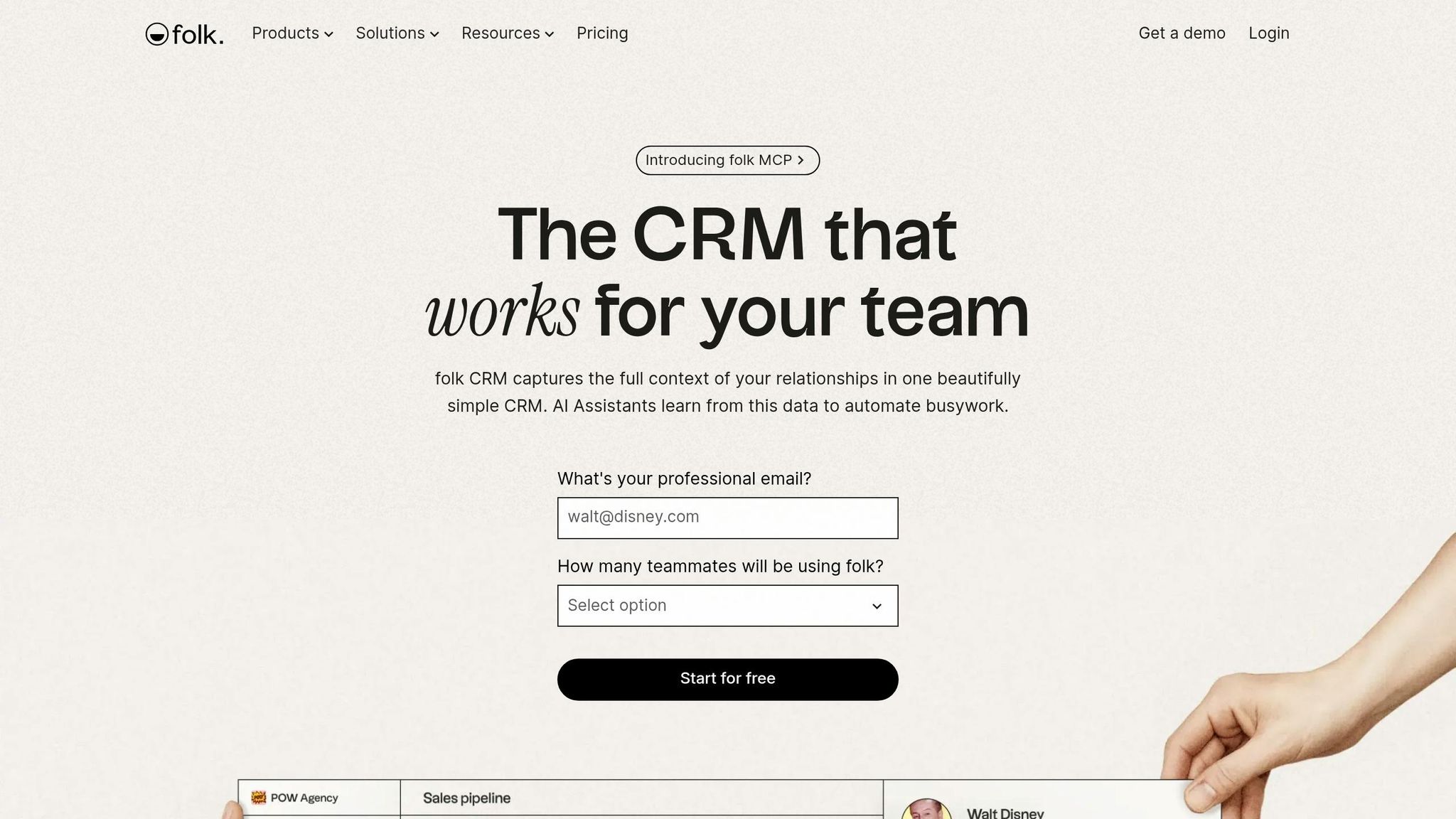
Yes - if your team works from relationships more than rigid pipeline steps. Folk fits small teams that care more about contact context than heavy process management.
If HubSpot feels too heavy for a small team, Folk keeps the CRM centered on people, not process. It’s built for founders, investors, agency owners, and business development leads who manage a network of contacts instead of a high-volume sales pipeline. Use it when relationship context matters more than stage automation.
Best for: Founders, investors, agency owners, and BD leads who prioritize relationship quality and contact enrichment over structured pipeline management.
Pricing: Folk's Standard plan starts at $20/seat/month billed annually, and the Premium plan starts at $40/seat/month billed annually [2]. Verify current pricing at folk.app/pricing.
Google Workspace Fit and Setup
Folk works well with Gmail and keeps setup simple. It connects to Gmail and uses a Chrome extension to pull contact data from LinkedIn profiles and websites in one click [2].
That light setup is a plus for small teams that want to move fast. The trade-off is less process control, which can be a problem for teams that need tighter sales rules or more formal handoffs. Folk makes more sense for teams prospecting across LinkedIn and the web, not just inside Gmail.
Automation Depth
Folk’s native automation is limited. It does not include a dialer, advanced sequencing, or a deep workflow engine [2].
That trade-off is pretty direct: relationship management is easier, but sales execution is weaker.
Pros:
One-click enrichment from LinkedIn and websites through the Chrome extension [2]
Collaborative notes keep relationship history in one place [2]
Flexible, lightweight pipeline views that feel less rigid than older CRMs [2]
Cons:
Not built for high-volume pipelines, quota tracking, or territory routing [2]
Lacks native sales execution tools like dialers, advanced sequencing, or sales forecasting [2]
6. Is Streak the Right Copper Alternative for Teams That Never Want to Leave Gmail?
Yes. Streak makes sense for teams that live in Gmail all day and want the CRM to sit inside the inbox, not next to it. Copper wraps CRM around Gmail; Streak strips that back and keeps Gmail as the main workspace.
Streak is best for solo operators and small teams of 1–5 that handle customer communication almost entirely through Gmail and want to avoid context switching.
Best for: Solo operators and teams of 1–5 who manage all customer communication through Gmail and want zero context-switching.
Pricing: Free plan for individual users; Solo at $15/user/month; Pro at $49/user/month billed annually; Team at $99/month flat for unlimited users; Enterprise at $129/user/month [6][2].
Google Workspace Fit
Streak fits teams that are already set on Gmail and Google Contacts. It runs inside Gmail through a Chrome extension, with pipeline views and contact sync built into the Gmail interface [2][3].
That setup is the main difference from Copper. Instead of a sidebar tied to a broader CRM app, Streak stays in Gmail and does not ask users to open a separate app or manage another login.
Setup Model
Setup is fast. Most teams can get started in minutes because they are working in the Gmail interface they already use every day [3][6].
For small teams, that matters. Less training, fewer moving parts, and a lower chance that reps ignore the CRM because it feels like extra work.
Automation Depth
Streak is fast because it keeps things simple, but that also limits automation. It covers email tracking, snoozing, reminders, mail merge, and snippets, but it does not go far into conditional logic or multi-step sequences [2][6].
That means teams that want automated follow-up beyond basic Gmail workflows will hit limits pretty fast. If you need deeper process control, Zoho CRM is the better fit.
Pros:
Pipeline views live inside Gmail with no separate app or login [2][3]
The flat $99/month Team plan can cost less than per-seat plans for groups of seven or more [6]
Cons:
Reporting is limited and does not include deal-level forecasting or deeper sales analytics [3][6]
Automation is light, with most features centered on email reminders and tracking [6]
Teams that need deeper reporting, lead routing, or more admin control will likely outgrow Streak. If Gmail-first simplicity starts to feel too narrow, Zoho CRM gives you more structure without forcing an all-at-once shift in process.
7. Zoho CRM
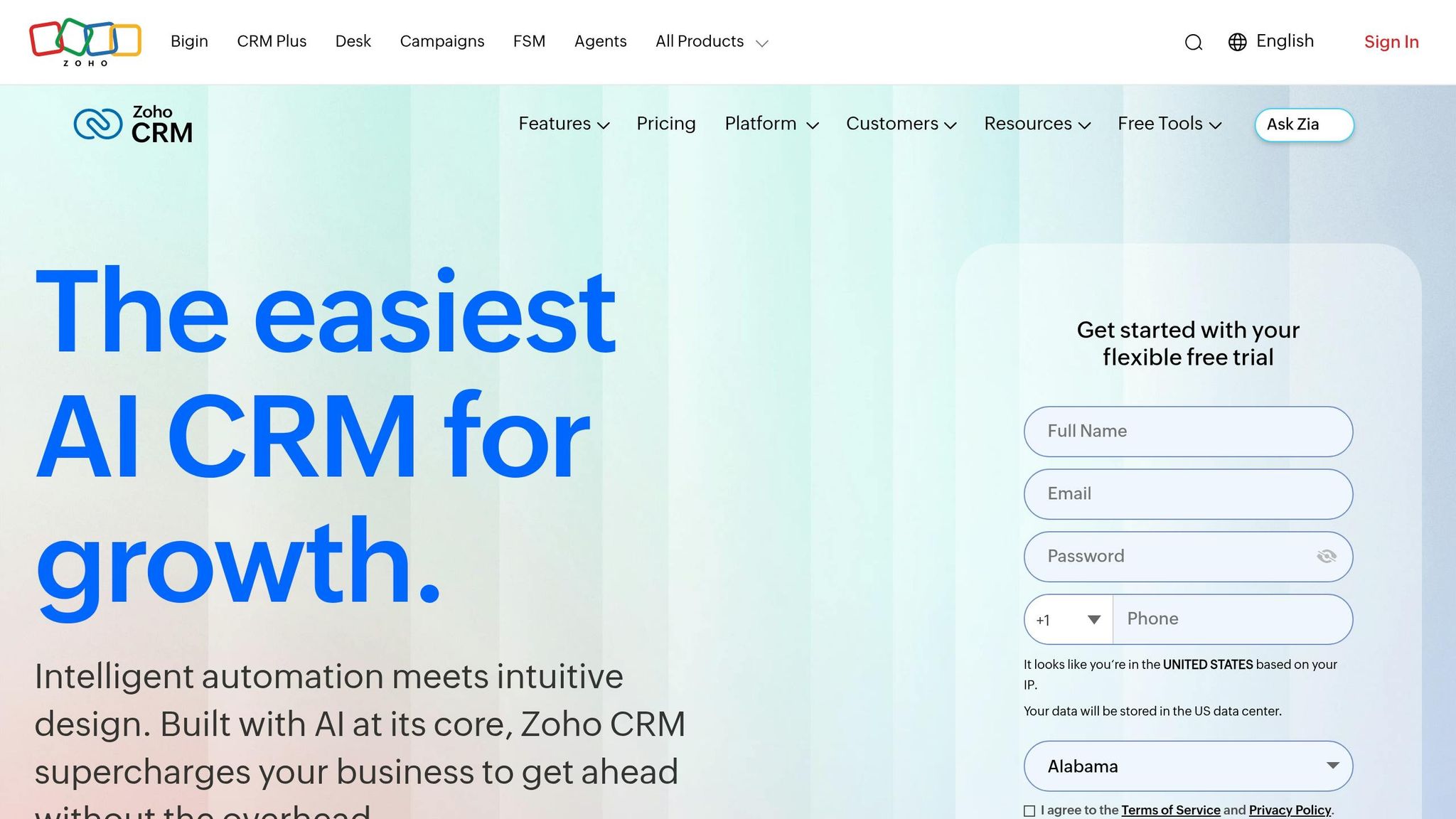
Zoho CRM is a better fit for Google Workspace teams that need more than a Gmail sidebar. It gives you workflow automation and forecasting from $14 per user/month on the Standard plan, while Copper needs its $59 per user/month Professional plan for similar workflow features [5][4].
That lower entry price matters, but there’s a tradeoff. Unlike K3X, Zoho does not take a plain-language goal and turn it into finished actions on its own. You still need to design workflows, set rules, and maintain the system. Compared with Copper, Zoho gives teams more control, but it also asks for more hands-on setup.
Best for: Teams that have moved past inbox-based pipeline management and need multi-channel automation, deeper reporting, and AI-assisted lead scoring at a lower price point.
Pricing: Free for up to 3 users; Standard at $14/user/month; Professional at $23/user/month; Enterprise at $40/user/month; Ultimate at $52/user/month - all billed annually [4][5].
Google Workspace Fit
Zoho works with Gmail, Calendar, Drive, and Meet through Zoho Marketplace, but it is not Gmail-native in the way Copper is [3][8]. For teams that spend most of the day inside Gmail, that difference shows up fast.
In practice, Zoho feels broader but less direct. Copper is built around the inbox experience, while Zoho connects to Google Workspace as part of a larger CRM system.
Setup Model
Zoho needs setup before it starts paying off. Teams usually have to map custom fields, build workflow rules, and configure modules before the system works the way they want [3].
That makes Zoho a stronger match for teams with a CRM admin, an ops lead, or at least time to invest up front. The trade is simple: more setup now, more automation later.
Automation Depth
Zoho supports stage-based workflows, cross-team journeys, AI lead scoring, and omnichannel alerts. That gives sales and revenue teams more room to shape process across email, phone, chat, and social channels [4][2].
The catch is that many of the more advanced Zia AI features sit on higher-tier plans [4][2]. So while Zoho starts cheap, the full AI feature set may cost more as needs grow.
Pros:
Lower starting price than Copper - $14/user/month versus Copper’s $59/user/month Professional tier for similar automation [5]
Deeper reporting, including custom dashboards and multi-currency support [3][5]
Omnichannel alerts pull email, phone, chat, and social interactions into one feed [4]
Cons:
Setup is heavy, and configuration is needed before the system performs well [3]
The interface is denser than Copper’s Gmail-native design [4][3]
The next section shows how to choose between K3X, Copper, and Attio based on team size and automation needs.
How should you choose between K3X, Copper, and the top runner-up?
Pick K3X if your main problem is slow follow-up and too much manual work. Pick Copper if your team lives in Gmail and wants the least change. Pick Attio if you need more flexible data structure, support for both Gmail and Outlook, and a free tier [7].
The choice comes down to what is slowing your team down. If reps are stuck sending emails, logging notes, and chasing next steps by hand, K3X fits best. If your setup already works inside Gmail and your pipeline is simple, Copper may still be the better call. If you need more control over how data is set up and used, Attio is the stronger option.
Decision Blocks
Choose K3X if... your team has 1–9 people and deals are slipping because follow-up is too slow or admin work keeps piling up. K3X carries out actions across email, SMS, and calls from a plain-language prompt, so you do not need to build workflows or set triggers.
That matters for small sales teams that want action fast. The tradeoff is that K3X has a smaller native integration catalog than older CRM vendors, and it is not built for teams with 100+ seats or heavy admin control needs.
If your team still does the work by hand after setting up the CRM, K3X is the better fit. If data structure and process design matter more than execution speed, move to Attio.
Stay with Copper if... your team depends on a native Gmail-first workflow and runs simple pipelines. In that case, switching may create more process change than actual gain.
Copper still makes sense when Gmail is the main place work happens and automation needs are light. If your team does not need custom objects, broad channel execution, or a new operating model, staying put can be the lower-friction option.
Choose Attio if... you need custom objects, support for both Gmail and Outlook, and a free tier that Copper does not offer [7].
Attio is the better pick when process design matters more than inbox-first ease. It gives teams more control over how records, relationships, and workflows are set up, which helps when your sales process does not fit a simple default pipeline.
Migrating Off Copper: Step-by-Step
Move your data first, then change workflows. Start with Companies, then Contacts, then Deals, so record links stay intact.
Step | Action | Estimated Time |
|---|---|---|
1. Export data | Download CSVs for Contacts, Companies, Opportunities, and Activities from Copper Settings. Do this before canceling, because the export window closes on deactivation. | 1–2 hours |
2. Clean and map | Remove duplicates and fix formatting in Google Sheets. Map Copper custom fields to the new CRM schema. | 2–4 hours |
3. Import data | Import in this order: Companies → Contacts → Deals/Opportunities. | 1 day |
4. Rebuild pipelines | Recreate stages, custom views, and automated triggers or sequences. | 2–4 days |
5. Redirect forms and sync | Redirect web forms, install Gmail extensions, and authorize Calendar and OAuth sync. | 1 day |
6. Validate dashboards | Rebuild dashboards and check permissions and data accuracy. | 1–2 days |
7. Train and go live | Run in parallel with Copper for 5–7 days before canceling the old subscription. | 1 week |
A practical migration usually works best in two phases. First, move the data and confirm record links, field mapping, and permissions. Then rebuild pipeline logic, inbox tools, forms, and reporting so reps are not learning a new system while core data is still messy.
Teams often get tripped up on custom fields, activity history, and sync settings. That is why the order above matters: export early, clean the files, import in sequence, then test dashboards and user access before shutting Copper off.