Sales Automation
•
Best AI CRM Software for Sales Teams in 2026
AI-native CRMs outperform legacy platforms for faster, autonomous sales automation and lower costs for small to mid-size sales teams.

K3X, Salesforce, and HubSpot stand out as top AI CRM options for sales teams in 2026, each catering to different priorities. K3X is ideal for teams seeking fast, automated workflows at $20/seat/month. Salesforce offers extensive enterprise tools but requires significant setup and costs, starting at $25/seat/month with AI add-ons. HubSpot balances user-friendly automation and marketing-sales alignment, though its pricing scales steeply for larger teams.
For small teams, K3X’s AI-native design handles tasks autonomously with minimal setup. Mid-sized teams benefit from HubSpot’s unified platform for sales and marketing, while Salesforce supports large organizations managing complex operations. Choose based on team size, automation needs, and budget.

Best AI CRM Software for Sales Teams 2026: Side-by-Side Comparison
Top 10 CRM Systems In 2026 | Best Customer Relationship Management Software | Leading CRM Systems
1. K3X
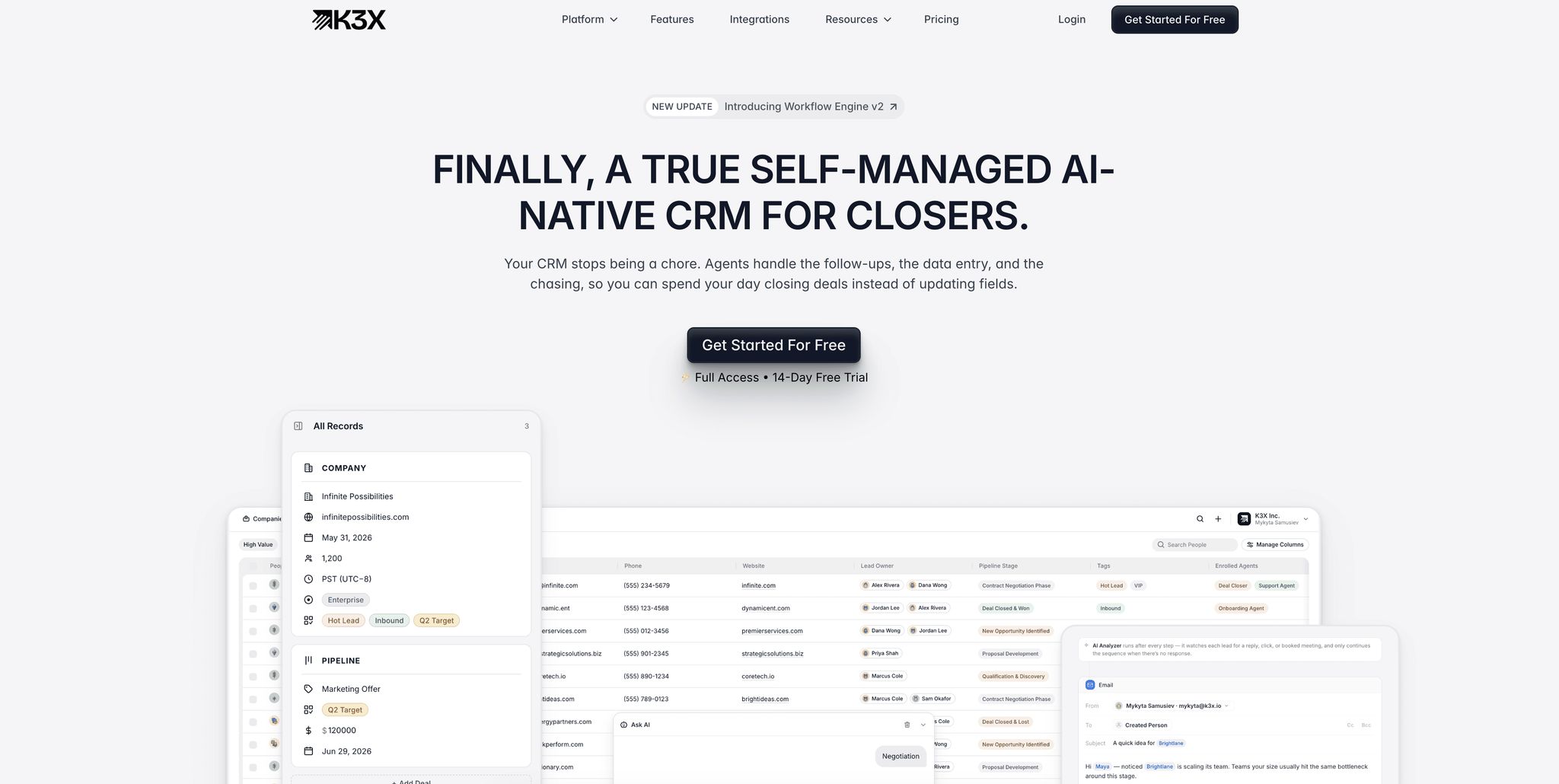
K3X is an AI-native CRM designed to prioritize outcomes rather than workflows. Unlike traditional CRMs that depend on rigid, rule-based systems, K3X's focus on outcomes allows it to adapt smoothly to unexpected changes, avoiding the pitfalls of predefined scripts.
AI Model
K3X operates entirely through natural language prompts. Users simply describe their desired outcomes in plain language, and the system autonomously works toward achieving them. As co-founder and CEO Mykyta Samusiev put it:
"Most CRMs record activity. K3X understands outcomes. It listens, knows what changed, and makes the next moves." [6]
Automation Setup
Setting up K3X is quick and straightforward. Users connect their email, phone, and other tools, then define their goals using plain language. There's no need for admin support or third-party automation tools. Most teams can fully implement K3X within an hour - a stark contrast to platforms like Salesforce or HubSpot, which may take days or even months to get up and running. Once set up, K3X seamlessly takes over the entire sales workflow.
Sales Workflow Coverage
K3X handles every aspect of the sales process, including follow-ups, pipeline updates, lead qualification, multi-channel outreach, power dialing, and real-time reporting. Its self-managing design not only executes tasks but also learns from outcomes to refine its priorities. This comprehensive approach is geared toward improving sales operations through AI-driven efficiency.
For instance, Ruby Capital Group, a funding company with 125 employees, adopted K3X's AI-driven agents in December 2025. The automation setup took just two days, leading to a 70% reduction in time spent on follow-ups and a threefold increase in ticket resolution speed. CEO Michael Chkechkov shared:
"Our sales team was spending half their day on admin work. Now they're talking to customers and closing deals. The automation handles everything from lead qualification to contract routing." [6]
Overall, K3X has automated over 312,000 hours of work across its user base, cutting operational costs by an estimated $12.4 million. On average, users save about 8 hours per employee each week. [6]
Pricing and Scalability
K3X offers a flexible Adaptive Pay-As-You-Go plan starting at $20 per seat per month. This includes 1,000 AI credits, unlimited contacts and leads, unlimited workflow automations, and integrated communication tools like a one-click power dialer and call recordings - all without requiring additional add-ons. Costs adjust based on usage, scaling up during busy months and reverting to the $20 base rate during slower periods. This pricing model stands in contrast to Salesforce, where AI interactions via Agentforce cost approximately $2 per conversation on top of seat fees, or Pipedrive, which charges a flat $19–$20 per seat add-on for its AI Sales Assistant. [10][1]
Feature | K3X | Salesforce / HubSpot |
|---|---|---|
Core Logic | Outcome-centric (pursues goals) [6] | Sequence-centric (follows scripts) [6] |
Interface | Prompt-driven (natural language) [6] | Menu and field-driven [7] |
Setup Time | Under 1 hour [6] | |
Data Entry | Passive / self-filling [6] | Manual or bolted-on automation [7] |
Pricing Model | Usage-based/adaptive from $20/seat [6] | Per-seat with high add-on costs [7] |
2. Salesforce

Salesforce is a leading CRM platform, holding an estimated 20–23% share of the global CRM market [7]. It provides extensive features tailored for large, complex sales organizations, but its detailed functionality often comes with significant setup and management challenges, making it less appealing for smaller or fast-paced teams. Here's a closer look at Salesforce's AI capabilities, setup requirements, workflow support, and pricing structure, alongside a comparison to AI-native CRMs.
AI Model
Salesforce's AI layer, Agentforce, operates on the Atlas Reasoning Engine, which interprets user intent, consolidates data, and automates multi-step workflows. Its Einstein Predictive Lead Scoring uses historical data and engagement patterns to boost conversion rates by 20–35% [3][13]. Agentforce has grown quickly, achieving $540 million in annual recurring revenue (ARR) by 2026 and handling over 3 billion monthly workflows for 18,500 customers [3][18].
However, its AI is built on legacy infrastructure, which was not initially designed with AI in mind. As noted by SFAI Labs:
"The Salesforce org with 200 custom fields and three full-time admins often has worse data quality than a 10-person startup running [an AI-native CRM] - because the startup's CRM captures data passively." [7]
Automation Setup
Setting up Salesforce for enterprise use is a lengthy process, taking anywhere from 3 to 12 months. It typically requires a certified administrator to handle custom objects, validation rules, Flow Builder, and Apex code [9]. Many businesses hire third-party consultants, with initial setup costs ranging from $20,000 to $50,000. Ongoing administration adds another $90,000 to $120,000 annually. Arjan KC from Gurkha Technology aptly described Salesforce as:
"A highly complex, infinitely customizable relational database disguised as a sales tool." [8]
Sales Workflow Coverage
Salesforce covers the entire revenue lifecycle, from territory management and multi-currency forecasting to CPQ (Configure, Price, Quote) and contract management. Its AppExchange offers a vast ecosystem of integrations. Agentforce enhances sales workflows by monitoring pipeline health, identifying stalled deals, and initiating re-engagement steps. This makes Salesforce particularly effective for enterprise teams managing intricate, multi-territory sales operations with 100 or more representatives.
Pricing and Scalability
Salesforce's pricing starts at $25 per user per month, but most businesses require the Enterprise tier at $175 per user per month for meaningful automation. The Unlimited tier costs $350 per user per month [9][5]. For AI capabilities, the Agentforce 1 package - which includes AI, Data Cloud, and Tableau - is priced at $550 per user per month. Alternatively, Agentforce can be added to Enterprise or Unlimited plans for $125 per user per month or billed at around $2 per AI conversation for customer-facing agents [16][18]. For a 10-person team, Enterprise licenses cost roughly $21,000 annually, far exceeding the $2,400 yearly cost for a comparable 10-seat K3X plan [6]. This pricing structure highlights why Salesforce is better suited for enterprises with dedicated technical support.
Feature | Salesforce |
|---|---|
AI Engine | Agentforce (Atlas Reasoning Engine) [3] |
Setup Time | 3–12 months; requires a dedicated admin [9] |
Data Entry | Manual logging combined with Data Cloud automation [14] |
Automation | Flow Builder, Apex, and rigid scripts [15] |
Starter Price | $25/user/month [9] |
Enterprise Price | $175/user/month [9] |
AI Add-on | |
Best For | Enterprises with 100+ reps and dedicated RevOps teams [12] |
Salesforce's tools are well-suited for managing complex sales processes, but its high operational demands stand in contrast to the streamlined functionality of AI-native platforms like K3X.
3. HubSpot
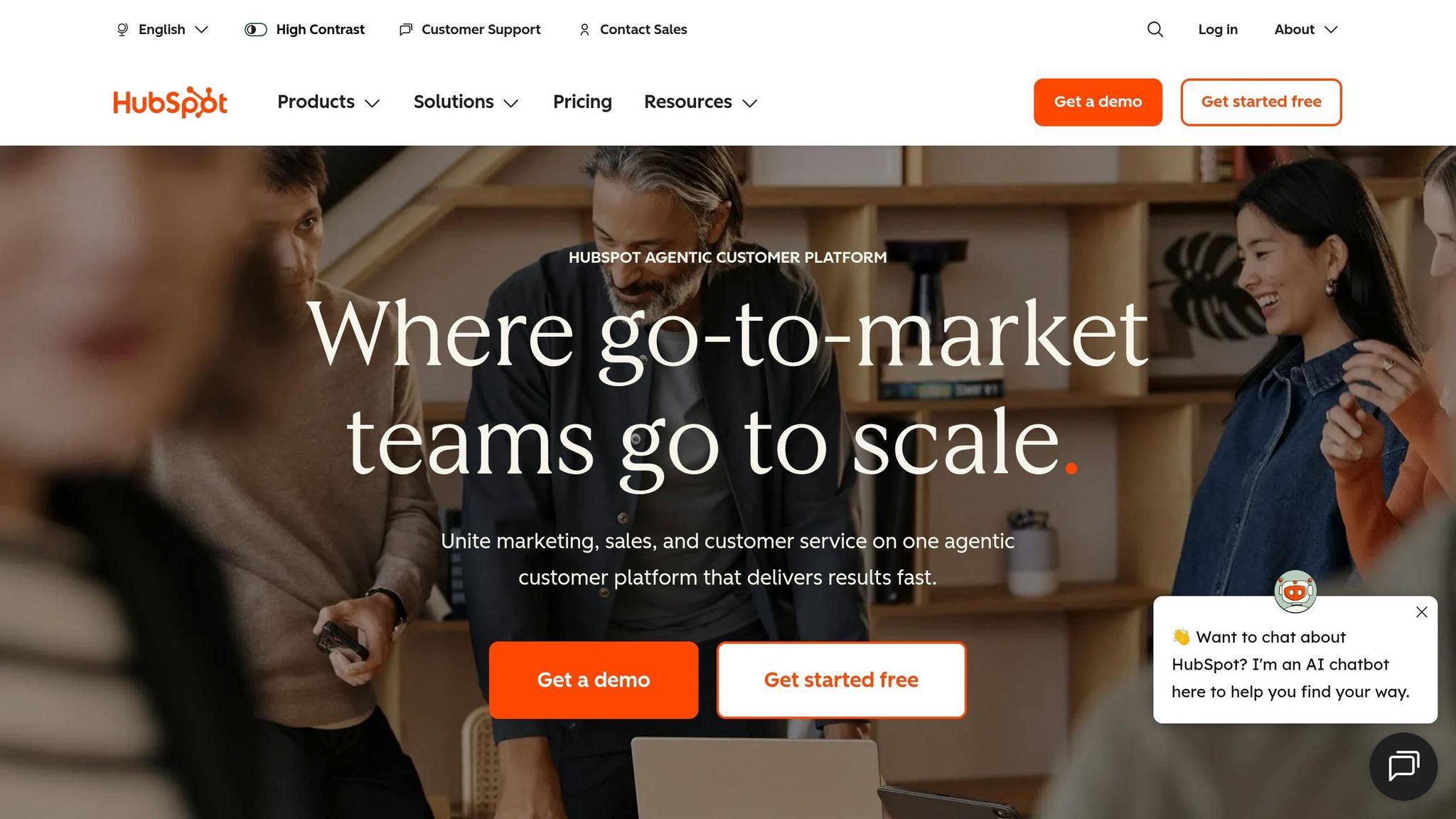
HubSpot sits between older CRMs like Salesforce and newer AI-based platforms like K3X, offering a practical mix of user-friendliness and functionality for mid-sized teams. Its AI tools allow these teams to get started quickly without the need for dedicated administrators, a clear advantage over Salesforce’s lengthy implementation process.
AI Model
HubSpot's Breeze AI includes three key components: Copilot (a conversational assistant), Agents (for prospecting and content creation), and Intelligence (for data enrichment and buyer insights) [10][19]. Teams using Breeze report a 76% boost in productivity and a 73% increase in deal win rates [19]. ToolixLab highlights the simplicity of HubSpot AI:
"The defining characteristic of HubSpot AI is that it works out of the box. You don't configure a model... most features are live within the time it takes to connect your email." [10]
Unlike K3X’s prompt-driven system, Breeze uses structured, visual workflows. It integrates seamlessly into HubSpot’s automation tools, making setup and execution straightforward.
Automation Setup
HubSpot’s automation tools revolve around four main features: Deal Pipeline Automations, Sequences, Sales Workflows, and Breeze AI Agents. Its no-code visual builder allows teams to set up pipelines in just 2–4 hours [23], saving time on repetitive tasks. In 2026, HubSpot transitioned to an autonomous AI model where Breeze Agents can independently research leads and move deals forward based on buyer actions [25]. However, these advanced features, including predictive lead scoring, are only available on the Professional tier, which requires a $3,000 onboarding fee [24].
Sales Workflow Coverage
One of HubSpot’s standout features is its unified "Smart CRM" data model, which provides a shared contact timeline for marketing, sales, and service teams. This eliminates the sync issues often found with Salesforce’s multi-cloud setup or when pairing Pipedrive with external tools [20][22]. Over 228,000 companies benefit from this unified approach [21]. HubSpot’s Prospecting Agent automates tasks like researching accounts and drafting outreach, while its Customer Agent handles about 65% of support inquiries autonomously as of April 2026 [24]. This broad coverage makes HubSpot appealing for teams focused on aligning marketing and sales efforts.
Pricing and Scalability
HubSpot uses a tiered pricing model that starts low but rises sharply with added features. The Starter plan costs around $15–$20 per seat per month, while the Professional tier - unlocking full automation - costs about $100 per seat per month, plus a $3,000 onboarding fee. The Enterprise plan is priced at approximately $150 per seat per month with a $7,000 onboarding fee [24]. As StackCoast puts it, "HubSpot's pricing is gentle at entry and steep at scale" [9]. For a 10-person sales team on the Professional tier, annual costs exceed $12,000 before factoring in onboarding or optional add-ons like Breeze Intelligence ($30/month) [6]. In comparison, K3X offers a much lower annual cost of $2,400 for the same team size [6].
Feature | HubSpot (Breeze) |
|---|---|
AI Engine | |
Setup Time | Days to 1–2 weeks [10] |
Automation Builder | Visual, no-code (Professional+) [23] |
Marketing-Sales Alignment | Unified Smart CRM timeline [20] |
Starter Price | ~$20/seat/month [24] |
Professional Price | ~$100/seat/month + $3,000 onboarding [24] |
Enterprise Price | ~$150/seat/month + $7,000 onboarding [24] |
Best For | Mid-market teams (10–500 employees) needing marketing-sales unification [10][19] |
HubSpot provides a strong mix of AI tools and a unified CRM setup that supports growing teams. However, its high onboarding fees and steep pricing as teams scale make it essential to weigh the total cost of ownership, especially when comparing it to alternatives like Salesforce or K3X.
4. Pipedrive

Pipedrive provides a visual sales pipeline designed to help sales reps track deals easily. Its simple setup makes it a practical choice for small-to-mid-sized sales teams that focus on direct sales rather than complex workflows. However, its AI capabilities are less advanced compared to AI-native platforms like K3X.
AI Model
Pipedrive's AI, known as Pulse AI (formerly the AI Sales Assistant), offers features such as next-action recommendations, deal scoring based on close probability, and identifying at-risk opportunities before they stall[27][17]. Introduced in July 2025, Pulse AI also added lead qualification features geared toward small and medium businesses (SMBs)[28]. A key difference between Pulse AI and K3X lies in their approach: Pulse AI suggests what actions a rep should take next, while K3X autonomously executes tasks to achieve defined outcomes. This distinction becomes more noticeable as sales teams grow and manual follow-up demands increase.
Automation Setup
Pipedrive's automation builder allows most teams to go live within 2–3 days[9]. For a 20-person team, weekly administrative work typically takes 1–3 hours, significantly less than the 8–15 hours required on HubSpot[28]. The system operates on linear, if-then logic: if a lead doesn't respond, the automation halts instead of adapting. Advanced workflows, like data enrichment using tools like Clay, often require third-party integrations such as Zapier or n8n[28]. In contrast, K3X handles these tasks natively with real-time, intent-based adjustments. While Pipedrive's setup supports essential sales processes, it offers limited flexibility for more advanced workflows.
Sales Workflow Coverage
Pipedrive effectively supports core sales workflows with features like pipeline management, email synchronization, activity tracking, and basic lead scoring. Its G2 ease-of-use score of 8.9/10[28] highlights its quick adoption by sales reps with minimal training. However, it lacks native modules for marketing and customer service, as well as support for custom objects, which limits its ability to handle complex relational data[17].
CRM analyst David Paul explains:
"Pipedrive is the better CRM for teams that sell. HubSpot is the better platform for teams that market and sell." [30]
For larger sales organizations requiring cross-departmental alignment or in-depth reporting, Pipedrive's limitations become evident. Emily Nakamura from ProPicked notes:
"A 200-person sales org on Pipedrive will hit [a] ceiling within a year." [1]
Pricing and Scalability
Pipedrive offers four pricing tiers: Lite ($14/user/month), Growth ($24/user/month), Premium ($49/user/month), and Ultimate ($69–$79/user/month), all billed annually[9][17]. For active teams, the Growth tier at $24/user/month is the minimum viable option, as the Lite plan lacks features like email synchronization and automation[9]. For a 10-person team, the estimated Year 1 cost is $13,000–$15,000, compared to $38,000–$48,000 for Salesforce Pro Suite[17]. K3X, priced at $20/seat/month with AI credits included, offers a more affordable option for teams prioritizing automation over pipeline visualization[6].
Feature | Pipedrive (Pulse AI) | K3X (AI-Native) |
|---|---|---|
AI Philosophy | Autonomous goal execution[6] | |
Automation Logic | Linear/scripted sequences[6] | Outcome-based, adaptive[6] |
Setup Time | 2–3 days[9] | Under 1 hour[6] |
Custom Objects | No[17] | Yes[6] |
Entry Price | $14/user/month (Lite)[9] | $20/seat/month[6] |
AI Features Tier | Included at base price[6] | |
Ideal Team Size | 2–50 reps[17] | Revenue-focused teams of any size[6] |
Pipedrive is well-suited for sales-focused teams seeking a straightforward CRM that avoids the complexity of Salesforce or the broader functionality of HubSpot. However, for organizations that prioritize AI-driven automation, autonomous data handling, or integrated workflows across departments, its coaching-first AI model may fall short.
5. Zoho CRM
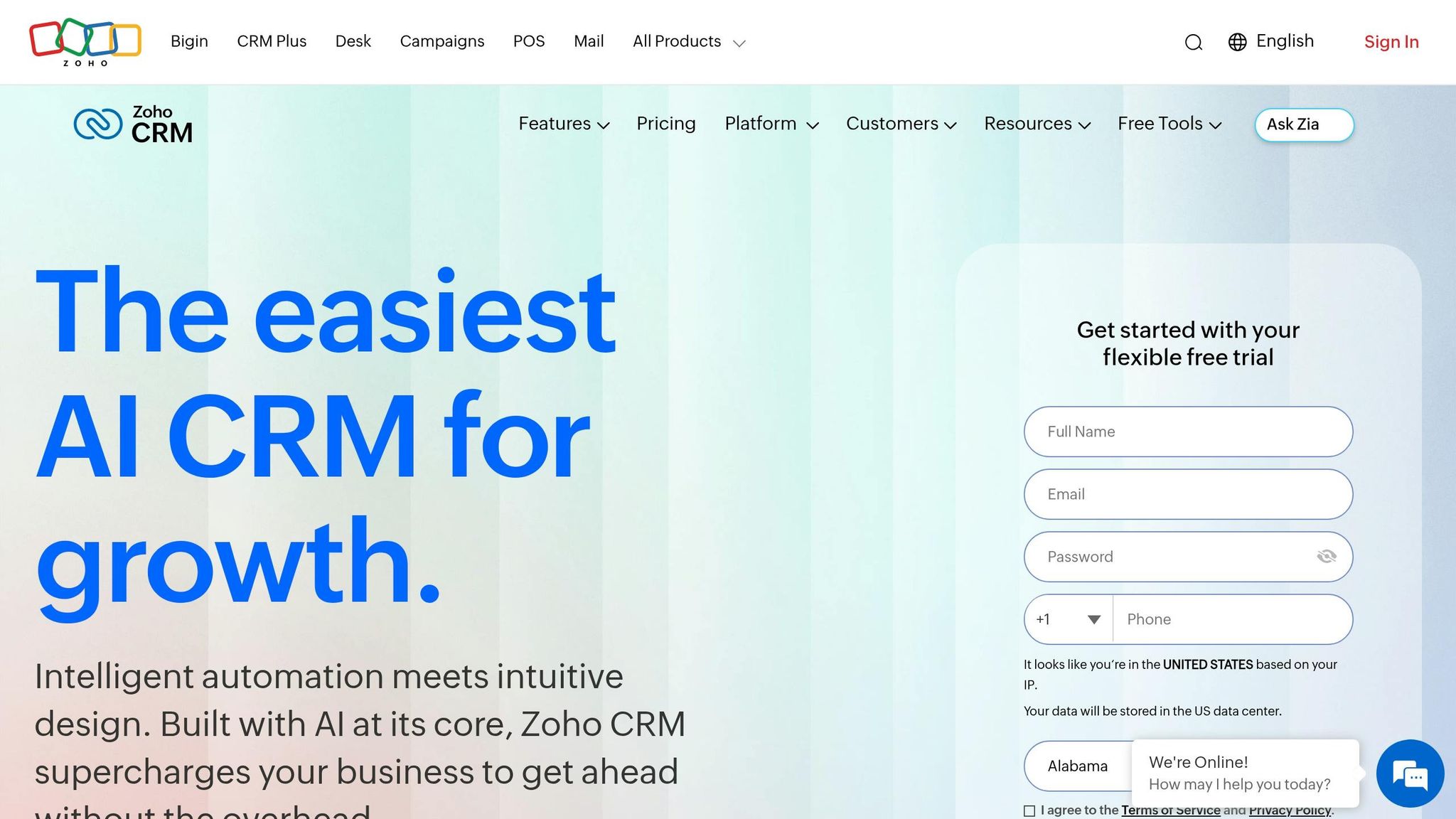
Zoho CRM is a comprehensive and cost-effective platform that supports the entire sales process, from capturing leads to closing deals. It includes tools for marketing, service, and inventory management that many competitors either charge extra for or don't offer as part of their core systems. However, this functionality comes with a learning curve and a longer setup time compared to simpler alternatives. Here's a closer look at Zoho's AI features, automation capabilities, and pricing.
AI Model
Zoho's AI assistant, Zia, provides features like predictive lead scoring, churn detection, anomaly alerts, and "Next Best Action" recommendations [16]. In 2026, Zoho launched Zia Agent Studio, a no-code tool that allows users to create custom AI agents without programming knowledge [3][13]. Unlike fully autonomous systems, Zia focuses on delivering insights and suggestions through tools like sentiment analysis and predictive scoring. Bobby Shao of SaaSProbe highlights this balance:
"Zoho delivers 80% of enterprise features at roughly 20% of the cost." [16]
Automation Setup
Zoho offers a range of automation features, from basic event rules on its Standard plan to advanced workflows with CommandCenter on the Enterprise plan ($40/user/mo). Setting up these automations typically takes 4–10 weeks due to the platform's complexity. While Zoho's customization options are extensive, this setup time is longer than AI-native systems like K3X, which can be operational in under an hour.
Sales Workflow Coverage
The platform supports up to 10 sales pipelines on the Standard plan and includes features like territory management, inventory management (starting with the Professional plan), multi-user portals, and customization using the no-code Canvas UI designer [16]. However, some features, such as two-way email sync, are only available from the Professional plan ($23/user/mo) onward, which may limit functionality for teams on the entry-level Standard tier. Mark Bishop, Editor at SaaS True Cost, notes:
"Zoho is the value play for sub-50-person teams that need broad functionality at low cost; the UI is dated but functional." [12]
Pricing and Scalability
Zoho's pricing starts with a free tier for up to three users and goes up to $52/user/mo for the Ultimate tier. The Enterprise plan, at $40/user/mo, is the most practical option for teams looking to leverage AI features [16]. For teams needing even broader functionality, Zoho One is available at $45/user/mo, offering a more extensive feature set compared to platforms like K3X [31]. When compared to Salesforce Enterprise ($175/user/mo) or HubSpot Professional ($100/user/mo), Zoho's pricing is a clear advantage. However, K3X remains more affordable at $20/seat/mo, though it focuses on a streamlined, AI-first sales model [6].
Feature | Zoho CRM (Enterprise) | Pipedrive (Professional) | K3X |
|---|---|---|---|
Price (Annual) | $40/user/mo [16] | $64/user/mo [12] | $20/seat/mo [6] |
AI Capabilities | Zia (assistant + Agent Studio) [16] | Add-on | Autonomous, outcome-based [6] |
Automation Depth | Advanced (CommandCenter) [16] | Mid-tier | Adaptive, prompt-driven [6] |
Setup Time | 4–10 weeks [13] | 2–3 days | Under 1 hour [6] |
Best For | Value-seeking SMBs needing breadth [12] | Pure sales pipeline teams [17] | Revenue-focused teams, any size [6] |
Zoho CRM is an excellent option for small to mid-sized businesses seeking an affordable, all-in-one solution. However, its longer implementation timeline and tiered feature structure mean teams should carefully evaluate their needs and plan accordingly.
6. monday sales CRM
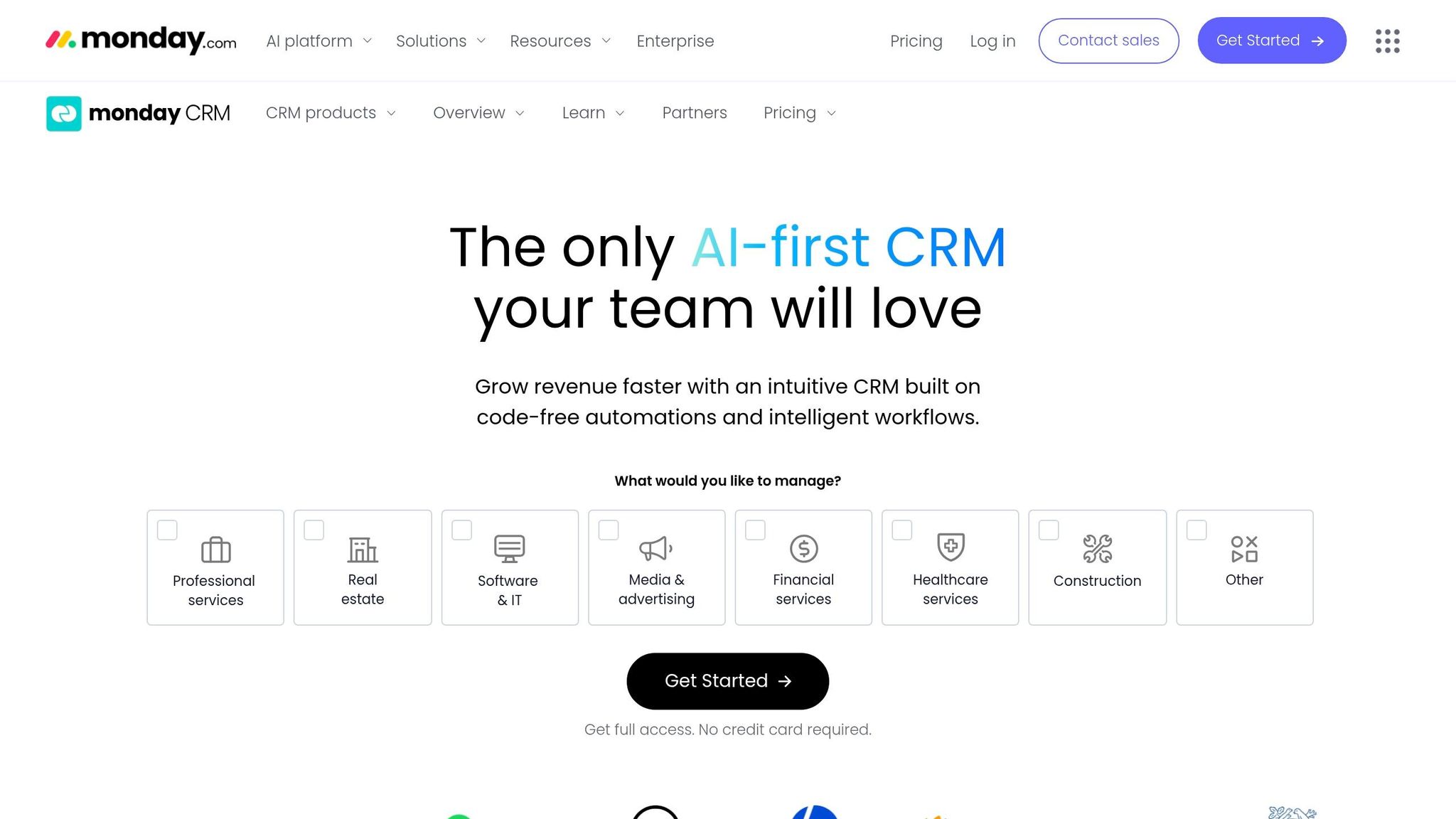
monday sales CRM stands out for teams that need a single platform to manage both sales and post-sale delivery. Unlike older CRMs with cumbersome workflows, monday connects sales processes directly with delivery tasks. Its roots in project management provide a flexible and user-friendly interface. With a G2 rating of 4.6/5 from over 1,100 reviews [34] and a score of 7.6/10 in 2026 comparative testing, it also scored 9.0 for ease of use [11].
AI Model
monday's AI, branded as Work AI, includes tools like an AI Sidekick for summarizing boards and tasks, an AI Email Composer for personalized communication, and AI Automation Blocks for extracting information or analyzing sentiment within workflows [33][35]. In 2026, monday launched AI-driven agents that autonomously qualify leads and conduct research, narrowing the gap with AI-native competitors [39][40]. While monday focuses on enhancing preset workflows, K3X takes a direct, outcome-based approach, bypassing rigid sequences [6]. This difference highlights monday's emphasis on user-friendly automations.
Automation Setup
monday features a visual, no-code recipe builder, enabling non-technical users to set up automations independently [33][36]. Building a basic pipeline with lead routing and status-change automations typically takes 2–5 days, which is much faster than Salesforce's 3–6 month implementation [36]. However, it lags behind K3X, which offers setup in under an hour [6]. A drawback of monday's system is its linear, scripted automation flows, which can sometimes interrupt workflows [6]. Still, teams report a 20% reduction in manual data entry within the first month [36]. By comparison, K3X claims to save users an average of 8 hours per week with its goal-driven approach [6].
Sales Workflow Coverage
One of monday's key strengths is its seamless transition from sales to delivery. When a deal is marked as "Closed Won", the system automatically generates a project board [33][39]. According to ifeeltech:
"The single biggest advantage of Monday CRM is eliminating the gap between 'deal closed' and 'project started.'" [33]
This feature is especially helpful for agencies, consultancies, and SaaS teams with complex onboarding needs. However, for teams focused solely on speeding up the sales pipeline, specialized tools like Pipedrive or Close may offer more advanced sales-specific features [37][38].
These integrated tools not only streamline transitions but also play a role in determining pricing options.
Pricing and Scalability
monday's pricing starts at $12 per seat per month for the Basic plan (billed annually), while the Pro plan at $28 per seat per month includes 25,000 automation actions and sales forecasting [32][33]. All paid plans require at least three seats, making the minimum monthly cost $36, even for small teams [32][38]. The Standard plan limits users to 250 automation actions per month, which may push high-volume teams to upgrade. Enterprise pricing is customized for teams of 50 or more and offers unlimited automations [32].
Feature | monday sales CRM | HubSpot Sales Hub | K3X |
|---|---|---|---|
Entry Price | $36/mo (3-seat minimum) [32] | $0 free / $15 per seat [11] | $20 per seat/mo [6] |
AI Approach | Workflow enhancement (Agents/Blocks) [33] | Breeze AI (inbound-focused) [11] | Outcome-based, prompt-driven [6] |
Setup Time | 2–5 days [33] | 1–3 hours | Under 1 hour [6] |
Automation Cap | 25,000 actions/mo (Pro) [32] | Tier-based | Adaptive, no hard cap [6] |
Best For | Cross-functional sales & ops teams [32] | Inbound marketing & sales [11] | Revenue teams focused on outcomes [6] |
monday sales CRM is well-suited for teams needing a unified platform for sales and operational workflows. However, those prioritizing advanced sales automation or faster implementation may find AI-native tools like K3X or specialized options like Pipedrive more appropriate.
7. Close
Close is tailored for inside sales teams that prioritize phone-based outreach. Unlike platforms like monday sales CRM, which combine sales and operational tools, Close focuses exclusively on fast-paced outbound sales activities. It simplifies processes for high-velocity teams by reducing manual tasks and enhancing sales interactions. With a 4.7/5 rating on G2 from over 2,000 reviews, it has garnered strong user feedback[41].
AI Model
Close's AI is built around Chloe AI, an assistant designed to streamline sales tasks like call transcription, automated follow-ups, lead enrichment, and voice functionality[44]. Its Call Assistant transcribes and summarizes calls, automatically adding action items to the CRM. This feature alone can save outbound reps about 30 minutes daily[29]. Chloe AI is available across all plans, including the entry-level Solo tier.
Unlike Salesforce's Einstein AI, which requires significant configuration, Chloe AI integrates seamlessly into day-to-day calling workflows. Close takes a hands-on approach to automation, embedding it into multichannel workflows to support sales teams effectively.
Steli Efti, CEO and Co-founder of Close, has emphasized this focus:
"Close will never become a platform. We don't want to be HubSpot or Salesforce. We want to be the best inside-sales CRM in the world."[46]
This commitment to call-centric AI is reflected in its automation capabilities.
Automation Setup
Close's automation is powered by Smart Views - dynamic lead lists that continuously update to serve as work queues for sales reps[45]. These lists replace static pipelines, allowing reps to work from a live, filtered feed of leads. Multichannel workflows combine email, SMS, and call tasks into one streamlined sequence. With native tools like the Power Dialer and Predictive Dialer, Close eliminates the need for external software such as Aircall[42].
The setup process is quick and user-friendly. Teams using Close's built-in dialer often report doubling or tripling their call volume compared to using HubSpot with external dialers[46]. However, Close's lead-centric data model, which consolidates accounts, contacts, and opportunities into a single record, may not suit teams with complex B2B requirements[26].
These features make Close a strong choice for teams focused on efficient sales execution.
Sales Workflow Coverage
Close consolidates the entire inside sales process into a single license. This includes CRM functionality, a Power Dialer, SMS, email sequences, call recording, voicemail drops, and AI-generated summaries[42]. By bundling these tools, Close simplifies operations compared to systems that require multiple integrations. As Nick French, Founder of StackSwap, explained:
"Close inverts the inside-sales stack by bundling CRM + Power Dialer + SMS + Chloe AI into one per-seat license."[44]
This unified approach reduces the hassle of managing disconnected tools and contact lists.
However, Close has limitations outside of sales execution. It does not include marketing automation features like landing pages, lead scoring, or nurture campaigns, requiring teams to use third-party tools like Customer.io for these tasks[42][46]. Additionally, Close does not offer EU data residency, making it less suitable for European teams with strict compliance needs[46].
Pricing and Scalability
Close offers four pricing tiers:
Solo: $9/user/month (billed annually)[44]
Essentials: $35/user/month, adding pipeline management and SMS
Growth: $99/user/month, unlocking the Power Dialer, automated workflows, and bulk email
Scale: $139/user/month, including the Predictive Dialer, call coaching, and role-based permissions
For a 10-person team on the Growth plan, the annual cost is approximately $11,880, significantly lower than Salesforce Enterprise setups, which can range from $31,000 to $71,000 with implementation fees[41]. Close is also about 45% less expensive than HubSpot for outbound workflows requiring calling features[42]. Note that calling and SMS usage incur additional costs on a per-minute and per-message basis.
Feature | Close | K3X | Salesforce |
|---|---|---|---|
AI Philosophy | Automation-first; Chloe AI assists execution[44] | Prompt-driven, outcome-based[6] | Predictive scoring via Einstein[43] |
Calling | Native Power/Predictive Dialer included[42] | Built-in calling & One-Click Power Dialer[6] | Requires 3rd-party dialer add-ons[43] |
Setup Speed | Self-serve and fast[44] | Under 1 hour[6] | 12–19 weeks (often requires admin) |
Entry Price | $9/user/month (Solo, billed annually)[44] | $20/user/month[6] | $25/user/month (Starter) |
Best For | Inside sales teams (5–50 reps)[44] | Revenue teams focused on outcomes[6] | Large enterprises (100+ reps)[43] |
Close stands out as a top choice for inside sales teams seeking high call volumes, integrated workflows, and a straightforward interface. However, it may not be the best fit for teams needing advanced marketing automation, complex account structures, or compliance with European data residency laws.
8. Attio
Attio is a CRM built with AI at its core, specifically tailored for technical and product-focused teams that find traditional CRMs too rigid. Unlike platforms like Salesforce or HubSpot, which integrate AI into pre-existing structures, Attio integrates AI into its foundational data model. It holds a 4.4/5 rating on G2 as of March 2026 [50], with users frequently highlighting its adaptability and user-friendly interface.
AI Model
Attio's AI capabilities are centered around Ask Attio, a conversational tool introduced in early 2026. This feature allows users to search, create records, and trigger workflows using natural language [49]. Additionally, AI Attributes provide summaries of emails and notes, while AI Workflows classify records or populate fields using unstructured data like call transcripts and calendar entries. This "Universal Context" approach enables the AI to process and reason over unstructured, messy data rather than relying solely on structured fields [49][51].
One standout feature is Attio's passive data capture, which automatically logs emails and calendar events. This approach addresses the issue of manual CRM updates, which take up over an hour daily for 32% of sales reps [47]. Similar to K3X, Attio focuses on automated and results-driven data handling, offering a clear alternative to the manual processes common in traditional CRMs.
Automation Setup
Attio features a no-code, visual workflow builder where automations can be triggered by events like record creation, field updates, stage changes, or time-based conditions [51]. Teams can integrate AI steps directly into workflows, and setup typically takes 12 to 16 days - about 30% faster than HubSpot [50]. However, due to Attio's flexibility, it's essential to establish clear naming conventions and a well-defined object structure early on to avoid disorganized data. For advanced API integrations or complex automation needs, teams may require the expertise of a GTM engineer or RevOps lead [48]. This streamlined setup further highlights the advantages of AI-native CRMs over legacy systems.
Sales Workflow Coverage
Attio's graph-based data model sets it apart from platforms like Pipedrive and Zoho. It allows for flexible relationships between records, including many-to-many connections that traditional CRMs struggle to support natively [48]. Custom objects are available even on the free tier, unlike HubSpot, where they require an Enterprise plan costing at least $3,600 per month [52].
Pipelines in Attio are presented as Kanban views that integrate directly with data, offering more flexibility than the rigid modules of older CRMs [51]. The Pro plan includes tools like Sequences for automated email outreach and Call Intelligence. However, Attio does not provide native telephony, SMS, or power dialers. As a result, teams with heavy outbound needs often spend an additional $1,100–$5,200 per month on third-party tools to fill these gaps [50].
Pricing and Scalability
Attio offers competitive pricing, making it an attractive option compared to traditional CRMs.
Plan | Price (Billed Annually) | Key Features |
|---|---|---|
Free | $0 (up to 3 seats) | 3 custom objects, 50,000 records, basic enrichment [54] |
Plus | $29/user/month | 5 custom objects, 250,000 records, private lists [54] |
Pro | $69/user/month | 12 custom objects, 1M records, AI Sequences, Call Intelligence [52][54] |
Enterprise | Custom | Unlimited objects, SAML/SSO, advanced permissions [54] |
For teams comparing costs, Attio proves to be a leaner option. A 50-user Pro plan costs roughly $35,400 annually - about 10% of what a similar Salesforce setup would cost [7]. For a 10-person team, the yearly cost is approximately $8,280, compared to over $12,000 for a comparable HubSpot tier [52]. However, teams should account for additional expenses for third-party integrations needed for enrichment, dialing, and email deliverability.
Attio is best suited for outbound-focused teams with fewer than 50 members or companies with non-standard data models. It’s particularly ideal for product-led growth (PLG) companies that need to integrate product usage data directly into their CRM [26][53]. However, teams requiring native marketing automation, landing pages, or extensive calling capabilities may need to explore other options.
Pros and Cons of Each Platform
The table below summarizes how each CRM platform aligns with the needs of sales teams in 2026. Each option comes with its own strengths and trade-offs, particularly in areas like AI capabilities, ease of automation setup, workflow coverage, and pricing. The right choice depends on factors like team size, technical expertise, and the level of automation desired.
Platform | AI Model | Automation Setup | Workflow Coverage | Pricing (per seat/mo) |
|---|---|---|---|---|
K3X | AI-native, prompt-to-action design [6] | Minimal setup - state your goal, and agents execute | Covers email, calling, SMS, and pipeline management [6] | $20 flat (1,000 AI credits included) |
Salesforce | Legacy-based but robust AI [7] | 3–6 months; requires certified admins and Apex/Flow expertise [5] | Largest ecosystem (4,000+ apps); full enterprise governance | $25–$350; Agentforce add-on $125/user/mo |
HubSpot | Breeze agents (Customer, Prospecting, Content); LLM-agnostic connectors [4] | Days to weeks; no-code setup with pre-built agents [5] | Strong marketing and sales alignment; limited autonomous orchestration | $15–$150; Breeze Customer Agent $0.50/resolution [4] |
Pipedrive | Pattern-matching AI Sales Assistant trained on your pipeline data [4] | Fast, visual, activity-driven; minimal training needed [29] | Best visual pipeline; lightweight automation; lacks native marketing tools | $14–$79; AI add-on $19/seat [1] |
Zoho CRM | Zia AI: anomaly detection, predictive contact timing, generative email [2] | Moderate; customizable but takes time to configure | Broad feature set; ideal for teams under 50 people [12] | $14–$52 |
monday sales CRM | AI Columns: sentiment analysis, translation, summarization on visual boards [2] | Quick for visual workflows; limited for complex sales automation | Suitable for project-sales hybrid teams; lacks deep CRM logic | $12–$28 |
Close | AI Call Assistant: auto-transcription and action-item summaries [29] | Optimized for outbound; fast setup for high-velocity teams | Includes telephony, SMS, power dialer; limited inbound/marketing features | $49–$299 |
Attio | Ask Attio (conversational); AI Attributes auto-populate fields from unstructured data [4] | 12–16 days; flexible but requires clear naming conventions upfront [50] | Graph-based data model; strong for PLG and non-standard pipelines | $0–$69+; Enterprise custom [54] |
Key Takeaways
AI-Native Platforms: K3X and Attio stand out for minimizing manual data entry and being operational within days. K3X offers native telephony, SMS, and a power dialer for $20/seat, while Attio’s Pro plan ($69/seat) may require third-party tools for features like calling, which can add $1,100–$5,200 monthly in extra costs [50].
Enterprise-Level Depth: Salesforce dominates in depth and ecosystem size, making it ideal for large enterprises with RevOps teams. However, additional costs for training, customizations, and admin salaries can inflate the 3-year total by 40–60% [14][5].
Mid-Market Flexibility: HubSpot bridges marketing and sales effectively for mid-sized teams. Its outcome-based pricing for Breeze agents ($0.50 per resolved conversation) requires careful planning to manage costs [4].
Niche Solutions: Pipedrive excels in visual simplicity for SMBs, while Close is tailored for outbound-focused teams relying on phone outreach.
Budget-Friendly Options: Zoho CRM and monday sales CRM offer good feature sets for smaller or budget-conscious teams, though they lack the autonomous AI capabilities of K3X or Attio.
K3X Co-Founder & CEO Mykyta Samusiev highlights the platform's focus on automation, stating:
"Your CRM stops being a chore. Agents handle the follow-ups, the data entry, and the chasing, allowing your team to focus on closing deals." [6]
Conclusion
By 2026, AI-powered CRMs can be grouped into two categories: older platforms that have added AI features over time and AI-native systems designed for seamless automation from the start. Choosing the right CRM depends largely on your team's size, technical expertise, and tolerance for manual processes.
For smaller teams (1–10 reps), K3X stands out with its fast, automated setup priced at $20 per seat per month, significantly reducing manual tasks. On the other hand, legacy platforms like Salesforce require more time and effort for configuration. For those seeking simplicity without much automation, Pipedrive offers a straightforward visual pipeline starting at $14 per seat per month [2][21].
For mid-sized teams (10–50 reps), HubSpot is a practical solution when sales and marketing need to share a unified platform, serving over 228,000 companies as of 2026 [21]. However, upgrading to its Professional tiers comes with a steep price increase. For teams struggling with time-consuming data entry, AI-native platforms like K3X or Attio provide a clear advantage through passive data capture, allowing the system to improve without constant manual input. If alignment between sales and marketing is critical, HubSpot or an AI-first platform like K3X offers meaningful efficiency gains.
For large enterprises (200+ reps), Salesforce remains the go-to option. Its 20.7% global market share [7] highlights its strengths in governance, territory management, and extensive integrations. However, Salesforce’s customization capabilities come with added complexity and costs, including hidden expenses like training, which can account for 40–60% of the total three-year spend [14].
The most important takeaway from 2026 is that AI-native systems outperform platforms with retrofitted AI features. Solutions like K3X and Attio are built with automation at their core, while older systems like Salesforce and HubSpot have adapted AI to pre-existing frameworks. For growing sales teams, this architectural difference often determines how much time reps can reclaim for actual selling.
FAQs
What does “AI-native CRM” mean in practice?
An AI-native CRM is designed with artificial intelligence at its foundation rather than integrating AI as a secondary feature. Unlike traditional platforms such as Salesforce, which depend heavily on manual data input, these systems handle key tasks automatically. They offer features like:
Instant database updates, eliminating synchronization delays.
Automated data collection from sources like emails, calls, and buyer behavior.
AI-driven actions, such as autonomously updating records or initiating workflows.
How do I estimate total cost (licenses, AI usage, onboarding, admins)?
When estimating the total cost of a CRM, it’s important to look beyond the per-seat price. Additional expenses can include AI usage fees - especially for metered tools like Salesforce, where costs can rise as usage increases - onboarding fees that range from $1,500 to $15,000 for legacy platforms, and the need for administrative support for larger teams.
K3X takes a different approach by bundling AI credits and integrations into its subscription. This model adjusts automatically with usage, eliminating high setup fees and reducing the need for dedicated administrative resources.
Which CRM is best for outbound calling versus inbound marketing-led sales?
HubSpot is a strong choice for inbound marketing-driven sales. Its unified platform combines Sales Hub and Marketing Hub, enabling seamless collaboration between marketing and sales teams. Additionally, its AI tool, Breeze, simplifies tasks like lead routing, creating sequences, and summarizing customer history.
For teams focused on outbound calling, Close is an excellent option. It offers built-in features like calling, SMS, and predictive dialing, making it particularly well-suited for outbound-heavy sales operations.