Sales Automation
•
K3X vs HubSpot: Which CRM Is Better for Sales Automation?
K3X is best for fast, autonomous sales automation and lower costs; HubSpot fits teams needing structured workflows and broad integrations.

K3X is better suited for sales teams seeking fast, outcome-driven automation with minimal setup, while HubSpot is ideal for teams needing structured workflows and extensive integrations. K3X automates tasks autonomously, reducing manual input, while HubSpot relies on user-defined workflows supported by its Breeze AI tools. The choice depends on your team's size, technical resources, and budget, as K3X offers flat pricing starting at $20 per seat/month compared to HubSpot’s tiered plans with onboarding fees and higher long-term costs.
How K3X and HubSpot Handle Sales Automation
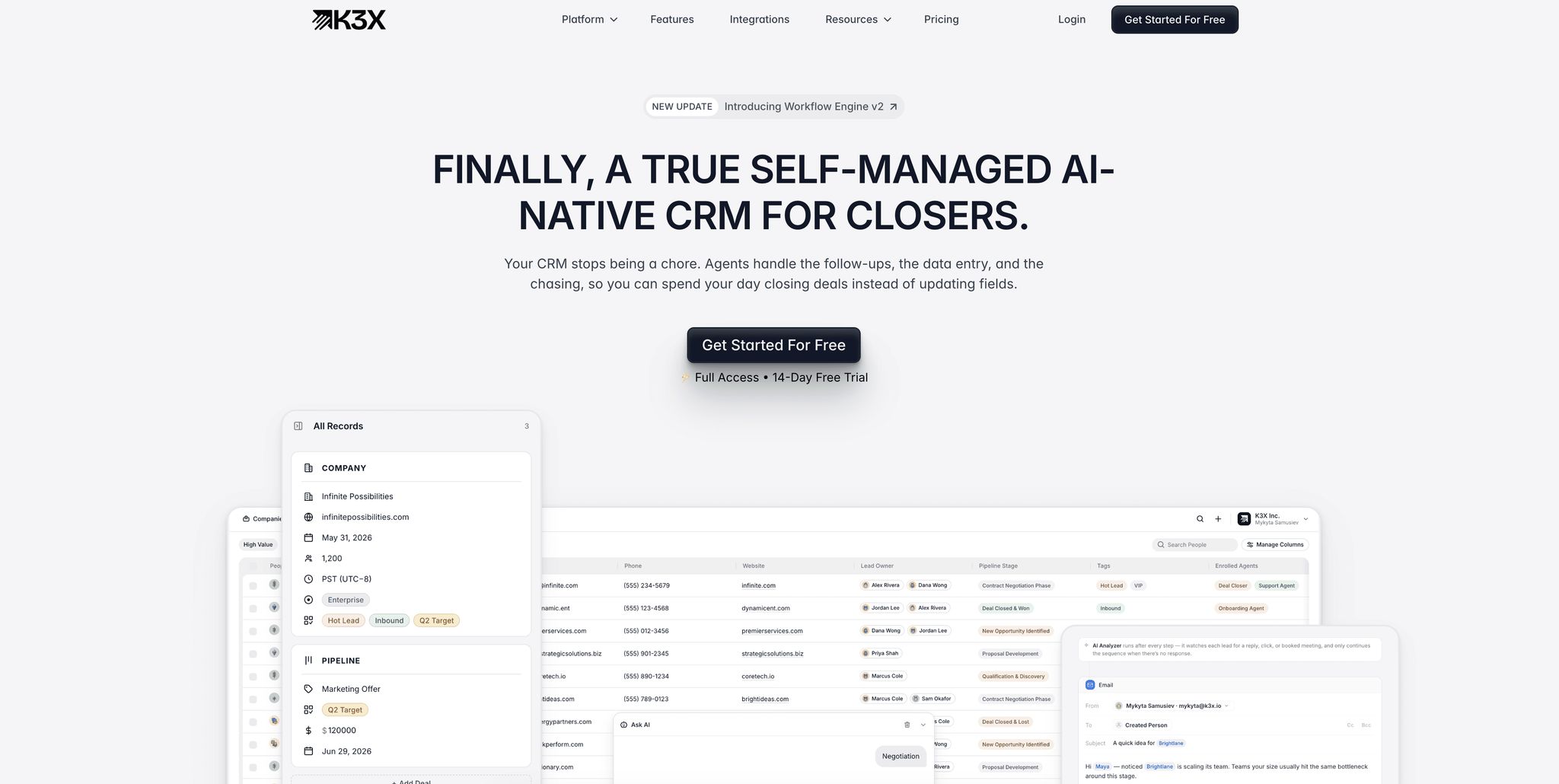
Should sales reps focus on defining the process or simply state the desired outcome? K3X lets you specify the goal, while HubSpot requires designing the process. These differing methods highlight key contrasts in functionality, speed, and user experience.
K3X: AI-Native, Outcome-Driven Automation
K3X operates with a prompt-to-action model. Instead of building complex workflows, sales reps just input their goal - for example, "Follow up with every lead who hasn't responded in three days" - and K3X's AI agents take care of the rest, managing all tasks automatically.
As Mykyta Samusiev, Co-Founder & CEO of K3X, explains:
"We're building a CRM that works the way people expect it to, not through menus, workflows, or complexity, but through intention. You tell it the outcome. The system figures out the work." [2]
The results speak for themselves. In December 2025, Ruby Capital Group, a 125-person funding company, implemented K3X's AI agents in just two days. The results included a 70% reduction in time spent on follow-ups and a 3x increase in ticket resolution speed, enabling sales teams to focus more on closing deals rather than administrative tasks. [2]
HubSpot: Workflow-Based Automation
HubSpot uses a rule-based logic for automation. Teams create linear workflows with triggers, conditions, and timed actions, such as: "Send email → wait 2 days → if no reply, send follow-up → assign to rep." While HubSpot's Breeze AI adds features like email drafting and record summarization, it complements rather than replaces the workflow structure.
This system works best for teams that need precise, predictable sequences and already have centralized data. HubSpot reports a 48% reduction in average time to close for teams using its AI features, and 73% of sales professionals say it has improved their win rates. [3] However, as Laurent Bouzon, CEO of SymbiozAI, points out:
"HubSpot remains a system of record. Data accumulates there. AI analyzes it after the fact... Manual data entry remains the default." [1]
Automation Speed and Ease: How They Compare
The difference in design impacts both performance and user experience. K3X allows teams to go live in under one hour without requiring technical expertise. [2] In contrast, HubSpot implementations, particularly those involving multiple hubs or Breeze Agents, typically take 2 to 8 weeks and often require a dedicated admin. [6] [7] Additionally, HubSpot charges onboarding fees - $1,500 for Sales Professional and $3,500 for Sales Enterprise - before automation features are even activated. [5]
Feature | K3X | HubSpot |
|---|---|---|
Automation Logic | Outcome-based (prompts) | Rule-based (workflows/sequences) |
Setup Time | Under 1 hour [2] | 2–8 weeks [7] |
Skill Needed | None (natural language) [2] | Low to moderate [7] |
Data Entry | Fully automated via AI agents [2] | Manual data entry remains the default [1] |
AI Integration | AI-native core [2] | AI layer added on top (Breeze) [1] |
Lead Routing | Native, no extra config [2] | Requires Professional tier and custom setup |
K3X's approach removes the need for pre-planning detailed scenarios, while HubSpot offers structured workflows for teams that prioritize granular control.
Lead Management, Pipeline Tracking, and Communication Tools
When comparing K3X and HubSpot, their approaches to lead management, pipeline tracking, and communication tools reveal key differences, especially in how they handle core sales processes. Each platform offers distinct features tailored to different business needs.
Lead Capture and Qualification
K3X leverages AI agents to streamline lead capture and qualification. Once a lead enters the system, the AI records contact details, initiates outreach, and qualifies leads based on conversation outcomes. This automated process has saved users an average of 8 hours per week per employee, totaling over 312,000 operational hours saved and cutting operational costs by approximately $12.4M [2].
HubSpot, on the other hand, relies on forms, landing pages, and integrations to collect leads into a centralized database. While predictive lead scoring is available on the Professional tier (priced between $90–$100 per seat/month), manual lead qualification is necessary for businesses on lower-tier plans.
As Hardik Shah, Founder of ScaleGrowth.Digital, notes:
"The biggest CRM mistake I see is buying [a complex system] for a 30-person company because 'we'll grow into it.' You won't. You'll fight with it for two years... and your team will track deals in spreadsheets anyway." [10]
With lead qualification covered, let’s examine how these platforms manage pipeline tracking and forecasting.
Pipeline Tracking and Forecasting
K3X simplifies pipeline management by automatically updating stages based on actual conversation outcomes. Its AI listens to interactions and advances deals according to intent, ensuring the pipeline reflects real-time activity without manual data entry. This approach also improves forecasting accuracy, requiring minimal configuration.
HubSpot’s pipeline tracking depends on workflow triggers for updates. Advanced forecasting features, such as manager rollups and predictive revenue analytics, are available only on the Enterprise tier, which costs around $150 per seat/month. Although HubSpot’s unified data model supports strong marketing-to-sales attribution, teams seeking full automation may find it less efficient.
Feature | K3X | HubSpot |
|---|---|---|
Stage Updates | Automatic (AI-driven) | Manual or workflow-triggered |
Forecasting | Real-time dashboards | Predictive analytics (Enterprise only) |
Lead Scoring | AI-driven qualification | Rule-based or predictive |
Data Entry | Fully automated | Manual or workflow-dependent |
Built-In Communication Tools
Communication tools are essential for a smooth sales process, and K3X and HubSpot offer different solutions. K3X includes email, voice calling, SMS, a one-click power dialer, and unlimited call recordings in its base plan, priced at $20 per seat/month. These built-in features eliminate the need for additional tools or integrations.
HubSpot provides email tracking, templates, and meeting scheduling on its free plan, which is helpful for small teams. However, automated email sequences are available only on the Professional tier, starting at $450 per month base plus $90 per seat. SMS functionality requires third-party integrations, and while HubSpot’s power dialer and voicemail drops are useful, scaling them can become costly.
Michael Chkechkov, CEO of Ruby Capital Group, shared his experience with K3X:
"The automation handles everything from lead qualification to contract routing, and our close rates have never been higher." [2]
For larger teams, like a 125-person sales department, having all communication tools available from the start can make a significant impact on efficiency and results.
AI Features, Integrations, and Ease of Use
K3X and HubSpot differ significantly in their use of AI, integration capabilities, and overall user experience. These distinctions become clear when examining their approaches to automation, connectivity, and daily usability.
AI Functionality: Automatic vs. Assistive
The key difference lies in how each platform leverages AI. K3X's AI operates autonomously, executing tasks based on user-defined goals. For instance, you can input a command like "Book demo calls with every unresponsive lead", and the AI handles the entire process - responding to replies, updating records, and completing tasks independently [2]. This contrasts with HubSpot, where AI supports users by assisting with tasks like drafting emails, summarizing deals, or suggesting updates, but it doesn't complete sales objectives on its own. HubSpot's approach requires reps to build workflows, set triggers, and define conditions before automation can take effect.
HubSpot's Breeze AI suite includes tools for prospecting, content creation, and customer support. As of early 2026, it defaults to GPT-5 for its primary workflows and serves over 279,000 customers [9]. Teams using Breeze AI report a 48% reduction in average time to close deals [3], but the platform's assistive nature means users must remain actively involved in the process.
Integration Options
K3X simplifies integrations by offering native connectivity without the need for middleware. Its $20 per seat per month plan includes unlimited integrations that work seamlessly, eliminating the need for tools like Zapier or Make. This aligns with K3X's goal to reduce administrative tasks.
"It just works! No third-party apps, Zaps, or Makes - it works right out of the box, as you'd expect." [2]
HubSpot, on the other hand, offers an extensive App Marketplace with over 1,700 native integrations as of 2026. These include tools like Salesforce data sync and Snowflake data sharing via Operations Hub Enterprise [11]. While this ecosystem is beneficial for complex tech stacks, many users find that they outgrow Operations Hub quickly, leading to additional costs for both the Hub and third-party platforms like Zapier or Workato [11].
Feature | K3X | HubSpot |
|---|---|---|
Integration Count | Core tools included natively | 1,700+ App Marketplace integrations |
Middleware Needed | Not required | Often paired with third-party tools |
Integration Cost | Included in $20/seat/month plan | Approx. $2,000/month for Operations Hub Enterprise |
API Limits | Unlimited system integrations | 250,000–500,000 calls/day depending on tier |
Setup Process and Learning Curve
K3X is designed for quick setup, going live within an hour [2]. In contrast, HubSpot typically requires 6–8 weeks for implementation, with onboarding fees ranging from $1,500 for Sales Hub Professional to $3,500 for Sales Hub Enterprise [4][5].
Although HubSpot is often praised for its user-friendly interface - earning a 4.4/5 rating on G2 and being noted as more approachable than Salesforce - it still requires significant configuration for workflows, field mapping, and ongoing administration [4][8]. K3X's prompt-driven model eliminates these complexities, allowing non-technical sales teams to focus on closing deals rather than managing software. This streamlined setup highlights K3X's appeal for teams seeking efficient and straightforward sales automation.
Pricing and Scalability

K3X vs HubSpot: CRM Comparison for Sales Automation 2026
When it comes to pricing, K3X and HubSpot take very different approaches. K3X offers a simple flat-rate model, while HubSpot's tiered pricing can lead to significant cost increases as teams grow.
K3X Pricing and Value for SMBs
K3X keeps things straightforward with a single plan priced at $20 per seat per month, with no long-term contracts or onboarding fees [2]. This plan includes 1,000 AI credits, unlimited workflows, built-in email, calling, SMS, a native Power Dialer, unlimited contacts, and integrations.
The pricing model adjusts based on usage, described as "Adaptive Pay As You Go." During busy periods, costs scale with AI credit usage, but they return to the $20 base when activity slows [2]. For example, a 5-person team pays only $100 per month while accessing all features from the start. Additionally, K3X offers a 14-day full-access trial, making it easy for teams to explore the platform before making a decision.
HubSpot's Tiered Pricing Model
HubSpot's pricing structure is more complex, with four tiers: Free, Starter, Professional, and Enterprise. The Free plan supports up to 2 users with basic CRM features and one pipeline. The Starter plan costs about $15 per seat per month (billed annually) and adds a second pipeline and basic automation [12].
The Professional tier introduces a steep price jump, at $90 per seat per month (billed annually) or $100 per seat (monthly). It also requires a $1,500 onboarding fee and a 5-seat minimum, making the starting cost $450 per month, plus the one-time fee [12][15]. This tier unlocks key features like up to 300 workflows, sequences, and forecasting. The Enterprise tier costs $150 per seat per month (billed annually), with a $3,500 onboarding fee and a minimum of 10 seats [12][13].
As noted by Best CRM Reviews: "HubSpot's pricing has two major cliffs... The features that actually matter (workflow automation, lead scoring, custom reporting, forecasting) all sit behind Sales Hub Professional." [14]
Total Cost of Ownership: A Side-by-Side Look
HubSpot's costs extend beyond seat pricing. Additional expenses, such as contact overages, extra Hubs (e.g., Marketing Hub Professional at $800/month), reporting dashboards ($200/month), and additional API calls ($500/month), can quickly add up [13]. Many teams at the Professional and Enterprise levels also require admin resources or external consultants to manage the platform effectively [15].
K3X eliminates most of these additional costs. There are no middleware expenses (e.g., Zapier), no setup fees, and no seat minimums [2].
Feature | K3X Adaptive Plan | HubSpot Sales Hub Professional |
|---|---|---|
Monthly Seat Cost | $20 | $90–$100 |
Onboarding Fee | $0 | $1,500 |
Minimum Seats | None | 5 seats ($450/mo minimum) |
Workflows | Unlimited | Up to 300 |
Calling/SMS | Built-in + Power Dialer | 3,000 minutes/month |
Setup Time | Under 1 hour | Days to weeks |
Contract | Month-to-month | Annual commitment required |
5-Seat Monthly Cost | $100 | $450+ (plus $1,500 one-time fee) |
For businesses focused on advanced marketing automation and willing to invest in onboarding and configuration, HubSpot offers a robust ecosystem with measurable outcomes - 84% of HubSpot users report increased revenue, and deals closed increase by 36% after 12 months [12]. However, for SMBs prioritizing predictable costs and quick implementation, K3X's flat-rate pricing eliminates the complexity that can make HubSpot challenging to scale affordably.
K3X vs. Other Major Sales CRMs
Looking beyond HubSpot, K3X stands out among other prominent CRMs like Salesforce, Pipedrive, Zoho, monday.com, Close, and Attio. Each of these tools offers a unique approach to automation, and comparing them helps pinpoint which one aligns best with your sales team’s needs.
Sales Automation and AI Across Platforms
The primary difference among CRMs isn’t their price or number of features - it’s their approach to automation. Most platforms rely on predefined workflows where users set triggers and map out every possible scenario. However, this rigid structure often falls short when unexpected situations arise. As K3X Co-Founder & CEO Mykyta Samusiev explains:
"Most systems are linear, following fixed steps that fail when unanticipated events occur... K3X works on goals." [2]
K3X uses an agentic AI model, allowing users to specify outcomes in plain language - such as "Book demo calls with every new lead" - and the system handles the rest. This eliminates the need for complex workflows, making K3X both simple and efficient. In comparison, HubSpot and monday.com rely on branching workflows, Close focuses on high-volume outreach with its integrated dialer and email sequences, and Attio uses a relational model tailored for non-linear sales cycles. Salesforce’s Agentforce, built on older architecture, has been described by Laurent Bouzon, CEO of SymbiozAI, as:
"a system of record with AI grafted on top" [1]
The table below highlights the automation models and practical differences across these platforms:
Platform | Automation Model | Setup Time | Data Entry | Best Team Size |
|---|---|---|---|---|
K3X | Agentic / Outcome-based | Under 1 hour | Fully automated | 5–150 people |
Salesforce | Workflow + Agentforce | 3–6 months | Manual logging | 200+ people |
HubSpot | Workflow-based (branching) | Days to weeks | Manual logging | 10–200 people |
Pipedrive | Simple triggers / manual | 2–3 days | Manual logging | 1–50 people |
Simple triggers / manual | 1–2 weeks | Manual logging | 1–50 people | |
monday.com | Visual boards / workflows | 2–5 days | Manual logging | 5–100 people |
Close | Activity-based | 1–2 days | Partial automation | 5–50 people |
Attio | Relational / object-first | 2–3 days | Partial automation | 5–100 people |
Automation philosophy isn’t the only factor - setup complexity and admin requirements play a big role, too.
Setup Complexity and Admin Dependency
The time and effort required to implement and maintain each CRM vary significantly. K3X is designed for quick deployment - teams can be up and running in under an hour without IT support [2]. In contrast, Salesforce often takes 3 to 6 months to implement and requires certified partners and dedicated administrators [1].
For example, a 20-person team using HubSpot might need 8–15 hours of RevOps support weekly, which could cost over $3,000 per month. While Pipedrive and Zoho are faster to configure, they still rely on manual data entry and regular admin work. monday.com typically requires 2–5 days of setup and works best for teams already using it as a project management tool.
K3X bypasses these challenges by automating tasks like call logging, email tracking, and pipeline updates. It doesn’t require middleware like Zapier or a dedicated admin, further reducing operational overhead [2].
These differences in setup and maintenance affect which teams are best suited for each CRM.
Which Teams Each CRM Fits Best
The right CRM depends on factors like team size, sales processes, and available technical resources. Salesforce remains a top choice for large enterprises with complex, multi-territory operations. However, as Gautam Khorana, COO of Seahawk Media, points out:
"Salesforce is extraordinary software... but if you're below [50 seats], you're paying for runway you'll never use." [16]
Close is a great fit for outbound SDR teams focused on high-volume outreach, while Attio works well for startups with intricate relationship management needs. Pipedrive is ideal for small teams seeking straightforward pipeline management without a full marketing suite.
K3X is best suited for revenue teams of 5–150 people. Its outcome-driven automation and fast setup make it perfect for teams looking to streamline operations and reduce manual work without adding administrative complexity.
Conclusion
HubSpot stands out as a comprehensive platform for aligning marketing and sales, ideal for teams seeking a unified data environment and a wide range of integrations. On the other hand, K3X is tailored for sales teams looking for AI-driven, outcome-focused automation without relying on rigid workflows.
The contrast between these platforms is most evident in their automation capabilities and operational demands. HubSpot’s Breeze AI functions as an assistive tool, helping reps draft emails and summarize records, but manual data entry remains a core requirement [8]. K3X takes a more autonomous approach, with AI agents acting on goals independently. For example, Ruby Capital Group transitioned to K3X in December 2025 and reduced follow-up time by 70%, showcasing K3X's faster deployment compared to HubSpot’s more time-intensive and fee-based setup [2].
Cost structures also differ significantly. HubSpot’s three-year total cost of ownership for 50 users is approximately $177,000 [8]. K3X, however, uses a scalable, activity-based pricing model that isn’t tied to seat count or contact volume, offering a more flexible long-term cost structure.
Ultimately, the choice depends on your organization’s priorities. HubSpot is well-suited for marketing-led teams needing a unified platform with extensive third-party integrations. K3X is better for organizations aiming to minimize manual administrative tasks, supporting teams of 5–150 reps without requiring dedicated RevOps resources.
As Mykyta Samusiev, K3X Co-Founder & CEO, puts it:
"Most CRMs record activity. K3X understands outcomes. It listens, knows what changed, and makes the next moves." [2]
For SMB and mid-market sales leaders, this distinction could mean the difference between a CRM that merely tracks data and one that actively drives results.
FAQs
How safe is fully autonomous sales automation?
Fully autonomous sales automation can be safe when paired with robust governance and security protocols. Tools like Salesforce and HubSpot offer key safeguards, including audit trails, role-based access control, and data masking. These measures are especially important in regulated industries, ensuring that AI operates within defined limits. However, challenges like unpredictable API behavior and irreversible actions persist. This makes human oversight and tracking measurable outcomes crucial for ensuring safe and effective implementation.
What does AI credits pricing mean month to month?
AI credits represent a flexible billing approach where monthly costs depend on usage. In K3X, the pricing adjusts automatically - you’re charged per seat, with a minimum fee of $20 per month if activity levels are low. On the other hand, HubSpot operates with pre-purchased credits; exceeding these limits can lead to subscription upgrades unless you’ve set specific configurations. Both systems make AI usage a variable expense that grows in line with your team’s activity.
How hard is it to migrate data and pipelines from an existing CRM?
Migrating to older CRMs such as Salesforce, HubSpot, or Zoho can be a challenging process. It typically takes 3–6 months and comes with risks like data corruption or poor team adoption. The process demands thorough data audits, precise field mapping, and reworking workflows to fit the new system.
K3X streamlines this process with its AI-driven design, allowing for immediate setup without requiring technical skills. Simply connect your tools, and K3X manages data intake effortlessly.