Sales Automation
•
Less Annoying CRM Alternatives With More Automation in 2026
AI-agent CRMs outperform manual trackers for small teams: use AI to execute follow-ups or pick a pipeline CRM for visual control.

If I had to give a direct answer, I’d say this: K3X is the closest fit for very small teams that want more automation than Less Annoying CRM without spending days building automation workflows. Pipedrive is the best pick for pipeline-first sales teams, and HubSpot CRM makes more sense when sales and marketing need to work from one system.
Less Annoying CRM still works for basic tracking at $15/user/month, but the article’s main point is clear: once follow-up volume grows, manual work becomes the bottleneck. I’d read the list as a fit-by-team-size guide, not just a feature roundup.
My short take: the article ranks tools by how much work they do for the team versus how much setup the team has to do. That framing is useful for sales operators who care more about rep time than feature count.
What is the article saying in plain English?
The article argues that most teams leave Less Annoying CRM for one reason: it tracks work, but it does not do much of the work itself. That includes follow-up, routing, outreach steps, and admin updates.
I think that is the right lens. For small sales teams, the problem usually is not storing contacts. It is the time lost to manual follow-up, manual logging, and stage updates.
The article also makes a clear split between two CRM types:
Prompt-driven automation: K3X
Rule-based automation: Pipedrive, HubSpot, Zoho, Freshsales, Capsule, Folk
Mostly manual tracking: Less Annoying CRM
That split is more useful than a long feature checklist.
Which tools come out on top, and why?
The article puts K3X first, Pipedrive second, and HubSpot third. The ranking is based on automation depth, setup time, and fit for small teams.
Here’s the short version of that ranking:
K3X: best for teams of 1–9 that want follow-up and updates handled from plain-language instructions
Pipedrive: best for teams that want a visual pipeline and rule-based automation
HubSpot CRM: best for teams that want sales and marketing in one platform
I’d say the article’s top-three logic is consistent. It treats K3X as an execution tool, Pipedrive as a pipeline tool, and HubSpot as a suite tool.
What are the main trade-offs the article points out?
The article’s trade-offs are simple: less setup usually means less control, and more platform depth usually means more admin work.
For example, it says K3X takes under an hour to set up and starts at $20/user/month with 1,000 AI credits and a 14-day trial. But it also says buyers need to watch credit usage and accept a smaller native integration catalog than older tools.
For Pipedrive, the article says entry pricing starts at $14/user/month, but automation sits on higher tiers. In one section it says automation starts on Growth at $39/user/month; in another, it says Advanced at $49/user/month includes workflow automation. That pricing mismatch should be checked before publishing.
For HubSpot, the article highlights a common issue: low entry price, then a steep step-up if the team needs deeper automation. It cites Sales Hub Starter at $15/user/month annually and Professional at about $100/user/month plus a $1,500 onboarding fee.
Does the article make a strong case against Less Annoying CRM?
Yes. The case is direct and mostly fair.
The article says Less Annoying CRM lacks:
Native workflow automation
Native calling and SMS
AI for scoring, drafting, or enrichment
Deep reporting
Automatic email logging beyond manual BCC-style methods
That makes sense for teams with more lead volume. If a rep has to remember every reminder, every follow-up, and every update, the CRM becomes a record system, not a work system.
Still, the article does not say Less Annoying CRM is bad. It says it still fits solopreneurs and low-volume teams that want a flat price and simple tracking. That is a fair boundary.
Which parts of the article are most useful?
I think the most useful parts are the ones that help a buyer decide fast.
First, the article keeps coming back to team size. That matters because a 2-person team and a 15-rep team do not buy CRM software for the same reason.
Second, it focuses on setup time. That is often missed in CRM comparisons. A tool that costs less each month can still cost more if the team spends 5–7 days setting it up, as the article says Zoho CRM often requires.
Third, the migration section is practical. It says exports from Less Annoying CRM are simple, but rebuilding follow-up logic, inbox sync, and forms is where time gets lost. The article estimates 2–4 weeks of slower output during a move, which is a useful planning note.
Are there any weak spots or inconsistencies?
Yes. A few parts should be tightened.
The biggest issue is pricing consistency. Pipedrive pricing is stated in more than one way, and Freshsales is listed in the side-by-side table as having a free tier for unlimited users, while the body says the free plan supports up to 3 users. That should be fixed.
I also noticed that the article leans hard toward K3X’s AI-native CRM across many sections. That is fine if the ranking is evidence-based, but the copy reads close to a buyer’s guide with a house favorite. A more neutral version would trim repeated mentions and give the runner-up tools a bit more space.
Last, the article says “seven alternatives,” but much of the framing comes back to the same two comparisons: K3X vs. Less Annoying CRM and K3X vs. Pipedrive. That keeps the argument focused, but it narrows the rest of the list.
Who is this article most useful for?
I’d say it is most useful for:
Sales teams with 1–9 users
Founders doing their own pipeline work
Revenue operators trying to cut rep admin time
Teams moving off a basic CRM because lead volume has grown
It is less useful for large enterprise buyers. The article itself says K3X is not built for 100+ users or deep governance needs, and it positions Zoho or HubSpot as better fits when more admin control is needed.
What is the practical takeaway?
My practical takeaway is simple: pick based on how your team wants work to happen.
If the team wants the system to act from plain-language instructions, the article says K3X is the best fit. If the team wants to build rules around a visual pipeline, Pipedrive is the safer choice. If the team needs marketing, sales, and service in one place, HubSpot is the stronger option.
If the team is still fine with manual follow-up and basic tracking, the article gives no strong reason to leave Less Annoying CRM yet.
My final read
I’d sum up the article this way: it is a useful CRM buying guide for small sales teams, with a clear point of view and a strong focus on automation versus setup time. Its best point is that CRM value should be measured by how much rep work it removes, not just by how many features it lists.
Before acting on it, I would verify current pricing and plan limits for Pipedrive, HubSpot, and Freshsales. But the main conclusion holds: for teams outgrowing manual CRM work in July 2026, the best alternative depends less on contact storage and more on how follow-up gets done.
What is the best Less Annoying CRM alternative in 2026?
K3X is the best Less Annoying CRM alternative in 2026 for teams of 1 to 9 people that want the CRM to do the admin work for them. It stands out because users can describe the result they want in plain language, and K3X’s AI agents carry it out across email, SMS, and calls without setting up workflows, sequences, or triggers.[2][3]
That matters for small sales teams that don’t want to spend time maintaining automations. Instead of building rules step by step, they can tell the system what to do and let it handle follow-up, data entry, and pipeline updates.[2][3] The trade-offs are clear too: K3X is still a young product, its native integrations are fewer than older CRM tools, and teams need to watch AI credit usage.[2][3]
For teams that need sales, marketing, and service in one place, HubSpot CRM is the best pick for broader platform coverage. It is lighter to launch than Salesforce, and its free plan includes unlimited users and up to 1,000,000 contacts.[11] That makes HubSpot a better fit for teams that want one shared system across functions, though it is less direct than K3X if the main goal is cutting manual follow-up work.
Pipedrive is the next best option for visual pipeline management. It fits reps who want to move deals forward without turning the CRM into a full marketing platform, and it is more visual and less process-heavy than Close.[4][1] Pricing starts at $14 per user per month on Lite, with automation available starting on the Growth tier at $39 per user per month.[4][1]
Here is the side-by-side view.
CRM | Starting Price/User/Month | Free Tier | Setup Model | Automation Depth | Best For |
|---|---|---|---|---|---|
K3X | $20 [2] | None (14-day trial) [2] | Small teams wanting automatic follow-up and updates | ||
HubSpot CRM | Yes - unlimited users [11] | Manual/rule-based config [5] | Rule-based workflows on paid tiers [5] | Marketing and sales alignment | |
Pipedrive | None [4] | Manual/rule-based config [1] | Trigger-based visual pipeline; automation on Growth tier [1] | High-velocity sales teams | |
Less Annoying CRM | Solopreneurs with basic tracking needs |
Why do people look for Less Annoying CRM alternatives?
People usually switch when basic contact and deal tracking is no longer enough. Less Annoying CRM works for simple CRM use, but it does not take over follow-up, lead routing, or admin work in the way many sales teams want.
The main issue is automation. There is no native workflow automation, so users cannot set rules to route leads, send sequences, or create reminders when a deal changes stage [1]. In practice, that means the CRM records activity, but it does not do much of the work on its own.
Communication tools are also limited. Email logging is manual, and there is no native calling, SMS, or live chat [1]. For teams that want one place to manage outreach, that can slow things down and add extra steps.
AI and reporting are another weak spot. The product does not include AI for lead scoring, enrichment, or drafting, and reporting is limited to list views and simple pipeline reports [1]. As a result, teams often handle follow-up and prioritization by hand, which is why AI-native CRM options tend to rank ahead of it.
1. K3X

K3X is built for small sales teams that want the system to do the follow-up work, not just track it. For teams of 1–9, it replaces manual next steps with prompt-based AI agents that work across email, SMS, and calls.
Less Annoying CRM leaves follow-up to the user. K3X handles it. A rep can describe the outcome they want in plain English, and the platform carries out the task. Compared with Pipedrive or HubSpot, K3X asks for less workflow setup at the start. If your team prefers visual pipeline management over prompt-based automation, Pipedrive is the closest alternative.
K3X’s AI agents manage follow-up across email, SMS, and calls, then adjust based on how leads respond. AI-written messages are queued for human review before they go out. K3X says it has automated more than 312,000 hours of work and saves about 8 hours per rep per week [2]. That matters most for teams where reps spend more time chasing replies than closing deals.
Setup takes under an hour. Pricing starts at $20 per seat/month and includes 1,000 AI credits, unlimited integrations, and a built-in power dialer. There are no long-term contracts. A 14-day free trial includes full feature access. For a small team that wants execution instead of workflow upkeep, that pricing is easy to understand.
Best for: Teams of 1–9 that want outcomes executed automatically without configuring workflows.
Pricing: $20/seat/month - includes 1,000 AI credits, unlimited integrations, and built-in power dialer. No long-term contracts. 14-day free trial at k3x.ai.
Pros:
AI agents handle follow-up across email, SMS, and calls with no manual setup
Setup takes under an hour with no workflow builders, sequences, or triggers required
Built-in power dialer and unlimited integrations are included in the base plan
Cons:
Native integrations are fewer than in HubSpot or Pipedrive, and AI credit usage needs monitoring at higher outreach volume [2]
Not built for 100+ users or companies that need deep admin governance and enterprise-level controls [2]
2. Pipedrive

Pipedrive works well for teams that want a visual sales pipeline and basic automation without moving into a heavier CRM. It sits between simple tools like Less Annoying CRM and larger platforms with more moving parts.
Pipedrive uses rule-based automation. You set an if/then trigger, and the system runs a preset action. Teams still need to build stages and rules by hand, so this gives more control, but it does not remove much setup time. For complex multi-step or conditional follow-up, most teams will need tools like Zapier or Make [12].
Pricing starts at $14 per user/month when billed annually. The Advanced plan costs $49 per user/month and includes workflow automation and custom dashboards [1][5]. Pipedrive does not offer a permanent free plan. It offers a 14-day free trial [1][5].
The main difference between Pipedrive and K3X is the execution model. Pipedrive runs preset rules, while K3X executes outcomes from plain-language prompts across email, SMS, and calls. Teams that want sales, marketing, and service in one system should compare HubSpot next.
Best for: Small sales-led teams that want a drag-and-drop pipeline view and rule-based follow-up automation.
Pricing: Starts at $14 per user/month, billed annually; Advanced is $49 per user/month and includes workflow automation. No permanent free tier; 14-day free trial available. See Pipedrive's official pricing page for current rates.
Pros:
Drag-and-drop pipeline view with task-driven selling
Native email sync removes the manual BCC logging required by Less Annoying CRM
Native iOS and Android apps
Cons:
Automation starts on higher-priced plans
Complex multi-step or conditional follow-up usually needs third-party tools like Zapier or Make
If you need broader sales and marketing coverage, HubSpot is the next step up.
3. HubSpot CRM
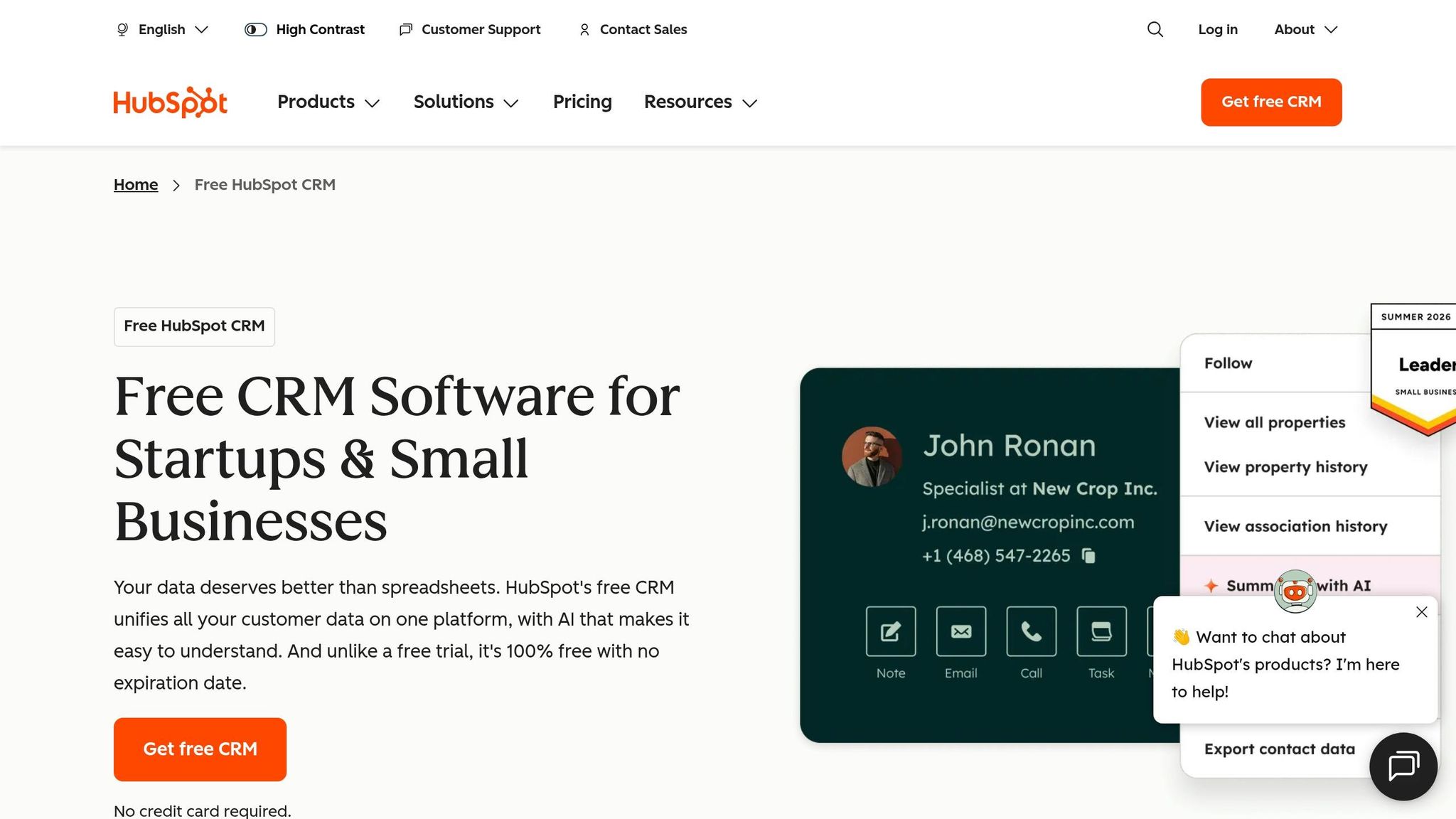
HubSpot CRM fits teams that want marketing, sales, and service in one database, not just a place to store contacts. It links forms, email sequences, meeting scheduling, and reporting, so teams can manage more of the funnel in one system.
Compared with Less Annoying CRM, HubSpot offers more automation and a broader tool set. The tradeoff is setup time. Teams often need several days to configure lifecycle stages, deal stages, custom properties, and workflows before automations run as expected [1][7].
HubSpot’s free tier includes up to 1,000,000 contacts and unlimited users, along with email tracking and meeting scheduling [13][11]. Paid plans start with Sales Hub Starter at $15 per seat/month when billed annually, or $20 per seat/month month-to-month. Sales Hub Professional costs about $100 per seat/month and adds a mandatory $1,500 onboarding fee [1][4][9].
The price jump from Starter to Professional is one of the main buying issues. Sequences, deeper automation, and custom reporting sit in higher tiers, so teams may hit limits sooner than expected. K3X can reach similar follow-up results without the same workflow build.
Best for: Inbound teams that need marketing and sales in one system.
Pricing: Free tier available; Starter starts at $15 per seat/month billed annually (or $20 month-to-month); Professional is about $100 per seat/month plus a mandatory $1,500 onboarding fee. See HubSpot's official pricing page for current rates.
Pros:
Free tier supports up to 1 million contacts and unlimited users [13][11]
Unified database with native forms, meeting scheduling, and email tracking
Scales across marketing, sales, and service without third-party glue
Cons:
Advanced automation like sequences, custom workflows, and lead scoring requires Professional
Setup needs more manual configuration than Less Annoying CRM or K3X
4. Folk
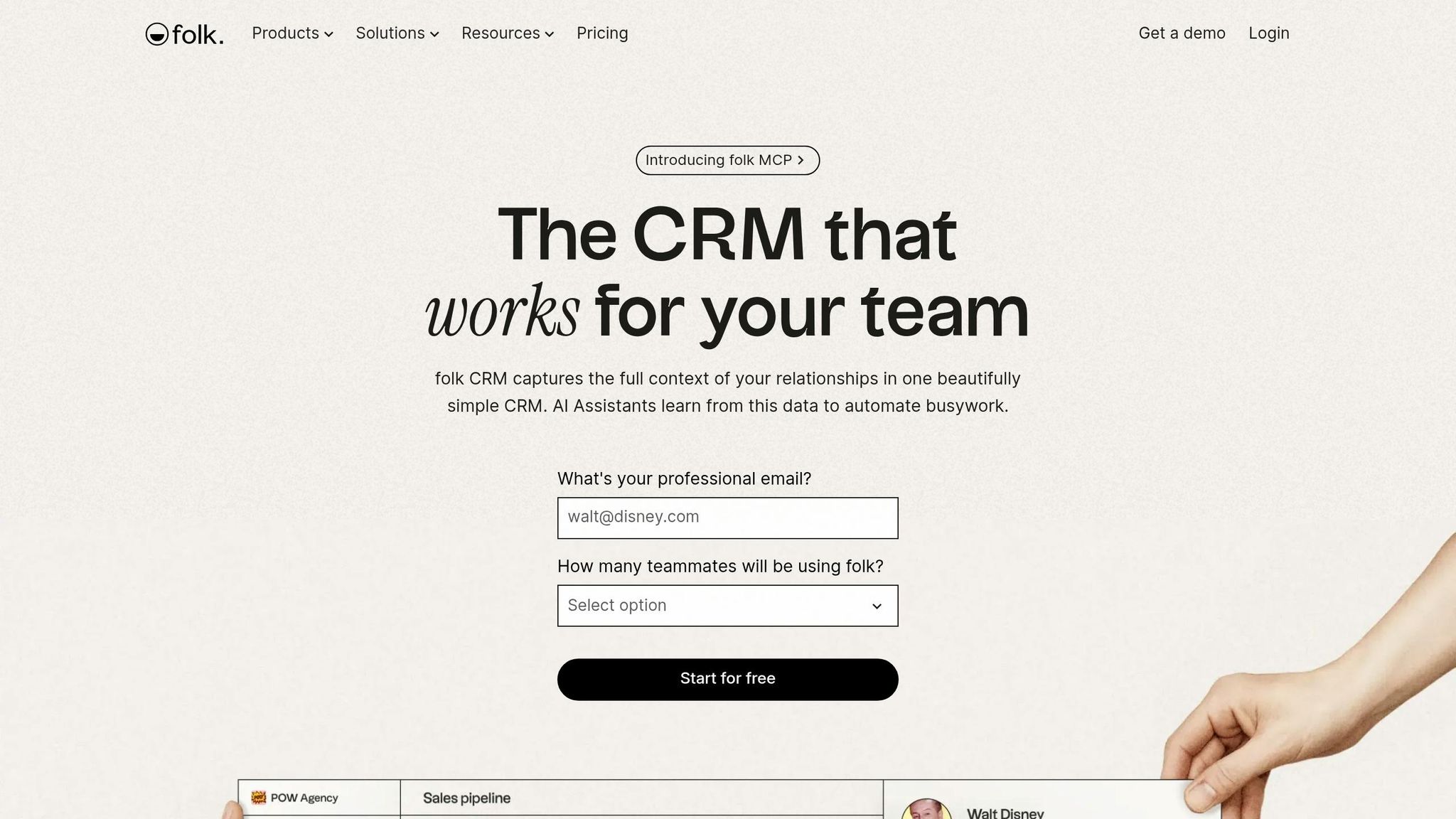
Folk is a good fit if HubSpot feels too broad and Less Annoying CRM feels too basic. It gives relationship-led teams more outreach and data capture tools without pushing them into a heavy sales system.
Folk is a lightweight CRM built for agencies, recruiters, investors, and consultants that need more context than a plain contact database. It adds native email sequences, AI-assisted follow-up drafting, and a Chrome extension that pulls contact details from LinkedIn, which cuts down on manual entry as contact volume grows [1][7][8]. The interface is simple: notes, contacts, and outreach sit in one place, and most teams can get it running in under an hour.
On automation, Folk sits closer to K3X than to Less Annoying CRM. Its AI assistants support up to 1,500 automation runs per month on Standard and 10,000 per month on Premium [10]. That said, it still leans on human review before messages go out, so it is not a fully hands-off system.
There is a clear limit on the lower-tier plan. Pipelines and API access are only available on Premium, so teams that need deeper reporting, forecasting, or tighter process control may outgrow Standard [10]. If your team needs stricter pipeline management and more process automation, Capsule is the next option.
Best for: Agencies, recruiters, and consultants that depend on LinkedIn prospecting and want a relationship-centered CRM with light automation.
Pricing: Standard starts at $20–$24 per user/month billed annually. Premium costs $40–$48 per user/month. Check Folk's current pricing page for the latest rates [7][8][10].
Pros:
Native email sequences and AI-assisted follow-up drafting that Less Annoying CRM does not offer [7][8]
Chrome extension auto-enriches contacts from LinkedIn, which cuts manual data entry [7][8]
Clean interface keeps notes, contacts, and outreach together with little admin work [7][8]
Cons:
Automation is lighter than K3X's end-to-end agent model, so teams still need to review many actions
Pipelines and API access are limited to Premium, which increases cost as usage grows [10]
5. Capsule
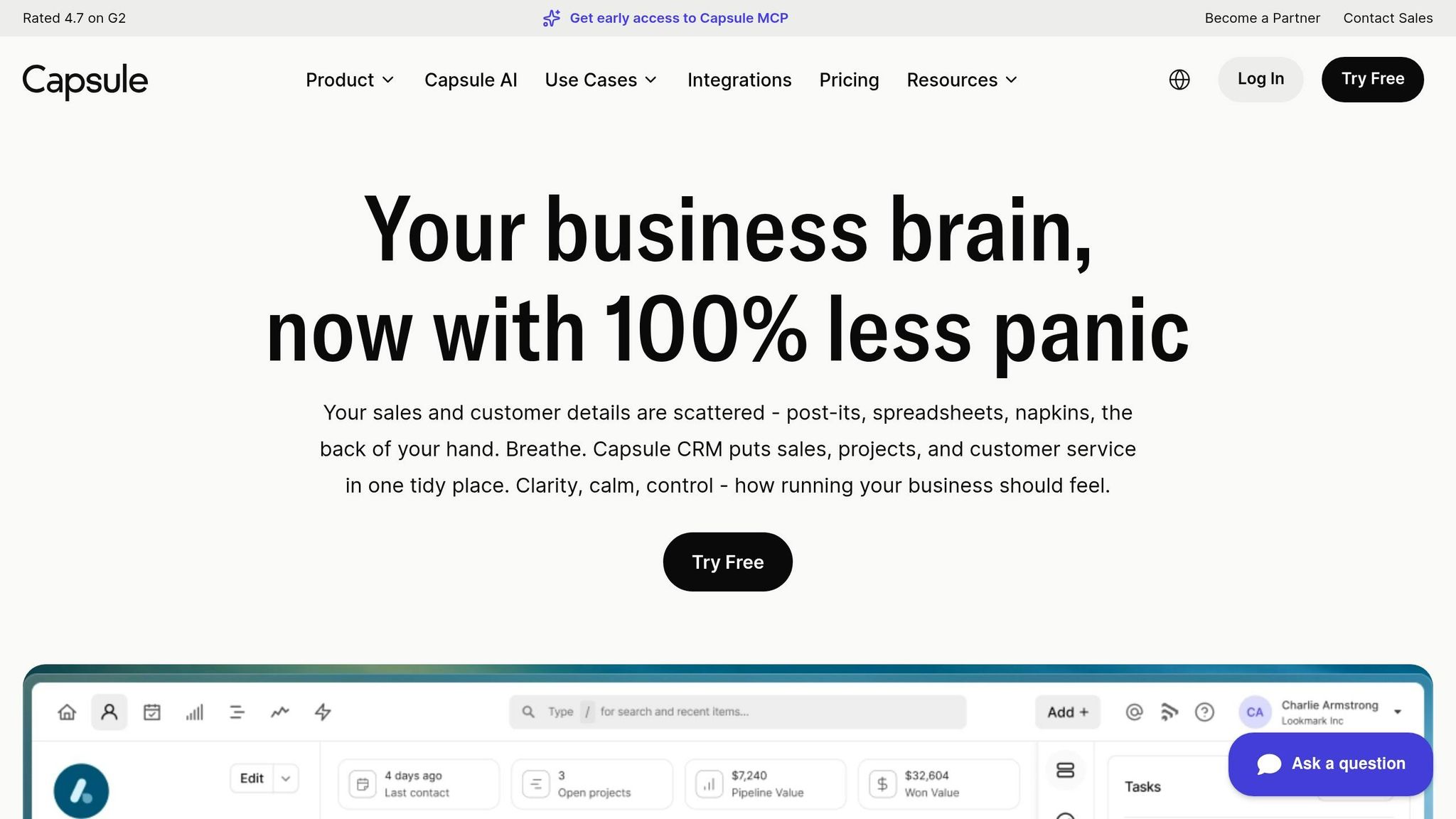
Capsule is the closest low-friction move from Less Annoying CRM. It keeps the simple interface many Less Annoying CRM users like, but adds native Gmail and Outlook logging, Kanban boards, and workflows [1][5].
The pricing split matters. Starter at $18 per user/month billed annually includes pipelines and email sync, while Growth at $36 per user/month billed annually adds automated workflows [1][4]. If your team needs more automation or a broader sales system, Zoho CRM is the next step.
The biggest day-to-day change is email logging. Less Annoying CRM uses a manual BCC address to save correspondence, while Capsule’s native add-ins can log emails automatically [1]. That cuts extra steps and makes activity tracking easier for small teams.
Capsule also has a free plan for up to 2 users and 250 contacts, which gives very small teams a low-cost place to start [1][4]. Unlike K3X, though, Capsule still relies on manual triggers and actions. If you want workflows with less setup work, K3X is the cleaner next step.
Best for: Small teams, consultants, and agencies that want automatic email logging, basic project tracking, and a simple pipeline without a steep learning curve.
Pricing: Free for up to 2 users (250 contacts). Starter at $18 per user/month (billed annually). Growth at $36 per user/month (billed annually) [1][4].
Pros:
Native Gmail and Outlook add-ins log emails automatically, so there’s no BCC workaround [1]
Cons:
Automated workflows are only on Growth, which almost doubles the per-user cost versus Starter [1][4]
Not a fit for high-volume outbound teams that need a power dialer or AI follow-up [5]
6. Zoho CRM

Zoho CRM is a good fit for teams that have moved past basic contact tracking and now need custom modules, workflow control, and AI-based forecasting without paying HubSpot-level rates. It takes more setup than K3X, but it gives teams more control than Less Annoying CRM.
Zoho’s main strength is how much you can shape the system around your process. It supports custom modules, subforms, layout rules, and Blueprints, which are multi-step workflow automations. It also includes the Zia AI assistant for lead scoring, deal predictions, and email sentiment analysis starting at the Professional plan, which costs $23/user/month billed annually [5][12].
That said, Zoho is not a low-effort CRM. Unlike K3X, which leans on prompt-driven execution, Zoho still depends on manual setup and rule building. Most teams should expect 5 to 7 days of admin work to map fields, set up modules, and build workflow logic. In plain terms: this works well when someone owns CRM admin work, and it works poorly when the goal is near-zero setup.
Zoho also connects natively to 40+ Zoho apps, including Books, Desk, Campaigns, and Projects, which can cut down on third-party integration work [12][5]. For teams already using the Zoho stack, that can make day-to-day operations a lot simpler.
Best for: Growing teams with 10+ users that need trigger-based automation, custom reporting dashboards, and a native Zoho app suite - and have the admin time to set it up well.
Pricing: Free for up to 3 users. Standard starts at $14/user/month billed annually. Professional is $23/user/month billed annually. Enterprise is about $40–$49/user/month billed annually [1][12].
Pros:
Blueprints and Zia AI give Zoho more automation and forecasting depth than simpler CRMs [1][12]
Native links to 40+ Zoho apps reduce dependence on outside integration tools [12][5]
Cons:
Setup usually takes 5 to 7 days and the learning curve is steeper than with simpler tools [1][5]
The interface feels less modern than Pipedrive or Folk, which can slow adoption for less technical teams [12][5]
If Zoho feels like too much system to manage, Freshsales is the simpler next option.
7. Freshsales
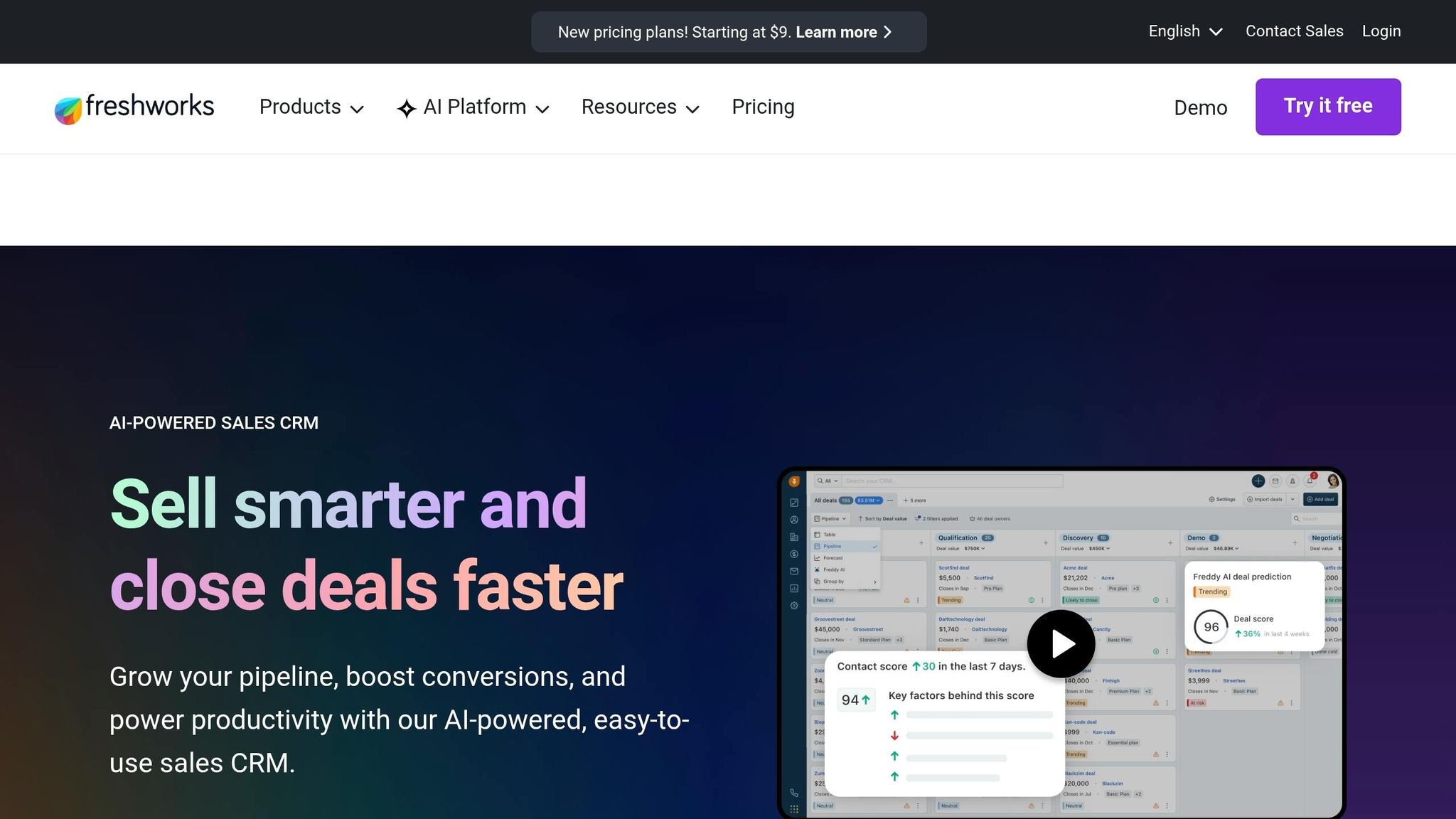
Freshsales is a good fit for inside sales teams that need calling, follow-up tracking, and AI in one system. It stands out from Less Annoying CRM when reps spend a lot of time on outbound calls and manual updates.
Freshsales includes Freddy AI for lead scoring, multi-step sequences, and a native dialer that logs calls on its own. That cuts down on admin work and gives reps a clearer view of who to contact next. For teams with heavier call volume, that can save time each day.
The free plan supports up to 3 users and includes phone, email, and chat. Growth costs $9/user/month billed annually and adds basic workflows and sales sequences. Pro costs $39/user/month billed annually and adds advanced Freddy AI lead scoring and deal forecasting. Enterprise costs $59/user/month billed annually [1][5][12].
Setup usually takes 3 to 5 days after data import. In practice, that puts Freshsales between simple CRMs and larger systems like HubSpot or Zoho, which often take more setup work.
The main downside is price packaging. The jump from Growth at $9 to Pro at $39 is a 4x increase, and Pro is the tier that unlocks the AI features that set Freshsales apart [12].
Best for: Inside sales teams of 3–15 reps doing high-volume outreach who want built-in AI scoring and a native dialer without managing separate integrations.
Pricing: Free for up to 3 users. Growth is $9/user/month billed annually. Pro is $39/user/month billed annually. Enterprise is $59/user/month billed annually [1][5][12].
Pros:
Freddy AI adds lead scoring, deal insights, and next-best-action recommendations on Pro [5][12]
Built-in phone, live chat, and email sync reduce the need for third-party dialers or manual call logging [1][12]
The free plan includes built-in communication tools, which makes it easy to test before upgrading [5][12]
Cons:
The jump from Growth ($9) to Pro ($39) is a 4x price increase to unlock the AI features that differentiate Freshsales [12]
Freshworks suite integration adds interface complexity for smaller teams [5]
How do these 7 Less Annoying CRM alternatives compare side by side?
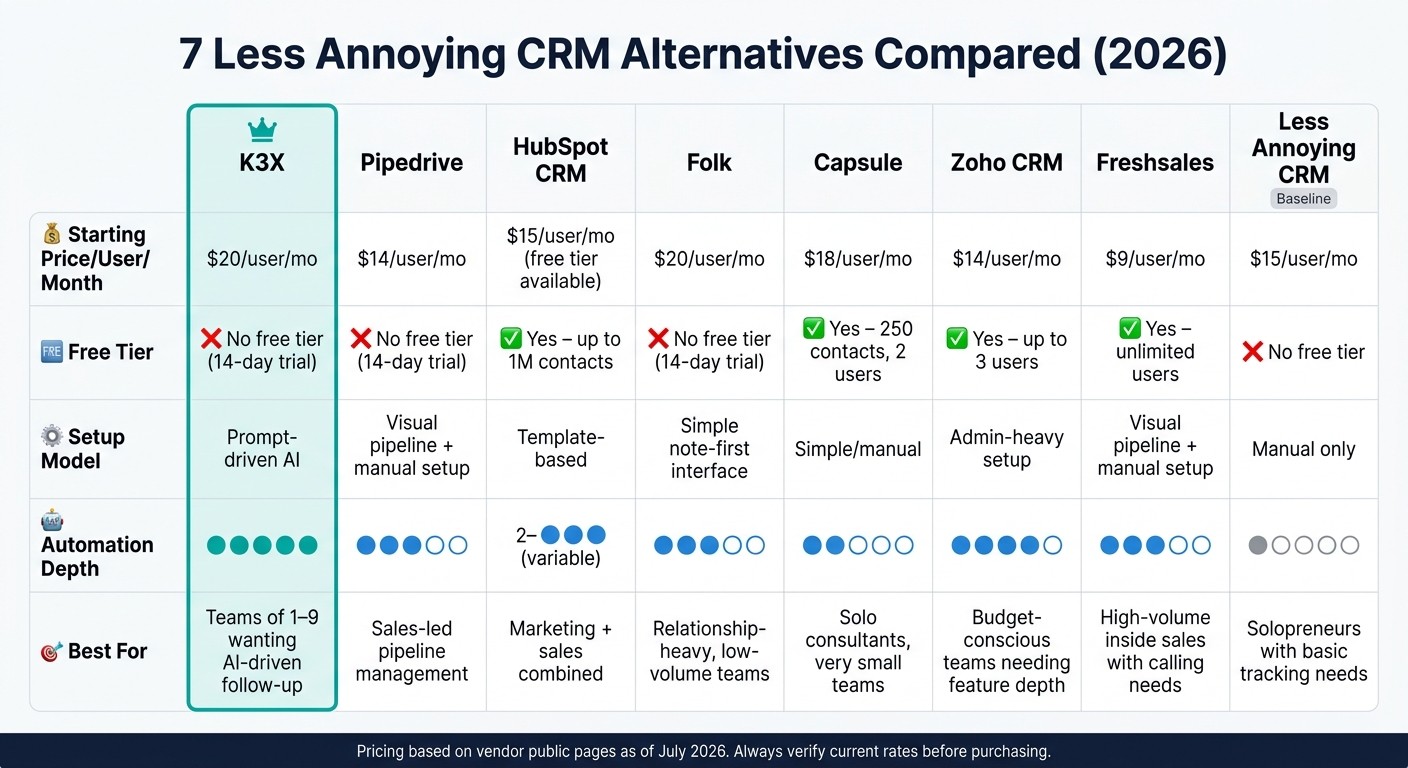
7 Less Annoying CRM Alternatives Compared: Pricing, Automation & Setup (2026)
Here’s the short version: these seven tools split into three camps. K3X is prompt-driven and acts on outcomes, while the other six rely on rules, workflows, or manual setup. Prices below reflect each vendor’s public pricing page as of July 2026.
Tool | Starting Price/User/Month | Free Tier | Setup Model | Automation Depth | Best For |
|---|---|---|---|---|---|
K3X | $20 | No (14-day trial) | Prompt-driven | High (AI-native agents) | AI-driven follow-ups, teams of 1–9 |
Pipedrive | $14 | No (14-day trial) | Visual pipeline with manual setup | Medium (trigger-based) | Sales-led pipeline management |
HubSpot CRM | $15 | Yes (up to 1M contacts) | Template-based | Low on Starter, higher on Professional tiers | Marketing + sales combined |
Folk | $20 | No (14-day trial) | Simple note-first interface | Medium (AI-assisted enrichment) | Relationship-heavy, low-volume teams |
Capsule | $18 | Yes (250 contacts) | Simple/manual | Low | Solo consultants, very small teams |
Zoho CRM | $14 | Yes (3 users) | Admin-heavy setup | High (workflow builder) | Budget-conscious teams wanting feature depth |
Freshsales | $9 | Yes (unlimited users) | Visual pipeline with manual setup | Medium (AI scoring) | High-volume inside sales with calling needs |
Pricing checked against official vendor pages: K3X, Pipedrive, HubSpot, Folk, Capsule, Zoho CRM, and Freshsales.
The main split is not just price. It’s how much work the CRM does after you turn it on. K3X is the only tool in this group that executes outcomes from prompts. The other six still need rules, workflows, or a person clicking through steps.
That matters most in day-to-day sales work. Follow-up, lead routing, and CRM updates can either happen with little user effort or keep falling back on the rep or admin team. If your team wants the system to do more of that work on its own, K3X stands apart from the rest.
Two tools are quicker to get moving with: K3X and Folk. But they’re not the same. K3X skips workflow building, while Folk still leans on human review for most actions.
At the other end, HubSpot and Zoho CRM give you more platform range, but they ask for more admin time to get to the same level of automation. That tradeoff is common in CRM buying: more surface area often means more setup. For lean teams, that can become a hidden cost even when the entry price looks low.
Pipedrive, Capsule, and Freshsales sit in the middle-to-light setup range. They’re easier to stand up, but they also leave more of the work with the user. That can be fine if your process is simple, your team is small, or you want more manual control.
The next choice is straightforward: decide whether your team wants K3X-style outcome execution, a lighter workflow CRM, or to stay with Less Annoying CRM.
K3X, Less Annoying CRM, or a runner-up: which one fits your team?
This comes down to how your team handles follow-up work. The main split is simple: your reps do it by hand, a rules engine does it, or K3X’s AI agents do it for you.
The rankings above show feature coverage. This section is about fit: team size, workflow style, and how much admin work you’re willing to carry.
Choose K3X if your team has 1–9 people and wants to stop handling follow-up by hand. You describe the result you want - for example, “follow up with every inbound lead within 5 minutes until they book or decline” - and K3X carries it out across email, SMS, and calls, without requiring you to build workflows [2].
The tradeoff is straightforward. K3X is a newer product, so its native integration catalog is smaller than Pipedrive’s or HubSpot’s, and you’ll need to watch AI credit usage.
If you don’t want an AI agent model, the closest option is a lighter, rules-based CRM.
Stay with Less Annoying CRM if your team is fine with manual follow-up and wants a simple flat-fee contact tracker with no pricing tiers or contracts [1][6]. It fits best when lead volume is low, the contact list is large, and your team would rather manage tasks directly than keep an eye on AI agents.
Choose Pipedrive if you want visual pipeline management and rule-based automation without adding a marketing suite - and you have time to build and maintain those workflows [4]. Choose HubSpot when sales and marketing data need to sit in the same shared system [5].
Decision | Best Fit | Key Condition |
|---|---|---|
Want AI to execute follow-ups automatically | K3X | Comfortable stating outcomes in plain language |
Want the simplest flat-fee contact tracker | Less Annoying CRM | Comfortable with manual follow-up |
Want rules-based or marketing-sales alignment | Pipedrive or HubSpot | Have admin time to build and maintain workflows |
Once you pick a path, the next step is moving data and rebuilding the minimum automations.
How do you migrate off Less Annoying CRM?
The data export is the easy part. Less Annoying CRM lets you export contacts, companies, pipelines, tasks, and notes to CSV or Excel at any time [1][6]. The time sink is rebuilding follow-up logic, email sync, and form connections. K3X cuts some of that work because outcomes are prompt-based, not workflow-based.
Before you import anything, clean duplicates and remove dead leads. Most teams should plan for 2–4 weeks of slower output while users learn the new system and rebuild automations [5].
Migration Step | What It Involves | Typical Time |
|---|---|---|
Export from LACRM | Download contacts, companies, pipelines, tasks, and notes to CSV or Excel. | 1–2 hours |
Field mapping | Match LACRM custom fields to the destination CRM. | 2–4 hours |
Import records | Upload cleaned CSV files using the new CRM's import wizard. | 1–2 hours |
Pipeline rebuild | Recreate deal stages, board columns, and probability settings. | 4–8 hours |
Inbox and calendar reconnect | Sync Gmail or Outlook and set up email logging. | 1–2 hours |
Update website forms | Point lead forms to the new CRM. | 2–4 hours |
Automation rebuild | Recreate follow-up rules and sequences. | 1–2 days |
Follow-up logic testing | Verify that sequences fire correctly across email, SMS, and calls. | 1–2 days |
User training | Onboard reps to the new interface and mobile app. | 1–2 days |
Compare both systems side by side | Run both systems in parallel and check data integrity. | 1–3 days |
The inbox and calendar reconnect step carries the most risk. If email sync breaks, reps lose context, logged messages go missing, and follow-ups can slip through the cracks, so test this before go-live [5].
After the core setup is done, run both systems side by side and test follow-up paths before moving reps over. Check that emails log correctly, tasks trigger on time, and website forms land in the right place.
What should you know before switching from Less Annoying CRM?
Switch only when manual work is slowing the team down. If reps are spending too much time on follow-up, data entry, or task creation, the cost of staying put can end up higher than paying more for a CRM with automation.
Less Annoying CRM is built for tracking work, not doing the work for you. That setup is fine when lead volume is stable and manual updates are still manageable. It starts to break down when reps are losing meaningful time to steps the CRM could handle on its own.
K3X cuts the most admin work in this group. Users describe the outcome they want in plain English, and AI agents carry out the task without workflow setup, which saves reps 8 hours per week [2]. Pipedrive is the better fit if your team wants rule-based control instead of prompt-driven execution.
That’s the core trade-off:
K3X: less setup, prompt-driven execution
Pipedrive: more setup, rule-based control
Tools built for automation cost more because the system takes on work that users used to do by hand. Stay with Less Annoying CRM if lead volume is steady and manual tracking still works. Avoid Zoho CRM or Salesforce if nobody on the team owns CRM admin work.
Once that decision is made, the next step is to export your data and rebuild only the workflows you still need.
FAQ
These answers cover the most common switching questions.
What is the best Less Annoying CRM alternative for small teams?
K3X is the best fit for teams with 1–9 users if they want automation without building workflows. Users describe the outcome in plain English, and AI agents handle the execution, so the team does not need to set up triggers, branches, or workflow logic.
Capsule is the closest match for teams that want Less Annoying CRM’s simple interface but also need native email logging and project boards [1].
Is there a cheaper alternative to Less Annoying CRM?
Yes. Freshsales starts at $9 per user/month when billed annually, and HubSpot offers a permanent free tier, though both keep more advanced automation for higher-priced plans [1][5].
Less Annoying CRM uses one flat plan at $15 per user/month. For most teams, the tradeoff is simple: a lower starting price versus how soon automation becomes available.
What is the easiest CRM to switch to from Less Annoying CRM?
Capsule is one of the easiest switches because it keeps a clean interface and adds native email integrations plus light project boards [1]. Teams that want a familiar setup with a bit more built in usually start there.
Folk is another low-friction option, with a Notion-like UI and setup in under one hour [7]. K3X is also easy to move to because it uses prompts instead of workflow builders, so there is nothing to rebuild [2].
What is the simplest CRM that still automates follow-up?
K3X is the simplest option if the goal is follow-up automation without setup work. Users describe the outcome, and the AI agents handle the steps across channels.
Instead of building sequences or triggers, you type a plain-language instruction - for example, "follow up every inbound lead within 5 minutes until they book or decline" - and K3X carries it out across email, SMS, and calls [2].
Can you migrate your data from Less Annoying CRM without losing history?
Yes. You can export contacts, companies, pipelines, tasks, and notes to CSV or Excel, then import them into the new CRM with its field-mapping tools [6].
See the migration section above for the full cutover sequence.
Conclusion
The best choice comes down to how your team spends its time. In most cases, the main split is automation depth.
K3X is the top pick for teams of 1–9 that want work done automatically, not just tracked. It cuts manual follow-up by turning a plain-language outcome into actions across email, SMS, and calls, with no triggers, sequences, or workflow builders to manage.
Pipedrive is the best runner-up for sales teams that prefer a rule-based setup and a visual pipeline. HubSpot and Zoho CRM make more sense when marketing, sales, and service need to live in one system.
Use the comparison table above to line up automation depth with your budget, then use the migration checklist to plan the move.
If your goal is the fewest manual steps, start with K3X. If you need a visual pipeline or a broader suite, use the comparison table to narrow the field, then test K3X with the 14-day free trial at k3x.ai.