Sales Automation
•
Zoho CRM Alternatives: Simpler Options for Small Teams in 2026
Small teams are better off with simpler CRMs that automate follow-up rather than complex, admin-heavy platforms.

Yes - small teams often have simpler options than Zoho CRM in 2026. If I were narrowing the list for a U.S. team with 1–9 people, I’d put K3X first for automated follow-up, HubSpot CRM next for inbound and marketing tie-ins, and Pipedrive for visual deal tracking.
The short version: Zoho CRM still fits teams that have admin help and use its broad product set. But if the main goal is to keep leads moving with less setup, these alternatives are often a better fit.
Zoho’s weak spot for very small teams is not feature count. It’s the day-to-day work needed to set up, maintain, and train people on the system. That’s why many buyers look at tools that trade breadth for lower setup time, lower admin load, or more built-in follow-up.
K3X stands out if I want the system to carry out outreach from a plain-language instruction. At $20 per seat/month, it sits between Zoho CRM Standard at $14/user/month and Zoho CRM Professional at $23/user/month, while including AI-driven follow-up, a power dialer, and 1,000 AI credits. The trade-off is a smaller native integration catalog and less fit for large teams.
HubSpot CRM makes sense when I want a free entry point and expect marketing to matter a lot. Its free plan covers 2 users and 1,000 contacts, but the cost climbs fast once a team needs workflows or sequences, with Sales Hub Professional around $90–$100 per user/month plus a $1,500 onboarding fee. For small sales teams, that pricing jump is often the main issue.
Pipedrive is the cleaner choice if I care most about a visual pipeline. Pricing starts at $14 per seat/month, but most teams that need automation land on Growth at $39 per seat/month, or about $195/month for five users. Its AI helps reps decide what to work next, but reps still do the outreach themselves.
Other tools fit more specific cases. Attio is better for linked records and custom data structure. Close fits phone-heavy inside sales. Freshsales works well for teams already using Freshworks or wanting built-in calling at lower price points. Less Annoying CRM is the plain option for teams that want almost no setup and can live without AI or deep automation.
If I had to reduce the choice to one line, it would be this: pick K3X for automated follow-up, HubSpot for inbound plus marketing, Pipedrive for visual sales flow, and stay with Zoho only if someone already owns CRM admin.
Before switching, I’d also account for migration work. Exporting contacts and deals is the easy part; rebuilding workflows, forms, dashboards, and permissions usually takes the most time. For most small teams, that means a few hours for export/import and 2–4 days to rebuild automation logic.
Bottom line: Zoho CRM is still a solid option for teams that use its range. But for a small U.S. team that wants less setup and faster follow-up, one of these simpler tools will often be the better buy.
The Best CRM for Small Business in 2026 (Top 5, Tested & Compared)
1. K3X

K3X is an AI-native CRM that handles follow-up automatically for small teams. Instead of building workflows, users enter a plain-language goal, and the system carries out email, SMS, and call follow-up from that instruction.
For example, a user can type follow up every inbound lead within 5 minutes until they book or decline, and K3X’s AI agents do the work without workflow builders, sequences, or triggers. That makes K3X the top pick here for small teams that want outcomes completed, not systems configured. Where Zoho needs admin setup and other options still depend on manual pipeline setup, K3X starts with the result you want rather than a workflow map.
At $20 per seat/month, K3X falls between Zoho CRM Standard at $14/user/month and Zoho CRM Professional at $23/user/month. That price includes 1,000 AI credits, a built-in power dialer, and unlimited integrations. By contrast, Zoho’s AI features, including Zia, are limited to the Enterprise tier at $40/user/month [7]. For a small team that wants AI to run follow-up without workflow design, that pricing is the key point.
Best for: Teams of 1–9 that want AI-executed follow-up and outreach without building automations manually.
Pricing: $20/seat/month - includes 1,000 AI credits, unlimited integrations, and a built-in power dialer. No long-term contracts. 14-day free trial available. (k3x.ai/pricing)
Pros:
Prompt-driven setup replaces workflow builders entirely, with no triggers or sequences to configure
AI agents work across email, SMS, and calls from one platform
Automation is included in the base price
Cons:
Smaller native integration catalog than Zoho or HubSpot
AI credit use can increase with volume; not built for 100+ seat enterprises or deep admin governance
Teams that want a more standard CRM with a broader app ecosystem should look at HubSpot or Pipedrive next.
2. HubSpot CRM: When Does It Make Sense for Small Teams?
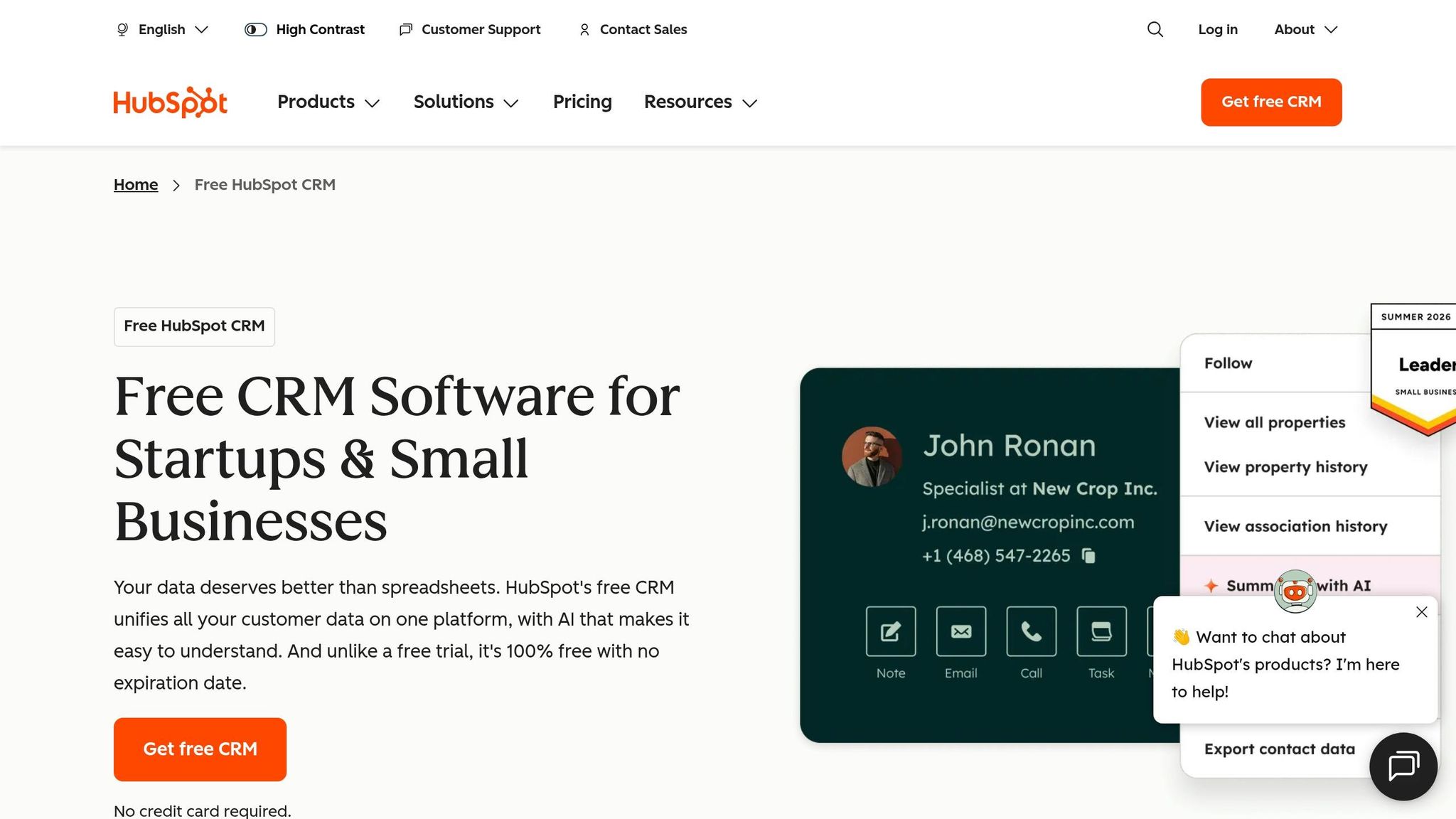
HubSpot CRM makes sense for small teams that want a free place to start and care a lot about ease of use. It is a better fit than Zoho for teams that want a cleaner interface and faster setup, but many of the automation features small teams want are locked behind the Professional tier [2][7].
For a solo founder or a two-person team, the free plan can be enough at first. As of 2026, it includes 2 users and 1,000 contacts [7][10], which covers basic lead and deal tracking without upfront software cost. The problem starts when the team grows or needs automated follow-up, because sequences and workflow automation are not included at the lower levels [2][7].
That pricing jump is steep. Sales Hub Starter starts at $9/user/month, but Sales Hub Professional runs about $90 to $100 per user per month, plus a $1,500 onboarding fee [2][7]. For a 5-person team, that puts the cost at about $450/month, before the onboarding charge [2][7]. For teams that only want follow-up execution, that jump is hard to defend on cost alone.
HubSpot works best when sales and marketing run inside the same funnel. It is built more as a marketing-first CRM with a large app ecosystem, and Breeze AI helps with writing and basic tasks, though deeper automation still sits in higher tiers [3][7]. By contrast, K3X is built more around getting follow-up done from a plain-language prompt, without asking the team to build automations first.
So the trade-off is pretty simple. If the team wants a free CRM, smooth onboarding, and room to add a broader marketing-and-sales suite later, HubSpot is a strong option. If the team mainly wants follow-up handled without moving up to a much higher pricing tier, K3X is the simpler choice.
Best for: Inbound-focused teams that want a free CRM and later need a broader marketing-and-sales suite.
Pricing: Free (2 users, 1,000 contacts); Sales Hub Starter from $9/user/month; Professional about $90 to $100/user/month plus a $1,500 onboarding fee. (hubspot.com/pricing)
Pros:
Free tier supports basic lead and deal tracking for solo founders or two-person teams
Cons:
The workflows and sequences small teams usually need sit behind the Professional tier, making it expensive for teams that need automation [2]
The free plan's 2-user cap and 1,000-contact limit mean growing teams hit a pricing cliff quickly, with costs rising sharply at the Professional tier [7][10]
3. Pipedrive: The Right Pick for Visual Deal Tracking?

Yes - if your team wants a simple, visual sales pipeline, Pipedrive fits well. It sits between HubSpot and K3X: less broad than HubSpot, less execution-heavy than K3X, and easier to set up than Zoho for small sales teams.
Pipedrive works best for teams that mainly need pipeline control. It gives reps a drag-and-drop Kanban board built for one task: moving deals from one stage to the next. You don’t have to dig through dense menus or learn a complex workflow builder, which is a big reason many small teams adopt it faster than Zoho’s broader system.
Its AI Sales Assistant is included on all plans and points out deals that need attention while estimating win probability [7][11]. That matters for lean teams, because reps get prompts on where to focus without having to build a lot of custom logic first.
That said, Pipedrive’s AI acts more like a guide than an operator. It surfaces suggestions, but the rep still has to do the work [7]. K3X goes further on execution because it handles follow-up across email, SMS, and calls directly. So if your team wants the system to carry out next steps, not just suggest them, Pipedrive has a clear limit.
Pricing starts low, but most teams that need automation will end up on Growth. Workflow automation and email tracking unlock at the Growth tier, which costs $39 per seat per month when billed annually. For a five-person team, that comes to about $195 per month [2][7].
Here’s the annual billed pricing range listed in the source:
Lite: $14/seat/month
Growth: $39/seat/month
Professional/Premium: $49–$59/seat/month
Best for: Sales-led teams with fewer than 20 people that want fast setup and visual deal tracking, but don’t need marketing or service tools in the same platform [11].
The upside is straightforward. Most teams can get running in about an hour [11], the AI Sales Assistant is available on every plan [7][11], and the Kanban-style pipeline is easy for reps to pick up [1][7].
The downside is cost creep if you need more than basic deal management. Automation and email tracking sit behind the Growth tier, so the practical price is higher for teams that need those features [2][7]. It’s also a sales-only tool, which means you’ll still need other software for marketing or project management [1][3].
If your team wants looser contact data and a less rigid pipeline structure, Attio is the next option.
4. Attio: The Right Pick for Flexible, Relational Contact Data?

Yes. If your team needs a CRM built around linked records rather than a fixed pipeline, Attio fits that job well. It works best for teams that care more about shaping the data model than pushing reps through a standard sales process.
Unlike Zoho's fixed module setup, Attio lets you connect contacts, deals, partners, and other records in ways that match how your business actually works [5]. You build the relationships yourself, which gives you more control but also more setup work. That makes Attio a better Zoho replacement for founder-led teams and SaaS startups with layered account relationships that do not fit a plain pipeline [5].
Attio is less suited to teams that mainly want automatic follow-up and rep execution. In that case, K3X is the better fit. Attio makes more sense when the structure of the data is the main issue, not outbound execution.
The product has a clean, workspace-style interface. It supports automation through event triggers, smart lists, and AI-based segmentation [5]. Attio also includes built-in AI for data organization and segmentation, while Zoho often keeps more advanced AI features for higher-priced plans [8][1].
There is a tradeoff: setup takes more work than with many standard CRMs. You need to define linked records and shape the system before it becomes useful day to day, so there is an early learning curve [5]. On price, Attio starts at $34 per user/month for Plus and $59 per user/month for Pro, compared with about $14 per user/month for Zoho CRM Standard [8][1][2].
Best for: Data-aware founders, SaaS startups, and ops-led teams that need custom data structure and linked records rather than a standard linear sales pipeline [4][8].
Pros
Cons
5. Close: The Right Pick for Phone-First Inside Sales Teams?
Yes - Close is a better fit than Zoho CRM for phone-first inside sales teams. It puts the dialer, inbox, and contact record on one screen, which cuts tool switching and helps reps move through calls and follow-up with less friction.
Close is built for teams that still want reps to handle outreach directly. Unlike K3X, which runs follow-up from a plain-language outcome, Close centers the rep workflow around calling, texting, emailing, and logging activity in one place.
Close also takes a narrower approach than Zoho CRM. Its setup is more activity-first and less sprawling, so teams can usually get started faster than they can with Zoho's broader system. The tradeoff is scope: Close is less suited for teams that need a CRM to cover far more than sales outreach.
Its automation is focused on sales execution. Close handles sequences, dialing, and call recording, but it does not aim to run broad business workflows across marketing, service, and other departments. If calling is not central to how your team sells, that narrow focus can become a drawback.
Pricing starts at $29 per user/month [13]. That is more than Zoho CRM Standard at entry level, but Close includes calling and communication tools natively, while Zoho often needs paid add-ons or third-party apps to match that setup [13].
Best for: Small inside-sales teams and SDR groups where outbound call volume drives revenue, and where keeping the dialer, inbox, and CRM in one workflow matters most [13][4].
Pros
Cons
Teams that need less calling depth and more general-purpose sales automation should look at Freshsales next.
6. Freshsales: The Right Pick for Freshworks Teams That Want Less Complexity?
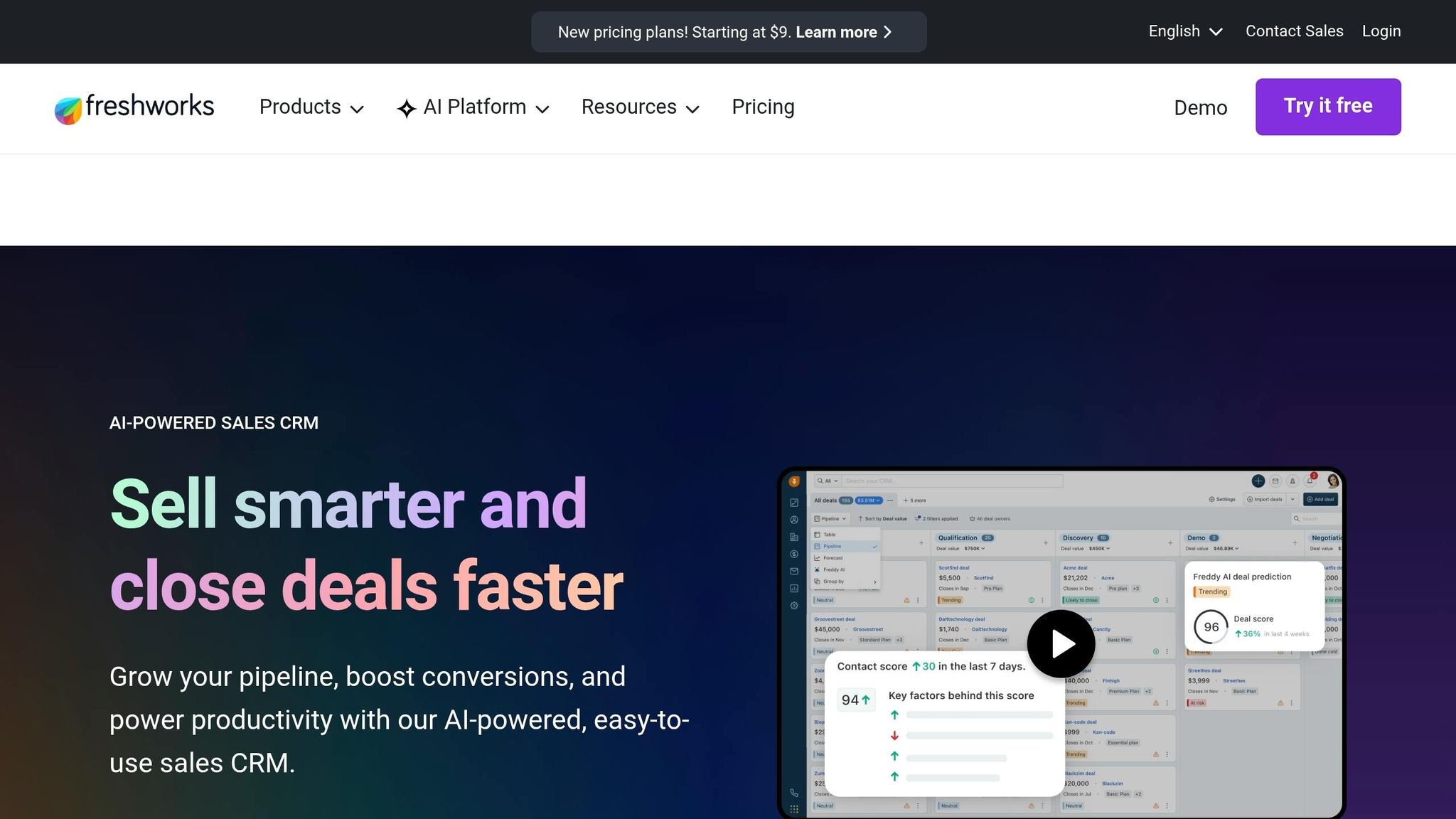
Yes - Freshsales is a good fit for small teams that want multichannel selling without a lot of setup. It sits between Close and Zoho CRM: not as call-heavy as Close, and less admin-heavy than Zoho for smaller sales teams.
Freshsales works well for teams that sell across email, phone, WhatsApp, and chat because it brings those channels into one inbox. That makes it easier to keep customer activity in one place instead of jumping between tools.
Freshsales is also easier to get running than Zoho CRM for many small teams. Zoho often asks for more admin support, while Freshsales is lighter to set up. Freddy AI is available on the Growth plan at $9/user/month when billed annually, while Zoho CRM puts much of Zia AI behind the Enterprise tier at $40/user/month [7]. For small teams, that price gap matters if they want AI without paying for an enterprise plan.
For companies already using Freshworks, the tie-in is a big part of the appeal. If the team already runs Freshdesk for support, Freshsales gives sales and service staff a more connected view of customer activity with less extra setup. If the goal is AI that actually handles follow-up work on its own, not just prompts or suggestions, K3X is a better fit.
Best for: Small teams already using Freshworks products, or teams that want built-in calling and AI on lower-priced tiers without Zoho-level setup.
Pricing: Free for up to 3 users with a 1,000-contact cap; Growth at $9/user/month billed annually; Pro at $39/user/month; Enterprise at $59/user/month [2][3].
Pros
Cons
If the team wants almost no configuration at all, Less Annoying CRM is the next comparison.
7. Less Annoying CRM: The Right Pick for Teams That Want Minimal Setup?
Yes - Less Annoying CRM works well for very small teams that want to get started the same day. It focuses on the basics: contacts, pipelines, tasks, and a calendar. The trade-off is clear: it removes setup friction, but it does not do much heavy lifting around automation.
Pricing is simple. There is one flat plan with all features included, so costs stay easy to predict. The setup is light and aimed at non-technical users, and most teams can be up and running in under an hour [12][14]. That makes it simpler to adopt than Zoho CRM, where advanced automation and Zia AI are tied to higher-priced plans [7].
Less Annoying CRM does not include native AI, marketing automation, or deep reporting. Its connection options lean mostly on Google and Outlook sync, Zapier, and its API [12]. If your team wants AI to handle follow-up work, K3X is the better fit. If your team wants a plain, manual CRM that stays out of the way, Less Annoying CRM is the better match.
Best for: Solo operators and very small teams that want a simple CRM with clear pricing and very little setup.
Pricing: $15/user/month, flat rate, all features included, no long-term contract, and a 30-day free trial with no credit card required [14].
Pros
Cons
Choose it only if simplicity matters more than execution.
How Do Zoho CRM Alternatives Compare on Price, Setup, and Automation?

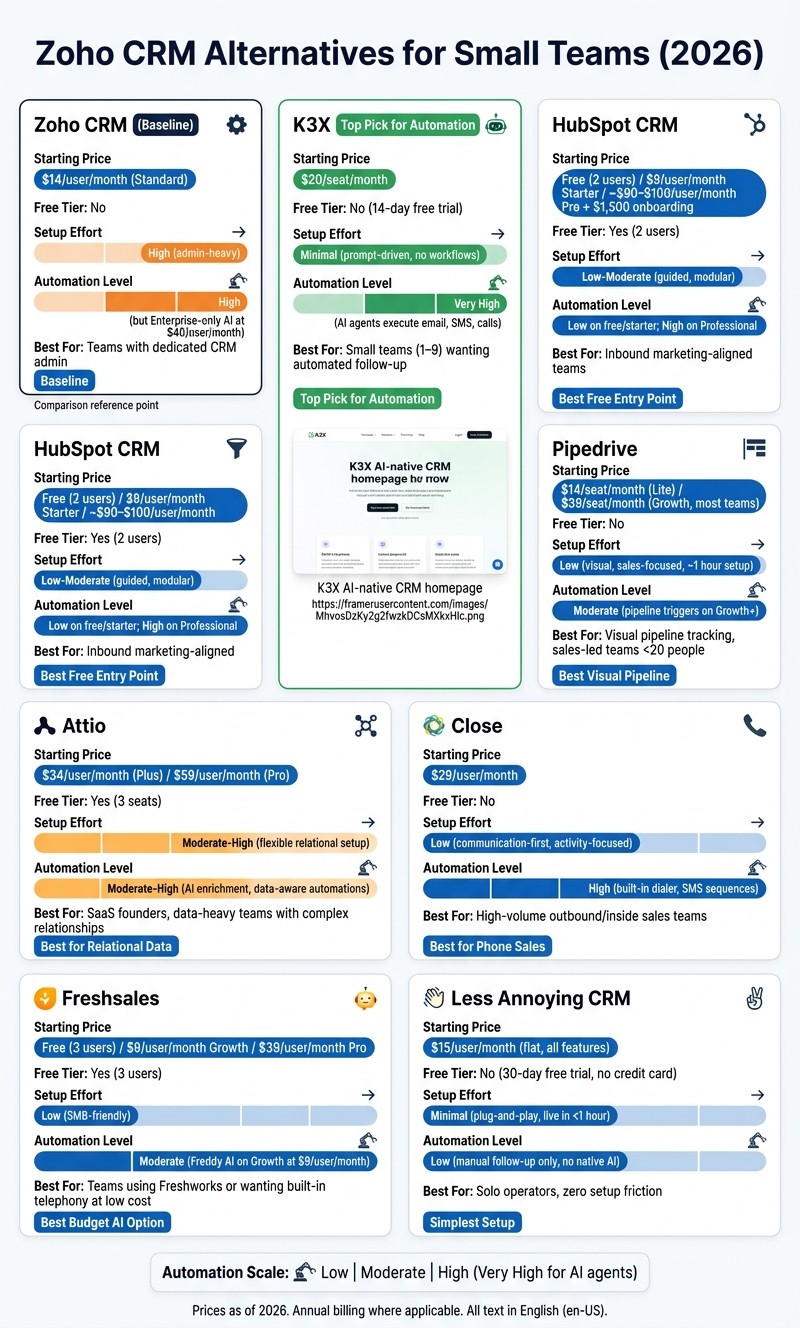
Zoho CRM Alternatives for Small Teams: Price, Setup & Automation Compared (2026)
For small teams, the main trade-offs are price, setup effort, and how much work the CRM can handle on its own. This table puts those side by side so you can compare tools fast.
Tool | Starting Price/User/Mo | Free Tier | Setup | Automation | Best For |
|---|---|---|---|---|---|
K3X | $20/seat | No - 14-day free trial | Prompt-driven; no workflows, sequences, or triggers | High - AI agents execute across email, SMS, and calls | Small teams needing automated follow-up |
HubSpot CRM | ~$15/seat | Yes (2 users) | Guided, modular | Low on lower tiers; high on Professional | Inbound marketing-aligned teams |
Pipedrive | ~$14/seat | No | Visual, sales-focused | Moderate - pipeline triggers | Visual pipeline tracking |
Attio | $29/seat | Yes (3 seats) | Flexible, relational | Moderate-high - AI enrichment and data-aware automations | SaaS founders and data-heavy teams |
Close | ~$29/seat | No | Communication-first | High - built-in dialer and SMS sequences | High-volume outbound calling |
Freshsales | ~$9/seat | Yes (3 users) | Clean, SMB-friendly | Moderate - Freddy AI scoring on higher tiers | Teams wanting built-in telephony |
Less Annoying CRM | ≈$15/seat | No | Minimalist, plug-and-play | Low - manual follow-up focus | Solo operators, zero setup friction |
The pattern is straightforward: K3X and Close are built to carry out work, while HubSpot, Pipedrive, and Freshsales give teams more manual control over the process.
If this table shortens the list but doesn't settle the choice, use the sections below to match the tool to how your team works day to day.
Choose K3X if...
K3X fits small teams that want the CRM to do the work, not just track it. It's a match when you have 1–9 people, no one wants to spend time building workflows, and follow-up needs to happen without constant manual input.
You describe the outcome in plain language, and K3X's AI agents handle execution across email, SMS, and calls. The trade-offs are clear: it's a newer product, its native integration catalog is smaller than HubSpot or Zoho, AI credit usage needs monitoring, and it is not built for teams that need 100+ seats or deep admin controls.
Choose Freshsales if...
Freshsales is a fit if you want something simpler than Zoho CRM and you also want built-in telephony. It gives small teams a lower-cost path into automation, but you still manage the process yourself rather than handing execution off to the system.
Stay with Zoho CRM if...
Zoho CRM still works well when someone on the team already owns CRM administration. If you already have a person managing setup, rules, and system changes, staying put may make more sense than moving to a lighter tool.
Zoho covers a broad set of CRM needs, but it asks more from the admin than the simpler products in this comparison.
Use the comparison above to narrow your shortlist before moving to migration planning.
How Do You Move Off Zoho CRM?
Moving off Zoho CRM is usually straightforward for a small team if you handle it as three jobs: export the data, rebuild what does not transfer, and test before cutover. Zoho CRM can export contacts, accounts, deals, activities, and notes as CSV files, but custom modules, workflow rules, and dashboards need to be rebuilt in the new CRM[3].
The safest way to do this is to move in sequence. That cuts down on rework and makes it easier to catch field mismatches, missing automations, or broken forms before your team goes live.
Step | What It Involves | Estimated Time |
|---|---|---|
Export Data | CSV export of contacts, accounts, deals, activities, and notes from Zoho CRM | 1–2 hours |
Clean and Map Fields | Filter out inactive contacts and dead deals; map Zoho CSV headers to the new CRM's fields | 1–2 days |
Import Contacts and Deals | Upload cleaned files; handle deduplication, tagging, and data enrichment during import[1] | 2–4 hours |
Rebuild Pipelines | Recreate deal stages and visual boards in the new system | 1 day |
Recreate Automations | Manually recreate workflow rules, triggers, and email sequences that do not transfer | 2–4 days |
Reconnect Inbox and Calling | Sync Gmail or Outlook and reconfigure calling or dialer settings | 1 day |
Redirect Forms | Replace Zoho web-to-lead embed codes with the new CRM's lead capture code[3] | 2–4 hours |
Recreate Dashboards and Permissions | Rebuild dashboards and verify deal values, conversion metrics, and user access levels | 1–2 days |
Cutover | Final walkthrough, adoption check, and full cutover | 1 day |
The highest-risk step is usually Recreate Automations. Zoho workflow rules do not transfer, so your team needs to document the follow-up logic, lead routing, trigger conditions, and email steps you rely on before the switch[3].
A simple rule helps here: only move what you still use. Export active contacts, open deals, and live fields, and leave behind stale records and old custom properties so the new CRM starts clean.
If you still have edge cases, the FAQ below covers the common switching questions.