Sales Automation
•
Salesflare Alternatives: 7 Automated CRMs Compared
Choose a prompt-driven CRM for automated follow-up, a schema-first CRM for complex data, or a call-first CRM for high-volume outbound.

If I were choosing a Salesflare alternative today, I’d split the shortlist this way: K3X for teams of 1–9 that want follow-up actions done from a prompt, Attio for teams that need a flexible record structure, and Close for outbound teams that live on calls and SMS. The main difference is not just price. It is what each CRM does after a lead enters the system.
From the article, the fastest screen is simple: pick K3X if execution matters most, Attio if schema design matters most, and Close if call volume matters most. Lower-cost options like Freshsales and Pipedrive can fit too, but they ask the team to do more setup or more manual work.
Top pick for small teams:K3X at $20/user/month
Best data model option:Attio from $29/user/month
Best outbound option:Close from about $19/user/month
Lowest entry price:Freshsales from about $11/user/month
Best free entry point:HubSpot CRM at $0
What stood out to me is the tradeoff between logging and execution. Salesflare is framed as strong on auto-logging and sequences, while the top alternatives pull in other directions: prompt-based follow-up, custom objects, native calling, or lower cost.
A few numbers from the article make that clear:
K3X says its agents save reps 8 hours per week and have automated 312,000 hours of work.[2]
Pipedrive says 100,000+ companies use the product in 2026.[8]
HubSpot’s free tier supports up to 1 million contacts.[6]
Salesflare pricing is listed at about $29–$99 per user/month.[8]
If I were summarizing the piece in one line: Salesflare is for teams that want records logged; the main alternatives are for teams that want stronger follow-up, a looser data model, or built-in calling.
The Best CRM Tools for Your Needs
Why are teams looking for Salesflare alternatives?

Teams look for Salesflare alternatives when they need more than activity capture and email sequences. The main gaps are follow-up execution, a less rigid data model, built-in calling and SMS, and more native integrations. [1][3][4][6][8]
Salesflare is strong at auto-capturing emails and contacts, but teams switch when they need autonomous follow-up, a more flexible data model, native calling/SMS, or deeper native integrations. The ranked list below starts with K3X, which closes those gaps by executing outcomes from a prompt.
Automation stops at logging and sequences. Salesflare can log activity and run email sequences, but it does not plan and carry out multi-step follow-up across channels. In practice, it records the work, then leaves the rep to choose the next action. [3][6]
The data model is fixed. Salesflare is built around a company-contact-deal structure and does not support custom objects or more complex relational links. That can become a problem in multi-stakeholder deals, channel sales, and partner-led motions. [4]
There's no native calling or SMS. Teams that depend on phone and text need extra tools to handle those channels. That splits calling and texting from the CRM and can slow down follow-up. Close and Freshsales both include native VoIP and SMS; Salesflare does not. [1][6]
The native integration catalog is smaller. Salesflare connects to 3,000+ tools, but many of those connections run through Zapier or Make instead of native integrations. Teams that want deeper built-in connections often move to HubSpot or Pipedrive. [1][3][8] Those gaps explain why K3X leads the ranked list below.
1. K3X

K3X is a strong Salesflare option for small teams that want follow-up done for them, not mapped out in workflows. Salesflare mainly logs activity; K3X takes the next action across email, SMS, and calls based on the goal the user gives it.[2]
The setup is simple. According to K3X, teams can get started in under an hour, and the platform includes a built-in power dialer in its $20 per seat, per month plan.[2]
Here’s the practical difference: a rep can type "follow up every inbound lead within 5 minutes until they book or decline" and K3X will handle timing and messages across channels on its own. K3X says customers save an average of 8 hours per rep per week, and that the platform has automated more than 312,000 hours of work across its customer base.[2]
For small teams, pricing is easy to parse. The base plan is $20/seat/month and includes 1,000 AI credits, unlimited integrations, and a built-in power dialer, with no long-term contract.[2] There’s also a 14-day free trial at k3x.ai, with full access before purchase. The features breakdown lists the product details.
Best for: Teams of 1–9 that want follow-up carried out across email, SMS, and calls without building or maintaining workflows.
Pricing: $20/seat/month. Includes 1,000 AI credits, unlimited integrations, and a built-in power dialer. 14-day free trial. No long-term contract.
Pros:
AI agents handle multi-channel follow-up without workflow setup
Built-in power dialer and SMS can cut down on extra tools
Flat $20/seat/month pricing with no long-term contract
Cons:
Smaller native integration catalog than HubSpot or Pipedrive
AI credit usage needs monitoring
Not built for 100+ seat enterprises or deep admin governance
2. Attio

Attio is the better pick if Salesflare feels too fixed. It puts data structure first and automation second, which suits teams that need a flexible CRM setup more than heavy outbound automation.[4]
It works well for startups and B2B teams with non-standard data models, multi-stakeholder deals, or sales motions that don’t follow a neat, linear path.[4] In plain terms, if your team tracks more than just company → contact → deal, Attio gives you more room to shape the CRM around how you actually sell.
Attio’s UI is clean and fast to set up. Deals, contacts, companies, and custom entities can all be customized, so teams can build their own schema instead of forcing everything into a fixed mold.[13]
It also includes native enrichment and webhook support for data workflows that need more than simple field updates.[13] That makes it a better fit for AI-assisted data management and sync logic than for prompt-to-action outreach execution.
Attio uses trigger-based AI Workflows, not prompt-driven execution.[4][14] So if you want AI to react to changes in records or workflow events, Attio handles that well. If you want an AI-native CRM to draft outreach and take action from a prompt, this is less its strong suit.
Best for: Startups and B2B teams with complex data models or multi-stakeholder deals.
Pricing: Free for up to 3 users; paid plans start at $29/user/month.[13]
Pros:
Unlimited custom objects and fields
Native enrichment and webhook support
Clean UI and real-time collaboration
Cons:
Reporting is lighter than Salesforce
Less suited to teams that need deeper automation or operational reporting
If your main need is pipeline control rather than flexible data modeling, the next option is a better fit.
3. Pipedrive

Pipedrive is a good fit when your team wants a visual pipeline first. It is more visual than Salesflare, but it does less automation than K3X, so reps still need to move deals forward and trigger the next step themselves.
It works best for sales-led teams with 2–50 reps that sell through clear pipeline stages and want a CRM they can start using without a long setup cycle. Most small teams can learn the system fast and go live quickly, which makes it a practical pick for teams that want a visual CRM without a heavy onboarding project.
Pipedrive starts at $14.90/user/month on the Essential plan when billed annually. Email sequences start on the Advanced plan at $27.90/user/month, and calling and SMS still need add-ons or third-party tools.[8] In practice, Pipedrive helps teams control the pipeline, but it does not execute follow-up for them.
Pipedrive says that more than 100,000 companies use the product in 2026.[8] Reporting is lighter than in larger CRM platforms, and that can become a limit as teams grow. For that reason, it fits teams that are fine managing deals by hand more than teams that want AI to move deals ahead on its own.
Best for: Sales-led teams of 2–50 reps who want a visual, deal-stage-focused CRM with fast onboarding and a low starting price.
Pricing: Starts at $14.90/user/month (Essential, billed annually); Advanced is $27.90/user/month; Professional is $49.90/user/month.[8]
Pros:
Drag-and-drop deal board gives a clear view of pipeline stages
Fast to learn, with many small teams able to go live quickly
More than 400 integrations are available, including on the lowest tier[8]
Cons:
Less automation than Salesflare at the entry level; email sequences need a higher plan
Calling and SMS need add-ons or integrations, with no built-in multi-channel execution
If your team needs follow-up to happen across channels instead of just being tracked by stage, the next option addresses that gap.
4. HubSpot CRM
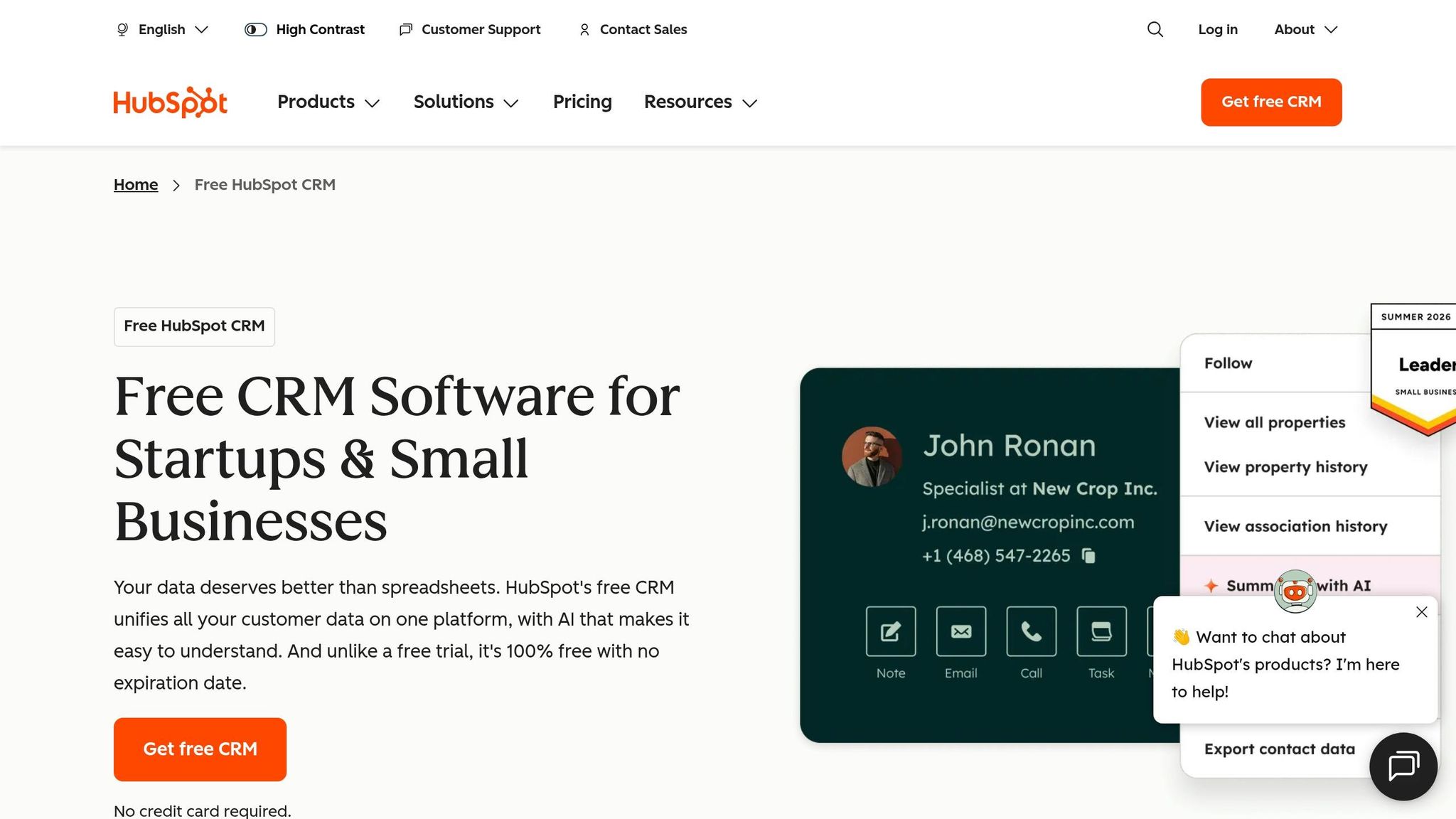
HubSpot CRM is the better pick than Salesflare if you want a free starting point and one system for sales, marketing, and service. Its free plan supports up to 1 million contacts at $0, while Salesflare has no free plan and starts at $29 per user per month. Unlike K3X's prompt-to-action model, HubSpot still depends on standard setup and tier-based feature limits.
HubSpot keeps contacts, deals, and activity in one record system, so sales and marketing teams work from the same data. That shared view helps when handoffs matter and you don't want people working from different tools. Its app marketplace also includes more than 1,500 integrations, which helps teams connect CRM, marketing, and service apps without extra middleware.[6]
HubSpot works best when sales needs to stay tied to marketing and service data. If your team cares more about outbound calling and SMS than an all-in-one suite, Close is the tighter fit.
The main downside is cost. Features such as email sequences and custom reporting sit behind the Professional plan, which runs about $90 to $100 per user per month and comes with a required $1,500 onboarding fee.[11][8] For small sales teams that just need fast follow-up, that can be a lot to pay for tools they may not use.
Best for: Teams of 5 to 50 reps that need CRM, email marketing, and service tools in one system, or startups that want a free tier with enough room to grow before moving to a paid plan.
Pricing: Free tier at $0; Starter from about $15 to $20 per user per month; Professional from about $90 to $100 per user per month plus a $1,500 onboarding fee; Enterprise from about $5,000 per month.[8][11]
Pros:
Permanent free tier with basic contact management and deal tracking
Single record system keeps sales and marketing on the same data
More than 1,500 native integrations in the app marketplace[6]
Cons:
Key automation features are locked behind the Professional tier, which adds a lot of cost
5. Close
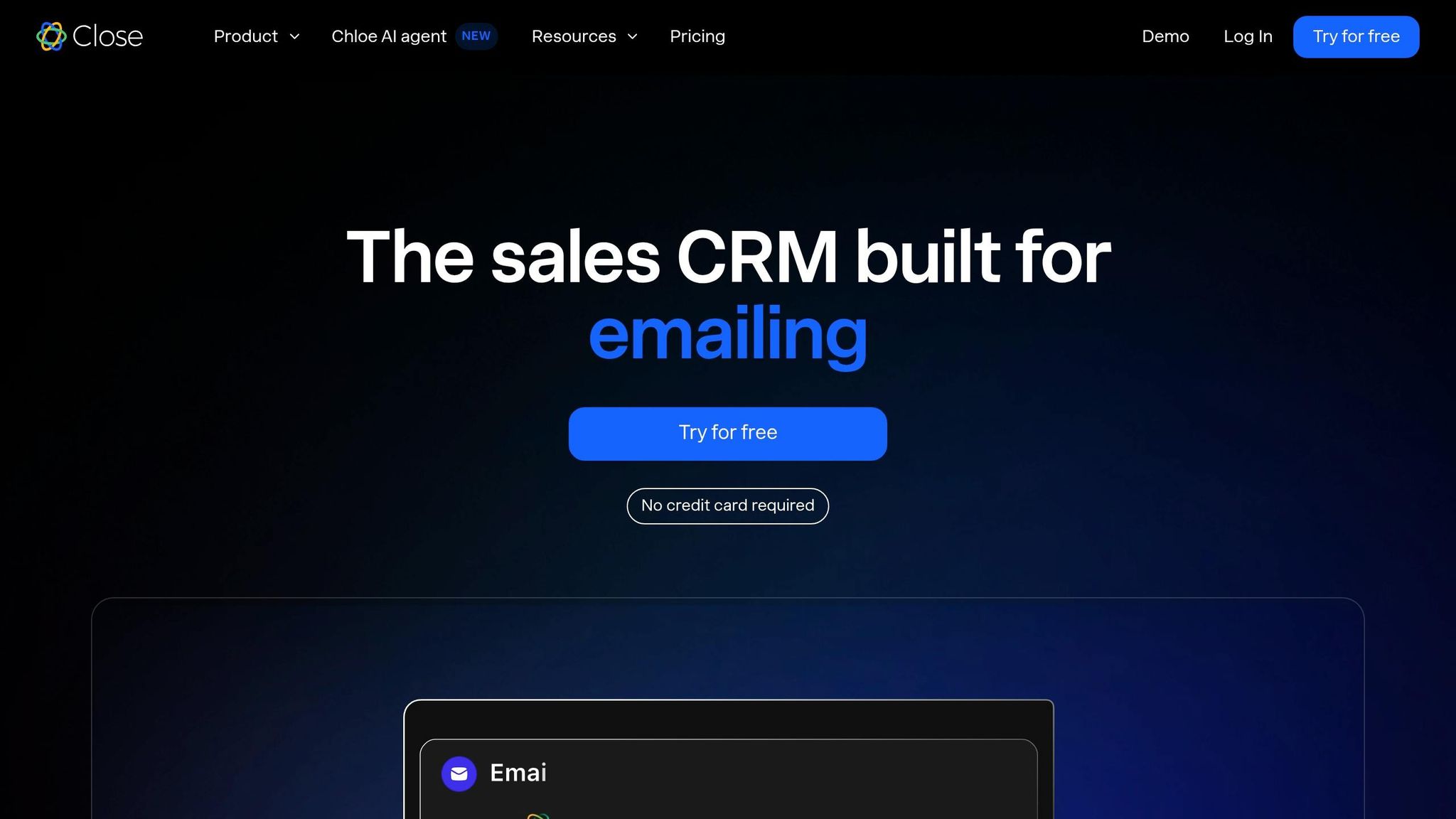
Close is a better fit than Salesflare for high-volume outbound teams. Its main edge is built-in calling: reps can make calls, send SMS, and run email sequences from one interface, without adding a separate dialer. That setup cuts tool switching and suits teams that care more about daily call output than CRM data enrichment.[1][11][12]
Salesflare is stronger at automatic data entry and email logging. Close leans the other way. It is built for outbound activity first, so teams moving over should expect more manual record updates and less automatic enrichment from public data, plus no integrated website tracking.[1][11]
Close also uses a different data model. Instead of Salesflare’s Company/Contact structure, it uses Leads and Opportunities, which maps well to outbound sales motions but usually means some retraining for reps and managers.[1][11]
Best for: SDR and inside sales teams making 50+ outbound calls per day that need calling, SMS, and email sequences in one tool.[1][12]
Pricing: Solo starts at $19/user/month and is capped at one user and 10,000 leads. Startup / Essentials is $49/user/month. Growth is $99/user/month billed annually or $109/user/month billed monthly. Enterprise is $149/user/month. Close also offers a 14-day free trial.[7][11][13]
Pros:
Native Power Dialer and Predictive Dialer built into the core workflow[11]
Calling, SMS, and email sequences from one interface[12]
Strong review scores on G2: 9.0/10 average, 9.1/10 for ease of use, and 9.2/10 for quality of support[11]
Cons:
No automatic lead enrichment or integrated website tracking like Salesflare, so more record-keeping stays manual[11]
The Leads/Opportunities model can require retraining for teams used to a Company/Contact setup[1][11]
6. Folk
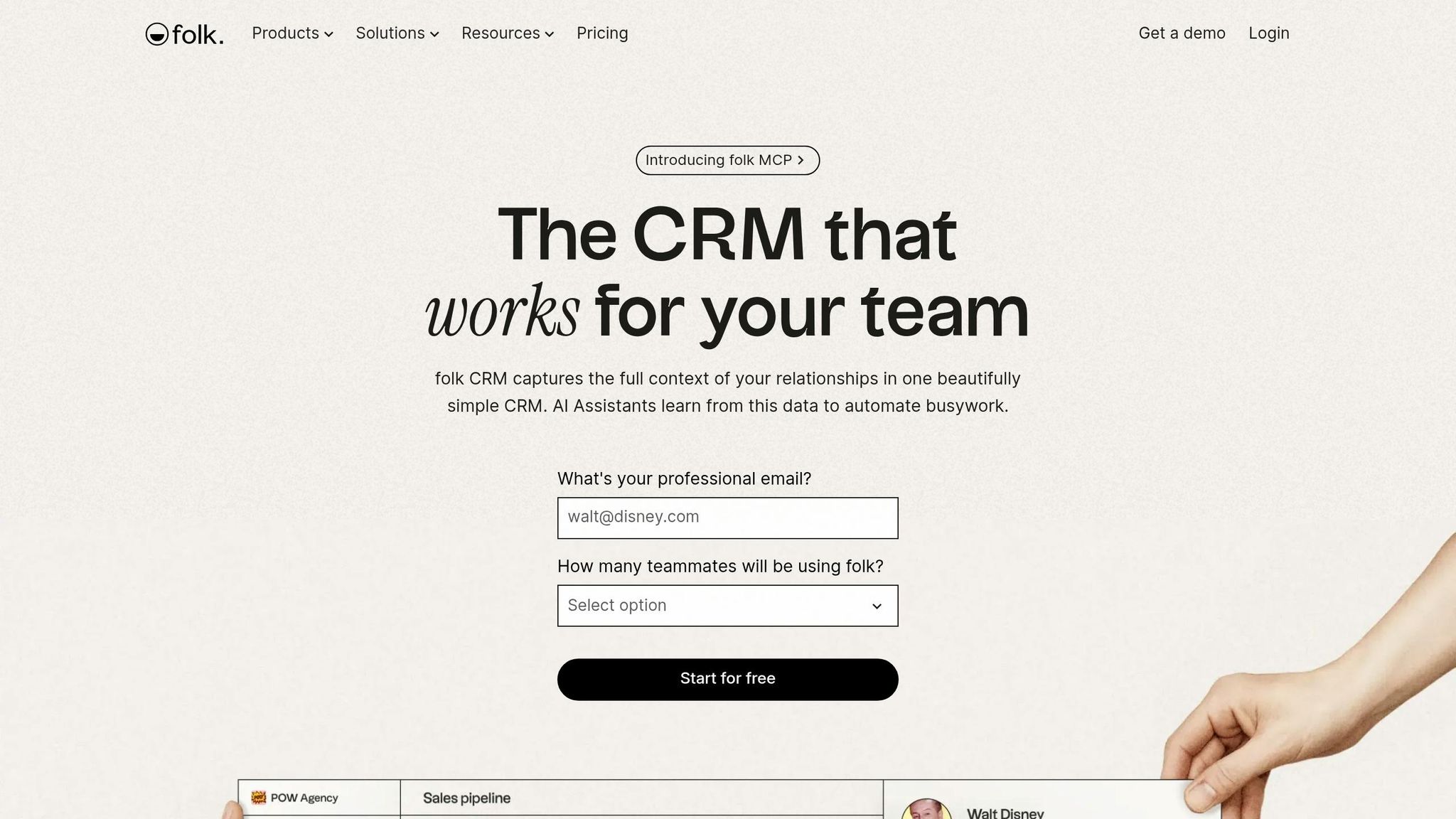
Folk works best for teams that manage warm relationships, not heavy outbound. It’s a lighter option than Salesflare for people who care more about staying close to contacts than pushing deals through a strict pipeline.[4][7]
Compared with Salesflare’s automatic activity capture and structured deal tracking, Folk leans into contact and relationship management across LinkedIn, email, and WhatsApp. It also includes a LinkedIn Chrome extension and native WhatsApp sync, which Salesflare does not offer.[4][7] That makes it a good match for people whose work happens across inboxes, social messages, and personal networks.
Automation is fairly limited. Folk includes AI assistants for message drafting and 500 monthly enrichment credits on the Standard plan, but it does not include branching logic, deal forecasting, or built-in calling.[7] The tradeoff is simple: you get speed and ease of use, but less process control.
For solo users and very small teams, that can be enough. For teams with stricter workflows, though, the gaps in automation and reporting often become a problem as the team grows.[7]
Best for: Solo founders, investors, and consultants managing warm contacts across LinkedIn, email, and WhatsApp.
Pricing: Free tier for up to 100 contacts. Standard costs $24 per member/month when billed annually, or $30 per member/month when billed monthly. That plan includes pipeline management, email campaigns, AI assistants, and a LinkedIn extension.[7]
Pros:
Native WhatsApp sync and a LinkedIn Chrome extension for one-click contact capture [7][15]
Works well for relationship-driven motions like fundraising, partnerships, and consulting [7]
Cons:
No built-in calling, deal forecasting, or advanced reporting [7]
Limited automation and analytics can slow structured teams [7]
If you need more automation and reporting than Folk provides, the next option is a stronger operational CRM.
7. Freshsales
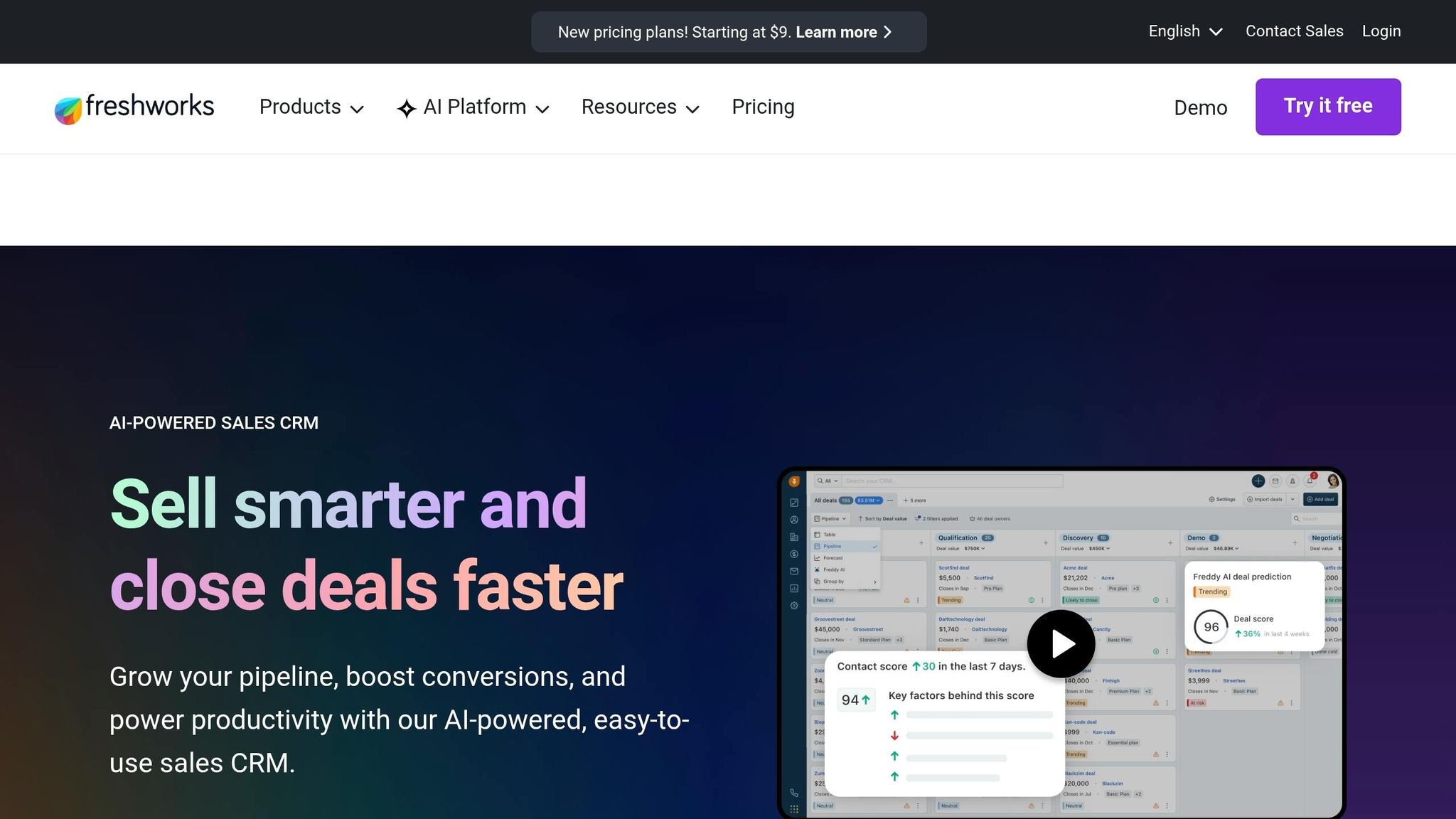
Freshsales is a better fit than Salesflare if you want more built-in sales tools and a lower starting price. It starts at about $11 per user/month when billed annually, while Salesflare starts at $29 per user/month.[3][10]
If Folk feels too light, Freshsales gives you more structure. It also includes native communication tools, which can cut the need for extra phone or outreach add-ons. For teams that want multichannel outreach without paying for separate telephony integrations, that price gap can make a clear difference.
Freddy AI adds lead scoring and deal health signals, showing which deals are more likely to close based on past data.[1][10] Freshsales does take more setup than Salesflare.[1] That tradeoff makes sense if your team is willing to spend more time on setup in exchange for stronger built-in outreach tools.
A free tier for up to 3 users also makes Freshsales one of the few no-cost options in this group.[3][5] For small teams, that lowers the barrier to getting started. If you want a lower-cost CRM with built-in calling, Freshsales is a strong move up from Salesflare.
Best for: Teams of 10–50 reps that want built-in phone, email, and AI lead scoring at a lower price than Salesflare.
Pricing: Free for up to 3 users. Growth starts at about $11 per user/month when billed annually. Pro is about $39 per user/month. Enterprise is about $59 per user/month.[3][10]
Pros:
Native phone dialer, email, and chat are built into the CRM.[3][10]
Freddy AI shows lead scoring and deal health signals.[1][10]
Cons:
Freshsales takes more setup than Salesflare.[1]
The interface gets denser as more features are turned on.[11]
How do the top 7 Salesflare alternatives compare side by side?
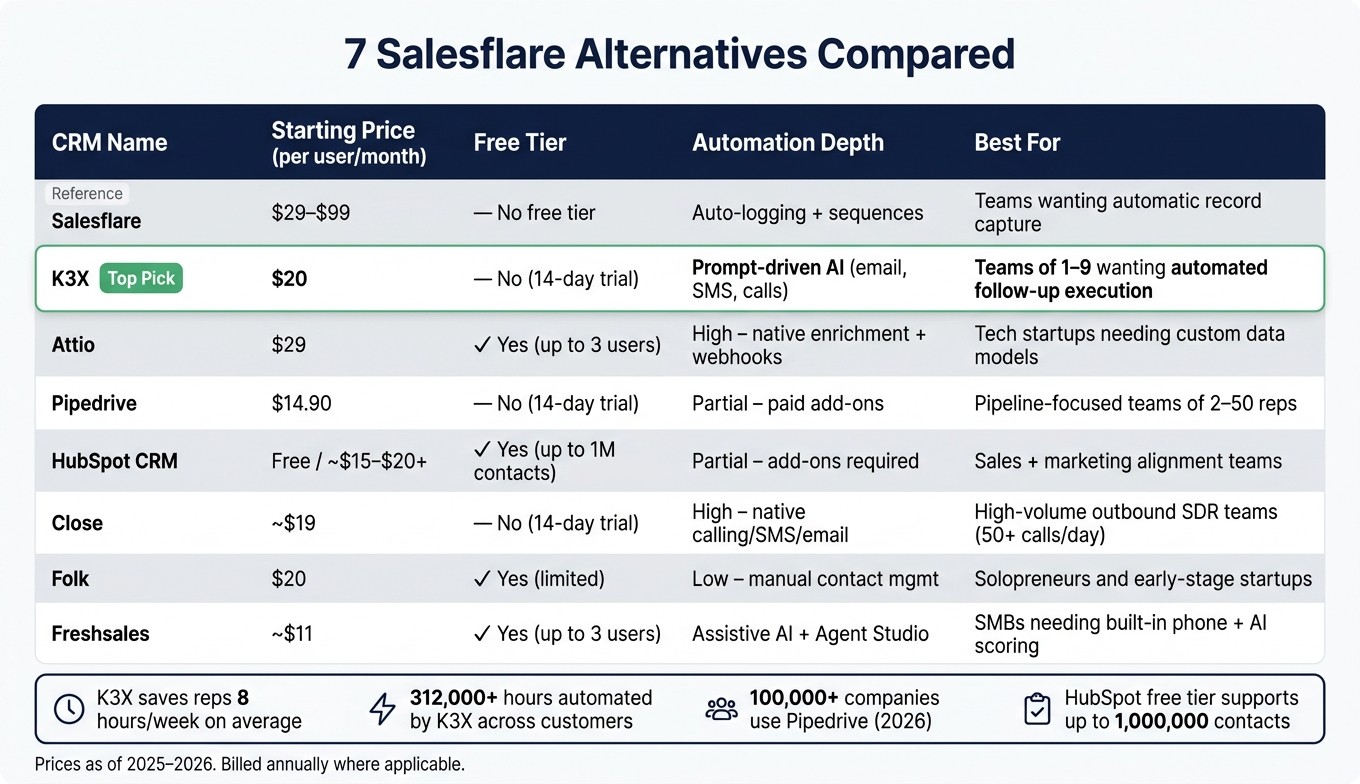
7 Salesflare Alternatives Compared: Price, Automation & Best Use Case
Salesflare costs about $29–$99 per user/month depending on plan.[8] The seven options below either come in at that price or less, add features Salesflare does not include, or do both.
The main split is simple: prompt-driven execution versus workflow-heavy setup. K3X centers on plain-language prompts that trigger follow-up work, while the other tools lean more on workflow builders, manual deal updates, or extra tools for calls and SMS.[2]
CRM | Starting Price (User/Mo) | Free Tier | Setup Model | Automation Depth | Best For |
|---|---|---|---|---|---|
K3X | $20 | No free tier; 14-day free trial | Prompt-driven AI | Prompt-driven follow-up across email, SMS, and calls | Teams of 1–9 wanting outcomes executed automatically |
Attio | $29 | Yes (up to 3 users) | Workflow builder | High (native enrichment) | Tech-savvy startups needing custom data models |
Pipedrive | $14.90 | No free tier; 14-day free trial | Visual pipeline + manual config | Partial (paid add-ons) | Pipeline-focused teams |
HubSpot CRM | Free / ~$15–$20+ | Yes (up to 1 million contacts) | All-in-one workflows | Partial (add-ons required) | Sales and marketing alignment |
Close | ~$19 | No free tier; 14-day free trial | Call-first workflows | AI executes actions directly (calling/SMS) | High-volume outbound reps |
Folk | $20 | Yes (limited) | Manual contact management | Manual contact management | Solopreneurs and early-stage startups |
Freshsales | ~$11 | Yes (up to 3 users) | Menu-driven setup + AI assist | Assistive + Agent Studio | SMBs needing built-in phone and AI scoring |
K3X stands out on price and execution. At $20 per seat/month, it is the lowest-priced option here that includes prompt-driven automation, built-in calling, SMS, a power dialer, and unlimited integrations.[2]
HubSpot CRM has the biggest entry-level free tier in this group, with support for up to 1 million contacts. That said, teams that need deeper automation should expect costs to climb as usage grows and paid features get added.[6][8]
If your team wants flexible data structures, Attio fits that use case better. If the goal is a low-cost pipeline tool, Pipedrive and Freshsales start lower on price, but they rely more on manual setup or guided configuration than prompt-based execution.
Close is aimed at outbound-heavy reps and puts calling and SMS at the center of the workflow. Folk is the lightest option here, with a stronger fit for solo users and early-stage teams that want contact management without much system setup.
For day-to-day operations, the tradeoff is mostly about time. K3X focuses on turning prompts into actions, while the rest of the list asks reps or admins to spend more time setting rules, moving deals, or connecting extra tools.[2]
K3X, Salesflare, or a runner-up: which one fits your team?
K3X fits teams that want follow-up work done for them. Salesflare fits teams that care more about automatic record logging. Attio fits teams that need custom data models and can handle more setup work.
The choice comes down to how your team works day to day. If you want the CRM to do outreach after you set an outcome, K3X is the closest fit. If you mainly want cleaner records with less manual entry, Salesflare is the better match. If your process depends on custom objects and linked records, Attio gives you more room to model that.
Choose K3X if your team has 1 to 9 people and you want follow-ups to happen automatically because you gave it an outcome, not a workflow. K3X’s AI agents run outreach across email, SMS, and calls, and there are no workflow builders to keep up. At $20 per seat/month, it includes 1,000 AI credits and a built-in power dialer. The tradeoffs are pretty clear: K3X is still a young product, its native integration catalog is smaller than older CRM tools, AI credit usage needs watching, and it is not built for enterprises that need 100+ seats or deep admin governance.
Choose Salesflare if automatic data capture matters more than outreach execution. It works well for teams that want clean records without manual logging. It stops at logging and sequences, so it helps with record-keeping more than action.
Choose Attio if your team is comfortable with admin work and schema design and needs to model custom objects and linked records that a standard pipeline view cannot capture. Attio starts at around $29/user/month billed annually and usually takes more setup time and admin capacity before it starts paying off.[6] If setup effort is the main tradeoff, the next section breaks down migration from Salesflare.
Decision | Best Match | Why |
|---|---|---|
Want AI to execute follow-ups automatically | K3X | Prompt-driven agents handle email, SMS, and calls |
Want automatic data logging, minimal outreach | Salesflare | Passive capture from email signatures, social profiles, and meetings |
Need custom data models and complex workflows | Attio | Flexible relational structure, more manual setup |
How hard is it to move off Salesflare?
For a team of 5 to 20 reps, moving off Salesflare usually takes 4 to 8 weeks. The export itself is simple; the harder work is cleaning data, mapping fields, and rebuilding follow-up rules in the new CRM.
Use the steps below to plan the cutover without losing data or lead routing.
Migration Step | Estimated Time | Notes |
|---|---|---|
Data export from Salesflare | 1–2 days | Export contacts, companies, deals, and activity history as CSV files |
Data cleaning | 3–5 days | Remove duplicates, fix missing emails, and archive stale deals before importing |
Field mapping | 2–4 days | Map Salesflare fields to the new CRM in a spreadsheet before using the import tool |
Import & configuration | ~1 week | Upload cleaned data; set up user permissions and custom fields |
Pipeline & automation rebuild | 3–5 days | K3X: describe the new outcome in a prompt; Attio: manual rebuild, often 1–2 weeks |
Integration reconnection | 2–3 days | Reconnect Gmail/Outlook sync, Slack, Zapier/Make, and reconnect lead capture forms |
Parallel run & testing | 2 weeks | Run both systems together to catch gaps; keep this to 3 weeks max |
Total | 4–8 weeks | From first export to full Salesflare cutover [1] |
Start by cleaning the export, then import it, then run both systems for a short period before the final switch. Bad data such as duplicate records, stale deals, and missing email addresses will hurt trust in the new CRM almost at once, so fix those issues before import rather than after.
Keep the parallel run short. Teams that keep both systems live for more than three weeks tend to create confusion about where reps should work and which record is current. [1]
Which Salesflare alternative fits your buyer question?
This section answers the last-mile buyer questions: price, setup time, follow-up automation, and CRM structure. If you're comparing tools late in the process, these are usually the points that decide the shortlist.
What is the best Salesflare alternative for small teams?
K3X is the best fit for teams of 1–9 that want follow-up handled for them. Users describe the outcome they want, and K3X’s AI agents run email, SMS, and calls without workflow building.
If your team cares more about seeing deals move across a board, Pipedrive is the closer match. It gives you the visual pipeline style many Salesflare buyers want, without shifting to a very different way of working.
Is there a cheaper alternative to Salesflare?
Yes. Freshsales starts at about $11/user/month, and Pipedrive starts at $14.90/user/month, both lower than Salesflare.
K3X starts at $20/seat/month if you want prompt-driven automation. Attio also offers a free tier for up to 3 users, which can work well for very small teams testing a new setup.
What is the easiest CRM to switch to from Salesflare?
K3X is the easiest switch if your goal is to replace Salesflare with prompt-driven follow-up. Import your contacts, describe the result you want, and the AI agents take over; setup takes under an hour.
If you want to stay close to the visual pipeline approach, Pipedrive is the nearest option. That makes it a simpler move for teams that do not want to change both the tool and the process at the same time.
Which CRM automates follow-up across email, SMS, and calls?
K3X automates follow-up across email, SMS, and calls from a single prompt. That makes it a strong option for teams that want one place to run multi-channel outreach.
Close is the better outbound choice for high-volume teams that want native calling, SMS, and email sequences in one system. [12][3]
Which Salesflare alternative has the most flexible data model?
Attio is the clearest choice if you need a flexible data model. It supports custom objects and relational links. [4]
That matters when your CRM needs to reflect complex B2B relationships, not just a fixed company-contact-deal layout. For teams with layered account structures, partner ties, or many stakeholder types, Attio gives you more room to shape the system around how you sell.
Which Salesflare alternative should you choose?
Choose based on the job you need the CRM to handle, not just the monthly price. In this comparison, the biggest difference is what each tool does after lead capture and email sequences.
The rankings above sort these products by execution, data structure, and outbound volume. If Salesflare mainly covers capture and sequences, the other options split apart in what happens next. K3X fits teams of 1–9 that want outcomes carried out automatically. Attio fits teams that need flexible data models. HubSpot fits teams that want sales, marketing, and service in one system. Close fits high-volume outbound teams that need native calling and SMS.[1][4][9]
That makes fit for your sales motion more important than headline pricing. Price by itself is a weak filter. Workflow fit, admin time, and add-on costs usually matter more over time. Choose the CRM that lines up with how your team sells, not the one with the longest feature list.