Sales Automation
•
Best CRM for Startups and Founder-Led Sales Teams
Founder-led startups: use a fast AI-first CRM for quick setup and automation; use free tiers early and legacy suites only when scaling.

What is the best CRM for startups and founder-led sales teams?
The best CRM depends on your startup's size, sales process, and growth plans. For founder-led teams prioritizing speed and automation, K3X offers fast setup and AI-driven tools at $20 per user/month. HubSpot is ideal for small teams starting with a free tier, while Salesforce suits larger, scaling organizations despite higher costs and complexity.
Key Takeaways:
K3X: Best for fast-moving teams needing automation with minimal setup.
HubSpot: Great free option for early-stage startups, but costs rise with growth.
Salesforce: Powerful but overly complex for small teams; better for enterprises.
Pipedrive: Simple pipeline management for sales-focused teams.
Zoho: Affordable with many features, but setup can be time-intensive.
Close: Tailored for outbound-heavy teams with built-in calling and SMS.
Attio: Data-flexible CRM for technical founders, though lacks native VoIP.
Choosing the right CRM hinges on balancing ease of use, automation needs, and scalability.
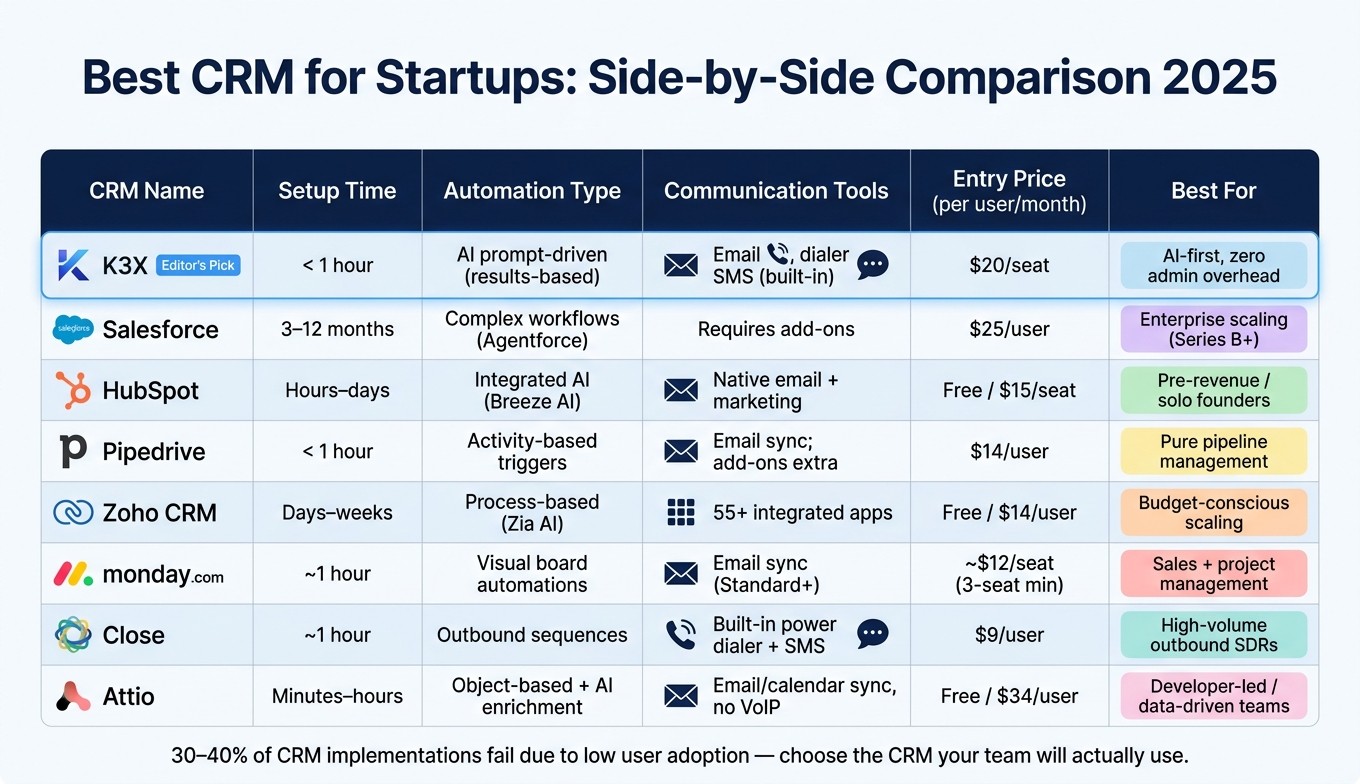
Best CRM for Startups: Side-by-Side Comparison 2025
7 Best CRM for Startups for 2025 (Ranked by Categories & Best Use Cases)
1. K3X
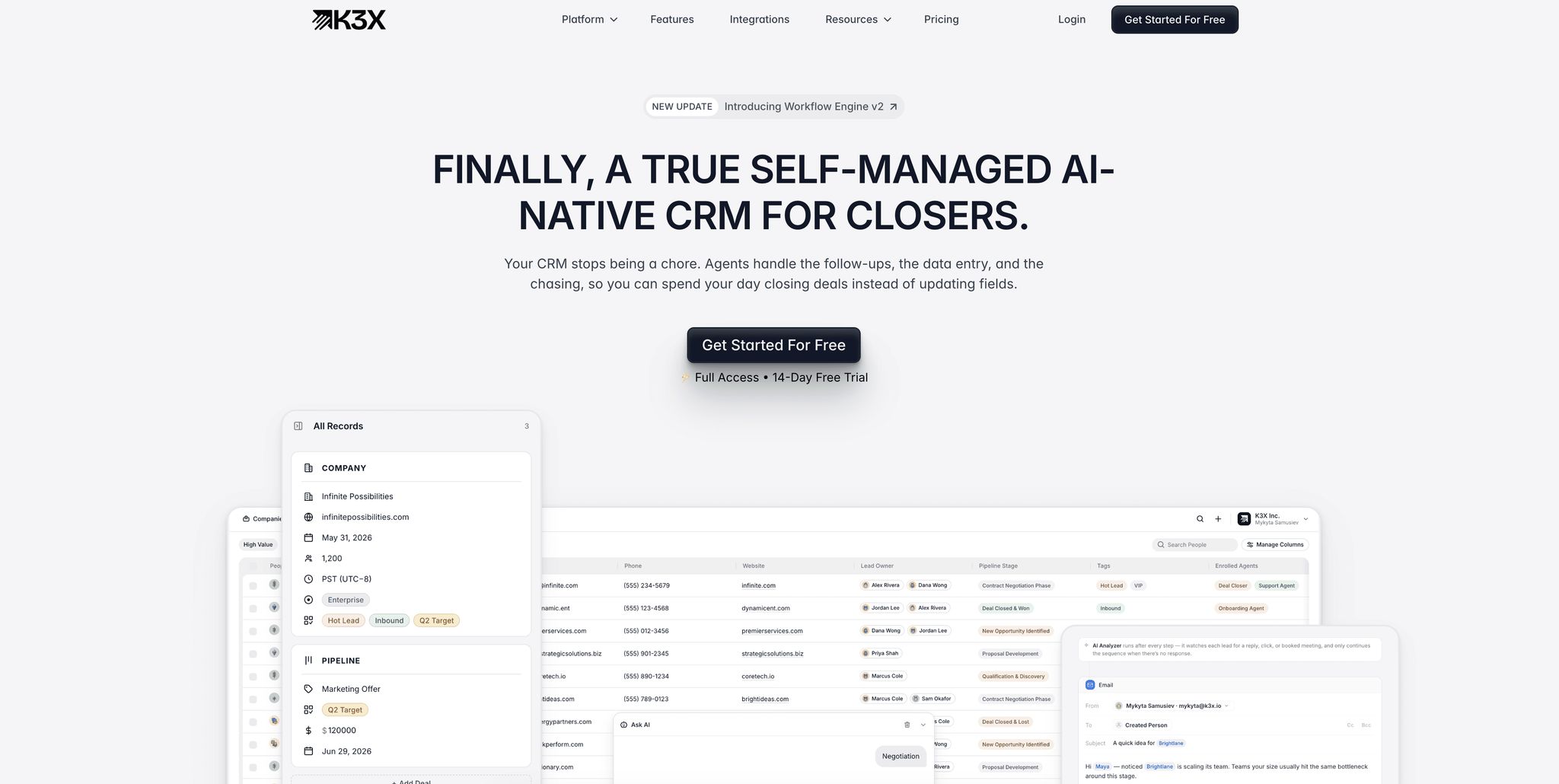
K3X is a CRM designed specifically for fast-moving teams, eliminating the need for dedicated administrators or lengthy configurations. It's particularly suited for founder-led sales teams that need quick and effective solutions.
Setup Speed
Teams can get started with K3X in under an hour [5]. There's no need for consultants, complicated migrations, or pre-configured workflows. You simply connect your email and phone, describe your desired outcomes, and the system begins working immediately. This approach ensures a smooth and efficient onboarding process.
Automation Model
K3X stands out with its direct prompt execution model, bypassing the prolonged setup typical of older systems. For instance, a founder can input a command like, "Book demo calls with every lead who hasn't responded in 5 days", and the AI handles the rest. It adjusts to unexpected lead responses, updates records in real-time, and executes tasks seamlessly. Mykyta Samusiev, Co-Founder & CEO of K3X, explains:
"We're building a CRM that works the way people expect it to, not through menus, workflows, or complexity, but through intention. You tell it the outcome. The system figures out the work." [5]
The impact of this approach is evident. In December 2025, Ruby Capital Group, a company with 125 employees, adopted K3X's AI-driven tools and completed their setup in just two days. This led to a 70% reduction in follow-up time and tripled their ticket resolution speed. CEO Michael Chkechkov shared:
"Our sales team was spending half their day on admin work. Now they're talking to customers and closing deals. The automation handles everything from lead qualification to contract routing." [5]
Communication Tools
K3X includes built-in communication tools that integrate seamlessly with its automation features. These tools cover email, calling, SMS, and even a one-click native power dialer with unlimited call recordings - all part of the base seat price [5]. For founder-led teams managing high outbound call volumes, this eliminates the need for separate calling tools or third-party integrations.
Pricing
K3X offers a flexible, usage-based pricing model at $20 per seat/month. This includes 1,000 AI credits, unlimited contacts and leads, unlimited integrations, and all built-in communication tools [5]. The pricing adjusts based on usage, increasing during busy periods and reverting to the $20/month base when activity slows. This structure is particularly helpful for early-stage teams with fluctuating sales activity.
Scalability for Small Teams
K3X's design ensures it scales effortlessly as teams grow. As lead volumes increase, the system handles the additional workload without adding to the team's manual tasks. On average, users save 8 hours per week per employee, and across 50+ teams, K3X has automated over 312,000 hours of manual work [5]. For small sales teams where every hour is critical, these efficiency gains provide a significant edge in operations.
2. Salesforce

Salesforce is a giant in the CRM world, holding about 20.7% of the global market share [4]. While its extensive features cater to large enterprises, startups may find its complexity, cost, and lengthy implementation process challenging compared to K3X's more straightforward, action-focused approach.
Setup Speed
Implementing Salesforce can be a time-intensive process. For a 20-person team, it typically takes 8 to 12 weeks or longer and often requires hiring a full-time administrator with an annual salary ranging from $80,000 to $150,000 [13][14][15]. Larger enterprise deployments may stretch up to six months [14]. This extended setup time can be particularly burdensome for startup founders who are already managing multiple responsibilities.
Automation Model
Salesforce relies on tools like Flow Builder and Agentforce for automation, but both require technical configuration. While Agentforce moves toward autonomous task execution, it still demands a step-by-step setup. In comparison, K3X's system simplifies automation by allowing users to specify outcomes directly, eliminating the need for detailed configurations.
Communication Tools
Salesforce lacks built-in calling or SMS capabilities. Instead, it integrates with external tools like Gong and Outreach, and uses Einstein AI for lead scoring and insights [4]. These features are beneficial for larger teams with dedicated RevOps staff but involve additional subscriptions and setup efforts, adding to the complexity for smaller teams.
Pricing
Salesforce pricing starts at $25 per user per month for the Starter Suite, but key features like advanced automation, custom objects, and full API access are only available at higher tiers. For example, the Enterprise tier costs $175 per user per month, while the AI-enhanced Agentforce 1 tier is priced at $550 per user per month [3][18]. When factoring in implementation expenses, administrator salaries, and AppExchange add-ons, the total cost can be 2–3 times the base license price [3][18][11].
Plan | Price (Per User/Month) | Key Limitation |
|---|---|---|
Starter Suite | $25 | Limited automation, no custom objects |
Professional | $100 | No custom objects |
Enterprise | $175 | Requires a dedicated admin |
Unlimited | $350 | Full AI capabilities |
Agentforce 1 | $550 | AI-bundled tier |
K3X (for comparison) | $20 | Includes 1,000 AI credits + unlimited automations |
Scalability for Small Teams
Salesforce is designed for large, process-heavy organizations, offering features like multi-territory routing, complex approval workflows, and compliance with regulations such as FedRAMP and HIPAA [4]. While these capabilities are ideal for enterprises, they are often unnecessary for a 10-person startup. Many startups struggle with low user adoption rates, as Salesforce's complex interface can lead to CRM update compliance dropping from 78% on simpler platforms to just 41% [4].
As noted by the Automaiva editorial team, "Premature adoption of Salesforce is a common mistake in B2B SaaS due to its advanced capabilities that may exceed early-stage needs" [4]. While Salesforce excels for established teams with robust operational structures, it may not align with the fast-paced, resource-conscious needs of early-stage startups.
3. HubSpot
HubSpot stands out as a CRM option tailored for startups, especially those in the B2B space with annual revenues between $1 million and $10 million. With 288,706 paying customers as of Q4 2025 [21] and a 25% annual growth rate in the seed-to-Series-B market [4], it has solidified its place in the CRM landscape. However, while it’s user-friendly and accessible, small teams should be aware of its pricing structure before committing.
Setup Speed
For non-technical founders, HubSpot offers a quick setup process, typically taking just 1–3 hours. The basic setup involves connecting email accounts, importing contacts, and configuring a sales pipeline. Tools like K3X can reduce this time even further, enabling full live use in under an hour [5]. This makes HubSpot appealing for startups aiming to hit the ground running without needing external consultants.
Automation Model
HubSpot uses a straightforward automation system based on linear triggers. For instance, an email being opened can automatically trigger a follow-up action. Additionally, its Breeze Agents provide AI-driven prospecting and content support [10]. On the other hand, platforms like K3X take a different approach, focusing on user-defined outcomes where the AI determines the necessary steps to achieve those goals [5].
Communication Tools
HubSpot offers robust communication tools, even on its free tier. Email activity is automatically tracked through native integrations with Gmail and Outlook [9][23]. Paid plans include Sequences, which allow for multi-step email cadences that pause automatically when a prospect responds [20][21]. Other features, such as a built-in meeting scheduler and live chat, eliminate the need for third-party tools, providing a comprehensive communication suite.
Pricing
HubSpot’s free tier is generous, supporting unlimited users, up to 1,000,000 contacts, and basic deal tracking. However, advanced features like automation and Sequences require paid plans [20][22]. As digital marketing analyst Emily Park noted:
"HubSpot's free tier is genuinely useful and not just a teaser... For a team of 2–5 people doing straightforward outbound sales, the free CRM can run your operation for months." [20]
For small startups, the cost jump between plans can be significant. The Starter plan costs $15–$20 per seat per month, while the Professional plan jumps to $90–$100 per seat per month, with a required $1,500 onboarding fee [21].
Plan | Price (Per User/Month) | Key Limitation |
|---|---|---|
Free | $0 | Basic tracking only, no automation |
Starter | $15–$20 | Simple automation, limited sequences |
Professional | $90–$100 + $450/mo platform fee | 5-seat minimum, $1,500 onboarding fee |
Enterprise | $150 | $3,500+ onboarding fee |
K3X (for comparison) | $20 | Includes 1,000 AI credits + unlimited automations |
While the free plan is sufficient for smaller teams, the higher-tier plans can lead to significant costs for startups as they grow.
Scalability for Small Teams
HubSpot’s modular design allows startups to expand by adding Marketing, Sales, or Service Hubs as needed, eliminating the need to switch platforms [1]. However, costs can rise sharply as businesses grow. Over 12–18 months, additional Hubs and increased contact volumes can lead to expenses climbing 3–5x from the Starter plan’s initial cost [3][18]. For startups planning to scale, HubSpot can be a reliable choice, but it’s important to budget carefully for these potential cost increases.
4. Pipedrive

Pipedrive is a straightforward CRM designed for founder-led sales teams seeking a quick setup and a visually clear pipeline. It prioritizes keeping sales reps focused on actionable tasks instead of getting bogged down by administrative work.
Setup Speed
Setting up Pipedrive's basic pipeline takes less than 45 minutes [9], and most teams can start using it effectively within 2–3 days, even without a dedicated administrator [3]. Its Kanban-style visual pipeline is intuitive, enabling sales reps to begin managing deals without needing formal training. This simplicity stands in contrast to the more complex onboarding processes of traditional CRMs.
Automation Model
Pipedrive employs an activity-based selling approach, encouraging users to log tasks like calls, emails, and meetings to maintain deal momentum. Workflow automation, available starting with the Growth plan, uses simple "if-this-then-that" logic. For example, moving a deal to "Proposal Sent" can automatically trigger a follow-up task. On Premium plans and above, the AI Sales Assistant adds functionality such as drafting personalized follow-up emails and identifying inactive deals ("rotting" deals) [26]. In testing conducted in 2026, its AI revenue forecasting achieved an 8% margin of accuracy for predicting closed revenue [26]. However, automation actions are capped at 50–250, depending on the plan [16][25].
Communication Tools
Pipedrive integrates well with communication platforms, offering two-way email sync with Gmail and Outlook from the Growth plan onward. Additional features include email templates, open and click tracking, and automated sequences that pause when a prospect replies [26][27]. A built-in meeting scheduler is included, while a native dialer and SMS capabilities are available as paid add-ons.
Pricing
Pipedrive's pricing structure includes several tiers. The entry-level Lite plan costs $14 per seat per month but lacks key features like email sync and workflow automation, which many teams find necessary from the start [3][27]. The Growth plan, priced at $24 per seat per month, is often the practical starting point for active sales teams.
Plan | Price (Per Seat/Month, Annual) | Key Limitation |
|---|---|---|
Lite | $14 | No automation, no email sync |
Growth | $24 | 50 automation limit |
Premium | $49 | 150 automations, AI Sales Assistant |
Ultimate | $69–$79 | 250 automations, audit logs |
K3X (for comparison) | $20 | Unlimited automations + native dialer included |
Optional add-ons like LeadBooster ($32.50/month) and Campaigns ($13.33/month) can increase costs by 30–50% [9]. Pipedrive does not offer a permanent free tier, only a 14-day trial [1][3]. For comparison, K3X provides unlimited automations at a lower cost [5].
Scalability for Small Teams
Pipedrive is ideal for small teams, particularly those with 2–50 sales reps [16]. For example, fintech company 360 Payments saw a 298% increase in net income, a 26% rise in new accounts, and 40% growth in gross revenue after implementing Pipedrive between 2016 and 2018 [28]. Similarly, Leadspicker reported a 20% boost in their sales process and a 40% reduction in administrative hours [28].
However, Pipedrive's scalability is limited to around 40–50 users due to restrictions on custom objects, marketing attribution, and detailed permissions [16][25]. These limitations can pose challenges for managing more complex setups, such as multi-product contracts or subscription models, as teams grow.
5. Zoho
Zoho CRM is a cost-effective choice, offering enterprise-level features at a lower price point. With over 250,000 businesses using it globally [19], Zoho holds the largest market share among CRMs priced under $30 per user as of 2025 [29]. This makes it particularly appealing for startups focused on managing expenses. Below, we break down Zoho’s performance in setup, automation, communication, pricing, and scalability.
Setup Speed
Zoho can handle basic contact and pipeline management tasks within 1–2 hours [7]. However, configuring advanced features like automation, process enforcement, and AI scoring takes longer - around 2–4 weeks [29]. This setup time is slightly longer than HubSpot's 1–2 week implementation and less streamlined compared to CRMs like Pipedrive. Stephen Sexton, Director of Partnerships at NowADays Media, shared:
"Zoho was easily the best value of the four. The CRM is functional and simple, and very easy to get started with." [7]
While Zoho is easy to start using, mastering its full potential requires more effort.
Automation Model
Zoho’s automation tools are comprehensive. Workflow Rules manage routine triggers like field updates or deal stage changes, while Blueprint enforces sales processes by requiring reps to complete specific tasks or approvals before moving deals forward [30]. At the Enterprise tier ($40/user/month), Zia AI offers predictive lead scoring and anomaly detection but needs at least 75 converted leads to create an initial model [30]. By Q1 2026, Zia also supports natural language prompts for building workflows, modules, and reports, integrating with external tools like ChatGPT and Claude [31][32]. However, compared to K3X’s direct execution of prompts, Zoho’s workflows demand more structured configurations.
Communication Tools
Zoho provides a unified communication hub, supporting email, built-in calling, social media, and live chat. Its two-way WhatsApp Business integration, included in the Professional plan, stands out as many competitors charge extra for similar features [30]. The SalesSignals tool enhances outreach by sending real-time alerts when leads interact with emails or visit key pages, helping businesses engage at the right time.
Pricing
Zoho's pricing structure is one of its strongest advantages. A team of 10 users on the Professional plan pays approximately $2,760 annually, which is significantly lower than Salesforce Pro Suite ($12,000/year) or HubSpot Professional ($16,200/year) [19].
Plan | Price (Per User/Month, Annual) | Key Features |
|---|---|---|
Free | $0 (up to 3 users) | Basic CRM, 5,000 contacts [19] |
Standard | $14 | 10 pipelines, scoring rules, mass email [19] |
Professional | $23 | Blueprint, WhatsApp integration, SalesSignals [19] |
Enterprise | $40 | Zia AI, sandboxes, client portals [19] |
Ultimate | $52 | Advanced analytics, enhanced limits [19] |
$45 | 55+ integrated Zoho business apps [19] | |
K3X (for comparison) | $20 | Unlimited automations + native dialer included |
Compared to K3X’s $20 plan with unlimited automations and a native dialer, Zoho remains a strong low-cost option, particularly for startups.
Scalability for Small Teams
Zoho’s pricing and automation capabilities make it a scalable solution for growing teams. Unlike Pipedrive, which tends to cap at around 40–50 users, Zoho supports larger teams seamlessly. The Zoho One bundle, priced at $45 per user per month, includes over 55 integrated apps for areas like accounting, HR, help desk, and project management, all sharing a unified data model [19]. This integration eliminates the need for complex middleware.
For example, in March 2026, a 25-person wholesale manufacturing distributor using Zoho CRM Enterprise and Zoho Inventory saw a 23% boost in lead conversion rates and a 37% drop in response time [30]. However, scaling with Zoho One typically requires a 2–4 week setup phase [17].
6. monday.com
monday.com combines project management and CRM capabilities, making it a practical choice for startups already using the platform. It holds a 4.6/5 rating on G2, based on over 1,100 reviews, and scores 9.0/10 for ease of use [36]. CRM analyst David Paul describes it as:
"Monday CRM is the best 'accidental CRM' on the market. If your team already runs projects in Monday.com and you just need to track a pipeline without learning a new tool, it works." [36]
Here’s a closer look at its setup, automation features, pricing, and scalability.
Setup Speed
Setting up a basic pipeline takes about 30–60 minutes, but a full configuration - defining deal stages, creating columns, and building dashboards - can take 2–5 days [23]. This timeline is longer compared to HubSpot’s one-day setup or K3X’s onboarding, which takes less than an hour [5]. For startup founders managing multiple priorities, this extended setup can be a challenge.
Automation Model
monday.com uses a visual "If This Then That" builder to automate tasks like lead assignments, status updates, and notifications [37][38]. In 2026, it introduced AI tools, including a Sales Agent for discovery calls, outreach, and scheduling, along with a Lead Agent for sourcing and enriching prospects [38][40]. Juan Jose Zevallos, Head of Sales at CarbonWeb, shared:
"monday CRM's AI streamlines repetitive tasks and ensures emails are polished and error-free. With the new Sequences feature, my outreach strategy is more effective than ever." [38]
However, automation limits vary by plan. The Basic plan includes no automation, the Standard plan allows 250 actions per month, and the Pro plan offers up to 25,000 [23][39]. For a team of 10 active reps, the Standard plan’s limit can be used up in two weeks just by updating deal stages [36], often necessitating an upgrade to the Pro plan.
Communication Tools
Two-way email sync with Gmail and Outlook is available starting at the Standard tier ($17 per seat per month) but is absent on the Basic plan [23][9]. Additional AI tools include an Email Composer for personalized outreach, a Notetaker for meeting transcription, and Timeline Summaries to condense communication history [23][40]. However, monday.com does not offer a built-in dialer, unlike competitors such as K3X and Zoho.
Pricing
monday.com’s pricing structure includes a 3-seat minimum on paid plans, which can be a drawback for solo founders or two-person teams [23][36]. Seats are sold in fixed increments (3, 5, 10, etc.), meaning a six-person team must purchase a 10-seat package [23].
Here’s a breakdown of the pricing:
Plan | Price (Per Seat/Month, Annual) | Key Features |
|---|---|---|
Basic | $12 | Unlimited pipelines/contacts; no automations [23] |
Standard | $17 | 2-way email sync, 250 automations/month, basic AI [23] |
Pro | $28 | 25,000 automations/month, email sequences, sales forecasting [23] |
Enterprise | Custom | 250,000 automations/month, advanced security [23] |
K3X (for comparison) | $20 | Unlimited automations + native dialer, 1 seat minimum [5] |
For example, a 5-person startup on the Pro plan pays approximately $1,680 per year - less expensive than Salesforce’s equivalent tier [12]. However, the 3-seat minimum makes it less appealing for very small teams.
Scalability for Small Teams
monday.com works well for teams of 5–30 users who need an integrated CRM and project management tool [33][35]. It shines in managing the sales-to-delivery transition: when a deal is closed, it can automatically create a project board for the operations team, reducing manual data entry [23][39]. Morri Chowaiki, Head of Sales and Partnerships at The Shark Group, noted:
"Sales and ops teams now manage thousands of leads and hundreds of custom-tailored deals monthly, focusing on relationships and creating value." [38]
While it’s effective for early-stage operations and combined workflows, its limited reporting and lead scoring features may push growing teams toward more specialized CRM platforms. Next, we’ll evaluate how monday.com’s scalability compares to other top CRMs.
7. Close
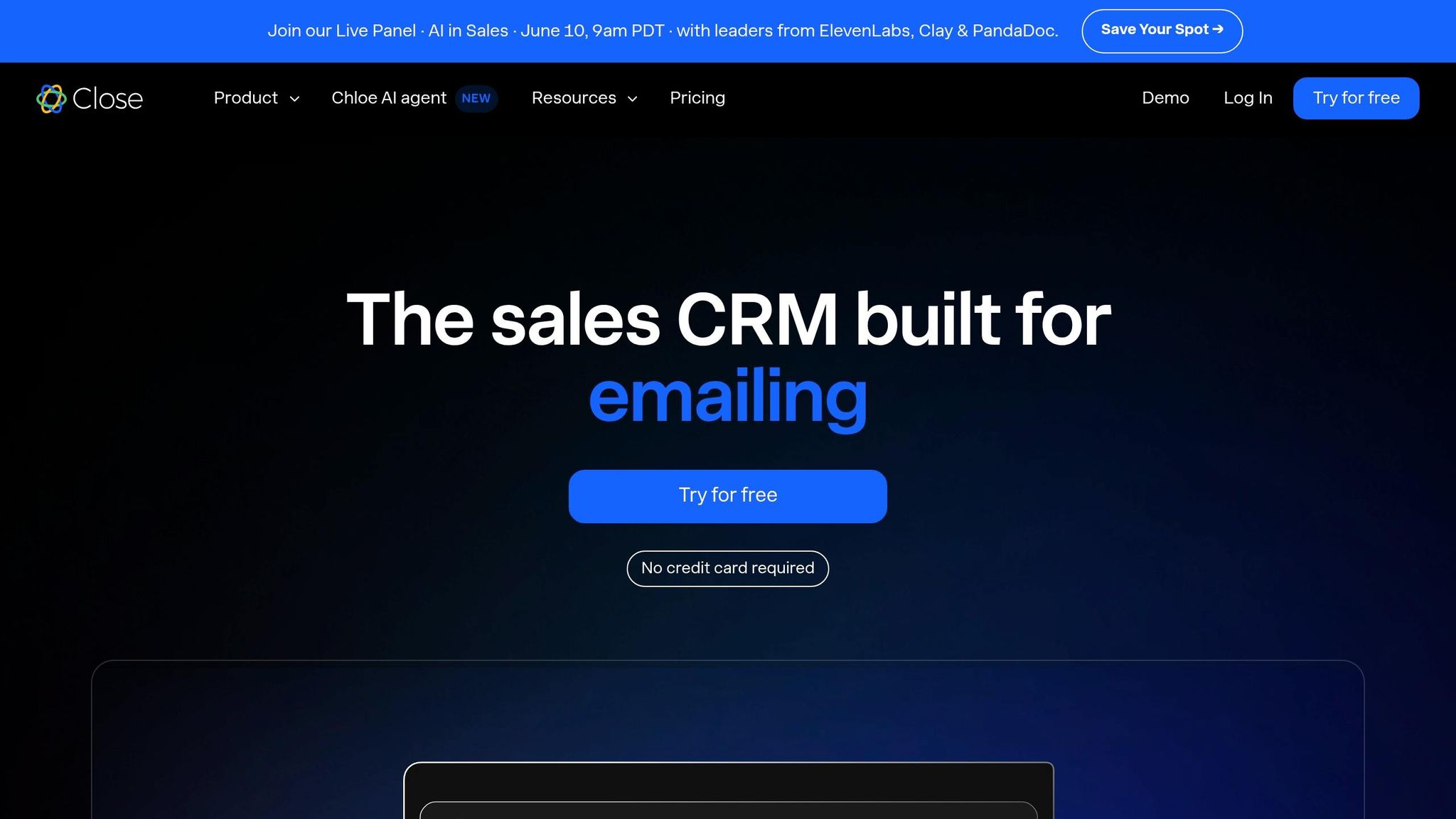
Close is designed for high-speed inside sales, making it a focused choice for founder-led teams with outbound-heavy workflows. It has earned a 4.7/5 rating on G2 from over 2,010 reviews, with approximately 75% of its users being small to midsize businesses (SMBs) [46]. Steli Efti, CEO and Co-founder of Close, has emphasized this focus, stating, "Close will never become a platform. We don't want to be HubSpot or Salesforce. We want to be the best inside-sales CRM in the world." [43]
Setup Speed
Close is quicker to implement than enterprise-level tools like HubSpot or Salesforce, with most teams becoming fully operational within 2–5 days [43]. Its self-service model includes built-in importers for systems like HubSpot and Pipedrive [34]. Unlike HubSpot, which charges mandatory onboarding fees, Close has no such requirements. While K3X leads in onboarding speed - getting most teams up and running in under an hour [5] - Close remains a fast option for teams needing a structured, activity-driven workflow from day one.
Automation Model
Close prioritizes automation over AI-heavy features [41]. Its "Workflows" tool allows users to link email, SMS, and call tasks into a single multichannel sequence. This feature enables sales reps to execute entire follow-up cadences without switching tools. However, advanced features like the Power Dialer and automated workflows are only available in the Growth plan, which costs $99 per user per month. The Essentials plan, priced at $35 per user per month, includes calling and SMS but excludes automation [45]. Close also offers "Chloe", an AI sales agent capable of calling leads, qualifying prospects, and scheduling meetings [34]. These automation tools integrate seamlessly with its communication features, creating a streamlined experience for sales teams.
Communication Tools
Close provides a native dialer similar to K3X but offers deeply integrated calling features tailored for outbound sales teams. With built-in VoIP calling, SMS, and email sequences, Close eliminates the need for third-party tools like Aircall [42]. In one case, a 12-person outbound team managed 80–100 daily dials per rep without leaving the platform [49]. Teams making over 100 calls per day often see a 2–3× increase in call volume compared to using external dialers [43]. While competitors like K3X and Zoho also include native dialers, Close's tight integration with its activity timeline gives it an edge for outbound-focused teams.
Pricing
Plan (Billed Annually) | Price per User/Month | Key Features |
|---|---|---|
Solo | $9 | 1 user, 10k leads, core CRM, calling, SMS [34] |
Essentials | $35 | Unlimited contacts, team collaboration, built-in forms [34] |
Growth | $99 | Power Dialer, automated workflows, AI Email Assistant [34] |
Scale | $139 | Predictive Dialer, call coaching, lead visibility rules [34] |
K3X (for comparison) | $20 | Unlimited automations + native dialer, 1 seat minimum [5] |
Additional costs include phone numbers ($1–$3 per month) and separate billing for calling and SMS usage [47]. For teams using the Growth plan, monthly costs per rep typically range between $150 and $250, factoring in usage fees. For a 5-person outbound team, this translates to an annual budget of approximately $9,000–$15,000. These pricing tiers position Close as a middle ground between legacy CRMs and newer, AI-focused tools like K3X.
Scalability for Small Teams
Close is ideal for teams with up to 20–30 sales reps [43][44]. Its unified lead record, which combines accounts, contacts, and opportunities, simplifies workflows for smaller teams but can become limiting as businesses grow. Teams often outgrow Close when they need features like native marketing automation, customer success modules, EU data residency, or multi-currency support. CRM analyst Marc Gasser noted, "Close is a highly specialized CRM for sales teams that value speed and integrated communication... power users will reach its limits with complex analyses." [48] Founders planning to scale internationally or add marketing capabilities within the next 12–18 months should carefully consider these limitations before committing to Close.
8. Attio
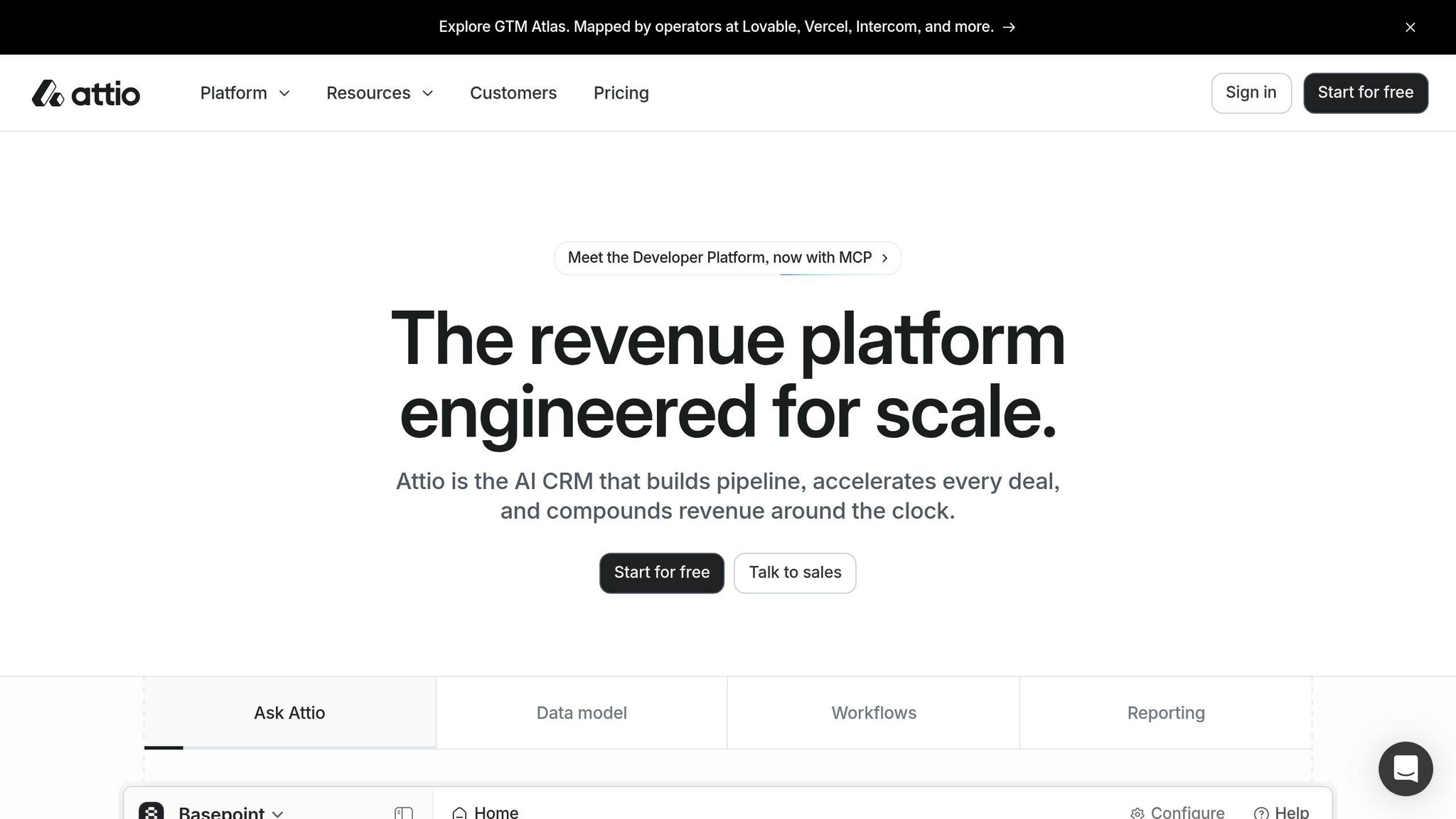
Attio is an AI-focused CRM designed for technical founders and data-driven teams who have surpassed the limitations of spreadsheets but aren't ready for the complexity of platforms like Salesforce or HubSpot. It currently holds a 4.4/5 rating on G2 from 281 reviews (as of March 2026) and boasts a product direction score of 9.4/10 [57]. By late 2025, Attio had grown to 5,000 paying customers and secured $52 million in Series B funding in August 2025 [54].
Setup Speed
Attio is quicker to deploy compared to many traditional CRMs. Basic setup can take as little as 15 minutes, with full implementation typically completed within 12 to 16 days [53]. For comparison, Abhishek Singla, Founding GTM Engineer, remarked, "Attio is roughly 30 percent faster to stand up [than HubSpot]" [50]. A 10-person team can expect to spend around 18 hours building out Attio, compared to 30 hours for HubSpot [50]. Founders are encouraged to start with essential objects and refine their setup over time.
Automation Model
Attio's automation revolves around a visual workflow builder that initiates actions based on record changes and task creation [54]. Key features include AI Attributes, which auto-fill fields using natural language prompts, and an AI Research Agent that enriches records with publicly available data [53]. In October 2025, the platform introduced a developer toolset with a hosted MCP server, enabling integration with AI systems like Claude and ChatGPT [53]. The Plus plan supports up to 1,500 automation runs per month, while the Pro plan offers 10,000 credits [53]. High-volume teams may find these limits restrictive, but the automation tools are a solid foundation for integrated communication workflows.
Communication Tools
Attio provides automatic two-way synchronization for Gmail, Outlook, and calendars, ensuring interaction histories are captured without manual input [52]. However, it lacks native VoIP calling, SMS, and WhatsApp integration [6]. Email sequences and call intelligence (logging and analytics) are included in the Pro plan, priced at $74 per user per month [56]. Teams with heavy outbound communication needs may need to rely on third-party tools like Customer.io or Intercom to fill these gaps, which could increase costs and complicate workflows compared to alternatives like Close or K3X [53].
Pricing
Attio offers a free tier for up to three users, making it a practical choice for solo founders exploring the platform [51]. Paid plans range from $34 per user per month (Plus) to $74 per user per month (Pro), with Enterprise options priced around $119 per user per month [53]. Early-stage, VC-backed startups can take advantage of an 80% discount, making it an attractive option for funded teams [51].
Plan | Price (Billed Annually) | Key Features |
|---|---|---|
Free | $0 (up to 3 seats) | Real-time contact sync, basic enrichment |
Plus | $34/user/month | 5 custom objects, 1,500 automation runs |
Pro | $74/user/month | 10,000 credits, email sequences, call intelligence |
Enterprise | ~$119/user/month | Unlimited objects, SSO/SAML |
K3X | $20/user/month | Lower-cost option with unlimited automations and native dialer |
This pricing structure provides transparency for teams evaluating Attio's fit for their needs.
Scalability for Small Teams
Attio's graph-based data model excels for teams with specialized data requirements [53][55]. It works particularly well for groups of 10–40 people [53], making it an ideal choice for startups needing a CRM that adapts as they grow. However, limitations emerge when companies scale further - such as requiring native marketing automation, customer service ticketing, HIPAA compliance, or advanced multi-currency support [53]. As Thorstein Nordby of Superwork aptly stated:
"Attio is the CRM you grow with. Attio is the CRM you eventually grow out of." [53]
Founders planning major marketing investments within the next 12–18 months should account for potential transition costs when evaluating the platform [53].
Pros and Cons of Each CRM
Each CRM has its strengths and weaknesses, especially for founder-led teams with limited resources. The table below compares key factors like setup time, automation, communication tools, pricing, and scalability.
CRM | Setup Time | Automation Model | Communication Tools | Entry Pricing | Scalability |
|---|---|---|---|---|---|
K3X | < 1 hour | Results-driven (AI prompts) | Built-in email, dialer, SMS | $20/seat/month | High (usage-based) |
Salesforce | 3–12 months | Complex workflows (Agentforce) | Requires Marketing Cloud add-on | $25/user/month | Highest (enterprise) |
HubSpot | Hours–days | Integrated AI support (Breeze AI) | Native marketing + sales email | Free / $15/seat | High (all-in-one) |
Pipedrive | < 1 hour | Activity-based triggers | Email sync; add-ons for more | $14/user/month | Moderate (sales-only) |
Zoho CRM | Days–weeks | Process-based (Zia AI) | Integrated ecosystem (55+ apps) | Free / $14/user | High (value-focused) |
monday.com | ~1 hour | Visual board automations | Email sync (Standard tier+) | ~$12/seat (3-seat min.) | Moderate (ops-focused) |
Close | ~1 hour | Outbound-focused sequences | Built-in power dialer + SMS | $9/user/month | Moderate (outbound) |
Attio | Minutes–hours | Object-based + AI enrichment | Email/calendar sync; no native VoIP | Free / $29/user | High (data-flexible) |
Here’s a detailed look at how these platforms perform across these dimensions.
K3X stands out for its quick setup and plain-language prompts, avoiding the complexity of pre-built sequences. For founders struggling with manual follow-ups, its results-driven automation can save significant time. For example, one case showed K3X reducing follow-up time by 70% within two days [5].
Salesforce offers extensive capabilities but comes with challenges for small teams. Its setup can take anywhere from 3 to 12 months, and its complexity often leads to lower adoption rates. At $175/user/month for the Enterprise tier, it’s a tough sell for teams with fewer than 10 members [3][4]. As noted by the Automaiva Editorial Team:
"The Salesforce-too-early trap is the most consistent CRM mistake in B2B SaaS. The product capabilities are not wrong. The timing is." [4]
HubSpot is a popular choice for pre-revenue startups, offering a free tier with unlimited users and up to 1,000,000 contacts. Its Breeze AI feature is included without extra charges, unlike Salesforce's Agentforce, which often incurs additional costs [4]. However, HubSpot’s pricing escalates quickly at the Professional tier, with a mandatory $1,500 onboarding fee on top of per-seat costs [3].
Pipedrive avoids onboarding fees and is ready to use in under an hour. It excels in visual pipeline management but lacks native marketing automation, making it less ideal for teams needing both sales and marketing tools.
Zoho CRM provides enterprise-level features at a much lower cost than Salesforce (Enterprise tier at $40/user/month). However, its cluttered interface can hinder user adoption [2][7].
monday.com and Close cater to niche needs. monday.com combines sales and project execution in one workspace, while Close is tailored for outbound-heavy teams with its built-in dialer and email sequences.
Attio offers a flexible data model, appealing to technical founders. However, its lack of native VoIP may require additional tools for teams handling high call volumes.
The key to CRM success lies in adoption. As Aziz Chaabane, Founder of Groundwork, aptly put it:
"A CRM only works when your team logs things in it consistently. A perfectly configured CRM that nobody uses is an expensive calendar." [8]
CRM implementations fail in 30% to 40% of cases, primarily due to low user adoption rather than software limitations [8]. This highlights the importance of easy-to-use platforms like K3X, which simplify adoption with features like prompt-based automation. For founder-led teams, ease of use and high adoption rates are critical factors in choosing the right CRM.
Conclusion
Each CRM platform has its strengths, making the right choice dependent on your startup's stage and specific challenges. The analysis highlights clear matches for different startup profiles, helping you align your choice with your business needs.
For pre-revenue or solo founders, HubSpot Free is a safe starting point. It supports unlimited users, up to 1,000,000 contacts, and offers an easy upgrade path. Additionally, funded startups may qualify for discounts of up to 90% in their first year [2]. If your focus is accelerating the sales cycle, Pipedrive stands out for its quick setup - operational in just 2–3 days - and doesn’t require an admin [3]. For outbound-heavy SDR teams, Close is tailored to their needs with features like a native power dialer and built-in SMS in its base plan [24].
It's worth noting that 30%–40% of CRM implementations fail, not due to software limitations, but because of poor user adoption [8]. Ilyas Lemzouri, Founder of SaaSOffers, aptly states:
"The best CRM for startups in 2026 is not the most powerful one. It is the one your team will actually use." [1]
This reinforces the idea that usability and consistent engagement are key to CRM success.
For founder-led teams struggling with admin overhead, K3X offers an AI-driven, prompt-to-action solution. Unlike traditional systems requiring manual setup, K3X uses plain-language prompts to handle tasks autonomously. Ruby Capital Group's experience with K3X showcased measurable efficiency improvements [5]. At $20 per seat per month with no long-term contracts, it’s an appealing option for teams prioritizing simplicity and efficiency.
Here’s a summary of the recommended CRMs based on startup profiles:
Startup Profile | Recommended CRM |
|---|---|
Pre-revenue / Solo Founder | HubSpot Free |
Pure Pipeline Management | Pipedrive |
High-Volume Outbound | Close |
AI-First, Zero Admin Overhead | K3X |
Developer-Led / Data-Driven | Attio |
Enterprise Scaling (Series B+) | Salesforce |
If you’re considering Salesforce, delay adoption until you have at least 10 account executives and a dedicated RevOps team [4]. Ultimately, the best CRM is the one your team uses daily with minimal barriers.
FAQs
When should a startup switch CRMs?
Startups should switch CRMs when their current system falls short in managing increasing demands, such as advanced routing, complex custom object relationships, or integrating with third-party tools like Salesforce. However, switching too soon can lead to unnecessary complications, including data loss and downtime. If your team faces challenges with CRM adoption or spends excessive time on administrative tasks instead of selling, agile and AI-focused options like K3X may offer quicker setup and less administrative burden.
How do I avoid low CRM adoption?
To encourage CRM adoption, prioritize simplicity and user-friendly design. Tools with too many complexities, like Salesforce, can overwhelm early-stage teams due to the need for extensive manual data entry and administrative tasks. Here are some practical steps to streamline the process:
Start small: Limit your CRM setup to 5–7 pipeline stages and 3–5 custom fields to keep it manageable for users.
Automate data entry: Opt for AI-driven platforms like K3X to minimize the burden of manual input.
Mandate usage: Ensure the CRM becomes the central tool for pipeline reviews, establishing it as the single source of truth.
By simplifying workflows and reducing friction, you can make it easier for teams to embrace and consistently use the CRM.
What should I budget for CRM add-ons?
Budgeting for CRM add-ons varies widely based on the vendor's pricing approach. Established platforms like Salesforce and HubSpot frequently charge additional fees for AI and other essential features. For instance, Salesforce’s AI capabilities can push costs from $165 to over $500 per seat each month. Similarly, HubSpot adds $50 per seat for AI and imposes onboarding fees ranging from $3,500 to $15,000. On the other hand, K3X offers a more straightforward pricing model, including AI, automations, and calling features in its $20 per seat rate without extra charges.