Sales Automation
•
Attio vs Clarify vs K3X: Which AI CRM Is Right for Your Team?
Compare three AI CRMs and choose: flexible custom data models, hands-off automation, or outcome-driven sales automation.

Attio, Clarify, and K3X offer distinct AI-driven CRM approaches tailored to different team needs. Attio is ideal for teams requiring custom data models and flexibility, Clarify simplifies CRM maintenance with autonomous data updates, and K3X focuses on achieving specific outcomes through prompt-based automation. Your choice depends on your team's size, technical resources, and focus areas. Below, we break down their strengths and best use cases.
How does Attio support custom workflows?
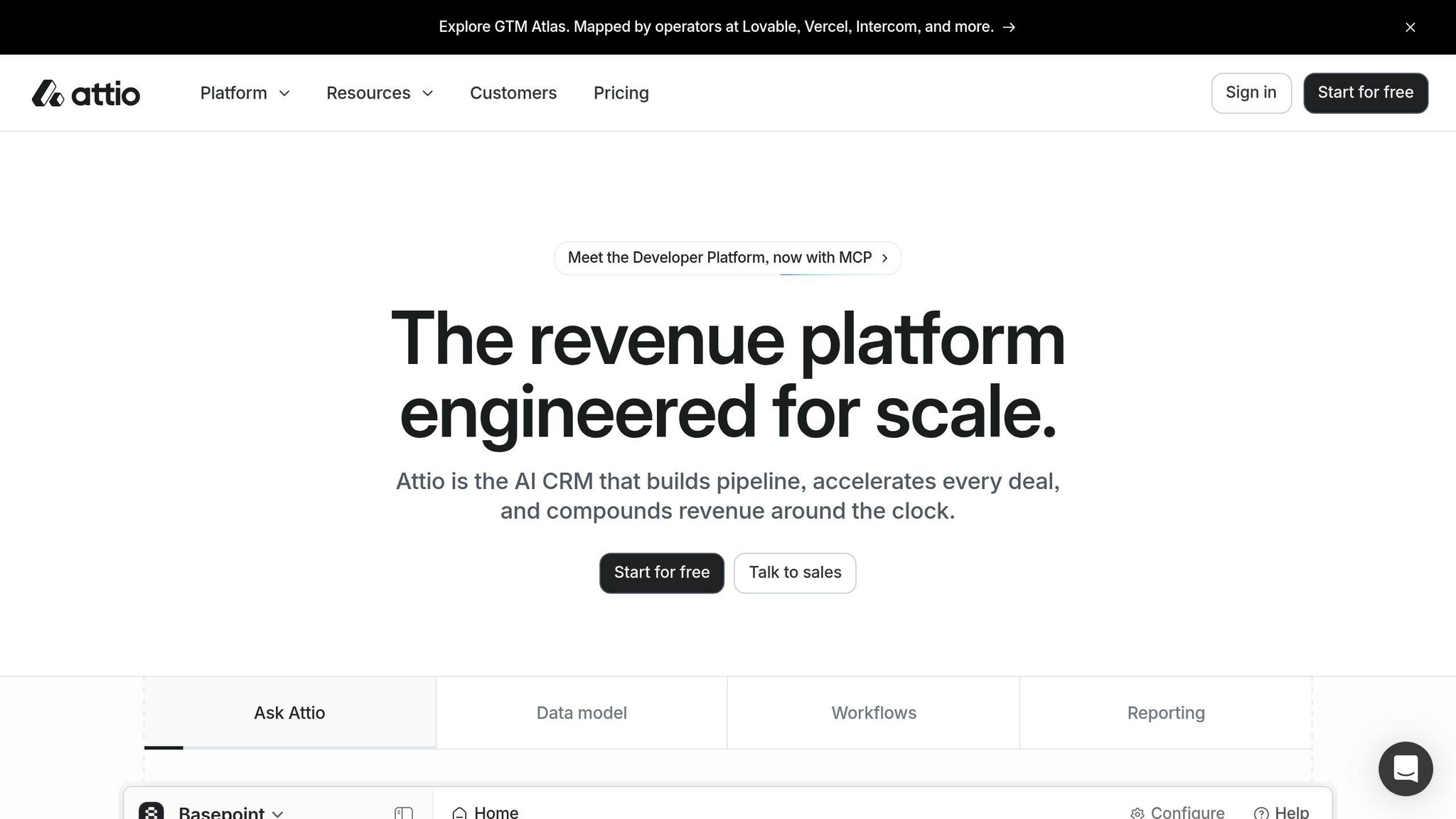
Attio stands out for its customizable data model, allowing teams to define their own objects and relationships. This makes it a strong fit for organizations with unique sales processes, such as venture capital or product-led growth. Its AI tools, like "Ask Attio", save users 8–12 hours per week by automating data entry and enabling natural language queries. However, setup can take 14–16 days, and non-technical users may find its structure challenging without support. Pricing starts at $29/user/month, with a free tier for up to 3 users.
What makes Clarify a hands-off CRM?
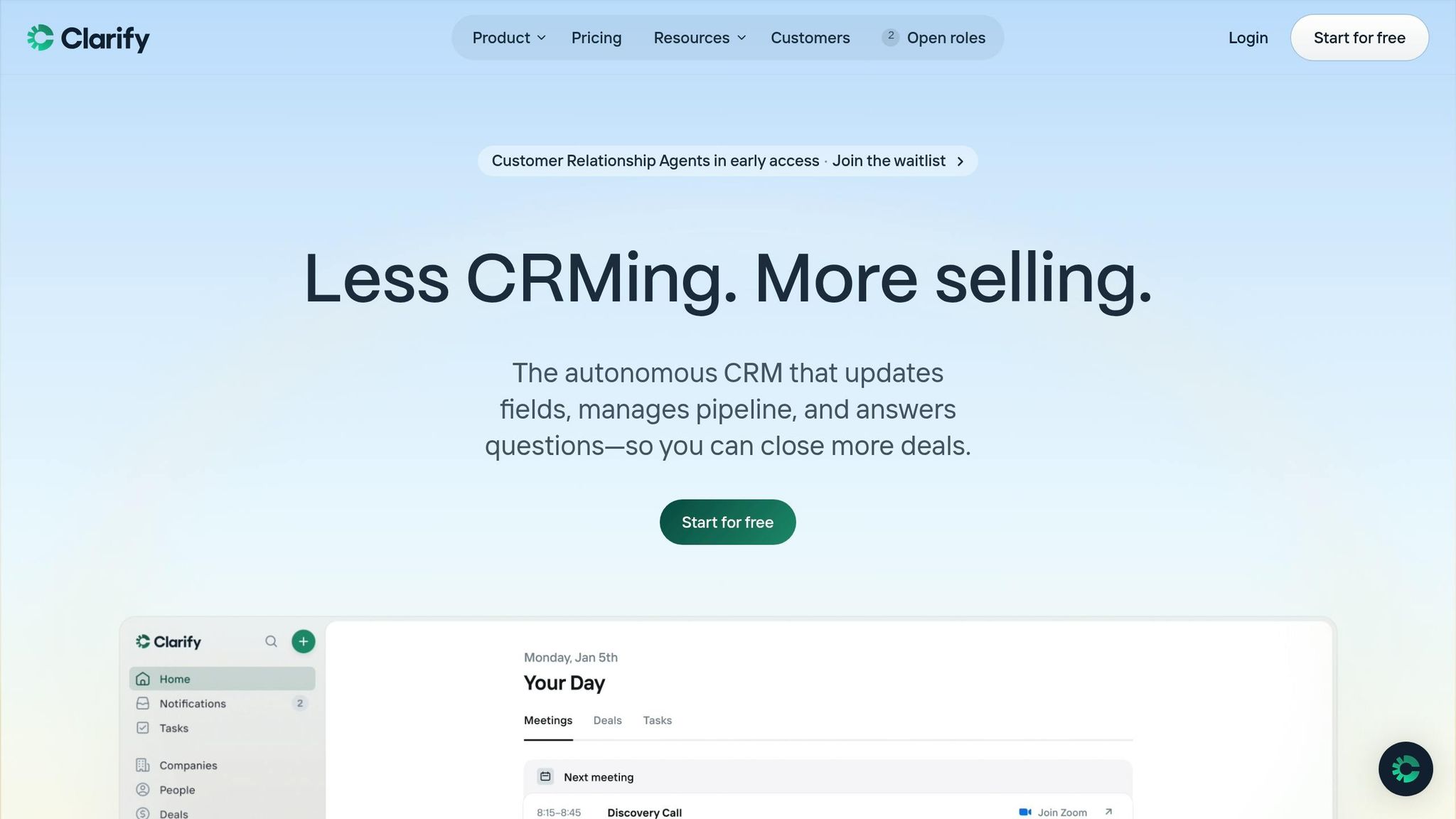
Clarify automates 90% of CRM data entry by syncing with emails, meetings, and calls. Its AI acts as an assistant, handling tasks like meeting summaries and follow-up drafts. With no setup required, it's perfect for small teams (5–50 users) without dedicated CRM admins. Pricing is credit-based, starting at $20/month for unlimited users. However, its basic reporting and limited multi-channel features may not suit larger teams.
Why choose K3X for outcome-based automation?
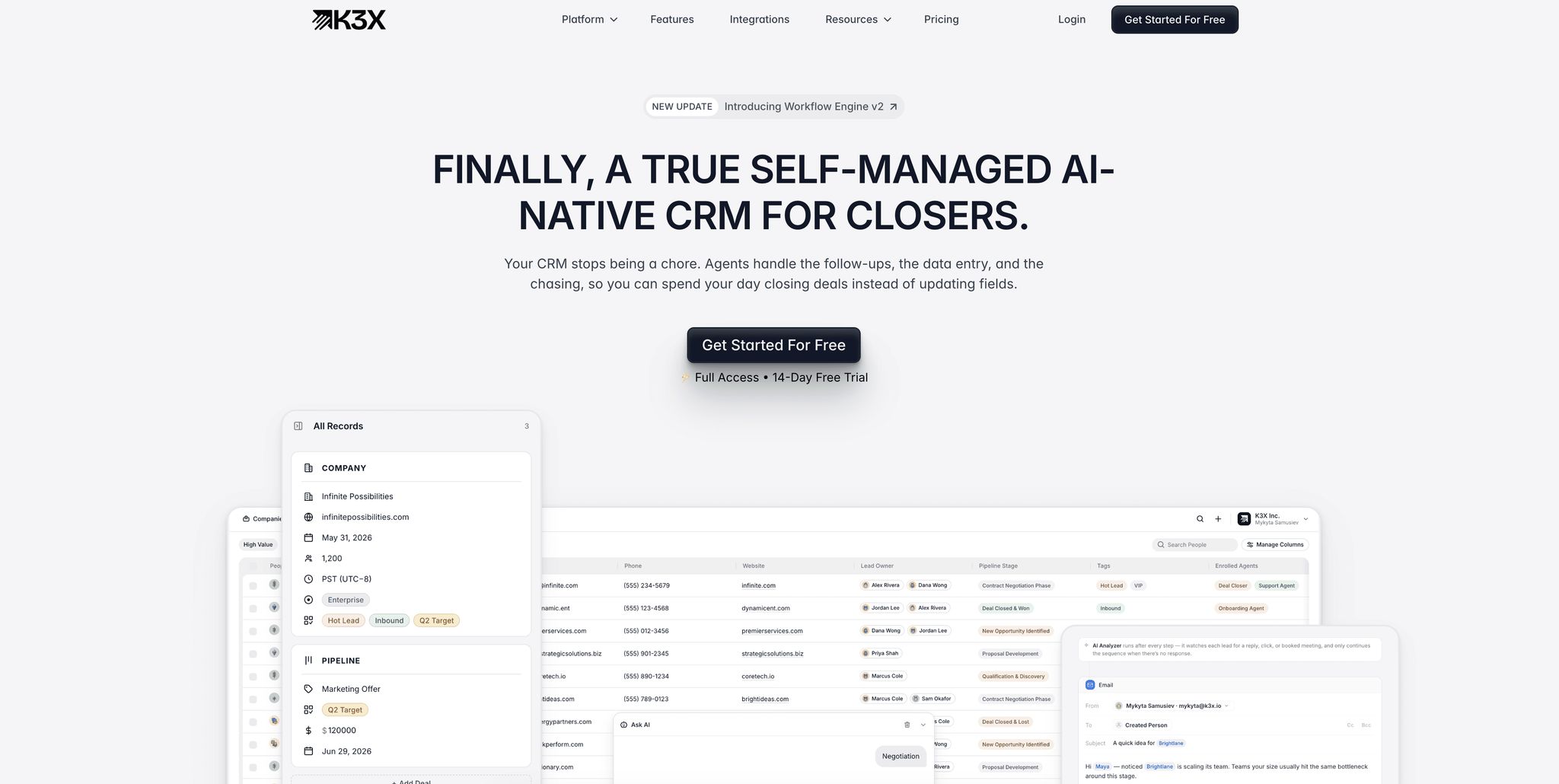
K3X focuses on driving results by executing tasks based on user-defined goals, such as scheduling demo calls. It eliminates manual workflows and includes built-in calling and SMS features. Teams can implement it in under an hour, and pricing starts at $20/seat/month. It's best for sales teams managing high lead volumes but may not suit those needing advanced reporting or custom data structures.
Which AI CRM should you pick?
Attio: Best for technical teams needing custom workflows ($29/user/month).
Clarify: Ideal for small teams seeking automation with minimal effort ($20/month flat).
K3X: Great for sales teams focused on high-volume follow-ups ($20/seat/month).
Each platform addresses specific pain points, so evaluate based on your team's priorities and resources.
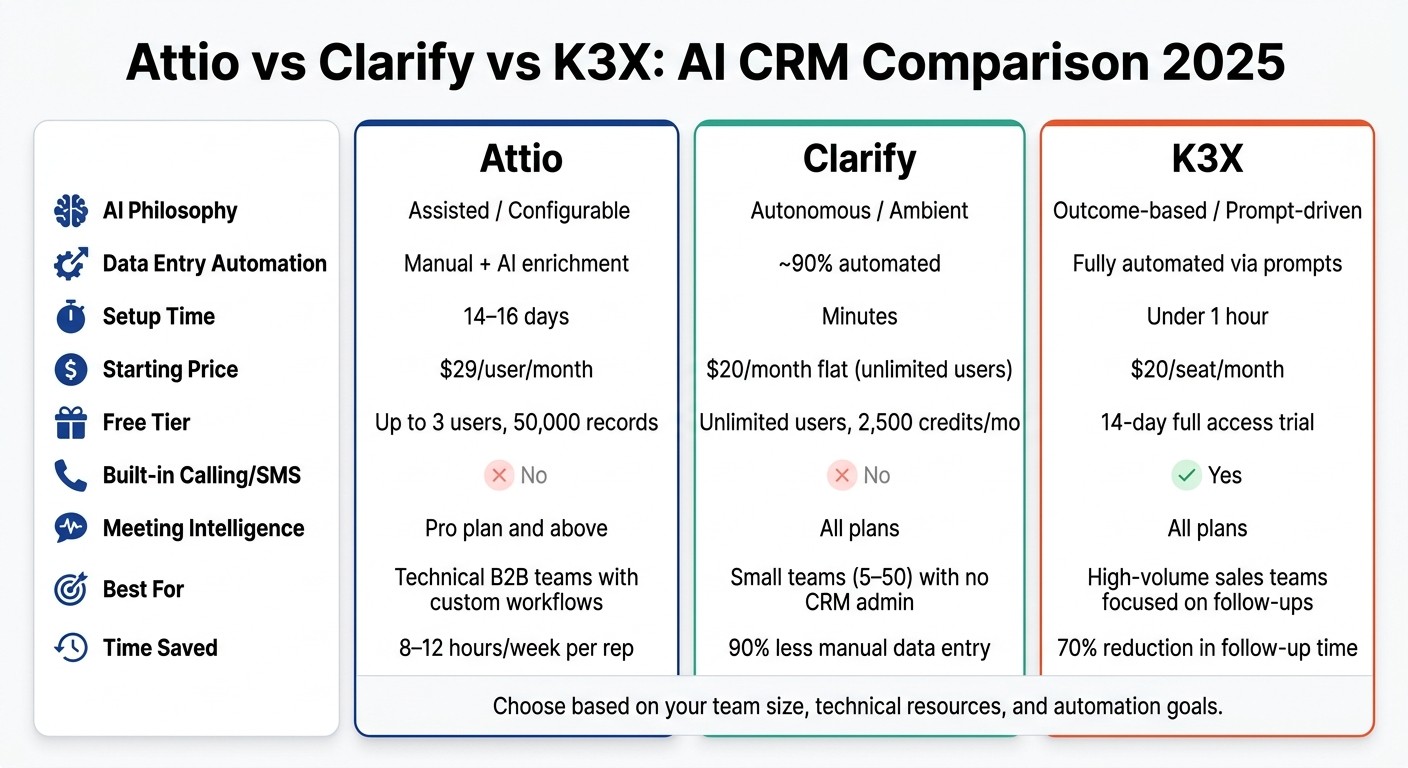
Attio vs Clarify vs K3X: AI CRM Comparison 2025
Attio CRM Review: Pros, Cons & Demo
Quick Comparison: Attio vs Clarify vs K3X
When it comes to automated data entry and streamlined workflows, Attio, Clarify, and K3X each bring distinct approaches to the table. Attio provides a customizable and flexible data model for teams that need tailored solutions. Clarify relies on ambient intelligence to automatically update CRM data from emails and meetings, while K3X focuses on simplicity by letting you define your goals and allowing the AI to handle the rest.
Attio's visual workflow builder offers precise control for RevOps teams, though it requires some setup and ongoing management. Clarify automates about 90% of CRM data entry [1], significantly cutting manual work. K3X prioritizes outcomes, such as scheduling demo calls, and adjusts dynamically based on lead responses [3].
Pricing models also vary across these tools. Attio charges per user with additional AI credits. Clarify uses a flat-rate credit system with no user limits. K3X combines per-user pricing with credits that scale based on outbound activity [3].
Feature | Attio | Clarify | K3X |
|---|---|---|---|
AI Philosophy | Assisted / Configurable | Autonomous / Ambient | Outcome-based / Prompt-driven |
Data Entry | Manual + AI enrichment | ~90% automated [1] | Fully automated via prompts |
Primary Automation | Visual workflow builder | AI-driven (no build required) | Goal-oriented prompts |
Data Model | Highly flexible (custom objects) | Standard (People, Deals) | Standard (Leads, Pipelines) |
Meeting Intel | Pro plan and above | Included on all plans | Included on all plans |
Free Tier | Up to 3 users; 50,000 records | Unlimited users; 2,500 credits/mo | 14-day full access trial |
Entry Price | $29/user/mo (Plus, annual) | $20/month flat (Starter) | $20/seat/mo |
Pricing Model | Per-seat + AI credits | Credit-based (unlimited users) | Per-seat + usage-based credits |
Setup Time | Hours to days | Minutes | Under one hour [3] |
These differences highlight how each CRM addresses specific needs. If your team deals with complex data structures, Attio offers the most flexibility. For reducing manual updates, Clarify is the better fit. Meanwhile, if your focus is achieving specific outcomes, K3X provides a goal-driven solution.
Attio: Features, Strengths, and Best Use Cases
Attio is an AI-driven CRM designed around a flexible, graph-based data model, allowing users to define custom objects and relationships. It’s particularly well-suited for scaling B2B companies with unique sales processes, such as product-led growth, venture capital, or marketplace businesses, where traditional CRM structures like "Lead/Contact/Deal" may fall short.
Key Features of Attio
Attio’s standout feature is its object-relational data model, which supports custom objects like Investors, Partners, or Inventory, and enables many-to-many relationships. For instance, a Series A fintech used this model to create an "approver" object with role attributes, streamlining a three-party contract review pipeline that became reportable in just hours [10][7][9].
The CRM also offers AI Attributes, which are dynamic fields that automatically gather, classify, and summarize information from emails, call notes, and calendar events [10][12]. The Ask Attio tool allows users to query the CRM in plain English, making it easy to uncover insights, create records, or generate deal briefs without complex filters [1][11]. According to users, these AI tools save sales reps 8–12 hours per week [7], and Attio’s query response times remain under 50 milliseconds, even for datasets containing millions of records [11].
The platform’s interface revolves around Lists, which function as flexible workspaces. Users can switch between table, Kanban, and calendar views instantly, and benefit from real-time collaboration features like shared timelines, comments, and mentions [10][11].
Feature | Attio Capability |
|---|---|
Data Model | Flexible graph/relational (custom objects) |
AI Tools | AI Attributes, AI Workflows, Ask Attio (conversational) |
Collaboration | Real-time comments, shared timelines, mentions |
Primary UX | Lists-based (Table, Kanban, Calendar views) |
Data Entry | Automated via email/calendar sync + AI enrichment |
Developer Tools | REST API, App SDK (React), hosted MCP server |
When to Choose Attio
Attio’s flexibility and advanced features make it a strong choice for teams needing complex data models. As Thorstein Nordby noted:
"Attio is a beautifully-built, AI-native CRM priced from $29 a seat that nails the data model most modern B2B companies wish they had." [12]
However, this flexibility can pose challenges. The average implementation time is 14 to 16 days [12], and non-technical users might struggle with its open-ended structure without clear guidance [10][11].
Attio is a great fit for teams with RevOps or developer resources who can take advantage of its API and SDK. It works best for product-led, partnership-driven, or community-based go-to-market strategies. On the other hand, if you need a CRM that requires no configuration or technical expertise, options like Clarify or K3X might be better suited. Attio’s Plus plan starts at $29 per user per month (billed annually), with a free tier available for up to 3 users and 50,000 records [10][13]. Teams with the resources to maximize its customization capabilities will find it a powerful tool.
Clarify: Features, Strengths, and Best Use Cases
Clarify takes a different approach from Attio by fully automating CRM maintenance. Co-founder Patrick Thompson sums up its philosophy: "The CRM should work for you, not the other way around." [1] Here’s a closer look at Clarify’s standout features and the scenarios where it excels.
Key Features of Clarify
Clarify leverages ambient intelligence, an AI technology that continuously scans emails, calendar events, and calls to automatically update records, identify new deals, and flag stalled opportunities. Unlike other platforms that require RevOps or developer setup, Clarify’s automation works right out of the box with no configuration needed.
The platform’s AI sales agent, "Rep", acts as a virtual assistant by preparing pre-meeting briefings, drafting follow-up emails that mimic your tone, and identifying deals that need attention. Users can also create plain-language AI fields like "What is their tech stack?" and let the AI research and fill in the details automatically. [14]
Clarify combines multiple sales tools, such as meeting transcription and contact enrichment, into one system. Its one-click Chrome extension makes it easy to capture leads directly from LinkedIn. This streamlined functionality eliminates much of the manual work required by older systems like Salesforce and HubSpot.
Feature | Clarify | Attio |
|---|---|---|
AI Philosophy | Autonomous (ambient, no prompting needed) | Assisted (requires configuration) |
Data Entry | ~90% automated | Partial; manual AI attribute setup required |
Setup Time | Minutes (auto-sync) | Days (custom modeling) |
Pricing Model | Credit-based; unlimited seats | Per-seat + metered AI credits |
Meeting Intelligence | Built-in on all plans | Not a native feature |
LinkedIn Capture | Native Chrome extension | Not natively supported |
Clarify’s pricing is credit-based, allowing unlimited users. Free plans include 1,000–2,500 credits per month, while Starter plans range from $20–$50 per month for 5,000 credits. Actions like meetings use a set number of credits (e.g., 30 credits per meeting), with additional credits available at $20 for 5,000. [14][15][16]
However, Clarify does have limitations. Its reporting capabilities are basic compared to the advanced dashboards in Salesforce or HubSpot. [15] It also lacks native calling features and has limited multi-channel sequence automation, which could be a drawback for larger, more complex sales teams.
When to Choose Clarify
Clarify’s automation makes it a great choice for teams looking to minimize manual CRM tasks. It works best for seed-to-Series-A B2B teams of 5 to 50 people, especially those without dedicated CRM administrators. Founder-led or small sales teams handling outreach will find it particularly useful. [1] Ben Warren, co-founder of Snow Pilot, highlights its ease of use:
"As a startup founder, I wanted my CRM on autopilot - no manual data entry or 2 hour setup. The best thing about Clarify is that I never think about it." [8]
The platform is especially effective in call-heavy environments, with "Rep" joining, transcribing, and summarizing meetings on platforms like Zoom, Google Meet, and Microsoft Teams. [1] Its unlimited-seat pricing also makes it attractive for rapidly growing teams that want to avoid high per-seat costs.
Clarify is ideal for teams spending significant time on post-call data entry. However, it may not suit organizations needing advanced analytics, complex multi-channel sequences, or integrations with data warehouses. While the company secured $23.5 million in seed funding in 2025 to expand its capabilities, [16] it currently prioritizes simplicity over feature depth.
K3X: Features, Strengths, and Best Use Cases
K3X stands out by focusing on advancing deals rather than just recording activities. Unlike traditional CRMs or even modern competitors like Attio and Clarify, K3X is designed to drive outcomes. Co-founder and CEO Mykyta Samusiev explains: "Most CRMs record activity. K3X understands outcomes. It listens, knows what changed, and makes the next moves." [3] This approach sets it apart in a crowded CRM market.
Key Features of K3X
The core of K3X is its command-driven interface, which allows users to describe tasks in plain language - such as "Book demo calls with every lead who hasn't responded" - and lets AI agents handle the execution. This eliminates the need for complex workflows or manual triggers. The system is also flexible enough to adapt to unexpected scenarios, like a prospect replying out of sequence or posing unanticipated questions, addressing common challenges in rigid workflows.
K3X takes care of operational tasks internally, including automated follow-ups, pipeline updates, call recording, email and SMS outreach, and lead routing. Unlike platforms that rely on third-party tools like Zapier or Make, K3X integrates these capabilities directly. All tiers include built-in features like calling, SMS, a power dialer, and unlimited workflow automations, enabling most teams to get started in under an hour. [3]
The results speak for themselves. In December 2025, Ruby Capital Group - a 125-person funding firm - implemented K3X's AI-driven tools and saw immediate benefits: a 70% reduction in time spent on follow-ups and a threefold increase in ticket resolution speed within just two days. CEO Michael Chkechkov shared:
"Our sales team was spending half their day on admin work. Now they're talking to customers and closing deals. The automation handles everything from lead qualification to contract routing." [3]
Across its user base, K3X has automated over 312,000 hours of work for more than 50 teams, saving an estimated $12.4 million in operational costs. [3]
Feature | K3X | Attio | Clarify |
|---|---|---|---|
Core Philosophy | Outcome-driven execution | Data-model-first flexibility | Ambient autonomous intelligence |
Primary Interface | Command-driven intent | Notion-like custom objects | Autonomous background agent |
Setup Time | Minutes to under 1 hour | 14–16 days (median) | Minutes (autonomous) |
Pricing | $20 per seat/month (Adaptive) | Per-seat, annual only | Credit-based, unlimited users |
Built-in Calling/SMS | Yes | No | No |
Third-Party Automation Required | No | Yes (for advanced flows) | No |
K3X’s pricing reflects its streamlined approach. The Adaptive plan costs $20 per seat per month, including 1,000 AI credits, unlimited contacts and leads, and built-in email, calling, and SMS. It also offers a 14-day free trial. The pricing model adjusts during high-activity months but reverts to the base rate during slower periods, with no long-term contracts required. [3]
When to Choose K3X
K3X is ideal for sales teams focused on high-volume lead generation, where consistent follow-up is critical for closing deals. Its minimal setup requirements and fast results make it a strong fit for teams looking to reduce administrative tasks and focus on customer interactions. Unlike Salesforce, which can be overly complex, or HubSpot, which relies heavily on workflows, K3X simplifies the process by focusing on outcomes. As Mykyta Samusiev puts it:
"We're building a CRM that works the way people expect it to, not through menus, workflows, or complexity, but through intention. You tell it the outcome. The system figures out the work." [3]
However, K3X may not be the best choice for teams needing extensive custom reporting, complex data architectures, or a system-of-record that prioritizes historical data organization. In such cases, solutions like Attio or Salesforce may be more suitable.
Head-to-Head: AI-Native CRMs vs Legacy CRMs
AI-native CRMs are reshaping how sales teams work, offering a fundamentally different approach compared to legacy systems. Platforms like K3X, Attio, and Clarify operate autonomously, handling tasks like data entry and workflow management without human intervention. In contrast, traditional CRMs such as Salesforce, HubSpot, Pipedrive, and Zoho rely on users to manually input data and configure workflows. As SFAI Labs explains, "AI-native platforms are not trying to out-feature Salesforce. They are arguing that the entire premise of a system-of-record CRM... is outdated." [6] Below, we compare AI-native CRMs with legacy systems to highlight these differences.
K3X vs Salesforce and HubSpot

Setup Time: Salesforce implementations usually take 3–6 months and often require dedicated administrators or external consultants. HubSpot is quicker, averaging 2–4 weeks for proper configuration. [17][6] K3X, however, can be up and running in under an hour, with no need for middleware, IT support, or complex workflows. [3]
Workflow Logic: Legacy systems like Salesforce and HubSpot depend on linear workflows - actions like sending an email or triggering follow-ups occur in a set sequence. If a prospect doesn't follow the expected path, the process can break down. K3X uses outcome-based logic, where the AI autonomously determines the next steps, eliminating the rigidity of traditional workflows. [3]
Pricing: Cost differences are notable. Salesforce's Enterprise tier costs $165–$330 per user per month, while HubSpot's Sales Hub Pro is priced at $100 per seat per month. [4][6] K3X is significantly more affordable, starting at $20 per seat per month and including features like AI credits, calling, SMS, and unlimited automations. For a 10-person team, K3X can save over $9,600 annually compared to Salesforce. [3]
Feature | K3X | Salesforce (Enterprise) | HubSpot (Sales Hub Pro) |
|---|---|---|---|
Setup Time | Under 1 hour [3] | 3–6 months [6] | 2–4 weeks [17] |
Workflow Logic | Outcome/prompt-based [3] | Sequential workflows | Sequential workflows |
Admin Required | No [3] | Yes [4] | Recommended |
Starting Price | $20/seat/month [3] | $165/user/month [4] | $100/seat/month [4] |
Built-in Calling/SMS | Yes [3] | Add-on | Add-on |
K3X vs Pipedrive and Zoho

Pipedrive and Zoho target the mid-market, offering easier setup compared to Salesforce but relying on the same manual data entry model. Sales reps must update deal stages and log activities to maintain data accuracy. While Zoho's Zia and Pipedrive's AI Sales Assistant (a $19/seat add-on) [4] offer recommendations, they depend on user prompts rather than acting independently.
Data Entry: The manual workload is where AI-native CRMs like K3X and Clarify stand out. These platforms automatically capture interactions from emails, calls, and calendar events. Clarify's AI manages 90% of routine data entry without user input, while K3X's "Universal Context" feature updates pipelines and contact records in real time. [5] In contrast, 23% of Salesforce users and 27% of Zoho users cite the steep learning curve as a key issue. [5]
Performance: For teams focused on pipeline visibility, Pipedrive remains competitive, boasting a 4.8/5 ease-of-use rating on G2. [5] However, for teams handling high follow-up volumes, K3X's autonomous model offers faster results. For example, Ruby Capital Group - a 125-person firm - cut follow-up time by 70% within two days of switching to K3X. Neither Pipedrive nor Zoho has demonstrated this level of efficiency at such speed. [3]
Which AI CRM Should Your Team Use?
The right AI CRM depends on your team’s size, technical skills, and workflow requirements. To help, here’s a breakdown of three standout options based on specific needs.
Choose Attio if your B2B team relies on complex, custom sales processes. Attio’s flexible data model supports custom objects and workflows, making it ideal for technical teams. However, it comes with a steeper learning curve and costs between $29–$69 per user per month [2].
Choose Clarify if you’re part of an early-stage team (5–50 employees) looking for AI automation without administrative overhead. Clarify automates around 90% of routine data entry and offers flat-rate pricing of $20 per month for unlimited users, making it scalable for growing teams [1].
Choose K3X if your revenue team struggles with manual follow-ups and stagnant pipelines. K3X focuses on prompt-based automation. As Co-Founder Mykyta Samusiev explains:
"K3X is the first CRM that runs on prompts... You tell it the outcome. The system figures out the work."
Priced at $20 per seat per month, it includes calling, SMS, and unlimited automations. For example, Ruby Capital Group (125 employees) implemented K3X in just two days and cut follow-up time by 70% [3].
Team Profile | Best Fit | Starting Price |
|---|---|---|
Technical startup with custom data needs | Attio | $29 per user/month [2] |
Early-stage B2B team with no admin budget | Clarify | $20 per month flat [1] |
Revenue team with high follow-up volume | K3X | $20 per seat/month [3] |
Compared to legacy CRMs like Salesforce and HubSpot, these AI-native platforms are faster to implement, less expensive, and require minimal technical expertise. Legacy systems often involve higher costs, lengthy setups, and significant administrative effort. In contrast, features like AI-native data capture, automation, and prompt-driven workflows directly address inefficiencies, improving team performance and reducing friction in daily operations.
FAQs
Which CRM needs the least ongoing admin work?
Clarify stands out as the platform requiring the least ongoing administrative effort. Its AI-focused design handles tasks such as meeting recordings, data enrichment, and updating pipelines automatically based on customer interactions. In contrast, Attio provides a sleek, modern interface but still relies on manual work for tasks like updating deal stages and adding notes. On the other hand, legacy platforms like Salesforce require significant resources, often necessitating dedicated personnel to manage setup, integrations, and ongoing maintenance.
How do I estimate total cost with credits vs per-seat pricing?
Estimating costs means looking at fixed per-seat pricing and variable credit-based models. Fixed pricing, used by platforms like Salesforce and HubSpot, increases as your team grows and may require additional fees for AI features. In contrast, credit-based models, such as K3X, adjust costs based on how much you use, making them adaptable for changing workloads. To calculate expenses, factor in the base subscription fee and estimate your expected credit usage. Be mindful of hidden charges, like onboarding fees, as they can drive up your first-year costs significantly.
Which CRM is best if we need custom objects and reporting?
The best CRM for custom objects and reporting depends on what you're looking for and the resources you have available:
Attio: Known for its flexible, object-first design, it allows for custom logic without requiring extensive administrative work.
Salesforce: A strong choice for detailed enterprise-level reporting, though it often demands technical expertise to manage effectively.
K3X: Built with AI at its core, it delivers instant, prompt-based reporting, cutting down on setup time.
HubSpot: Strikes a balance between simplicity and functionality, offering custom objects and reliable reporting without the need for complex configurations.