Sales Automation
•
What Is an Autonomous CRM? Definition and How It Works
An autonomous CRM uses AI agents to act on goals—sending outreach, updating records, and moving deals—unlike manual or rule-based CRMs.
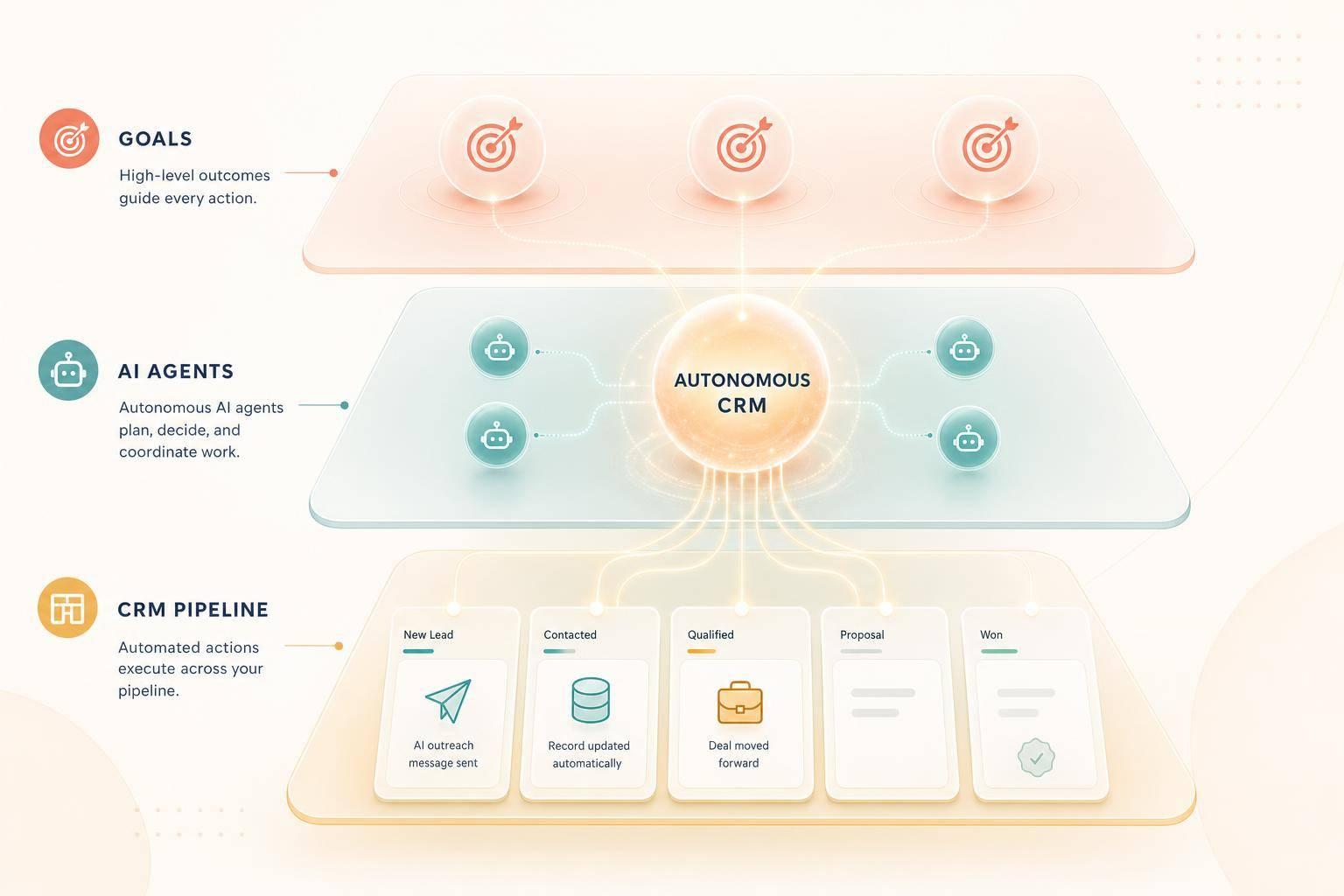
An autonomous CRM is a CRM that uses AI agents to do sales work on its own toward a goal a user sets. Instead of only storing records or running fixed rules, it can choose the next step, send follow-ups, update deals, and log activity through automated integrations within limits set by the team.
My short take: manual CRMs depend on people, automated CRMs depend on rules, and autonomous CRMs depend on AI agents acting on live context. Tools like Salesforce Agentforce, HubSpot Breeze, Zoho Zia, Attio, and K3X sit at different points on that range.
Autonomous CRM: How Clarify Is Reinventing a $100B Category
What Is an Autonomous CRM?
An autonomous CRM is a CRM system where AI agents carry out sales work on their own, based on goals set by the user. That includes tasks like follow-ups, data entry, and pipeline updates, with the system using context to pick the next action.
The idea rests on three parts: agents, connected data, and guardrails. Instead of waiting for a rep to click through each step, the system interprets the goal and handles the work inside the limits the team sets.
This sets autonomous CRM apart from two earlier types. A manual CRM works like a database that stores contacts and deals, but every action depends on a person. Logging a call, sending a follow-up, or moving a deal to the next stage all have to be done by hand.
An automated CRM adds rules and triggers. For example, it can send a follow-up email after a form fill or task completion, but someone still has to build that logic ahead of time.
An autonomous CRM removes most of that rule-writing. You give it a goal, and AI agents choose and carry out the steps needed to move toward that goal [6][4][5]. In practice, the gap is simple: automated CRMs tee up or schedule actions, while autonomous CRMs perform them within set limits.
How Is an Autonomous CRM Different from a Manual or Automated CRM?
The main difference is who decides the next step. In a manual CRM, a person does. In an automated CRM, preset rules do. In an autonomous CRM, AI agents make that call based on the context available at that moment.
Manual CRM | Automated CRM | Autonomous CRM | |
|---|---|---|---|
Primary driver | Human action | Fixed rules and triggers | AI agents pursuing goals |
Data entry | Manual | Partially automated | Updates records automatically |
Outreach | Rep writes and sends | System sends preset template | Agent drafts and sends personalized content |
Decision making | Human decides every step | Human defines the logic | AI decides next step based on context |
The next question is how those agents decide and act.
How Does an Autonomous CRM Work?
An autonomous CRM works by combining AI agents, one shared customer record, and connected channels so the system can carry out a goal without waiting for manual steps. For example, it can follow up with every new lead within 5 minutes and keep going until that lead books or declines.
That only works when the CRM has three things: clear visibility into customer activity, permission to take actions across tools, and limits on what those actions can do. If any one of those pieces is missing, the system becomes less useful and more error-prone.
What Role Do AI Agents Play?
AI agents run a simple loop: detect, decide, act, and adjust [6]. They watch for a signal, choose the next step, take that step, and then change course based on what happened.
A signal might be a form fill or a visit to a pricing page. From there, one agent can enrich a lead, another can draft and send a message, and a third can add a calendar link [4][6]. In practice, this means an AI-native CRM is not just storing data. It is using that data to move a workflow forward.
Those actions depend on timing and access. If the CRM cannot read current records or reach the right channel when the signal appears, the agent cannot do much.
How Do Data, Integrations, and Channels Fit Together?
The system works best when agents can read current data from one shared profile. Autonomous CRMs keep a real-time customer profile for each contact, which lets the system use behavior signals and contact fields to shape both timing and message content [4][7].
Integrations handle the other half of the job. The CRM connects to email, SMS, calls, and calendars so agents can act across the tools teams already use. A real-time event, such as a new contact being created, alerts the agent as soon as a lead enters the system, which makes fast first-response times possible [5].
That connection between data and channels is what turns a rule into action. Without it, the CRM can spot an event but cannot do anything useful with it.
What Safeguards Are Usually Built In?
Most systems include three core controls: scoped permissions, action budgets, and human review for edge cases. These controls help keep automation useful instead of noisy.
Scoped permissions limit what each agent can change. For example, an agent may be blocked from editing sensitive records or overriding do-not-contact flags [5].
Action budgets cap how many messages or record updates an agent can trigger, which helps prevent repeated or excessive activity [5].
Human-in-the-loop (HITL) escalation sends a task to a person when the agent's confidence drops below a set threshold, such as during a complex negotiation or a compliance-sensitive message [6].
Every action is also written to an audit trail. That gives teams a record of what the system decided, what it did, and what happened next.
Manual vs. Automated vs. Autonomous CRM: Key Differences

Manual vs. Automated vs. Autonomous CRM: Key Differences
The main difference is who starts the next action. In a manual CRM, a person does. In an automated CRM, a preset rule does. In an autonomous CRM, an AI agent acts toward a goal using live signals, data, and guardrails.
That changes how work gets done day to day. Autonomous CRMs don’t rely on a fixed workflow tree in the same way rule-based systems do. Instead, they respond to what’s happening and decide the next move within the limits a team sets.
Comparison Table: Manual vs. Automated vs. Autonomous CRM
Manual CRM | Automated CRM | Autonomous CRM | |
|---|---|---|---|
Trigger type | Human input | Predefined if/then rule | Live signal or user goal |
Decision logic | Human judgment | Static rule-based logic | AI reasoning and planning |
Setup complexity | Low | Medium | Low-to-medium (goals, permissions, and guardrails) |
Example tasks | Logging a call, updating a deal stage | Sending a follow-up email when a form is filled | Re-engaging cold leads across channels |
Human involvement | Constant | Periodic | Minimal; humans supervise exceptions |
Typical tools | Spreadsheets or basic record-keeping | Workflow-based CRMs | AI-native CRMs |
This side-by-side view makes the split pretty clear: manual systems depend on people, automated systems depend on rules, and autonomous systems depend on AI judgment within set limits.
Where Do Legacy CRMs and AI-Native CRMs Sit on This Spectrum?
Most established CRM platforms sit in the automated or AI-assisted middle. Salesforce, HubSpot, Zoho, Pipedrive, monday.com, Close, and Attio support workflows or trigger-based automation, and their AI features mostly help users draft content, score leads, or suggest next steps instead of taking action on their own [5][7].
Salesforce Agentforce sits closer to the autonomous end than most legacy tools, but it still needs heavy configuration and IT support before agents can operate on their own [4]. K3X sits at the autonomous end: users describe an outcome in plain language, and AI agents carry it out across email, SMS, and calls without step-by-step approval [5][6].
Real Examples of Autonomous CRM Tools in 2026
Most CRM platforms now ship with AI, but that does not mean they can act on their own. For sales and revenue teams, the main issue is simple: which tools cut admin time without turning setup into a side job.
How Do Salesforce, HubSpot, and Zoho Approach Autonomy?
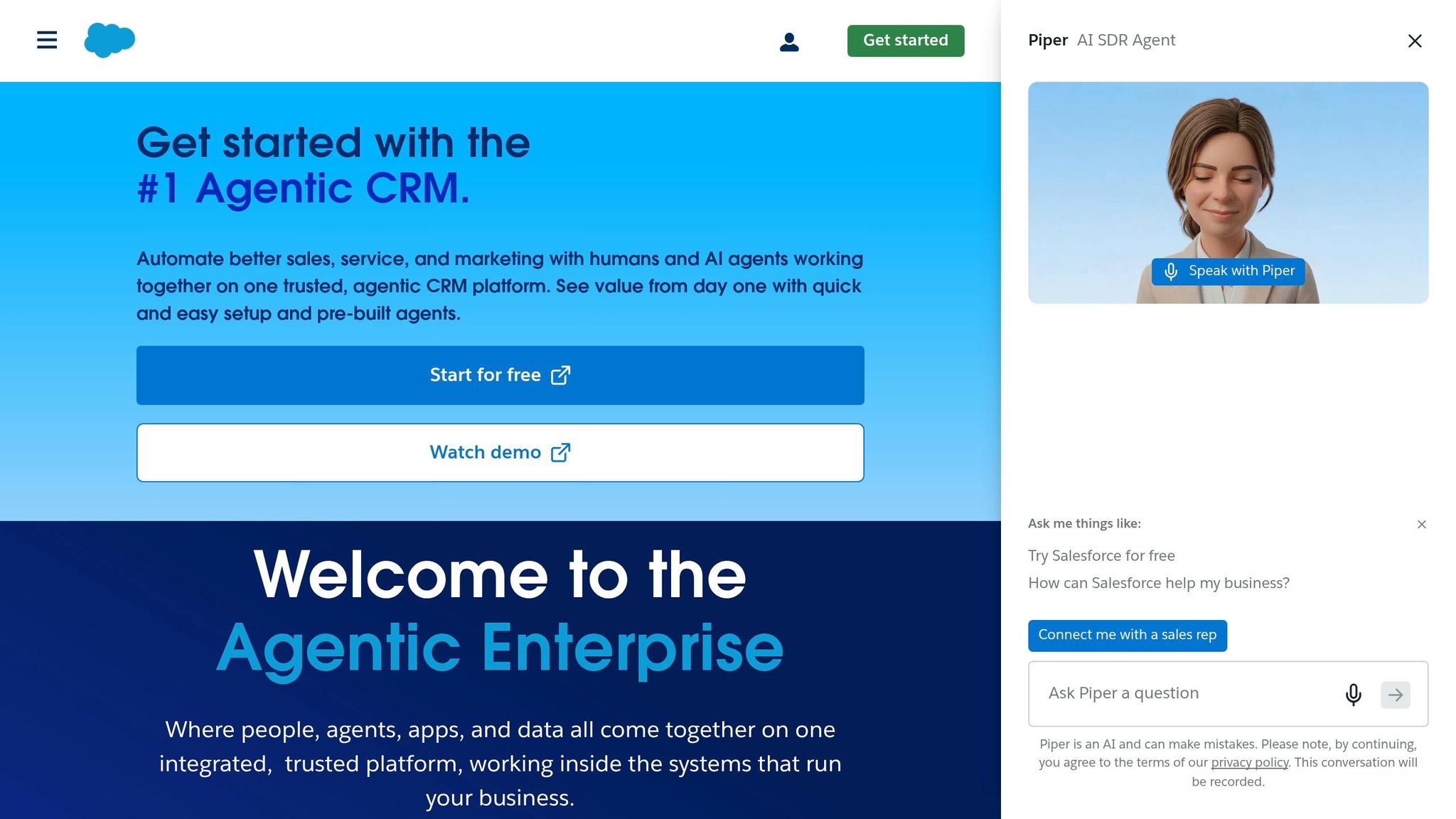
Salesforce, HubSpot, and Zoho all use AI, but in different ways. In most cases, a person still needs to configure the system or approve actions before anything happens.
Salesforce Agentforce is built for enterprise use. It lets teams create custom agents tied to Einstein Analytics and the rest of the Salesforce stack, but deployment usually needs certified implementers and IT support.
HubSpot Breeze is easier to start with than Agentforce, especially for small and mid-size businesses already using HubSpot. It supports AI-assisted prospecting, content creation, and customer service agents, though it works mostly inside HubSpot's own system.
Zoho's Zia AI focuses on anomaly detection, sentiment analysis, and automated task suggestions. That puts it closer to AI assistance than full agent-led execution [3]. For lean teams, that gap matters because every extra approval step adds more manual work.
How Do Pipedrive, monday.com, Close, and Attio Compare?

These tools are still automation-first. AI helps with drafting, scoring, and next-step suggestions, but it usually does not run the whole motion from start to finish.
Pipedrive, monday.com, and Close support trigger-based automations and AI-assisted drafting. In practice, a rep still has to approve or start most outreach actions.
Attio stands out for API depth and a flexible data model, which makes it a fit for technical teams. Still, its agent execution layer is less mature than what the enterprise leaders offer.
K3X as an Autonomous CRM Example

K3X is built around prompt-driven execution for small teams. It is aimed at teams of 1–9 people, and users describe the outcome they want in plain English instead of building workflows.
"follow up every inbound lead within 5 minutes until they book or decline"
From there, AI agents carry out the work across email, SMS, and calls without workflow builders or triggers [5][6]. Pricing is $20 per seat/month and includes 1,000 AI credits, unlimited integrations, and a built-in power dialer. The company says setup takes under an hour.
There are trade-offs. K3X is a newer product, it has a smaller native integrations catalog than older CRM vendors, teams need to watch AI credit usage, and it is not built for companies with 100+ seats or heavy enterprise admin control needs. You can review the full product set at k3x.ai/features and pricing at k3x.ai/pricing.
The table below shows how these products differ on autonomy, setup, and team fit.
Platform | Category | Executes on its own | Setup Complexity | Best For |
|---|---|---|---|---|
Salesforce Agentforce | Automated → Autonomous | Yes, with IT setup | High | Large enterprises |
HubSpot Breeze | Automated → Autonomous | Partial | Medium | SMB to mid-market |
Zoho Zia | Automated | No | Medium | Mid-size businesses |
Pipedrive / Close | Automated | No | Low–Medium | Sales-focused SMBs |
monday.com | Automated | No | Low–Medium | Project-driven teams |
Attio | Automated | No | Medium | Technical teams |
K3X | Autonomous | Yes, prompt-to-action | Low | Teams of 1–9 people |
For small teams, the day-to-day difference is how much admin work disappears before a rep has to step in. That gap shows up fastest when the team has little or no admin support.
Why Autonomous CRM Matters for Small Teams
For small teams, autonomous CRM matters because it cuts admin work and keeps follow-up moving without a full-time CRM admin. In teams of 1–9 people, that time often comes straight out of selling time, so automation can shift hours from record upkeep to pipeline work.
Once the system can act on live signals, it can handle routine CRM tasks on its own. That includes keeping records current, triggering follow-up, and moving deals along based on goals rather than manual clicks. For lean teams, that’s often the main gain.
That advantage shows up in three places: time saved, faster response, and more pipeline movement.
What the Numbers Say About Admin Work and Response Speed
The numbers point to a simple issue: reps still spend too much time on non-selling work. According to the HubSpot State of Sales 2026 report, 65% of sales time is lost to administrative tasks [4].
That leaves less time for outreach, follow-up, and active deal work. For a small team, that lost time adds up fast because there usually isn’t a separate operations layer to absorb the work.
Teams using autonomous CRM agents also report stronger pipeline output and shorter sales cycles. Sales teams using autonomous CRM agents generate 4.2x more pipeline than those using old-style systems, and deals managed with agent assistance close 38% faster [6].
Response time matters at the top of the funnel as well. When a lead submits a form after hours, an autonomous agent can respond in real time, 24 hours a day, 7 days a week [1][6]. For inbound leads, that immediate response can help keep interest from dropping before a rep gets involved.
Trade-Offs Small Teams Should Consider
The main trade-off is straightforward: less manual CRM work often comes with tighter limits. Small teams still need to watch AI credit usage, message caps, and update limits to avoid surprise costs [5].
There are also cases where human review still makes more sense. For high-stakes negotiations or compliance-sensitive conversations, a human-in-the-loop workflow remains the safer choice [2][6].
So the gain is lower admin load and faster execution, while the constraint is smaller integration depth and tighter usage limits than legacy CRMs.
Related CRM Terms to Know
These terms point to different levels of AI use in CRM. AI CRM gives suggestions, prompt-driven CRM takes plain-language instructions, and autonomous CRM carries out goals.
What Is an AI CRM?
An AI CRM uses artificial intelligence for lead scoring, recommendations, summaries, or insights, while a person still approves or starts the final action. In plain terms, the system helps decide what to do, but it does not do the work on its own.
That distinction matters. Not every AI CRM is autonomous.
Prompt-driven CRM is different. It describes how users interact with the system, not a separate layer of intelligence.
What Is a Prompt-Driven CRM?
A prompt-driven CRM lets users describe the outcome they want in plain language instead of setting up sequences, triggers, or workflow rules by hand. The system then handles the work behind the scenes.
For a deeper breakdown, see What Is a Prompt-Driven CRM?.
Autonomous CRM goes a step beyond prompt-driven CRM: it does not just take the prompt and process it. It acts on it.
How Does Autonomous CRM Connect to Sales Automation and AI Sales Agents?
Autonomous CRM pushes sales automation from rule-based workflows into goal-based execution. AI agents read context, pick the next step, and take action across email, SMS, and calls.
That is the key difference from software that only recommends next steps. One system suggests. The other decides and acts within the goal it was given.
FAQs
Is an autonomous CRM the same as an AI CRM?
No. The terms are related, but they do not mean the same thing.
An AI CRM usually gives suggestions, flags patterns, or drafts content for a person to review before anything happens. An autonomous CRM goes a step further: it uses AI agents to plan and carry out work on its own, such as sending emails or updating records, without stopping for human approval at each step.
Are autonomous CRMs safe for customer communication?
Yes. Autonomous CRMs are built to keep actions within clear limits and give teams a way to review what happened.
They usually rely on a few core controls:
Scoped permissions to limit what data the system can access and what actions it can take
Action budgets to cap how many emails, messages, or updates it can send
Audit trails so teams can check decisions, actions, and timing
Many systems also add content guardrails to check message quality before anything goes out. When a case looks complex, sensitive, or out of policy, the system can hand it off to a human for review.
What tasks can a CRM do autonomously?
An autonomous CRM handles sales, marketing, and support work on its own. It does more than suggest next steps - it takes multi-step actions based on goals set by the user.
That can include researching account data, qualifying leads, sending outreach by email, SMS, and phone, watching pipeline movement, updating contact records, sending tailored follow-ups, booking meetings, managing support tickets, flagging churn risk, and running workflows such as onboarding or renewals.
What is an example of an autonomous CRM?
K3X is an example of an autonomous CRM. It is an AI-native, prompt-driven CRM built for teams of 1 to 9 people.
Users describe goals in plain language, and the platform’s AI agents carry them out across email, SMS, and calls instead of relying on manual triggers.