Sales Automation
•
Best CRM for Freelancers Who Hate Data Entry (2026)
K3X automates follow-up; Less Annoying CRM is the cheapest simple tracker; Capsule provides lightweight structure—choose by the admin task you want to cut.

If I had to cut this article down to the answer, I’d say this: K3X is the best fit if I want follow-up to keep moving with little manual work. Less Annoying CRM is the best low-cost simple tracker, and Capsule is the best light CRM if I want structure without much setup. The main split is simple: some tools reduce logging, while others also keep outreach moving.
What stood out to me is that the article is not just ranking CRMs by feature count. It is ranking them by how much unpaid admin they remove. That matters for freelancers because the problem is often not storing contacts - it is missing follow-ups while client work takes over.
The core numbers support that angle. The piece says 60% of freelancers lose at least one client per quarter from missed follow-ups before using a CRM and that CRM users often get back about 2 hours per week versus spreadsheets. It also notes that email and calendar sync can cut time spent hunting for client messages by 45% to 60%.
My short read on the list:
K3X: best if I want the system to do follow-up work, not just track it
Less Annoying CRM: best if I want a plain contact and pipeline tracker at $15/month
Capsule: best if I want a light setup and basic structure
Folk: best if most leads come from LinkedIn and warm network outreach
HubSpot Free: best if I need a $0 starting point and can do follow-up myself
Pipedrive: best if I juggle several active proposals and want a visual pipeline
I also think the article makes one useful point that freelancers often skip: a cheap CRM is not always the low-cost option if it still leaves follow-up on my plate. A spreadsheet or free CRM can look cheap, but if it costs me missed deals or extra admin time, the math changes fast.
My takeaway: I would pick based on the task I want to remove first. If that task is follow-up, I’d lean K3X. If it is simple tracking, I’d look at Less Annoying CRM or Capsule. If it is price alone, I’d start with HubSpot Free.
5 Best CRM for Solopreneurs & Freelancers 2025 (Full Software Demo)
Which CRMs Are Best for Freelancers Who Hate Data Entry?
The best fit depends on what kind of admin you want to cut. K3X cuts follow-up work, Less Annoying CRM keeps contact and pipeline tracking simple, and Capsule gives you a light setup with basic structure.
This is the short list if your goal is to spend less time updating a CRM and more time doing client work.
K3X | Less Annoying CRM | Capsule | |
|---|---|---|---|
Best for | Prompt-driven follow-up automation | Simple contact and pipeline tracking | Lightweight structure and minimal setup |
Starting price | $20/seat/month, including 1,000 AI credits [2] | $15/user/month [7] | $18/user/month; free tier up to 250 contacts [7] |
Free option | 14-day free trial [2] | 30-day free trial [7] | Yes, up to 250 contacts [7] |
Setup time | Under 1 hour [2] | No public setup-time claim | About 20–30 minutes [6] |
Data entry burden | Very low; AI-driven [2] | Low | Low; email sync |
Top pick: K3X. K3X is the best match for freelancers who need follow-up to keep going while they’re busy with delivery work. You describe the goal in plain language, and its AI agents handle email, SMS, and calls without workflows, sequences, or trigger logic. Unlike HubSpot or Pipedrive, K3X does not depend on sequences or trigger rules to keep follow-up active. At $20/seat/month with no long-term contract, it is aimed at teams of 1–9 [2].
Runner-up: Less Annoying CRM. Less Annoying CRM works well for freelancers who want a basic pipeline without a lot of setup. Its flat price is $15/user/month [7], which makes it the lower-cost, simpler option in this group.
Runner-up: Capsule. Capsule is the low-commitment option for freelancers who want light structure and a short setup path. Its free tier covers up to 250 contacts [7], which is enough for many solo operators with a small book of clients and leads.
The ranked reviews below explain where each CRM fits once you need more than a quick pick.
What Should Freelancers Look for in a CRM in 2026?
Freelancers should look for a CRM that cuts admin work first. The best option understands and logs client activity on its own, handles follow-up with little input, and doesn’t turn pipeline upkeep into a second job.
Low manual entry is the starting point. At a minimum, a CRM should offer two-way email and calendar sync so messages and meetings attach to the right client record on their own. That matters because two-way email and calendar sync can cut time spent searching for client communications by 45% to 60% [5]. Tools like Capsule and HubSpot Free cover this at the entry level.
Automatic follow-up is the next filter. This is where many freelancers lose deals: a lead goes quiet, work gets busy, and no one follows up. A good CRM should either remind you when that happens or handle follow-up across email, phone, or other channels based on a goal you set once, without making you build long sequences or complex trigger logic.
Setup time, price, and day-to-day upkeep matter too. A CRM should cost less than one billable hour per month, especially when client delivery takes priority and the pipeline can go stale fast. It also helps to avoid tools with mandatory onboarding, per-contact pricing, or setup that takes more than one hour. Every CRM in this list fits those limits, so those are the right filters to use when comparing the six tools below.
1. K3X
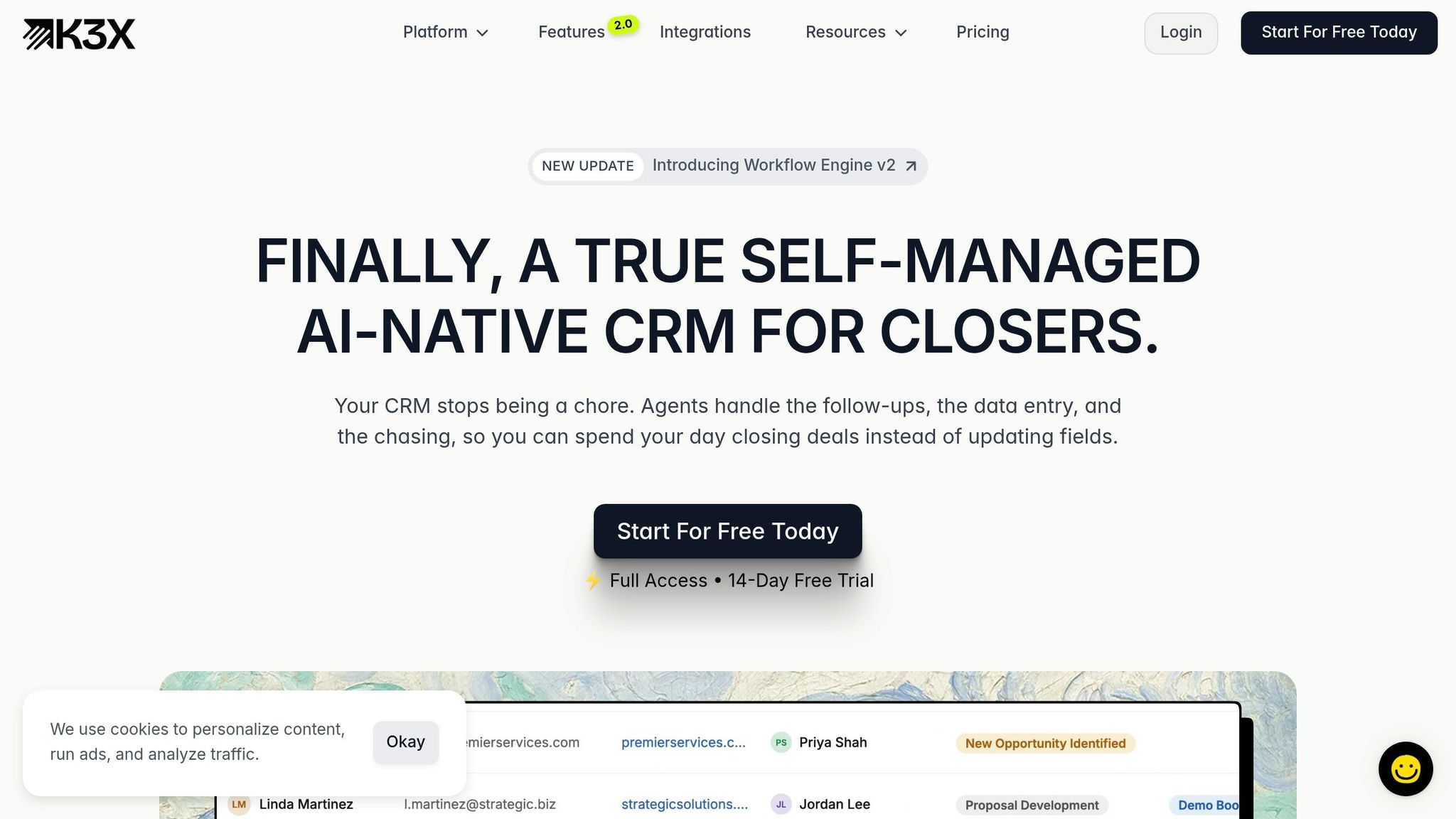
K3X is the closest fit for the main problem this article looks at: keeping follow-up active without adding admin work. It suits freelancers and very small teams that want follow-up to keep moving without building workflows by hand.
You describe the outcome in plain English, and K3X’s AI agents manage email, SMS, calls, and pipeline updates for teams of 1–9 [1]. That’s a different setup from HubSpot, Pipedrive, and Salesforce, where follow-up usually starts only after you build sequences, rules, or triggers.
This matters when billable work cuts into selling time. K3X keeps follow-up going while you handle client delivery, so leads are less likely to sit untouched between projects. In practice, that means less context-switching between doing the work and chasing the next deal.
Pricing: $20/seat/month. That includes 1,000 AI credits, a built-in power dialer, unlimited integrations, no long-term contract, and a 14-day free trial [1].
Here’s the short version of where it fits well and where it may not.
Pros:
No workflows, sequences, or triggers to set up; outcomes are defined in plain language
Built-in power dialer and unlimited integrations are included in the base plan
Built for teams of 1–9 [1], which keeps the product centered on small-team use
Cons:
Native integration catalog is smaller than HubSpot or Pipedrive
1,000 AI credits per month [1] is enough for many solo users, but high outreach volume will need tracking
2. Folk
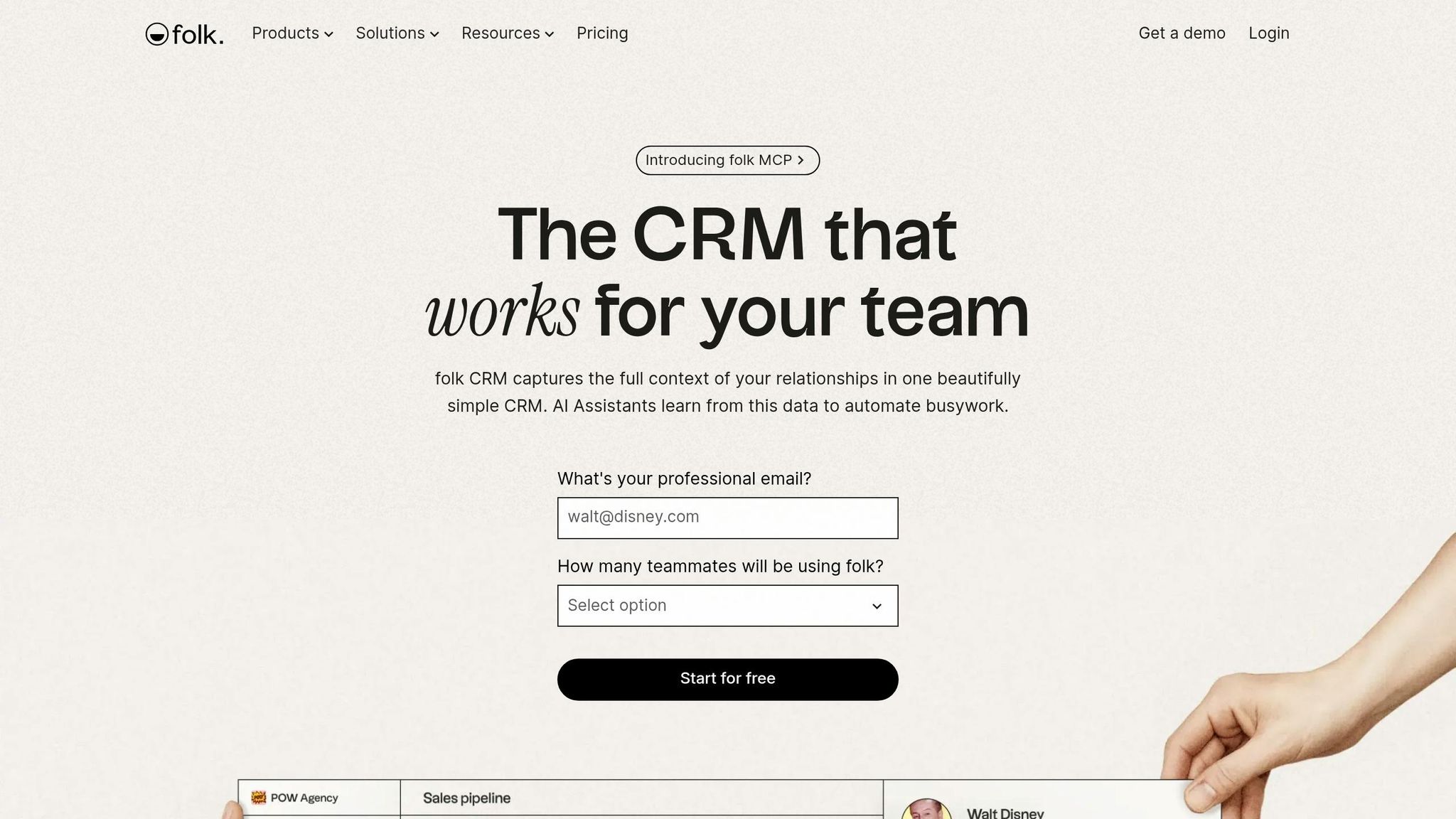
Folk works best for freelancers whose pipeline comes from personal networks and LinkedIn outreach, not high-volume outbound. It cuts admin work well, especially at the contact capture stage, but it is not built to run follow-up across channels on its own.
The main draw is fast lead capture. The folkX Chrome extension pulls contacts from LinkedIn, X, and other sites straight into Folk, and Magic Fields uses AI to fill in details like role, company, and location from public signals [10][4]. For consultants and solo operators who bounce between client work and prospecting, that can save time right away.
Best for: Consultants, PR professionals, and fractional executives who prospect on LinkedIn and need fast contact capture.
Pricing: Standard costs $24/user/month when billed annually or $30/user/month month to month. Premium costs $48/user/month when billed annually or $60/user/month month to month, and it adds multi-step email sequences and dashboards. Folk also offers a 14-day trial [10].
The trade-off is automation depth. Folk handles intake and relationship tracking well, but if you want a system that also runs phone, SMS, and follow-up in one place, costs can climb once you start adding other tools.
Pros:
folkX + Magic Fields can cut manual data entry by up to 80% for consultants who get most leads from LinkedIn [4]
Setup is fast, often in under one hour, with some users saying they had a working pipeline in about 20 minutes[10][13][6]
Native sync for Gmail, Outlook, calendar, and WhatsApp logs client activity without manual copy-paste [10]
Cons:
There is no native calling or SMS, so phone-based follow-up needs another tool. That makes Folk less all-in-one than K3X for freelancers who want calling, SMS, and follow-up inside one CRM [3][7]
Multi-step email sequences are only available on Premium
3. Capsule
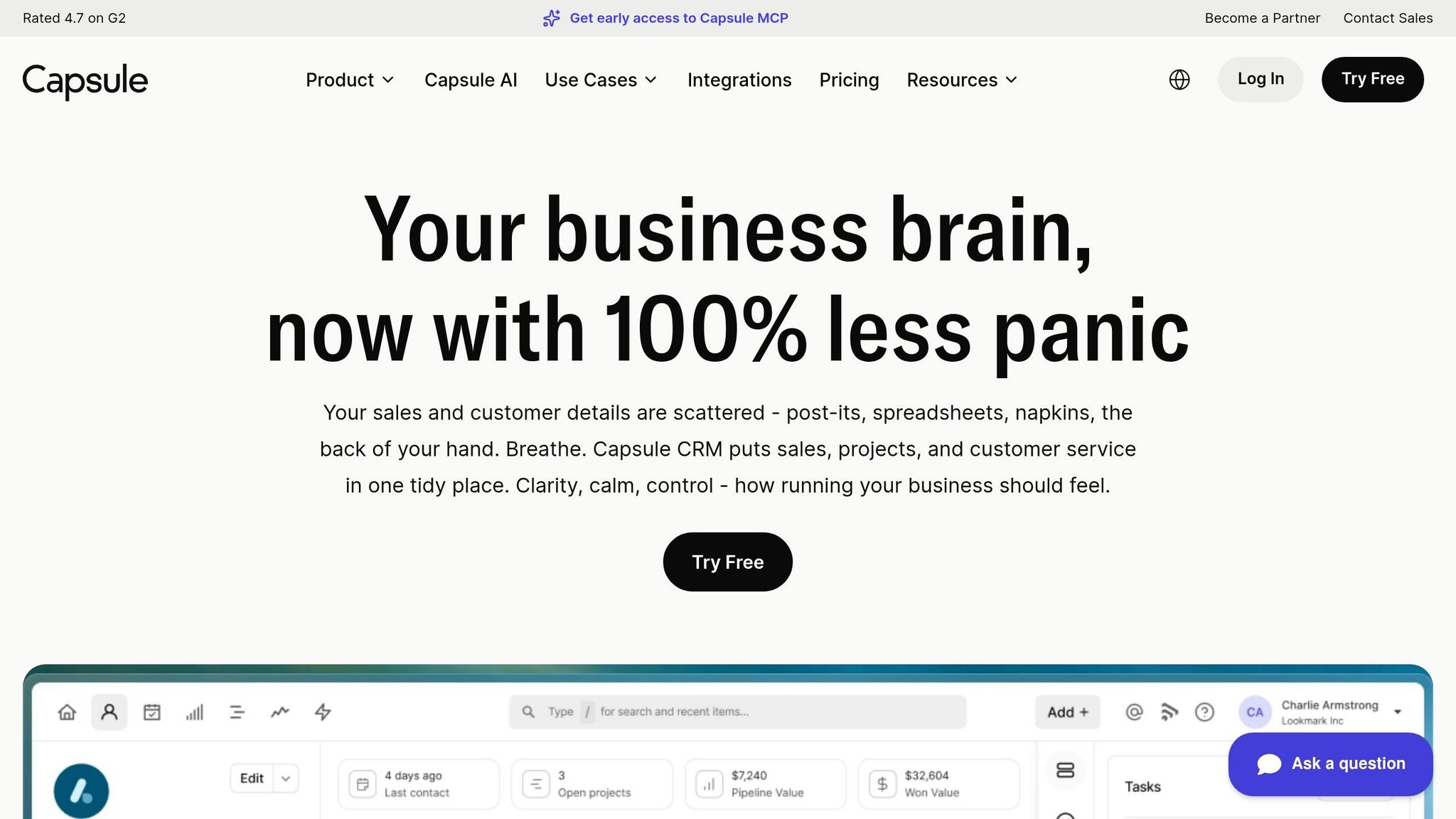
Capsule is a good fit for freelancers who have outgrown spreadsheets but don’t want the setup time and admin work that often comes with HubSpot. Most users can import contacts and connect Gmail or Outlook in under 30 minutes, based on Capsule’s setup guidance and Microsoft integration docs [7][9]. It works well for solo operators, but it’s still a standard CRM rather than an automation layer.
Capsule cuts down on admin by logging emails and tracking tasks, yet it still depends on reminders and email sync instead of AI-led follow-up like K3X or deeper workflow tools like HubSpot and Pipedrive. In plain terms, it sits in the middle: lighter than HubSpot or Pipedrive, but less hands-off than K3X. Reminder-based follow-up can help you keep deals moving, though you still have to send the outreach yourself.
Best for: Solo freelancers and consultants who want simple contact management, automatic email logging, and reminder-based follow-up without a larger CRM stack.
Pricing: Free for up to 2 users and 250 contacts. Starter costs $18 per user/month. Growth costs $36 per user/month and adds workflow automation and multiple pipelines [8][4].
Capsule’s main strength is cutting manual logging, not taking over your follow-up process.
Pros:
Automatic email logging with Gmail, Outlook, and Microsoft 365 cuts down on copy-paste work [9]
Task reminders and activity tracking help stop leads from going cold when project work gets busy [4]
GDPR consent tracking is built in, which matters if you store client data [4]
Cons:
There’s no built-in calling or auto-dialer, so teams that rely on phone follow-up will need another tool [9]
The free plan’s 250-contact limit gets tight fast, and reporting is basic next to HubSpot or Pipedrive [4][7]
4. HubSpot Free
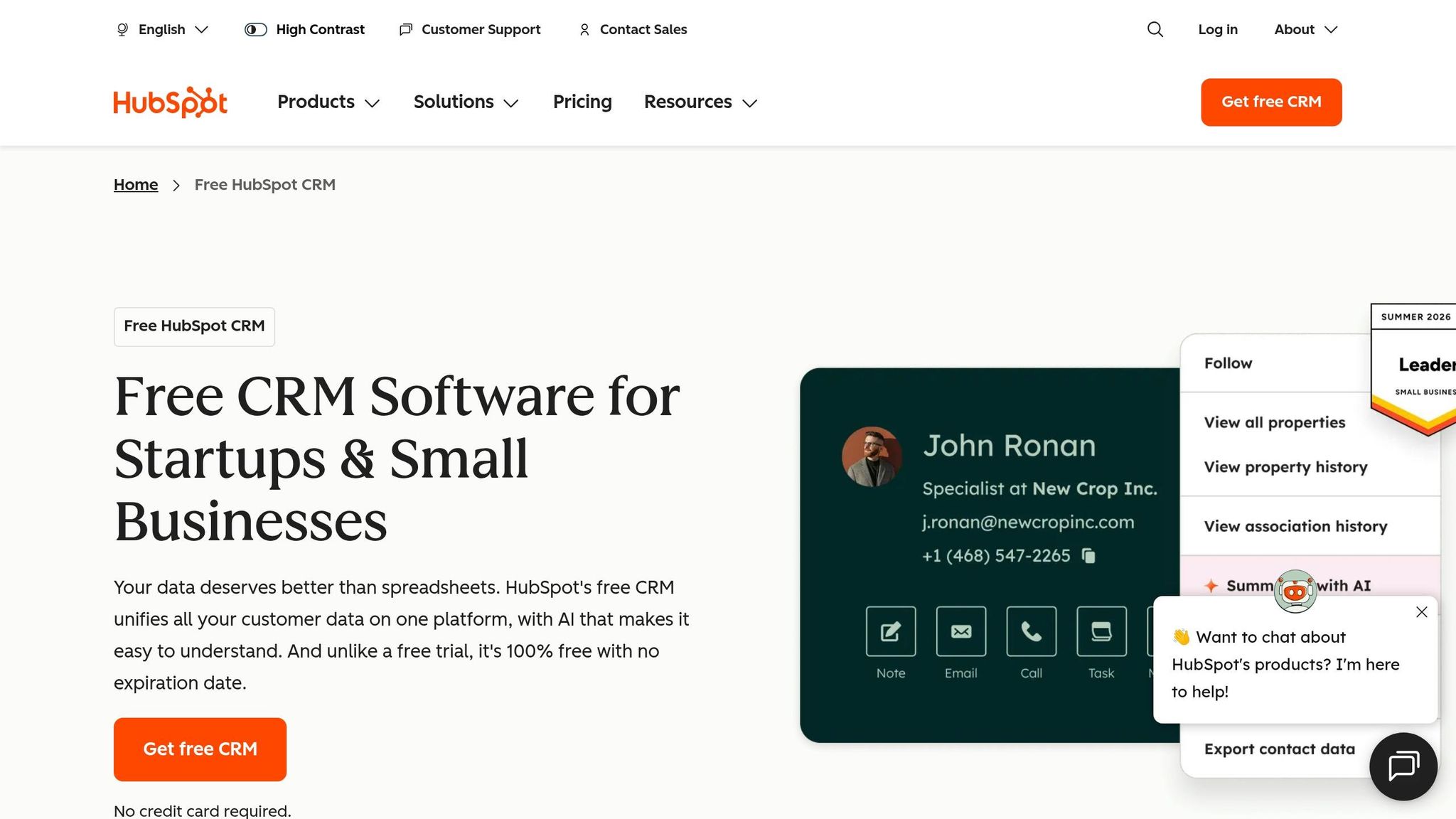
HubSpot Free is a better fit than Capsule if you need more room to grow, but it does not fix follow-up work. It gives freelancers a free CRM with email logging, open and click tracking, and one place to keep contacts, yet follow-up still has to be done by hand unless you pay for an upgrade [6][8].
It works best when your invoices and proposals already sit in other apps. Compared with K3X, HubSpot Free keeps a record of activity, but it still leaves the next step on your plate.
Best for: Freelancers who want a free contact database and can live with manual follow-up, especially when invoicing and proposals happen in other tools.
Pricing: Free at $0/month for up to 1,000,000 contacts and 2 seats with a basic pipeline [6][8]. Sales Hub Starter costs $20/seat/month and adds email sequences while removing HubSpot branding [6][8]. Professional starts at $890/month [6].
Pros:
Automatic email, open/click, and meeting logging reduce manual data entry [6][8]
The free plan includes up to 1,000,000 contacts and 2 users, which is a lot of room for a broad lead list [8]
HubSpot can support you later if your solo practice grows into a team or agency [12]
Cons:
The free plan does not include automated sequences or workflow automation, so follow-up remains manual unless you upgrade [6]
There is no native invoicing, contract generation, or proposal tool, so you still have to move information between systems [12]
If you want less setup work and less admin than HubSpot tends to require, the next option is Less Annoying CRM.
5. Less Annoying CRM
Less Annoying CRM is a simpler option if HubSpot Free feels too broad or too hands-on. It works well for freelancers who need one place to track leads and deals without adding a system that takes time to manage.
The guided import wizard helps most users get set up fast. Pricing is $15/user/month, with unlimited contacts, pipelines, and custom fields on the same plan, with no tiers [7]. It also includes a 30-day free trial with no credit card required [7].
The main limit is automation. LACRM does not automate follow-up, so emails and reminders still need to be handled by hand, and there is no built-in calling or SMS [7]. Compared with K3X's AI agents, LACRM is much more of a manual tracker.
Best for: Freelancers who want a simple contact and pipeline tracker, are fine handling follow-up by hand, and want one flat monthly price without upsell pressure.
Pricing: $15/user/month, flat rate, with unlimited contacts, pipelines, and custom fields. 30-day free trial, no credit card required [7].
Pros:
One plan includes unlimited contacts, pipelines, and custom fields
Flat $15/month pricing removes plan comparison
30-day free trial with no credit card required [7]
Cons:
No automated email sequences or email tracking, so follow-up stays manual
Interface feels dated next to tools like Folk or Capsule
If you need more automation without stepping into a heavier CRM, Pipedrive is the next option.
6. Pipedrive

Pipedrive works well for freelancers who want a visual way to track active proposals. It still leans on manual deal updates, though, which adds admin work that usually isn't billable.
Compared with K3X, Pipedrive still needs more manual follow-up. Compared with HubSpot, it's easier to get up and running. That makes it a solid fit when sales keeps getting pushed aside by client work and you need a clear view of which deal needs attention next.
Pipedrive reduces some of the logging work with built-in open and click tracking, plus automatic activity reminders. Higher-tier plans add two-way email sync and automated follow-up sequences [4][11][6]. For freelancers juggling proposals between delivery work, that can save time. The gap is breadth: there's no native invoicing, project management, or time tracking.
Best for: Freelancers with active proposals who want visual deal tracking and follow-up automation, and who don't need an all-in-one back office.
Pricing: Lite starts at $14/user/month billed annually; Growth and Advanced add two-way email sync and automated sequences [4][11][6].
Pros:
Visual pipeline makes stalled deals easy to spot
Automatic activity reminders help keep warm leads from going cold
Built-in open/click tracking is available on the Lite plan [4][11]
Cons:
Automated sequences require a higher tier, so Lite still needs more manual follow-up [6][4][11]
No native invoicing, project management, or time tracking, so freelancers need separate tools [4][11]
The table below shows how Pipedrive compares with the lighter CRMs on setup, automation, and admin time.
Side-by-Side CRM Comparison for Freelancers
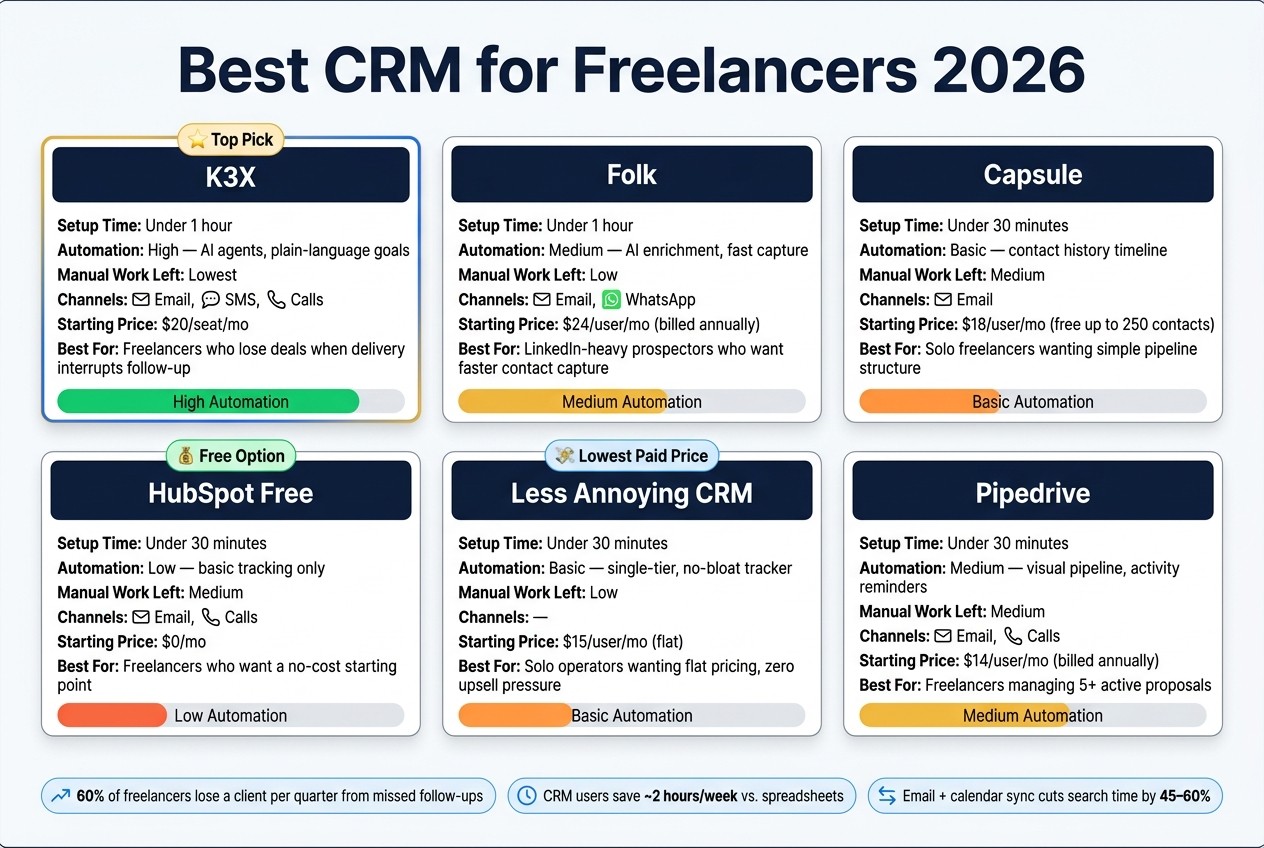
Best CRM for Freelancers 2026: Side-by-Side Comparison
Freelancers should pick the CRM that cuts the most admin from the sales process. In practice, that means starting with the task that burns the most unpaid time - follow-up, contact capture, or pipeline updates - and then matching it to the tool that leaves the least manual work behind.
CRM | Setup Time | Automation Depth | Manual Work Left Behind | Native Channels | Starting Price | Best For |
|---|---|---|---|---|---|---|
K3X | Under 1 hour | High - AI agents that act on plain-language goals | Lowest - agents handle entry and follow-up | Email, SMS, Calls | $20/seat/mo [1] | Freelancers who lose deals when client delivery interrupts follow-up |
Folk | Under 1 hour | Medium - AI enrichment and fast capture | Low | Email, WhatsApp | $24/user/mo, billed annually [10] | Relationship-led freelancers who prospect on LinkedIn and want faster contact capture |
Capsule | Under 30 minutes | Basic - contact history timeline | Medium - email CC logging | $18/user/mo [8] | Solo freelancers with repeat clients who want simple pipeline structure | |
HubSpot Free | Under 30 minutes | Low - basic tracking | Medium - more manual updates | Email, Calls | $0/mo [6] | Freelancers who want a no-cost starting point and can handle manual follow-up |
Less Annoying CRM | Under 30 minutes | Basic - single-tier, no-bloat tracker | Low | - | $15/user/mo [7] | Solo operators who want flat pricing and zero upsell pressure |
Pipedrive | Under 30 minutes | Medium - visual pipeline and activity reminders | Medium - manual stage updates | Email, Calls | $14/user/mo, billed annually [11] | Freelancers managing 5+ active proposals who want a clear view of which deal needs attention next |
The biggest divide here is simple: some tools automate follow-up, while others mostly make logging easier. If follow-up slips every time client work gets busy, that first group matters more.
K3X is the clearest example of that approach. Salesforce, HubSpot, Pipedrive, Zoho, monday.com, Close, and Attio all ask you to set up sequences, triggers, or workflow rules before follow-up runs by itself. K3X removes that setup layer - you state the outcome, and its AI agents take action across email, SMS, and calls without configuration. Case studies report an average of 8 hours per week saved on admin [2].
Folk sits between full follow-up automation and basic contact management. It speeds up contact capture and enrichment, which makes it a better fit for LinkedIn-heavy prospecting, but it does not run cross-channel follow-up the way K3X does.
Capsule and Less Annoying CRM focus more on reducing logging than on running outreach for you. That can work well for solo freelancers with a steady stream of repeat business, where the main goal is to keep the pipeline tidy without adding much setup.
Pipedrive helps in a different way. Its visual pipeline makes stalled deals easy to spot, especially if you're juggling 5 or more live proposals, but you still need to move deals forward yourself with manual stage changes and follow-up.
After this comparison, the next question is whether you want AI-driven follow-up or a lighter workflow-based system.
What the Numbers Say About CRM Cost and Setup
These six tools differ a lot once you look past the sticker price. HubSpot starts at $0. Less Annoying CRM charges a flat $15 per user, per month [7], and K3X starts at $20 per seat, per month with no long-term contract [1]. That $20 covers AI follow-up execution, not just contact storage.
Setup time is often the first cost freelancers feel. Capsule and Less Annoying CRM are built to get users working fast, often in under 30 minutes [7]. K3X is built to be up and running in under an hour [1]. Salesforce sits on the other end of the range: setup can take 30 to 45 days and often calls for outside consultants, which is a poor fit for most solo freelancers.
Once the system is live, the next issue is time saved each week. Freelancers who use a CRM get back about 2 hours per week compared with people who still manage contacts in spreadsheets [4]. That time gap matters because unpaid admin work tends to pile up fast.
A free CRM can still end up costing more if follow-up stays manual.
What CRM Do Freelancers Actually Use?
Freelancers usually pick a CRM based on how much admin they want to cut out. In practice, many start with a spreadsheet and only switch when follow-ups begin to slip.
After the comparison table, the split is pretty simple. Many freelancers stay in a spreadsheet until follow-up starts slipping, then move to one of six paths: HubSpot Free for zero cost, Capsule or Less Annoying CRM for simple tracking, Pipedrive for active proposals, Folk for referral-heavy prospecting, and K3X when follow-up needs to run without manual chasing.
Most of these choices come down to three trade-offs: automation, simplicity, or price. Freelancers who do a lot of LinkedIn prospecting often pick Folk, while K3X is the AI-native option for solo operators who want follow-up to keep moving while they deliver client work - not just tracked, but executed.
That pattern shows up in how freelancers work day to day. A simple system often wins because it gets used, and structured tracking is linked to higher earnings [7].
Once the workflow fit is clear, price is usually the next filter.
What Is the Cheapest CRM for Freelancers?
HubSpot Free is the lowest-cost starting point at $0. If you need a paid plan, Less Annoying CRM is the lowest-priced option in this guide at $15/month flat. Capsule’s free plan works only for very small contact lists [4][7].
Price matters, but most freelancers hit a limit fast. The issue usually isn’t contact storage. It’s the time lost when follow-up becomes manual and starts eating into billable hours.
The main tradeoff here is free storage vs. paid automation. If you just need a place to store contacts, HubSpot Free is the baseline. If you want the lowest-cost paid CRM, Less Annoying CRM is the cheapest flat-rate pick. A low monthly price only helps if it also keeps your follow-up work moving.
Do Freelancers Need a CRM or Is a Spreadsheet Fine?
A spreadsheet is fine when your pipeline is small and simple. If most leads are inbound and you can review everything at a glance, you likely do not need a CRM yet.
The break point is not storage. It is follow-up. A spreadsheet can hold names, dates, and deal notes, but it does not help much when you need to remember the next step or jump back into a stalled thread.
That gap shows up fast once you have several live proposals at the same time. Status changes get missed. Follow-ups slip. And when client work eats your day, the sheet just sits there while a warm lead goes cold.
A good rule is simple: if follow-up still fits in your head, a spreadsheet can work. If it does not, you have outgrown it.
That is usually when a CRM starts to earn its cost. Freelancers who move from manual tracking to a CRM often get back about 2 hours per week in admin time [4]. For a solo operator, that is not trivial. Over a year, that adds up to roughly 104 hours.
Use a spreadsheet only when inbound volume stays low and the sales process is easy to manage without reminders. Once you find yourself digging through old email threads to figure out where a conversation stopped, a CRM is the faster option.
From there, the choice becomes more specific: do you need AI-native follow-up, or do you just need a simple workflow CRM?
AI-Native CRM vs. Workflow-Based CRM: Which Is Better for Freelancers?
The main difference is not the feature list. It is whether you want to set up follow-up yourself or have the system handle it for you.
Workflow-based CRMs fit freelancers who run a repeatable sales process with clear stages. AI-native tools fit freelancers who win work through referrals, repeat clients, and relationship-driven selling, and who want follow-up handled without building workflows, sequences, or triggers. Workflow tools such as HubSpot, Pipedrive, Zoho, monday.com, Close, and Attio make deal stages easy to see. AI-native tools such as K3X remove the need to build those workflows. Capsule sits in a different lane: light, manual, and closer to a basic tracker than either group.
The setup gap is large. Workflow CRMs can take 2–4 weeks to configure and 8–12 hours per month to maintain, while AI-native tools like K3X are usually live in under an hour [1].
There is also a trade-off in day-to-day use. Workflow tools tend to give you clearer stage visibility and a lower upfront cost. AI-native tools cut more admin work, but you need to watch credit usage.
A simple rule works well here: if you manage work in stages across 5+ active proposals, a workflow CRM is usually the better fit. If your pipeline comes mostly from a network of relationships and you want follow-ups handled without opening the tool, an AI-native system will usually save time sooner.
The cost and setup numbers below show how that trade-off plays out in practice.
Which CRM Should You Pick to Spend Less Time on Admin?
Pick the CRM that fits how you get work and how much admin you’re willing to do. For freelancers, the main choice is simple: save time on follow-up, cut down data entry, or spend $0.
Freelancers who pick a tool that matches how they win work get back about 2 hours per week compared with spreadsheet users [4]. That makes the trade-off pretty clear. You do not need the tool with the longest feature list. You need the one that removes the admin slowing you down now.
If follow-up is the main problem, pick K3X. If most of your leads come through LinkedIn referrals and warm introductions, pick Folk. If you want plain, low-friction tracking with almost no setup, pick Capsule or Less Annoying CRM. If you need to start at $0, HubSpot Free works, but expect more manual work and more structure than many solo freelancers need [6][8].
Use the table below to match your day-to-day situation to the best fit.
Your situation | Best pick |
|---|---|
Want follow-up fully automated | K3X |
Referral-led, low-data-entry | Folk |
Want the least setup | Capsule or Less Annoying CRM |
Need a $0 entry point | HubSpot Free |
Juggling 5+ live proposals | Pipedrive |
A simple rule helps here: don’t buy for the team you might have later. Start with the simplest CRM that removes today’s admin, then move up only when the tool starts getting in the way of follow-up, activity logging, or pipeline visibility.
The FAQ below covers the edge cases: the cheapest option, when to stop using spreadsheets, and whether a CRM makes sense at your current deal volume.