Sales Automation
•
Best CRM for People Who Hate CRMs (2026)
K3X is best for CRM-averse small teams; Folk for relationship-heavy books; Less Annoying CRM for simple, low-cost tracking.

If I had to narrow this down fast, I’d say K3X is the best pick for most 1–9 person teams that want the lowest daily CRM work, Less Annoying CRM is the simplest low-cost option, and Folk fits teams with a smaller set of high-value relationships. The main point is simple: the right CRM is the one your team will keep using because it does more of the logging and follow-up work on its own.
I’d judge these tools on four things: how much typing they remove, how fast I can get started, how much follow-up they handle, and how much upkeep they add after launch. Based on the article, K3X comes out first for low admin, Less Annoying CRM for simplicity, and HubSpot Free only if $0 matters more than lower workload.
Best overall for CRM-averse small teams:K3X at $20/user/month with a 14-day trial and under-1-hour setup ([2])
Best simple low-cost choice:Less Annoying CRM at $15/user/month with a 30-day trial ([3])
Best for relationship-heavy work:Folk at $24/user/month billed annually ([6])
What stands out most is the admin gap. The article says AI-native CRMs can save reps about 8 hours per week by automating lead qualification and activity logging ([2]). That is the core reason people stick with a CRM instead of dropping it after a few weeks.
If I wanted the shortest takeaway: choose K3X if your team hates workflow setup, choose Streak if you live in Gmail, choose HubSpot Free if budget is the top filter, and choose Attio only if you’re willing to do more setup to get more structure later.
Bottom line: for people who hate CRMs, the best option is usually the one that removes the most manual work without adding setup work your team won’t finish.
Quick answer: which CRM should you use if you hate CRMs?
If you want the shortest path to a usable CRM, K3X is the best fit for most 1–9 person teams. Less Annoying CRM works best for basic contact tracking, and Folk is a good fit for teams handling a smaller set of high-value relationships.
Pick | Best for | Starting price |
|---|---|---|
K3X | 1–9 person teams wanting prompt-driven automation | |
Less Annoying CRM | Solo users needing simple contact tracking | $15/user/month [3] |
Folk | Teams managing a small number of high-value relationships | $24/user/month (annual) [6] |
The full rankings below weigh setup time, data entry, follow-up automation, and admin work over time.
What CRM features matter most if you have already quit 2–3 CRMs?
Low manual entry matters most. If a CRM asks your team to type everything in by hand, adoption usually falls apart fast. Folk uses the folkX browser extension and AI "Magic Fields" to pull contact data from LinkedIn with one click [6]. K3X goes further by having AI agents log activity automatically in the background, which cuts the need to update records by hand [2].
Automation is the next test once data capture is under control. Many older CRMs depend on if/then rules that take time to set up and maintain. K3X lets users describe what they want in plain language, then has the agents carry it out [2][9]. For teams that left past CRMs because they felt too technical, that shift can make day-to-day use much easier.
Fast setup and transparent pricing matter too. A long setup process is often where momentum dies, especially for lean sales teams. Folk and Streak both target sub-one-hour setup [3][6].
Clear pricing matters for the same reason. Surprise add-ons and seat changes can turn a simple rollout into a budget problem, and CRM-averse teams often abandon the tool at that point. Those are the main filters used in the rankings below.
1. K3X

K3X is a good fit for teams that have already left 2–3 CRMs behind. Its main draw is simple: it cuts manual logging and avoids the usual workflow setup, which matters most for teams that are tired of rebuilding the same process again and again.
Best for: Solo operators and teams with 1–9 people that do not want to set up workflows again. Pricing is $20 per seat/month, with 1,000 AI credits, unlimited integrations, a built-in power dialer, no long-term contract, and a 14-day trial at k3x.ai/pricing [2].
Here’s where K3X cuts day-to-day admin work most clearly.
Automatic logging and pipeline movement
K3X logs emails, calls, and meetings on its own, so reps do not need to enter activity by hand [2]. Its Outcome Pipelines also change next steps as deals move, which means reps are not stuck updating stages manually [2][9].
"Our sales team was spending half their day on admin work. Now they're talking to customers and closing deals." - Michael Chkechkov, CEO of Ruby Capital Group [2]
Compared with HubSpot, Pipedrive, or Attio, K3X gives up some depth and admin controls in exchange for less setup and less daily maintenance. For a small team, that trade can make sense. For a larger group with strict process rules, it may not.
Cons: K3X is a newer product. It has fewer native integrations than HubSpot or Pipedrive, AI credits need monitoring, and it is not built for teams with 100+ seats or heavy governance. That makes it a better match for small teams than for enterprise-wide rollouts.
If you need deeper relationship tracking or more team controls, the next two options are a better fit.
K3X | |
|---|---|
Manual entry required | Near zero - automatic activity capture [2] |
Workflow builder needed | |
Setup time | Under 1 hour [2] |
Pricing | $20/seat/month [2] |
Team size fit | 1–9 people |
Free trial | 14 days, full access [2] |
Built-in calling/SMS | Yes, power dialer included [2] |
2. Folk
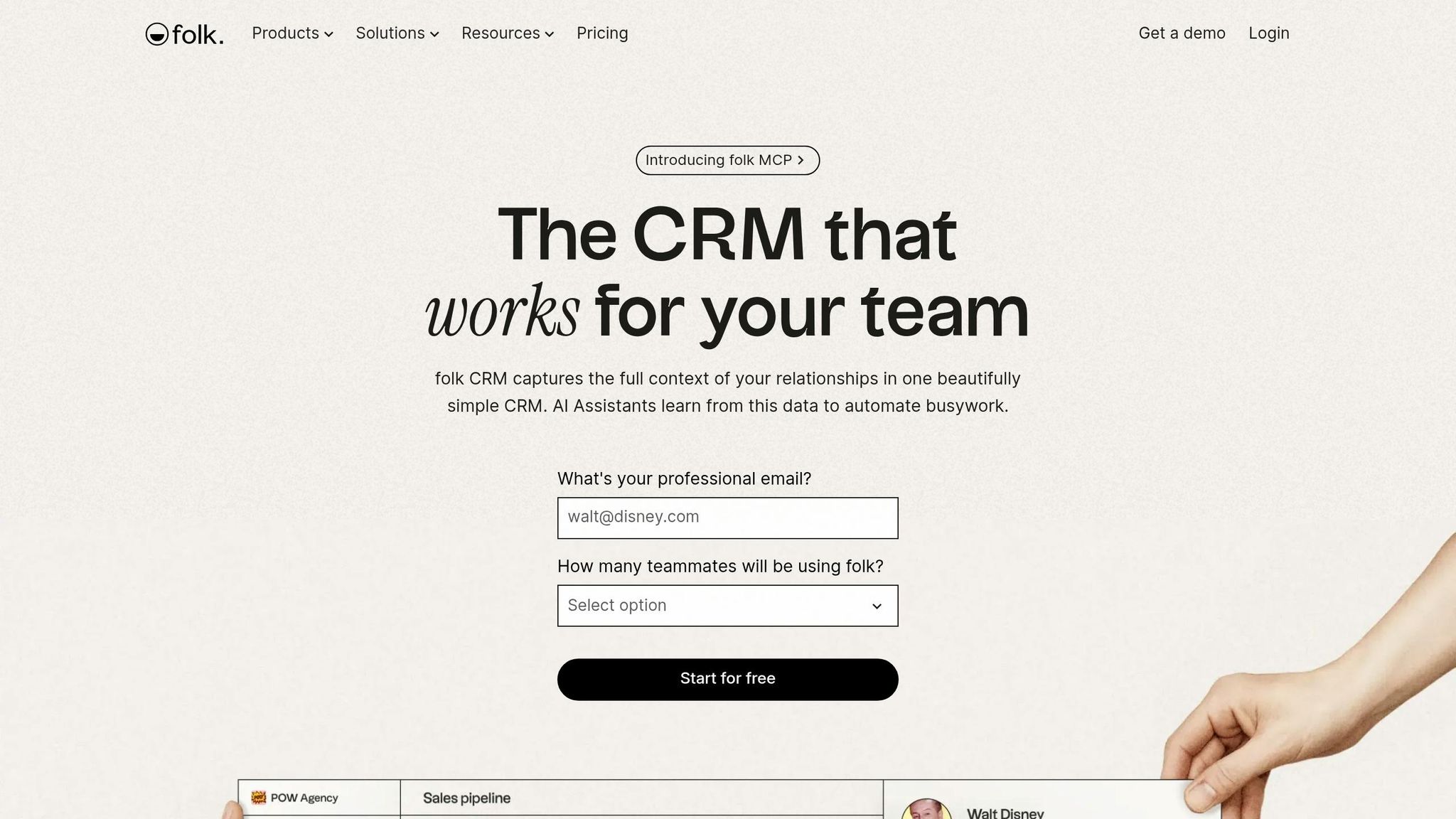
Folk is a strong pick for teams that dislike heavy CRM process. It puts relationships first, so the system feels lighter than a standard pipeline CRM, while K3X is a better match for prompt-led follow-up automation.
Folk fits teams managing 20 to 300 active relationships and putting more weight on personalized outreach than on high-volume automated sales motions [4].
Pricing: Standard is $24/user/month when billed annually, or $30/user/month month to month. Premium is $48/user/month annually, or $60/user/month monthly. The free plan is limited to 200 contacts [6].
Manual-data-entry load
Folk keeps manual entry low. The folkX Chrome extension pulls in LinkedIn, Twitter, and website profile data with one click, and Magic Fields use AI to fill in roles, company details, and location data [6].
It also syncs email, calendar, and WhatsApp activity, then attaches those conversations to the right contact record automatically. That cuts down on logging work and helps keep relationship data cleaner over time [6][7].
Setup-to-first-value time
Folk is fast to get running because you do not need to map out a full data model before you begin. In one hands-on review, a team could use the pipeline within 8 to 10 minutes after first login [11].
That is much faster than tools such as Attio, where the same review said setup can take 2+ hours of early data modeling before the workspace starts to feel usable [11]. For a small team, that time gap matters.
Automation without manual workflow setup
Folk does support multi-step email sequences, but they are only available on the Premium plan at $48/user/month when billed annually [6]. So while automation is there, you still need to pay more to access it.
Compared with K3X’s prompt-to-action approach, Folk still leans more on user-led setup for sequences and follow-up steps. That makes it less hands-off for teams that want automation to start with minimal configuration.
Pros:
One-click capture through folkX cuts manual entry [6]
The pipeline can be usable in under 10 minutes for small teams [11]
Email, calendar, and WhatsApp sync reduce logging work [6][7]
Cons:
Multi-step sequences require the Premium plan, which increases cost [6]
Reporting, forecasting, and more advanced automation are limited next to deeper CRMs [6][3]
If you want even less CRM surface area, the next option pares things back further.
3. Why Choose Less Annoying CRM?

Less Annoying CRM is built for teams that want a lighter CRM and can live with more manual work. It strips back fields, menus, and setup, which makes it a fit for people who found tools like K3X or Folk too busy.
Pricing is $15/user/month, with no long-term contract and a 30-day free trial [3]. For small sales teams that quit heavier systems because they felt overbuilt, LACRM offers a simpler reset. The tradeoff is plain: you get less clutter, but you still need to stay on top of follow-up by hand.
Setup-to-first-value time
Teams can get started fast. With a CSV import, a small team can have contacts loaded and a usable pipeline running in 30 to 60 minutes [3].
That short setup time matters if you need a working system today, not after a week of field mapping and process design. LACRM keeps the path short by cutting down the number of decisions users have to make at the start.
Pipeline-maintenance burden
LACRM lowers the admin load, but it does not make it disappear. Its Next Step model keeps pipeline tracking simpler, though users still need to update follow-up items manually.
In practice, the product helps by shrinking the interface rather than replacing routine upkeep. So if your team struggles with CRM discipline, LACRM may feel easier to use, but it won't log activity for you.
Automation without workflow-building
LACRM includes Pipeline Automation without giving users a full workflow builder [3]. That makes the system easier to learn and manage, especially for small teams that do not want to spend time building automations from scratch.
Compared with K3X's prompt-driven automation and Attio's deeper enrichment features, LACRM stays deliberately simple. Notes and activity tracking still rely on manual entry, so the product does less behind the scenes.
Pros:
CSV import and a usable pipeline in under an hour [3]
Pipeline Automation without a full workflow builder keeps the product approachable [3]
The Next Step model cuts down reminders and process overhead
Flat $15/user/month pricing with no tiered feature gates [3]
Cons:
Notes and activity tracking still depend on manual entry, without the automatic capture K3X offers [2]
Reporting and automation depth are limited compared with K3X or Attio [3]
If you want more automation but don't want the same level of admin work, Attio is the next step up.
4. Attio

Attio fits this list because it cuts down manual data entry. It syncs Gmail, Outlook, and calendars in the background, then adds job titles, company details, and social profiles from public sources [1][10]. For teams that want more structure than a basic CRM, but don't want a heavy system, Attio sits in the middle.
Pricing: Free for up to 3 users; Plus starts at about $29–$34/user/month billed annually; Pro starts at about $69/user/month billed annually [1][5].
Best for: Small teams that want automatic data capture and AI enrichment, and can handle more setup than K3X requires.
Setup-to-first-value time
Basic tracking starts once email is connected. Even so, Attio still takes about 30–60 minutes to set up objects and attributes, and many small teams are fully up and running within a week [10][5].
That shifts the main tradeoff. The question is less about getting started and more about how much admin work the system takes off your team's plate after launch.
Automation without workflow-building
Attio's AI research agent cuts prospecting work, but users still need to set up logic and workflows by hand [5]. In practice, that makes it less immediate than K3X for teams that want a more guided starting point.
Pros:
Flexible custom objects for uncommon workflows, such as investor tracking or onboarding [10]
Cons:
Needs more setup decisions than guided CRMs like HubSpot Free or Less Annoying CRM [5][7]
Its integration catalog is smaller than HubSpot or Salesforce, which matters if your team relies on niche tools [1][10]
If Attio still feels too configurable, HubSpot Free is the more guided starter option. HubSpot Free is easier to start with, but it gives up some flexibility in return for more preset structure.
5. HubSpot Free CRM
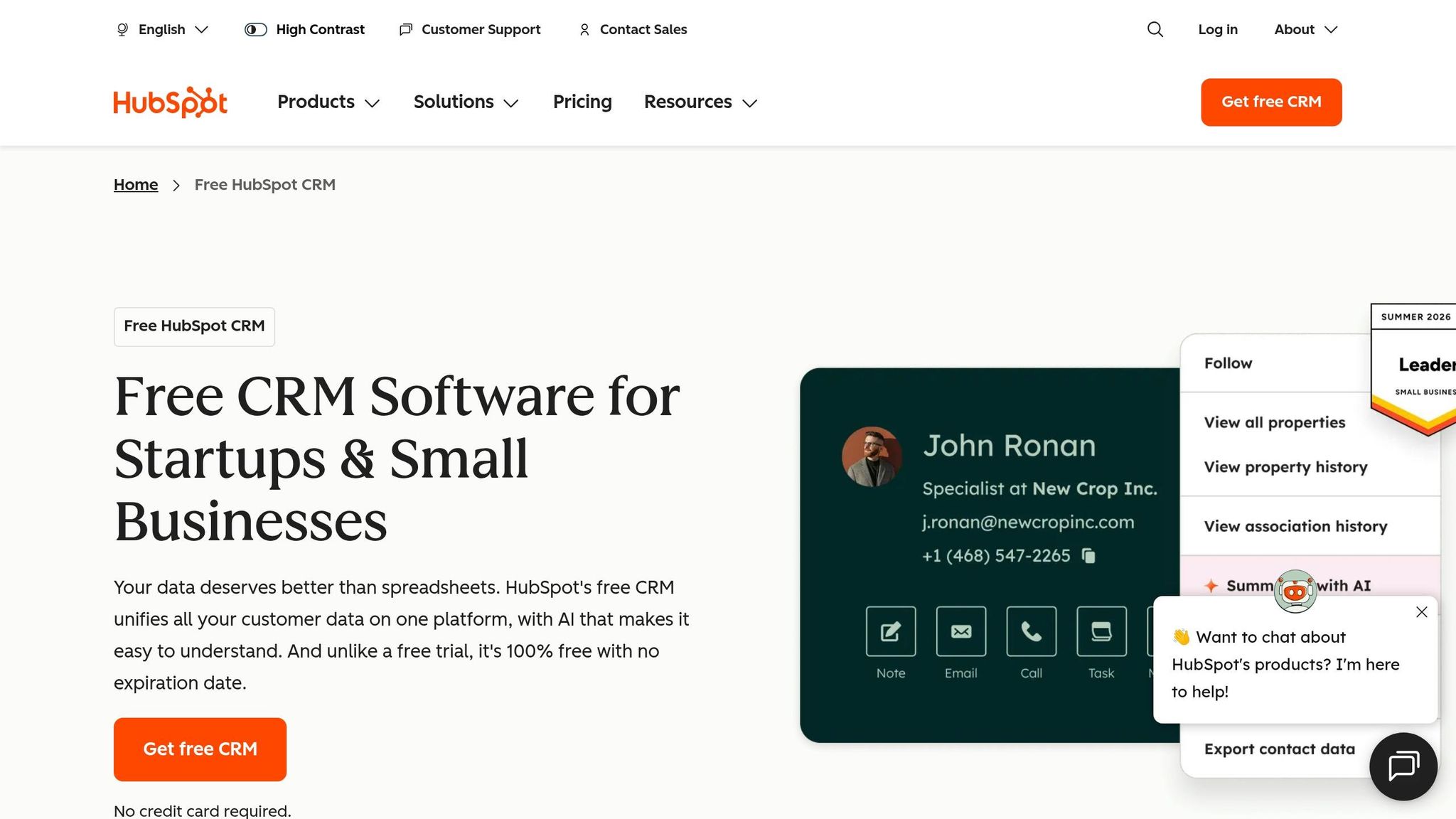
HubSpot Free is a low-cost way to start using a CRM fast. It gives teams unlimited users and up to 1,000,000 contacts on the free plan, so the barrier to entry is low [4].
The catch is the interface. Even on the free tier, HubSpot includes a broad navigation menu and frequent upgrade prompts, which can feel like extra clutter for a solo seller or a small team.
Manual-data-entry load
HubSpot Free cuts down some of the busywork. It can auto-log email activity and meetings through Gmail and Outlook sync, and it includes tracking, scheduling, forms, and live chat.
What it does not do is auto-enrich contact records. If your main goal is less typing and less record cleanup, tools like Attio or Folk are often a better fit [1][6]. K3X takes that one step further by auto-logging activity and turning plain-language follow-up goals into actions.
That said, free users still need to run the pipeline by hand. Activity gets logged, but the system won’t fully take over deal movement or follow-up.
Setup-to-first-value time
Setup is fast for most teams. In practice, it usually takes about 30 minutes to 4 hours to connect email, turn on scheduling, and get to a usable CRM on the same day [4][3].
That makes HubSpot Free a practical option for teams that want to start now, not after a long admin project.
Pipeline-maintenance burden
HubSpot Free includes one deal pipeline with a drag-and-drop Kanban view [4]. That’s enough for basic deal tracking, especially for a small sales motion.
The limit shows up once you want the CRM to do more of the work. Automated stage changes and sales sequences are kept for paid plans, so free users still need to update deal stages and follow up with leads by hand. For teams that left other CRMs because too much manual work piled up, that split matters.
Pricing: The free plan includes unlimited users and up to 1,000,000 contacts. Paid automation starts at about $15 to $20 per seat per month, and Professional is about $100 per seat per month [4][5].
Best for: Solo operators or small teams that want a free place to start and don’t mind manual pipeline updates.
Pros:
Logs activity through email and meeting sync without extra workflow setup [4]
Unlimited users on the free tier removes seat-count pressure
Paid plans are available if the team needs more automation later
Cons:
Follow-up sequences sit behind paid plans, so free users still handle lead chasing by hand
The menu structure and upgrade prompts can feel heavy for solo users or small crews
If you want the CRM inside Gmail instead of in a separate app, Streak is the next comparison.
6. Why choose Streak?

Streak is a fit for teams that live in Gmail and want CRM work to happen in the inbox. There’s no separate app to open, and most teams can get started in 30 minutes when inbox access is the main need [3][8].
That setup matters for teams that gave up on CRMs because of extra tabs, extra clicks, and constant logging. Streak keeps the work where reps already spend time: email.
Manual-data-entry load
Streak cuts down manual entry by turning email threads into deal records on its own. New emails in the same thread attach to that record without manual logging, and the Gmail sidebar lets reps add notes or contact details without leaving the inbox [3][8].
In plain terms, the inbox becomes the record. A rep can read an email, update the deal, and move on without bouncing between tools.
Pipeline upkeep
Streak shows pipelines as visual columns inside Gmail. Reps can drag a deal to a new stage, change the owner, or edit a custom field right from the email thread they are already viewing [4].
That keeps basic pipeline hygiene simple. If a team wants light CRM structure without a separate workspace, this is where Streak tends to work well.
Automation without workflow-building
Streak includes email tracking, mail merge, and snippets in the Gmail compose window [3][4]. Those features work without setting up if-then workflows, which lowers setup time for small teams.
The trade-off is that Streak mostly records email activity. It does not automatically send follow-ups or move deals the way K3X does. Compared with K3X, Streak removes friction, but reps still handle follow-up work themselves. If the goal is for the CRM to take action, not just log activity, K3X sits a level above it.
Pricing is low for solo use, though the free plan is narrow. Free covers personal use with 500 contacts. Solo costs $19/user/month, Pro costs $49/user/month, and Enterprise costs $159/user/month [3][4][8].
Best for: Solo sellers or small Google Workspace teams that want to stay in Gmail.
Pros:
Runs inside Gmail with no separate app to open or remember [3][4]
Automatically logs email threads as deal records [3]
Mail merge and snippets are available on paid plans without workflow setup [3][4]
Cons:
Works only with Gmail and Google Workspace; moving to Outlook means losing the CRM interface [3][8]
The browser extension can slow Gmail load times [8]
How do these CRMs compare on admin burden?
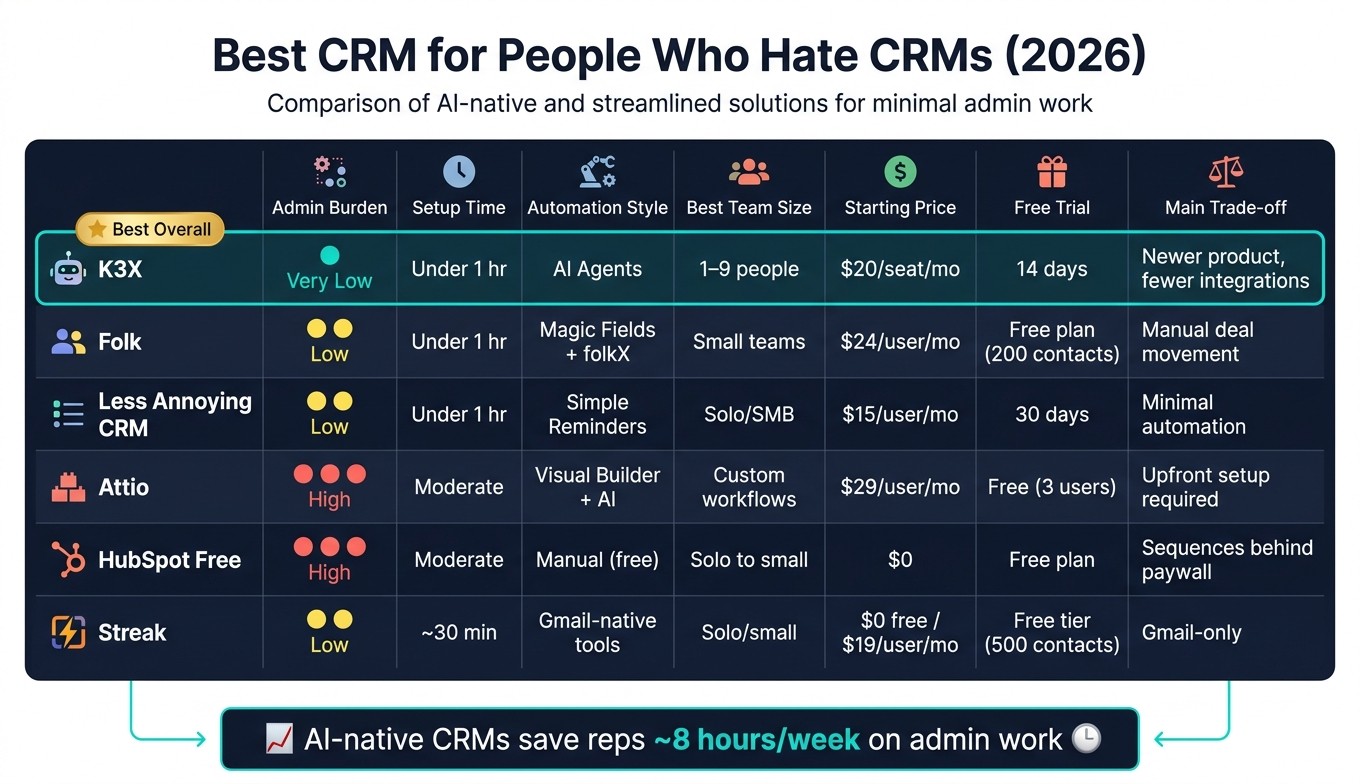
Best CRM for People Who Hate CRMs: Side-by-Side Comparison (2026)
The main difference here is simple: some CRMs cut daily busywork, while others still leave a lot of manual upkeep. For teams that dislike CRM admin, the key question is not feature count but how much work the tool removes after launch.
This table compares the day-to-day admin each CRM adds or removes. It focuses on the trade-off many CRM-averse buyers care about most: how much manual work is left once the system is live.
Tool | Why CRM-haters like it | Admin burden | Setup time | Automation style | Best team size | Starting price | Main trade-off |
|---|---|---|---|---|---|---|---|
K3X | Prompt-driven; AI handles follow-ups, pipeline updates, and data entry [2] | Very low | Under 1 hour [2] | AI agents execute from plain-language prompts | 1–9 | $20/seat/month [2] | Young product; smaller integration catalog than incumbents [9] |
Folk | Lightweight interface; Magic Fields and LinkedIn capture [1][6] | Low | Under 1 hour [6] | Magic Fields + folkX extension [6] | Small teams | $24/user/month billed annually or $30/month [6] | |
Less Annoying CRM | No enterprise bloat; flat $15 pricing [12] | Low | Quick | Simple task reminders | Solo/SMB | $15/user/month [12] | Minimal automation; no advanced features [12] |
Attio | Fully customizable CRM with auto-enrichment from email and calendar sync [1][5] | Low | Moderate | Visual builder with AI enrichment | Teams with custom sales processes | $29/user/month billed annually [5] | Upfront setup required before automation pays off [5] |
HubSpot Free | Free tier with unlimited users and up to 1 million contacts [4][7] | High | Moderate | Manual follow-up on free plan [4] | Solo to small teams | ||
Streak | Low | About 30 minutes [3] | Native Gmail tools | Solo/small teams | $0 (free tier); Solo starts at $19/user/month [4] | Gmail-only; you still move stages by hand [3] |
K3X is the most hands-off option in this group. It removes a lot of follow-up, pipeline updates, and data entry through prompt-based automation, but it is still a young product with a smaller integration catalog than older vendors, and users need to watch AI credit usage [2][9].
HubSpot Free gives broad access at $0, including unlimited users and up to 1 million contacts, but free users still handle outreach by hand because sequences sit behind paid plans [4][7].
Use this comparison to judge the next filter: which CRM cuts the most friction in capture, follow-up, and setup.
What should people who hate CRMs look for in a CRM?
Look for a CRM that does the logging for you, asks for as little manual input as possible, and helps with follow-up based on outcomes. The best fit is one that shows actual customer activity by default, not a pile of task reminders.
These filters matter because they separate a tool people can live with from one the team stops opening after a few weeks.
Automatic activity sync comes first. A CRM should pull in email, calendar events, calls, and relevant messages on its own, so reps do not have to enter the same work twice. Reps can save an average of 8 hours per week on admin work by using AI-native CRMs that automate lead qualification and activity capture [2].
Setup time is a good proxy for future upkeep. If a CRM is fast to stand up, it usually takes less effort to maintain later. Modern simple CRMs like Folk can be fully set up and running in under 1 hour [3][6]. That short path to first use often means less drop-off.
Pricing also matters. Automation should be available without pushing teams into a much larger plan. If the product only becomes usable after a pricing jump, costs tend to show up later in the form of limits, add-ons, or extra admin work.
If a CRM still depends on manual logging or needs a workflow builder just to stay useful, it is the wrong fit.
Use this table to compare tools based on the pain points CRM skeptics feel first: capture, setup, and follow-up.
What to check | What to look for | Why it matters |
|---|---|---|
Capture depth | Native email, calendar, and message sync | |
Data enrichment | AI enrichment or one-click contact capture | |
Follow-up automation | Plain-language prompts instead of logic trees | |
Default views | Last-contacted or stale-contact views | Reduces pipeline babysitting [4] |
Setup time | Under-an-hour setup | |
Pricing | Automation not gated behind a large plan jump |
Why do most people abandon their CRM, and what fixes it?
Most small teams stop using a CRM when the admin work starts to outweigh the sales value. The fix is simple: cut the work the CRM creates.
The main problem is manual data entry. When reps have to log every call, move every deal stage, and type every follow-up note themselves, the CRM starts to feel like a second job. That friction is often enough to push teams away from the tool within the first month.
Automation helps because it removes that daily drag. Tools that auto-fill contact records and manage follow-ups without constant field updates make the system easier to keep using. K3X's AI agents save about 8 hours per rep per week by handling qualification, follow-up, and updating pipeline stages automatically [2]. That’s the bar that separates the tools ranked below.
Setup time matters too. A CRM that takes days to configure usually loses CRM-averse teams before they see any payoff. The faster a team gets to first value, the more likely they are to keep the tool in use.
The next question is which of these six tools removes the most work for your team size.
Which CRM should you pick if you hate CRMs?
Pick the tool that asks the least of your team day to day. In most cases, that means K3X for the lowest admin load, Less Annoying CRM for the simplest low-cost choice, Folk for a small book of high-value relationships, Attio if you’re fine doing more setup by hand, HubSpot Free if no-cost access matters most, and Streak if your team lives in Gmail.
The main filter here is simple: how much manual work will this add after launch? If your last CRM failed because it turned into one more admin chore, the safer pick is the one that cuts data entry and setup work the most.
K3X is the least technical option in this group because it works from plain-language outcomes instead of workflow building. That matters for sales and revenue teams that don’t want to spend hours setting rules, fixing fields, or maintaining automations.
Choose Streak if staying inside Gmail is non-negotiable. Choose HubSpot Free only if free access is the top priority, since “free” often comes with trade-offs in limits, upgrade pressure, or added process later.
For CRM-averse teams, the best choice is the one that removes the most admin without adding setup work your team is unlikely to finish.
FAQs
What CRM do people who hate CRMs actually use?
People who dislike CRMs usually pick tools that feel simple and contact-first. They want less pipeline admin, fewer rigid steps, and a setup that fits how they already work.
Folk for a clean, easy interface
Streak for working directly in Gmail
K3X for managing outcomes with simple prompts instead of manual workflows
Notion for a flexible DIY setup
What is the cheapest CRM for people who hate CRMs?
Usually, the lowest-cost picks are CRMs with a strong free plan or a low entry price. HubSpot CRM has the most generous free option, while Notion is close to free for personal use if all you need is a simple contact database.
If you need a formal sales pipeline, Pipedrive starts at $14 per user per month on its Essential plan. For long-term use at no cost, HubSpot CRM and Notion are the easiest places to start.
Why do most small teams abandon their CRM?
Most small teams quit using their CRM when it takes more work to keep up than the customer relationships it’s supposed to support. The main problem is often the data-entry tax: too much manual logging, too many fields, and too many clicks for basic updates.
Adoption also breaks down when the CRM feels built for managers tracking quotas rather than for the reps, founders, or account owners using it day to day. Slow setup and rigid workflows make that worse, because people hit friction early and then stop using the system.
Can a CRM work without manual data entry?
Yes. Modern CRMs can run with little to no manual data entry by automating contact creation, activity logging, and follow-ups.
K3X uses AI agents after you define goals. Folk and Attio pull details from LinkedIn, email, and calendars, while Streak syncs email threads and contacts inside Gmail on its own.