Sales Automation
•
Attio Alternatives: Top AI-Native CRMs in 2026
Compare top Attio alternatives and choose K3X for instant outcome-driven automation or Salesforce/HubSpot for enterprise and marketing-led teams.
What are the best alternatives to Attio in 2026? The top AI-native CRMs to consider are K3X, Salesforce, HubSpot, Pipedrive, Zoho CRM, and Close. Each platform addresses specific sales needs, from K3X's outcome-driven automation to Salesforce's enterprise-scale capabilities. Attio excels in handling complex relationships but lacks built-in marketing automation and has fewer integrations than HubSpot or Salesforce. For teams prioritizing speed and simplicity, K3X offers a compelling option with its $20/seat/month pricing and fast setup.

Top Attio Alternatives: AI-Native CRM Comparison 2026
Attio vs Pipedrive vs Hubspot (2026) - Which One Is BEST?
Why consider alternatives to Attio?
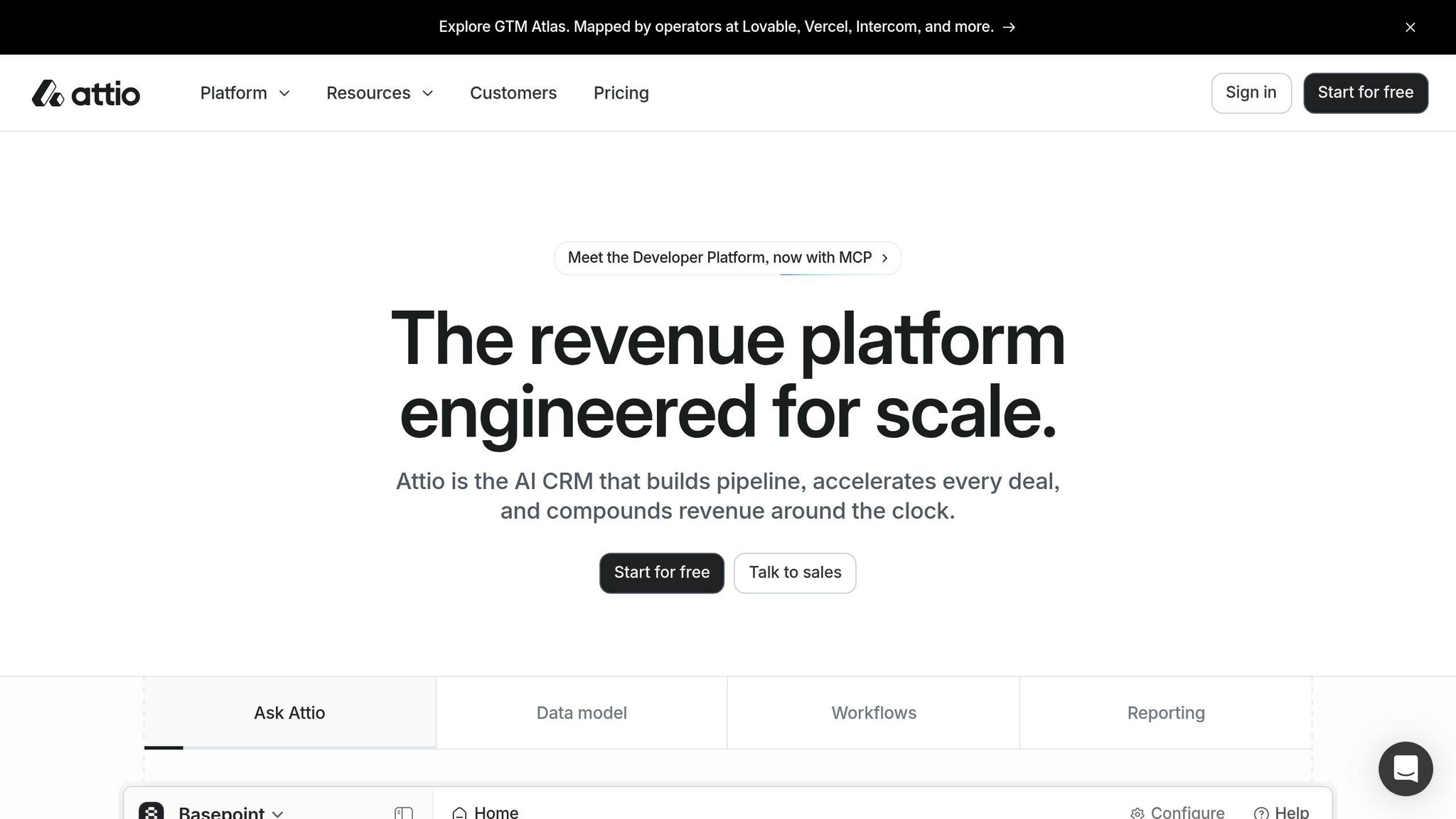
Attio is popular for startups and product-led teams due to its graph-based data model and modern interface. However, its Pro plan costs $59/user/month, and it lacks marketing automation and has fewer integrations (250 vs. HubSpot's 1,800+). These gaps make alternatives worth exploring, especially for teams without a dedicated GTM engineer or those needing broader automation features.
How does K3X compare?
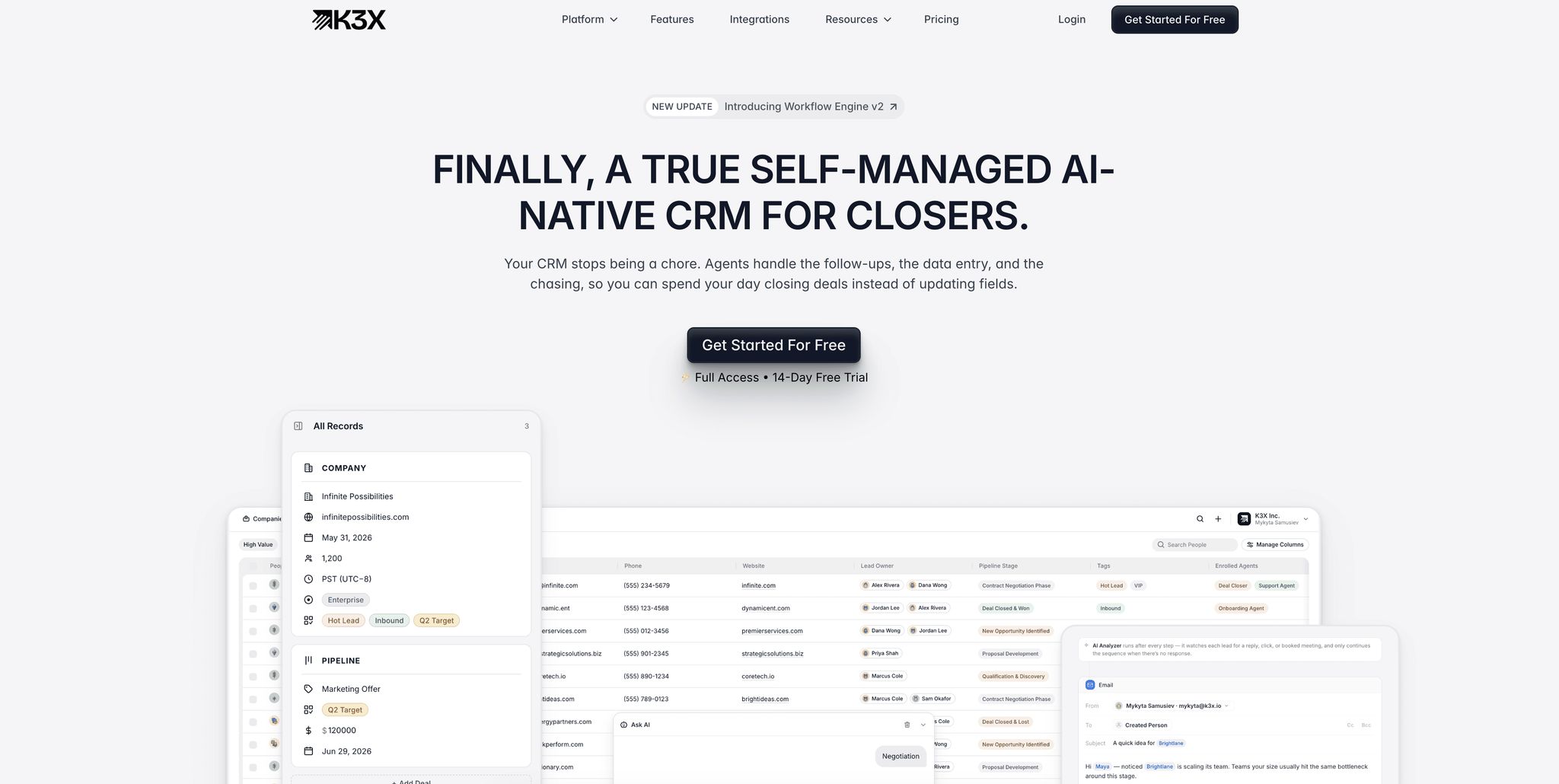
K3X focuses on prompt-driven automation, allowing users to describe goals in plain language while the AI handles execution. It sets up in under an hour and costs $20/seat/month with no long-term commitments. Compared to Attio, K3X eliminates manual workflows, making it ideal for sales teams needing fast, autonomous operations. However, K3X has fewer native integrations and requires monitoring AI credit usage.
When does Salesforce make sense?

Salesforce suits large enterprises managing complex sales and support processes. Its Agentforce AI handles multi-step workflows, and the platform supports over 4,000 integrations. However, it requires significant time (4–12 weeks) and resources to implement, with costs starting at $300+/user/month. It's best for organizations with dedicated admins and advanced governance needs.
Is HubSpot a better fit for marketing-led teams?
HubSpot integrates marketing, sales, and service functions, making it a strong choice for mid-sized teams. Its AI suite, Breeze, supports tasks like lead scoring and email drafting. Pricing starts at $20/month for Starter but rises sharply at higher tiers, with onboarding fees of $1,500–$3,500. HubSpot works well for teams focused on inbound campaigns but may feel restrictive for outbound-heavy sales teams.
What about Pipedrive for smaller teams?
Pipedrive offers a user-friendly pipeline view and AI tools like deal scoring and email drafting. Plans start at $14/user/month, and setup takes 2–3 days. It's ideal for small sales teams with straightforward processes but lacks advanced marketing automation and customization options. For teams needing more power, K3X offers AI-native CRM features that automate these complex workflows.
Is Zoho CRM cost-effective?
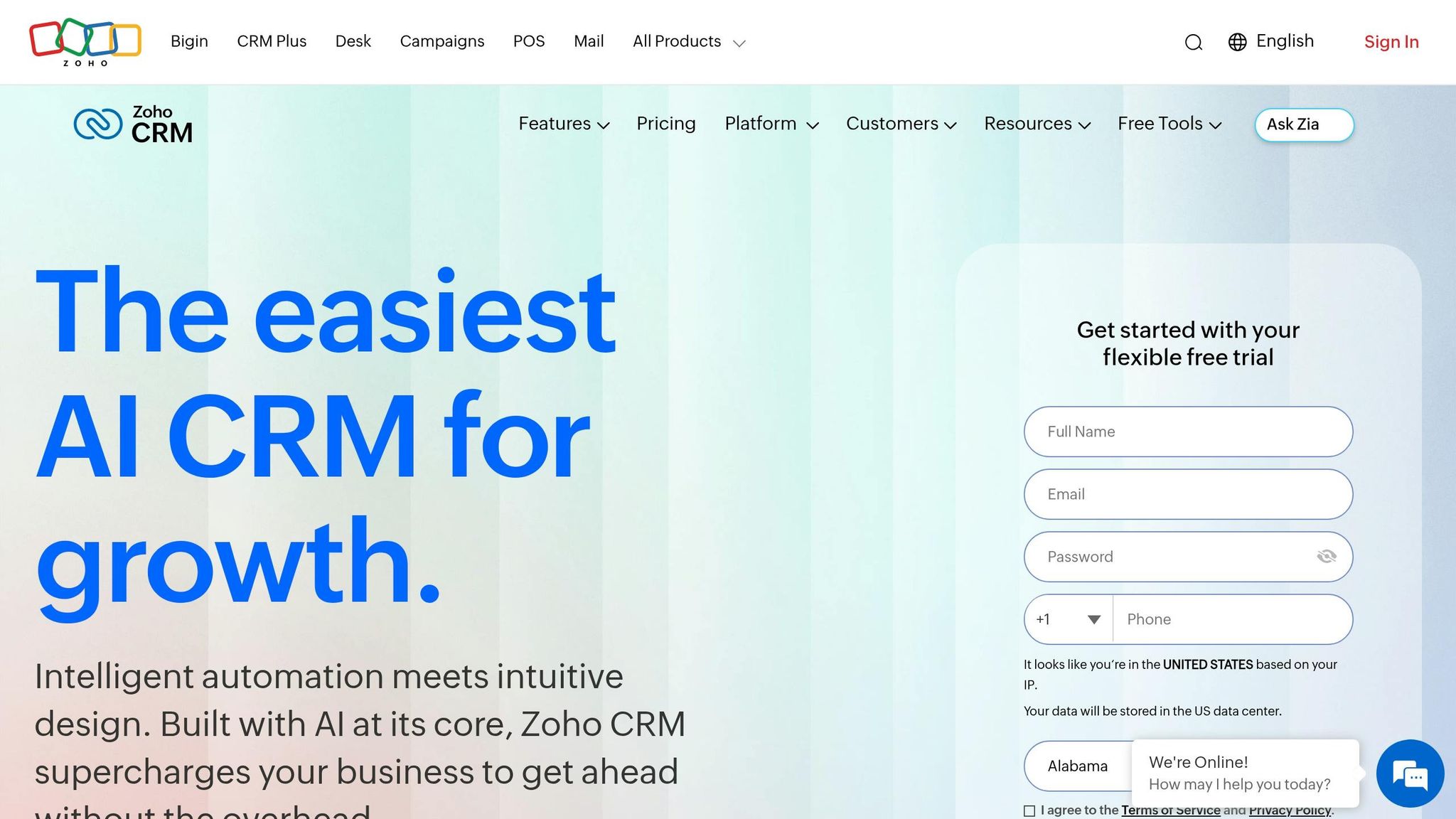
Zoho CRM offers advanced AI (Zia) and enterprise features at lower costs, with plans starting at $14/user/month. Its Enterprise plan ($40/user/month) includes predictive analytics and territory management. However, Zoho's interface is less modern, and setup can take 2–6 weeks. It's best for SMBs needing integrated workflows across sales, marketing, and service.
Does Close work for outbound sales?
Close is designed for outbound teams, offering built-in VoIP, SMS, and power dialers. Plans start at $9/user/month, with Chloe AI available on higher tiers. It's ideal for teams making 50+ calls daily but lacks robust marketing tools or advanced customization.
Key takeaway: Choose a CRM based on your team's size, sales process, and technical needs. K3X is best for fast, goal-driven automation; Attio excels in managing relationships; Salesforce and HubSpot fit larger or marketing-led teams, while Pipedrive, Zoho, and Close cater to smaller, cost-conscious, or outbound-heavy teams.
1. K3X
K3X stands out as an alternative to Attio by focusing on delivering results rather than just logging data. Unlike many older systems that demand extensive setup and ongoing maintenance, K3X can be up and running in minutes.
AI Model
K3X uses a prompt-driven model where users simply describe their goals in plain language, and the AI takes care of the rest. Instead of relying on rigid "if-then" workflows, the AI interprets user intent, determines the necessary steps, and adapts as needed - even when responses are out of order or incomplete [2].
As CEO and Co-Founder Mykyta Samusiev explains:
"We're building a CRM that works the way people expect it to, not through menus, workflows, or complexity, but through intention." [2]
This approach contrasts with Salesforce's Agentforce, which requires admin configuration, and Attio's relational research agents, which are more reactive and dependent on manual inputs. K3X’s focus on outcomes ensures smoother transitions into automated tasks like follow-ups and data management.
Automation Approach
K3X automates essential tasks such as follow-ups, pipeline updates, data entry, and outreach without requiring manual setup. This ensures that unexpected changes, like a lead responding out of sequence, don’t disrupt the process. Many traditional CRMs, such as Zoho and Pipedrive, struggle with these kinds of interruptions [2].
An example of its impact is Ruby Capital Group, a funding company with 125 employees, which implemented K3X in December 2025. Within two days, they achieved a 70% reduction in follow-up time and a 300% increase in ticket resolution speed. This allowed the sales team to focus more on closing deals. CEO Michael Chkechkov shared:
"Our sales team was spending half their day on admin work. Now they're talking to customers and closing deals." [2]
Setup Complexity
K3X is fully functional in less than an hour without requiring IT support or complicated data migration [2]. In comparison, Salesforce typically takes 4–12 weeks to implement, and HubSpot requires 1–4 weeks of onboarding, both of which usually involve dedicated administrative resources [13].
Pricing
K3X offers a single Adaptive Pay As You Go plan for $20 per seat/month. This includes 1,000 AI credits, unlimited contacts, built-in email, calling, SMS, a one-click power dialer, and unlimited call recordings. Pricing automatically adjusts during high-activity periods and reverts to the $20 base during slower months, with no long-term commitments [2].
K3X | Attio (Pro) | Salesforce (Agentforce) | |
|---|---|---|---|
Starting price | $20/seat/mo [2] | $59/user/mo [6] | $300+/user/mo [13] |
Setup time | Under 1 hour [2] | 1–4 weeks [4] | 4–12 weeks [13] |
Automation type | Prompt-to-goal agents [2] | Trigger-based/reactive [4] | Multi-step autonomous [13] |
Admin required | No [2] | Yes [6] | Yes [13] |
Best-Fit Use Case
K3X is designed for revenue-focused teams managing high volumes of leads, especially those relying on multi-touch outbound campaigns where follow-ups are critical to pipeline growth. It’s an excellent choice for small and mid-sized sales teams (10–150 reps) that need enterprise-level automation without the overhead of dedicated CRM administrators. So far, K3X has saved its users over 312,000 hours of work and reduced operational costs by approximately $12.4 million [2].
2. Attio
Attio stands out with its graph-based data model, focusing on relationships and offering rich context processing. Designed to be a core part of a go-to-market (GTM) stack, it appeals to technical founders and startups driven by product-led growth. As CEO Nicolas Sharp explains:
"CRM isn't just another tool. It should be the backbone of your GTM stack. If you want to scale, you need a CRM you can actually build on." [21]
AI Model
Attio's AI capabilities center around its Universal Context, which processes both structured and unstructured data such as emails, call transcripts, and calendar events [21]. Features like Ask Attio allow users to query the CRM in plain language - for example, "Show me all fintech companies we met at a conference this year." Additionally, AI Attributes streamline data entry by summarizing notes, categorizing leads, and extracting key details from emails [20][21]. While this approach reduces manual updates, it remains more reactive compared to K3X's fully autonomous model, which focuses on driving outcomes directly.
Automation Approach
Attio uses trigger-based automations to handle tasks like sending Slack notifications when deals close or updating deal stages automatically [4][6]. While these automations save time - one B2B SaaS startup reported gaining over 10 hours per week - they often require careful schema design and testing to configure effectively [22]. This contrasts with K3X's prompt-driven model, which simplifies automation setup significantly.
Setup Complexity
Attio has a relatively quick implementation timeline, with seed-stage teams typically becoming fully productive in about 12 days. This is much faster than platforms like HubSpot, which can take 6–8 weeks [4][23]. However, it still requires more setup time than K3X's sub–one-hour deployment. Additionally, running Attio alongside an existing CRM during migration can increase costs, so planning a hard cutover date is recommended [5].
Pricing
Attio offers four pricing tiers, catering to different team sizes and feature needs. The Free plan supports up to 3 users and 50,000 records, while the Plus plan ($29/user/month) increases capacity to 250,000 records and includes basic automations. The Pro plan ($69/user/month) adds features like Call Intelligence and Sequences for up to 1 million records. For larger organizations, the Enterprise plan ($119/user/month) provides unlimited objects and advanced security features like SAML/SSO. For example, a 50-user Pro plan costs approximately $41,400 annually, significantly less than a comparable Salesforce setup, which typically ranges from $285,000 to $330,000 per year [7].
Plan | Price (Annual) | Key Features |
|---|---|---|
Free | $0 | 3 seats, 50,000 records, 3 objects |
Plus | $29/user/month | 250,000 records, 5 objects, basic automations |
Pro | $69/user/month | 1M records, Call Intelligence, Sequences |
Enterprise | $119/user/month | Unlimited objects, SAML/SSO, advanced permissions |
Best-Fit Use Case
Attio is particularly well-suited for B2B SaaS startups, VC/PE firms, and technical teams managing complex stakeholder relationships across deals and investor relations [18][20]. Its API-first design makes it highly adaptable for integrations with tools like Clay or n8n [6][18]. However, it lacks built-in marketing automation and proactive outreach agents. As Abhishek Singla, Founding GTM Engineer, succinctly puts it:
"Attio is a better CRM. HubSpot is a better platform."
While Attio excels in handling intricate data relationships and offering integration flexibility, it doesn't match K3X's near-instant, admin-free automation. This highlights the trade-off between data customization and the immediacy of fully autonomous systems like K3X.
3. Salesforce
Salesforce commands over 20% of the global CRM market and serves a majority of Fortune 500 companies [7][25][26]. While it is a dominant force in the enterprise space, its older architecture makes it less nimble compared to AI-first platforms like K3X.
AI Model
Salesforce's Agentforce operates on the Atlas Reasoning Engine, enabling multi-step autonomous workflows with minimal human intervention [13]. It includes the Einstein Trust Layer, which ensures company data isn't used to train public AI models [10]. Salesforce reports a 95% accuracy rate in lead qualification and support routing tasks [10], with its AI agents handling over 3 billion workflows monthly [14]. By 2026, Agentforce had achieved $540 million in annual recurring revenue [13].
On the other hand, K3X allows natural language prompts to manage outcomes in real time [2]. This capability highlights the contrast between Salesforce's intricate automation framework and K3X's streamlined AI-driven approach.
Automation Approach
Salesforce's automation relies on extensive configuration across tools like Flow Builder, Apex, and Einstein [28]. While it offers more than 5,000 AppExchange integrations [7], this flexibility often comes at the cost of higher setup times and ongoing maintenance. In comparison, K3X simplifies automation by using natural language prompts and automatically updating records from calls and emails, eliminating the need for manual data entry [2].
Setup Complexity
Implementing Salesforce is a time-intensive process. Standard setups take 3–6 months, while enterprise-scale deployments can extend to 6–12 months [26][28]. The platform requires certified Salesforce Administrators and Developers skilled in Apex and Lightning components [26]. Studies show that 20%–70% of CRM projects fail due to challenges tied to complexity and poor adoption [26]. Unlike newer solutions, Salesforce's extensive features require a significant long-term commitment.
Pricing
In August 2025, Salesforce increased prices across its tiers. Full AI functionality is available through the Agentforce 1 bundle, priced at $550 per user per month [15].
Plan | Price (Annual) | Key Features |
|---|---|---|
Starter Suite | $25/user/month | Basic CRM, limited automation |
Professional | $105/user/month | Full sales features, no custom development |
Enterprise | $175/user/month | Advanced customization, Flows |
Unlimited | $350/user/month | Premier support, full Einstein |
Agentforce 1 | $550/user/month | Full AI and Data Cloud bundle |
For a 50-user Enterprise team, annual costs amount to approximately $105,000 before adding AI capabilities - significantly higher than K3X's $20 per seat per month pricing model [2][15].
Best-Fit Use Case
Salesforce is ideal for large enterprises (500+ employees) managing intricate, multi-stage sales processes, strict compliance needs, and the resources to maintain a dedicated administrative team [26][27]. Its ability to integrate across Sales, Service, and Marketing clouds makes it unparalleled for large-scale operations [14].
However, for teams prioritizing speed, simplicity, and outcome-focused automation, Salesforce's layered and complex architecture can be a drawback. As SFAI Labs notes:
"The question is no longer whether AI belongs in your CRM. It is whether Salesforce's approach - bolting AI onto a 25-year-old architecture - can keep pace with platforms that were designed for it from day one." [7]
4. HubSpot
HubSpot serves as a popular mid-market CRM with over 288,706 paying customers as of late 2025 [30]. Positioned between the complexity of Salesforce and the streamlined, AI-driven platforms like K3X, it appeals to many teams but comes with certain compromises.
AI Model
HubSpot's AI suite, Breeze, is made up of three components: Breeze Copilot (a conversational assistant), Breeze Agents (autonomous tools for prospecting, content creation, and customer support), and Breeze Intelligence (offering data enrichment and buyer intent scoring) [29]. Breeze Copilot is available across all plans, while the more advanced agents require higher-tier subscriptions [30]. Breeze excels at tasks like drafting emails, summarizing contact histories, and predictive lead scoring. However, its AI only works with data that has been manually entered, making it a reactive system rather than a proactive one [9].
Laurent Bouzon, Founder & CEO of SymbiozAI, highlights this limitation:
"HubSpot remains a system of record. Data accumulates there. AI analyzes it after the fact... Manual data entry stays the default mode, regardless of which Breeze tier is activated." [9]
In contrast, platforms like K3X automate real-time data capture, offering a more dynamic solution [2].
Automation Approach
HubSpot's automation relies on workflows triggered by predefined events like contact properties or form submissions [17]. While this setup works well for marketing-led teams focused on inbound campaigns, it can be limiting for sales teams that need more adaptable, real-time automation based on live conversations [9]. As one analysis notes, "The trade-off: you must adapt to HubSpot's predefined workflow model" [17].
Setup Complexity
For most small to mid-sized businesses (SMBs), implementation takes 1–2 weeks and includes guided wizards for basic integrations [27]. Adoption rates are high, with 80–90% of SMBs achieving success within the first month, often with just a part-time administrator [27]. However, the Professional and Enterprise tiers come with mandatory onboarding fees - $1,500 and $3,500, respectively - which add to the overall cost [15]. This relatively straightforward setup process is less demanding compared to the intricate configurations of traditional CRMs.
Pricing
HubSpot offers a generous free tier that supports up to 1 million contacts and 2 users [15]. However, costs increase sharply at the Professional tier and above. Here's an overview of the pricing:
Plan | Price (Annual, per seat) | Key AI Features |
|---|---|---|
Free | $0 (2 users) | Breeze Copilot, 1M contacts |
Starter | ~$20/month | AI email writer, basic Copilot |
Professional | ~$90–$100/month + $1,500 onboarding | Breeze Agents, predictive lead scoring |
Enterprise | ~$150/month + $3,500 onboarding | Advanced Breeze Agents, forecasting AI |
The jump from Starter to Professional represents a steep increase. For instance, a 50-person team on the Professional tier could face annual costs of $54,000–$60,000, excluding additional fees. By comparison, K3X charges a flat rate of $20 per seat per month, totaling about $12,000 annually for the same team size [2]. These pricing differences can heavily influence which teams find HubSpot to be a viable option.
Best-Fit Use Case
HubSpot is ideal for growing mid-sized companies with 20 to 300 employees. It’s particularly effective when marketing and sales teams work closely together and inbound lead generation drives growth [9][27]. Its integrated database across the Marketing, Sales, and Service Hubs makes it a strong choice for managing the entire customer lifecycle. As FlowFam puts it:
"If your biggest revenue challenge is getting more qualified leads into the pipeline, HubSpot's marketing-to-sales engine is purpose-built for that." [29]
Despite its strengths, HubSpot's structured and manual processes can’t match the speed or automation of AI-native platforms like K3X. It remains a solid option for teams prioritizing integration but willing to trade off some flexibility.
5. Pipedrive
Pipedrive strikes a balance between simplicity and AI-driven functionality, making it a practical choice for smaller teams. Positioned between pricier, complex tools like HubSpot or Salesforce and more autonomous options like K3X, it revolves around a user-friendly drag-and-drop Kanban pipeline that sales reps find intuitive.
AI Model
Pipedrive's AI, branded as Pulse AI, functions as a sales coach rather than an independent assistant [31]. It provides next-step suggestions, flags deals at risk, and evaluates pipeline health based on the probability of closing. The AI Sales Assistant included in the Lite plan is reported to triple deal closures, while its AI email generator reduces average email drafting time from 9 minutes to just 44 seconds [38]. However, Pulse AI is reactive, working with existing data rather than proactively pursuing goals. As Surferstack highlights:
"Pipedrive excels at visual pipeline simplicity: Pulse AI focuses purely on sales-pipeline coaching and next-action recommendations" [31].
In contrast, K3X operates on outcome-driven prompts, executing tasks like "book demo calls" without requiring manual setup [2].
Automation Approach
Pipedrive employs a trigger-to-action model, where specific actions (like sending an email or creating a task) are triggered by changes in a deal's stage [36]. It offers no-code setup but limits automations to 50 on the Growth plan and 250 on the Ultimate plan [32]. This approach works well for teams with straightforward, linear sales processes but can feel restrictive for those needing more dynamic workflows. James Crawford, Senior IT & Cybersecurity Leader, notes:
"Pipedrive is the most rep-friendly CRM on the market. The pipeline view and activity-based model genuinely improve adoption versus Salesforce or HubSpot" [37].
Setup Complexity
Pipedrive stands out for its quick deployment. Most teams can get fully operational within 2–3 days, with no required onboarding fees. This is a stark contrast to HubSpot, which charges $1,500–$3,500 for Professional onboarding [15][32]. Its self-service model and over 500 native integrations (including Gmail, Outlook, and Zapier) allow small teams to start reviewing pipelines almost immediately [35][36]. While its setup speed outpaces traditional CRMs, it still lags behind K3X's instant, outcome-focused automation.
Pricing
In November 2025, Pipedrive renamed its plan tiers: Essential became Lite, Advanced became Growth, Professional became Premium, and Enterprise became Ultimate [15]. Below is the current pricing structure:
Plan | Price (Annual, per user/mo) | Key AI & Automation Features |
|---|---|---|
Lite | $14 | AI Sales Assistant, visual pipeline, basic reporting |
Growth | $24 | 2-way email sync, 50 automations, AI email tools |
Premium | $49 | 150 automations, AI lead scoring, Smart Docs |
Ultimate | $79 | 250 automations, sandbox, audit logs, security alerts |
For a 10-seat team, the Premium plan costs approximately $13,000–$15,000 in the first year, compared to $38,000–$48,000 for Salesforce Pro Suite [32]. Meanwhile, K3X's flat $20/seat/month pricing totals around $2,400 annually for the same team size [2]. Optional add-ons like LeadBooster ($32.50/month) and Campaigns are billed separately, which can increase costs for teams needing lead generation or email marketing tools [35].
Best-Fit Use Case
Pipedrive is ideal for small B2B sales teams of 5–20 reps working on structured, repeatable sales cycles lasting 30–90 days [31]. It is widely praised for ease of use, and its mobile app is frequently rated as the best option for field sales teams [34][19]. However, its limitations become apparent for growing organizations. It lacks built-in marketing automation, custom objects, and the advanced data modeling capabilities that larger teams or cross-departmental workflows often require [32][33]. Teams needing more advanced AI or higher automation limits may eventually need to explore other options.
6. Zoho CRM
Zoho CRM is known for offering a comprehensive feature set at a lower cost compared to Salesforce or HubSpot. This makes it an attractive choice for budget-conscious small and medium-sized businesses (SMBs) and mid-market teams. However, its depth of functionality can make it challenging for teams that need quick implementation or lack technical expertise.
AI Model
Zoho's AI tool, Zia, includes the Zia Agent Studio, which allows users to create custom AI agents that work across Zoho applications like CRM, Books, and Desk [39]. Zoho describes Zia as "connective intelligence", capable of understanding context across its ecosystem rather than functioning in isolation.
Zia offers 22 features, including Predictive Analytics and Generative AI. One standout feature, "Best Time to Contact", has been shown to increase reply rates by 15–20% for sales teams that use it regularly. Additionally, Australian B2B teams using Zia's lead and deal scoring have reported a 22–28% improvement in qualification accuracy within 90 days [42].
However, Zia is only available on the Enterprise plan, which costs $40 per user per month. By comparison, HubSpot includes its Breeze Assistant at no extra cost across all plans, and K3X provides AI-driven automation for a flat $20 per seat per month [30][2]. This pricing structure makes Zia a premium feature designed for teams willing to invest in advanced AI capabilities.
Automation Approach
Zoho's automation is built around two main tools: Workflow Rules, which use if-this-then-that logic, and Blueprints, a visual tool that ensures specific steps are completed before advancing deals [30]. According to SaaS Analyst Bobby Shao:
"Zoho CRM delivers most enterprise features at a fraction of the cost" [30]
For instance, features like territory management, sandboxes, and CommandCenter are included in the Enterprise plan at $40 per user, compared to $165 per user for Salesforce. Zoho's approach appeals to organizations that need strict process compliance, making it ideal for teams that value structured workflows over flexibility, unlike K3X's more action-oriented automation.
Setup Complexity
While Zoho's extensive automation capabilities are a strength, they also contribute to longer setup times. Standard rollouts typically take 2–6 weeks, whereas full Zoho One deployments can take 8–16 weeks [39]. The interface has been criticized as outdated, and lower-tier plans come with slower customer support [30].
CRM Analyst David Paul highlights the issue:
"A CRM nobody uses is worse than no CRM at all" [40]
For businesses with dedicated administrators, Zoho's depth can be a major asset. However, smaller teams without technical resources may find the system too complex to navigate effectively.
Pricing
Zoho offers competitive pricing compared to other enterprise-tier CRMs. For example, a 10-person team on the Zoho Enterprise plan would spend about $400 per month, significantly less than the $1,000 per month (plus a $1,500 onboarding fee) for HubSpot Sales Hub Professional [43].
Plan | Price (Annual, per user/mo) | Key AI & Automation Features |
|---|---|---|
Standard | $14 | Basic workflows, custom dashboards, mass email |
Professional | $23 | Blueprint process builder, inventory, webhooks |
Enterprise | $40 | Zia AI, territory management, sandbox, CommandCenter |
Ultimate | $52 | Advanced analytics, Zia Agent Studio, dedicated infrastructure |
Zoho One | $37–$45 | Access to 55+ Zoho apps (CRM, Books, Desk, Projects, etc.) |
Zoho's pricing is more affordable than most competitors, with K3X offering a flat $20 per seat per month, including AI credits, without tier restrictions [2].
Best-Fit Use Case
Zoho CRM is ideal for SMBs and mid-market teams with 10–100 users that need an integrated suite covering sales, marketing, service, and finance at a competitive price. It works well for businesses seeking a cost-effective alternative to Salesforce or HubSpot, especially those that value integrated workflows.
On the flip side, Zoho may not suit teams that prioritize quick setup, a modern interface, or immediate access to AI tools. As Kiryl Drabysheuski of Innowise explains:
"Zoho CRM vs Salesforce usually comes down to fit: how much complexity your business already has... and how much system ownership your team can realistically handle" [41]
Teams capable of managing Zoho's complexity can gain significant benefits, but those without the resources may find its extensive features overwhelming.
7. Close
Close is designed for outbound sales teams aiming to maximize productivity by increasing call volume, sending more emails, and booking meetings efficiently. Unlike Zoho's broad utility or Salesforce's enterprise focus, Close zeroes in on outbound engagement. While not an AI-native platform like K3X or Attio, it prioritizes automation to streamline workflows [47].
AI Model
Close's AI tools, such as the Call Assistant, transcribe calls, summarize key points, and generate action items, saving outbound reps around 30 minutes daily [12]. The platform also features Chloe, an AI voice agent available on the Scale plan, which autonomously calls leads, qualifies them, manages objections, schedules meetings, and updates CRM records [16]. However, Close's AI capabilities are narrower compared to K3X's natural language-driven automation or Attio's data enrichment. It focuses on activity metrics - like call volume, email responses, and deal velocity - rather than predictive deal scoring or behavioral guidance [18].
Automation Approach
Close uses multichannel sequences to automate outreach across calls, emails, and SMS until a prospect responds [47]. Its Power Dialer and Predictive Dialer, included in the Growth and Scale plans, help reps efficiently work through lead lists without toggling between tools. Chloe can further enhance these workflows by managing initial outreach autonomously [16]. Unlike HubSpot, which charges $800/month for similar features, Close includes them in its $99/month Growth plan [48]. Similarly, Salesforce often requires third-party dialers and certified consultants to replicate Close's native functionality [49]. By contrast, K3X focuses on intent-driven prompts for automation, offering flexibility but less optimization for high call volumes [2].
Setup Complexity
Close stands out for its quick deployment, often completed in just a few hours. It includes built-in importers for platforms like HubSpot and Pipedrive and offers a self-serve setup [46]. As Sholto Macpherson noted:
"Close was the first one I found that shows you everything that you need and nothing that you don't." [47]
This ease of setup contrasts with the more complex configurations required by Attio and the admin-heavy implementations of Salesforce. However, Close's streamlined design may feel restrictive for teams with intricate or non-linear sales processes.
Pricing
Plan | Annual Price (per user/mo) | Key Features |
|---|---|---|
Solo | $9 | 1 user, 10k leads, core CRM, calling/SMS |
Essentials | $35 | Unlimited leads, team collaboration, centralized inbox |
Growth | $99 | Power Dialer, automated workflows, bulk email, Chloe in workflows |
Scale | $139 | Predictive Dialer, call coaching, Chloe AI, custom roles |
The AI Call Assistant is an additional $50/month per organization, plus $0.02 per minute [16].
For a 5-person team on the Growth plan, Close costs approximately $495/month, significantly less than the $2,000+ required for a comparable Salesforce setup, including implementation and add-ons [46]. Close's integrated communication tools also eliminate the need for third-party dialers like Aircall or RingCentral, which typically cost $30–$100 per user per month [46]. In comparison, K3X offers a flat $20 per seat per month, including AI credits, with no tiered pricing [2].
Best-Fit Use Case
Close is ideal for inside sales teams with 5–20 reps focused on high outbound call volumes - 50 or more calls daily [44][45]. It holds a 4.7/5 rating on G2 from over 2,010 reviews [50], with users frequently praising its all-in-one design that integrates calls, emails, and SMS into a single interface. As Marketing Operations Editor Amara Johnson explained:
"Close wins for sales-focused teams - specifically, outbound sales teams doing high call volumes where dialer features... matter more than marketing integration" [48].
While Close excels for outbound teams, it may fall short for those needing advanced marketing automation, detailed reporting, or highly customizable data models. For lean teams prioritizing high call volumes, Close is a strong contender. However, teams seeking broader automation capabilities might find K3X more suitable.
Pros and Cons by Platform
Each CRM discussed here has distinct strengths and limitations, making them suited for different business needs.
CRM | Pros | Cons |
|---|---|---|
K3X | Focused on outcome-driven automation without workflow setup; ready to use in under an hour; flat pricing of $20/seat/month with AI credits included [2] | Smaller ecosystem due to being a newer platform; AI credit usage requires monitoring; fewer native integrations compared to older CRMs [2] |
Attio | Handles complex relationships with a flexible graph data model; modern interface similar to Notion; includes AI enrichment (AI Attributes); free for up to 3 users [3][6] | Reporting capabilities lag behind Salesforce and HubSpot; lacks native marketing automation; pricing escalates quickly, starting at $59/user for Pro [1][6][24] |
Salesforce | Extensive ecosystem with over 4,000 integrations; powerful autonomous agents (Agentforce); widely used by ~90% of Fortune 500 companies [7][3] | Enterprise plan costs $330/user/month, with an additional $125/user/month for Agentforce; requires a dedicated admin and lengthy implementation process [3][1] |
HubSpot | Comprehensive platform covering Sales, Marketing, and Service; Breeze AI works across all hubs; 89% adoption rate among SMBs [11][3] | Costs increase significantly as usage scales; AI billing based on outcomes ($0.50 per resolved conversation) complicates budgeting; interface may feel overwhelming for sales-only teams [3][1] |
Pipedrive | Intuitive visual pipeline with minimal clutter; AI Sales Assistant included in all plans; no onboarding fees [3][1][24] | No free tier available; limited marketing automation; basic reporting features on lower-tier plans [24][8] |
Zoho CRM | Offers enterprise-level AI (Zia) and customization at prices accessible to SMBs; strong lead scoring features [8] | Steeper learning curve compared to Attio or Pipedrive; interface feels outdated; advanced setups still need technical expertise [8] |
Close | Includes built-in VoIP, SMS, and Power Dialer without extra add-ons; Chloe AI voice agent available on Scale plan; highly rated (4.7/5) on G2 from over 2,010 reviews [8][50] | Limited inbound marketing tools; moderate customization options; less suitable for complex or non-linear sales processes [8] |
The table underscores the balance between simplicity and advanced features across these platforms.
Emily Nakamura, a business tools researcher, captures the tradeoff well:
"A 4-person startup picking Salesforce will drown in setup. A 200-person sales org on Pipedrive will hit a ceiling within a year." [3]
This tradeoff explains why AI-native platforms like K3X and Attio are gaining traction. They offer faster adoption and lower complexity compared to legacy systems.
For businesses prioritizing speed, Close and K3X deliver quick execution. When managing complex data or aligning sales with marketing, Attio and HubSpot are better choices. On the other hand, Salesforce is ideal for enterprises with advanced governance needs, though its total cost of ownership for 50 users can exceed $300,000 annually [7][1]. This makes Salesforce a viable option only when its extensive capabilities are necessary.
Conclusion
Choosing the right CRM in 2026 requires aligning the platform's strengths with your team's sales objectives. Each platform discussed here caters to specific needs, and selecting an ill-fitting tool can be expensive - with 70% of CRM projects failing to meet goals due to mismatched tools rather than user errors [18].
For teams with fewer than 30 users looking for a sleek, user-friendly experience without the need for a dedicated admin, Attio remains a top choice. Pipedrive is ideal for small to medium-sized businesses that value an activity-focused pipeline without unnecessary marketing features. Meanwhile, Salesforce and HubSpot are better suited for organizations with the resources to manage more intricate systems.
One standout option is K3X, which eliminates manual data entry entirely. Unlike older platforms with complex configurations, K3X focuses on fast, goal-oriented automation. Users simply set their objectives, and the AI handles the rest. Its automation capabilities have shown measurable results for sales teams, and with pricing at $20 per seat per month and no onboarding fees, it offers a low-barrier entry point.
As Mykyta Samusiev, Co-Founder & CEO of K3X, explains:
"Traditional CRMs react to scripts. They either move forward or stop. K3X works on goals." [2]
The table below summarizes how each platform aligns with specific team types, highlighting where their strengths meet distinct sales needs:
Team Type | Best Fit | Why |
|---|---|---|
Startups & small teams (under 30 seats) | Attio | Flexible data model, modern UI, free for up to 3 users |
SMBs wanting simplicity | Pipedrive | Visual pipeline with a focus on essential sales activities |
Outbound-heavy sales teams | Close | Built-in VoIP, SMS, and power dialer for streamlined outreach |
Cost-conscious SMBs needing customization | Zoho CRM | Enterprise-level AI (Zia) with accessible pricing |
Marketing-led mid-market organizations | HubSpot | Integrated AI across sales, marketing, and service functions |
Large enterprises with governance needs | Salesforce | Extensive integrations and robust features for complex organizations |
Teams prioritizing prompt-based automation | K3X | Outcome-driven AI agents that enable rapid, goal-oriented operations |
This comparison provides practical insights for sales teams exploring AI-driven automation, helping them focus on tools that deliver measurable results and simplify operations.
FAQs
What is an AI-native CRM?
An AI-native CRM integrates artificial intelligence as a foundational element, allowing it to handle tasks such as collecting, organizing, and analyzing data instantly. Unlike older CRMs that depend on manual data entry and fixed processes, these platforms leverage autonomous agents for managing information, natural language prompts to achieve objectives, and direct database connections to take proactive actions. This shifts the CRM's role from a static tool to an adaptable system that actively drives revenue.
How hard is it to migrate from Attio to another CRM?
Migrating from Attio to a different CRM requires careful planning to avoid complications. Dedicate 30–50% of your timeline to tasks like data cleansing - this includes removing duplicates, mapping fields correctly, and retaining historical records. Rebuilding integrations can take as long as three months, so factor that into your plan. It's also crucial to standardize your internal sales processes before migrating; failing to do so can result in transferring messy, unstructured data, which can disrupt workflows in your new CRM.
What should I budget beyond per-user pricing?
When budgeting for CRM software, consider three additional costs beyond per-user licensing: implementation, administrative overhead, and AI usage fees.
Implementation costs can add up quickly. For example, HubSpot charges between $1,500 and $15,000 for onboarding, while Salesforce often adds 50–150% of your first-year license fee for setup. On top of that, Salesforce requires a dedicated administrator, which can further increase expenses. AI usage fees also vary significantly. Salesforce uses a system of consumption credits, while other providers may require expensive subscription tiers. In contrast, K3X offers a simpler approach with automatic scaling, no need for a dedicated admin, and no upfront onboarding fees.