Sales Automation
•
Best CRM for Financial Advisors (2026)
Choose an advisor CRM with native WORM-compliant archiving for regulated firms, or an automation-first CRM if follow-up speed is your priority.

Wealthbox is the best CRM for most independent financial advisors in 2026. It fits firms that need household records, custodian sync, and native archiving without a long setup cycle. Redtail is the lower-cost pick for teams that want flat-rate pricing, while K3X fits small firms that care most about follow-up automation.
I’d frame the choice this way: pick Wealthbox or Redtail if compliance and advisor workflows come first; pick K3X if your main problem is missed follow-up rather than books-and-records depth.
Which CRM Should Financial Advisors Choose?
What is the best CRM for financial advisors in 2026?
Wealthbox is the best overall CRM for most independent RIAs in 2026. It stands out for its modern interface, native two-way email sync, and custodian integrations, which help teams manage communication in a compliance-conscious way and stay on top of scheduled reviews [1][4][5]. Redtail is the lower-cost flat-rate option for mid-sized teams that want scheduled-review workflows [1][5]. K3X fits teams of 1–9 people that care more about automated follow-up than custodian sync, archiving, and admin controls.
Quick picks - July 2026
CRM
One-clause reason
🥇 Top pick
Wealthbox
Native two-way email sync and custodian integrations support compliance-conscious communication [1][4]
🥈 Best budget
Redtail
Flat-rate $109/month database pricing covers up to 15 users, which suits growing teams [1][5]
🥉 Best for automation
K3X
Prompt-driven AI agents automate email, SMS, and calls without workflow builders
All pricing and product details reflect July 2026. Verify current figures on each vendor's official pricing page before purchasing.
The next section breaks down the criteria behind this ranking.
How Should Financial Advisors Compare CRM Options in 2026?
Financial advisors should compare CRM options on four things first: compliance-ready communication, household mapping, follow-up automation, and total cost of ownership. Those factors usually show the clearest line between advisor-focused CRMs and general-purpose systems.
The main tradeoff is simple. Some CRMs are built around compliance controls, while others lean harder into workflow automation and pipeline movement. Which side matters more will shape the best fit for your firm.
Compliance-conscious communication and audit trails should come first. Advisors often need WORM-compliant communication archives, and that requirement can change the math fast. Wealthbox and Redtail include this natively, while HubSpot and Pipedrive do not. If a firm uses a general CRM, it will usually need a third-party archiving tool such as Smarsh or Global Relay, which often adds $50–$100 per month [1].
Support for long, multi-meeting sales cycles also matters. Advisory sales rarely close after one call, so the CRM needs to track each relationship across months of meetings, notes, and next steps. In plain terms, the system should help an advisor pick up the thread without digging through old emails or scattered records.
Household and referral mapping is another key check for RIAs. A useful CRM should group spouses, children, trusts, and referral partners such as CPAs and estate attorneys into a single view. Wealthbox and Redtail handle this natively, while general CRMs often need custom field setup to get there [2][3].
Automation for follow-up and review reminders has a direct effect on revenue activity. When reminders run automatically, advisors are less likely to miss reviews or let warm relationships drift. In one 4-advisor firm, automated review reminders drove a 63% client response rate, compared with 25% from manual outreach [8].
Total cost for 1–9 user firms is the last screen, and it should go beyond license price. A lower monthly fee can look good at first glance, then get eaten up by archiving add-ons, setup time, and the hours someone on the team spends managing the system week after week.
A practical comparison usually comes down to this:
Wealthbox and Redtail tend to fit firms that put compliance and advisor-specific relationship structure first.
K3X tends to fit teams that care more about automation and follow-up execution.
Use these filters as you read the rankings below.
1. K3X
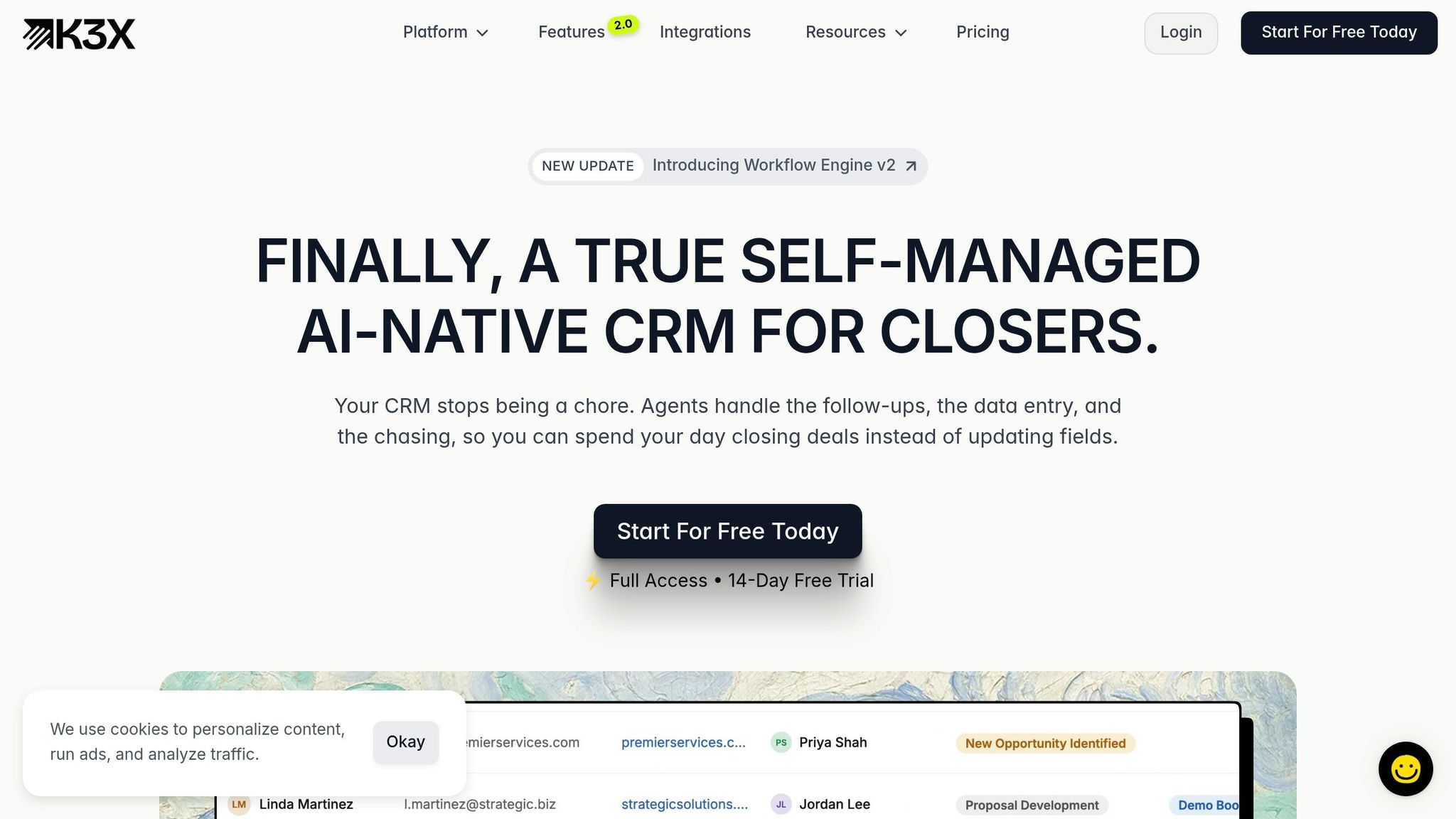
K3X fits solo advisors and small RIA teams with 1 to 9 users that want follow-up automation without spending hours inside a CRM. It is built for teams that care more about fast outreach and less about deep back-office setup.
Best for: Solo advisors and small RIA teams (1–9 people) who want automated follow-up and minimal CRM admin.
Pricing: $20 per seat/month. That includes 1,000 AI credits, unlimited integrations, and a built-in power dialer. There are no long-term contracts, and K3X offers a 14-day free trial at k3x.ai/pricing.
K3X is an AI-native CRM focused on outcome-based automation. Instead of building workflows step by step, advisors type a plain-language goal such as "follow up every inbound lead within 5 minutes until they book or decline", and K3X’s AI agents carry it out across email, SMS, and calls. The company says setup takes under 1 hour.
That approach makes K3X a strong match for the tasks advisors often put off: lead follow-up, review reminders, and referral outreach. For small advisory teams, those jobs often shape most of the revenue pipeline, and K3X handles them without heavy manual task management.
K3X is centered on automation first, not compliance infrastructure first. That means it is a weak fit for firms that rely on custodian sync, deep admin controls, or a large native integration catalog. Teams with high outreach volume should also track AI credit usage closely, since the base plan includes 1,000 credits per seat each month.
K3X | |
|---|---|
Setup time | Under 1 hour |
Workflow configuration | None - prompt-driven |
Channels | Email, SMS, calls |
Custodian integrations | Smaller native integration set; verify at k3x.ai/features |
Compliance archiving | Not a native strength; verify before purchase |
Price | $20/seat/month |
Best team size | 1–9 users |
Pros:
Prompt-driven automation cuts CRM admin without technical setup
Built-in power dialer and multi-channel outreach are included in the base price
No long-term contracts and a 14-day free trial reduce commitment risk
Cons:
Newer product with a smaller native integration set than Redtail or Wealthbox
AI credit usage needs active monitoring for high-volume outreach campaigns
If custodian sync and compliance infrastructure matter more than automation, the next two CRMs fit better.
2. Wealthbox

Wealthbox is built for RIA workflows. It handles household records, compliance archiving, and recurring review cycles without much setup, which is a big reason it ranks as the #2 most-used CRM among RIAs in 2026 [1][2].
Best for: Independent RIAs and small advisory teams, usually 3 to 20 users, that want advisor-focused integrations and fast user adoption. In plain terms, it cuts down the amount of advisor-specific setup many firms would otherwise have to do themselves.
Pricing: Plans start at $45 per user/month when billed annually. The AI meeting-notes add-on costs $49 per user/month [1][5].
Wealthbox groups spouses, trustees, and adult children into one household record, so teams can see shared context in one place. It also includes relationship maps, which help advisors track how people and accounts connect [3][4].
Its activity stream is simple and useful. Team members can @mention colleagues in client notes, and those conversations stay attached to the client record instead of getting lost in email or chat threads.
For compliance, Wealthbox includes native FINRA-compliant archiving with WORM retention [1][4]. That matters for firms that need records stored in a tamper-resistant format without adding a separate archiving tool.
The platform also connects directly with Schwab and Fidelity through two-way sync. It links with planning tools like eMoney, and it includes workflow templates for annual reviews, onboarding, and RMD tracking [1][2]. Compared with general-purpose CRMs, that means less custom work just to support standard advisory tasks.
Wealthbox | |
|---|---|
Custodian sync | Schwab, Fidelity (two-way) [1] |
Compliance archiving | |
Householding | Native household rollups and relationship mapping [3] |
Price (entry) | |
Best team size | 3–20 users |
Pros:
Advisor fields, custodian sync, and archiving are built in, so firms do not need much custom configuration
Household records and the @mention activity stream keep client context organized across the team
Automated review and onboarding workflows help cut the risk of missed annual meetings [3][4]
Cons:
Reporting is lighter than what you get in enterprise CRMs
Per-user pricing gets harder to ignore as headcount grows; Redtail's flat-rate model can cost less for larger teams [1][7]
Wealthbox is the better fit when compliance tools and custodian connectivity are must-haves. If workflow automation matters more than custodian depth, K3X is the closer match.
3. Redtail
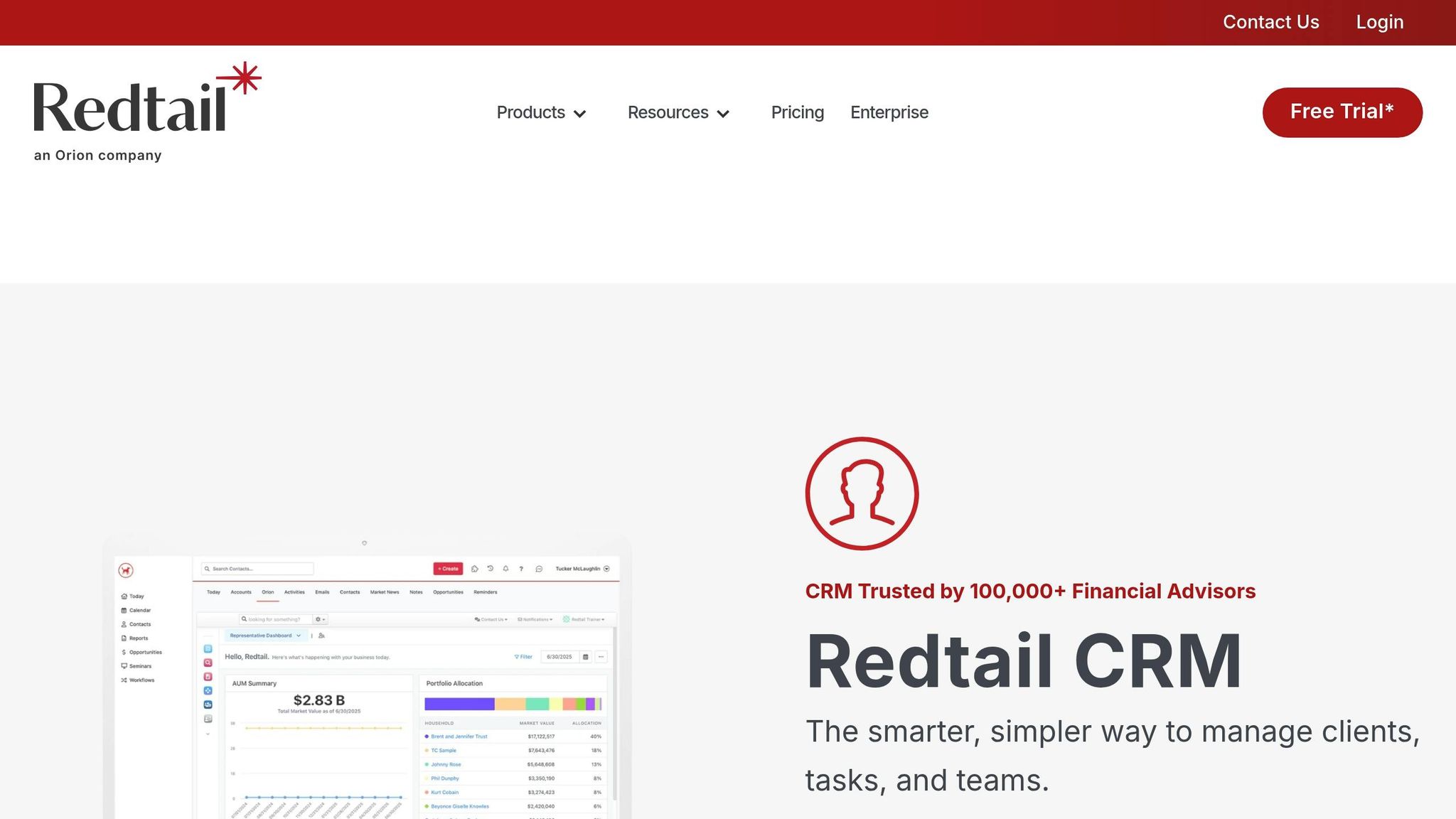
Redtail is a CRM built for RIAs, not a general sales team with a finance layer added later. Launched in 2003, it is used by more than 100,000 advisors and holds about 50% of the advisory CRM market [2][5].
Its household-first data model fits how advisory firms work day to day. You can track families, beneficiaries, and AUM across review cycles without forcing everything into a simple contact-account setup.
Best for: Mid-size teams of 5–15 users that need custodian integrations, compliance logging, and flat-rate pricing.
Pricing: The Standard Plan costs $109/month per database and includes up to 15 users [1]. Add-ons such as Redtail Imaging and Redtail Speak increase total cost if you need document storage and compliant texting [1].
Redtail goes deep on advisor workflows and back-office fit. It offers 100+ integrations across custodians and planning tools, including Schwab and Orion [2][8]. It also includes native WORM archiving for SEC 17a-4 and FINRA 3110 requirements, along with 12-step branched workflows for annual reviews and RMDs [1][2].
That matters in practice. Long advisory cycles create a lot of room for missed follow-ups, incomplete onboarding tasks, and review steps that fall through the cracks. Redtail is built to reduce that problem, which makes it the clearest advisor-first option before this list moves into general-purpose CRMs.
Redtail | |
|---|---|
Custodian integrations | |
Compliance archiving | |
Workflow depth | |
Price (entry) | $109/mo per database, up to 15 users [1] |
Best team size | 5–15 users |
Pros:
Flat-rate database pricing can cost less than per-user pricing for multi-advisor teams
Deep integrations across the advisor tech stack, especially Orion and major custodians
Branched workflows help cut down on missed reviews and incomplete onboarding steps
Cons:
The interface takes more clicks than newer CRMs
Reporting is basic, and setup can take 3–6 weeks because the data model is more complex [8]
That tradeoff shows up most clearly when you compare Redtail with lighter tools like Pipedrive.
4. Pipedrive

Pipedrive is a fit for advisors who care most about prospect follow-up and want a simple visual pipeline. It is less suited to firms that need built-in compliance controls, household-level records, and review tracking.
The main strength here is lead management. The weak spots are annual review workflows, RMD tracking, onboarding steps, and household context, so it works better as a sales CRM than as a full advisory operations system.
If follow-up is your main problem, Pipedrive is still worth a look. If your firm needs compliance support and household structure out of the box, Wealthbox and Redtail are a better fit.
Pipedrive does not include native WORM archiving, so regulated firms need a third-party archiver such as Smarsh or Global Relay. That usually adds $50 to $100 per month, which cuts into the cost gap with advisor-focused tools. It also does not natively support the review cadence many advisory firms depend on, so annual reviews, RMD tracking, and onboarding workflows need custom setup.
Best for: Prospecting-heavy advisors or small teams focused on new business where the main bottleneck is lead conversion, not client service.
Pricing: The Lite plan starts at $14 per user/month [1]. Add $50 to $100/month for archiving if you need SEC/FINRA compliance.
Feature | Pipedrive | Wealthbox and Redtail |
|---|---|---|
Starting price | $14/user/mo [1] | $45–$65/user/mo [1] |
Compliance (WORM) | Requires a third-party add-on [1] | |
Data model | Generic contacts and deals [2] | Household/entity modeling [2] |
Custodian integrations | Schwab, Fidelity, Orion, and more [2] | |
Advisor workflows | Prospect follow-up [1] | Household, review, and onboarding workflows [2] |
Pros:
Visual deal pipeline and stage-based follow-up automation help keep prospecting organized
Lower starting cost than advisor-specific platforms
Cons:
No native SEC/FINRA compliance, so regulated firms need a third-party archiver [1][2]
Advisor-specific fields and household structures need manual setup [1][2]
Pipedrive can work for advisors who run business development like a sales team. It is a weaker option for firms that need built-in compliance and household-based client management. HubSpot and Zoho offer more automation, but they also need more setup for advisor use.
5. HubSpot
HubSpot is a better fit for advisor firms that care more about lead generation than household-based service. It does well with long sales cycles, but it needs extra setup for advisory data, service workflows, and recordkeeping.
Its main strength is marketing. HubSpot can track webinar attendance, content downloads, and email engagement across long nurture sequences [1][4]. That makes it useful for webinar-to-meeting funnels and referral nurture. It is less suited to day-to-day client management, especially for firms that work at the household level.
HubSpot does not include native household, AUM, or beneficiary fields. Firms usually have to build those as custom properties [1][4]. It also does not include native SEC Rule 17a-4 or FINRA Rule 3110 WORM archiving, so many regulated firms add tools like Smarsh or Global Relay [1][4]. In practice, that can leave annual reviews, household records, and compliance logs spread across multiple systems.
Starter starts at about $15 per seat per month, but many advisory teams need Marketing Hub Professional at $890 per month, plus archiving costs [1]. Financial-services implementations often add $5,000 to $15,000 in setup costs [2].
Against advisor-native CRMs, HubSpot gives up built-in advisor structure in exchange for more room to configure marketing and process flows.
Feature | HubSpot | Wealthbox / Redtail |
|---|---|---|
Compliance (WORM) | ||
Data model | Generic; needs custom configuration [2] | Advisor-native (households, AUM) [2] |
Starting price | About $15/seat/mo [1] | $45–$65/user/mo [1] |
Best for: Growth-focused advisors and marketing-heavy practices that rely on webinars, content downloads, and email funnels, and are willing to configure custom workflows and add compliance archiving separately.
Pricing: Starter begins at about $15 per seat per month [1]; Marketing Hub Professional starts at $890 per month [1]; third-party compliance archiving adds $50 to $100 per month [1][4].
Pros:
Strong marketing automation and lead nurturing
Easy interface for nontechnical teams
Large integration ecosystem helps connect marketing tools to the CRM
Cons:
Not built for advisor workflows; householding and financial fields need custom setup [2]
Total cost rises fast once automation and archiving are added [1]
Compared with K3X, HubSpot is heavier and more manual. Compared with Wealthbox and Redtail, it has less built-in advisor structure. For firms that want more advisor-specific workflows with less custom setup, Zoho and the advisor-native tools above are closer fits.
6. Zoho CRM
Zoho CRM is the low-cost, do-it-yourself option in this group. It works best for advisors who want to spend less on software and are willing to spend more time setting it up.
Unlike Wealthbox, Redtail, and K3X, Zoho is not built for advisors out of the box. It is a general-purpose CRM, so firms have to build advisor workflows themselves. That includes things like reviews, referrals, onboarding, and follow-up.
Zoho’s Canvas Builder lets teams redesign the interface without code, including advisor actions such as Review and Onboard [4]. That gives firms a lot of control, but it only pays off if someone on the team owns the process design and keeps it up to date.
The main downside is setup time. Zoho can take 100+ hours of manual configuration before it is ready for an RIA team [4]. Core advisor fields such as AUM, household relationships, and beneficiary details are not native and must be built manually [6][9]. For regulated firms, compliance is also an extra step: Zoho does not include native archiving for SEC 17a-4 or FINRA 3110, so firms need a third-party tool for that [6][4].
Feature | Zoho CRM | Wealthbox / Redtail |
|---|---|---|
Advisor data models | Native, out of the box [1] | |
Compliance archiving | Native / built in [1] | |
Custodian sync | API/custom only [6] | Native integrations [1] |
Setup effort | High: 100+ hours [4] | Lower: faster to deploy [5] |
Best for: Tech-savvy solo advisors or small firms that need low software cost and can build their own workflows.
Pricing: Free tier for up to three users. Paid plans run about $14 to $52 per user per month [6][4]. Third-party compliance archiving adds extra cost.
Pros:
Lowest entry cost on this list, with a free tier for up to three users [6]
Canvas Builder lets teams redesign the UI without code [4]
Good fit for firms already using other Zoho apps [6]
Cons:
No native financial services data model, so householding, AUM, and beneficiary fields must be built manually [6][9]
Setup effort is high, which means the real cost is often staff time, not just the monthly fee [4]
Compared with K3X, Zoho needs much more manual setup and does not include prompt-driven follow-up. Compared with Wealthbox and Redtail, it swaps advisor-specific structure for lower software cost and more control. If no one owns the build, routine reviews and referral follow-up can still fall through the cracks.
How do these CRM platforms compare for financial advisors?
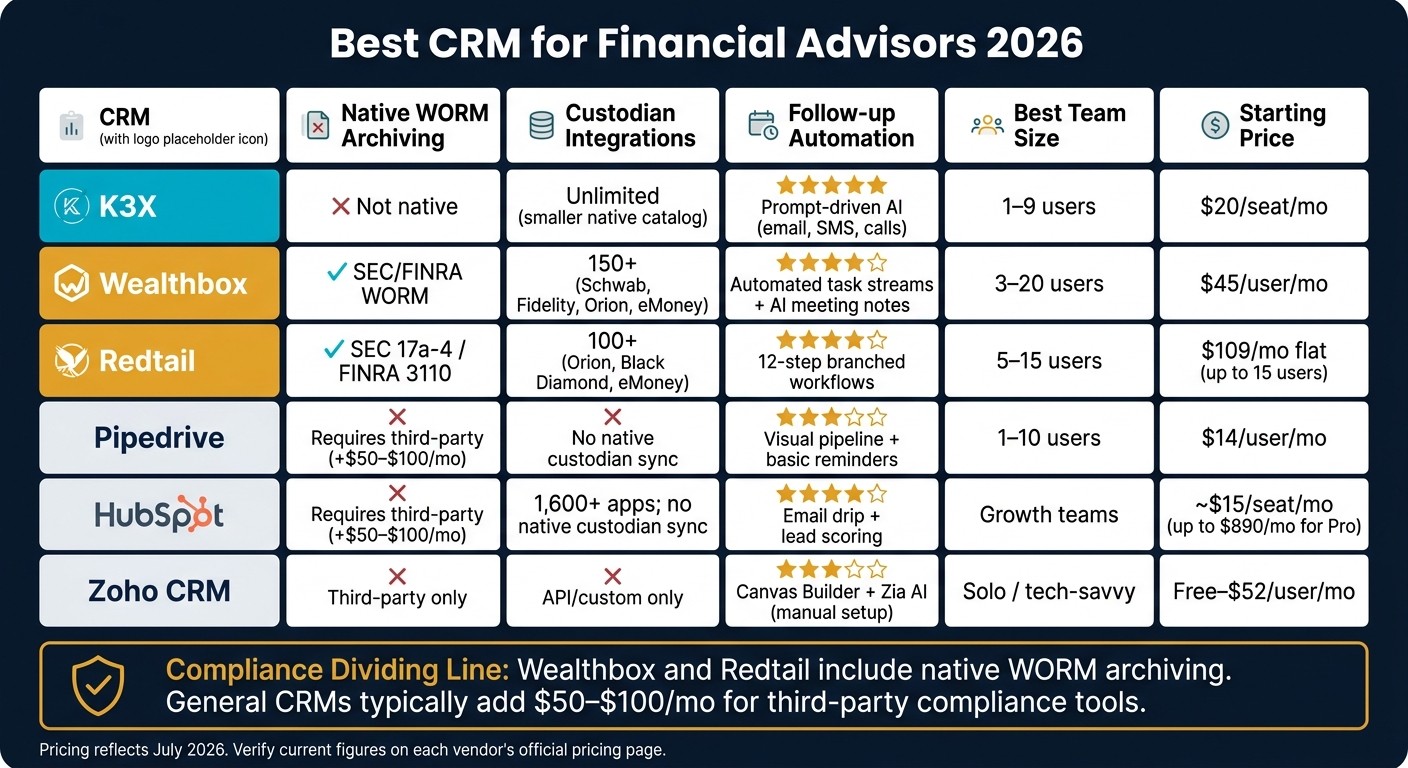
Best CRM for Financial Advisors 2026: Side-by-Side Comparison
The split is straightforward. Wealthbox and Redtail fit firms that need built-in archiving and advisor-focused integrations. K3X fits teams that want automated follow-up without building workflows, while HubSpot, Pipedrive, and Zoho give up some advisor-specific structure in exchange for pipeline tools, marketing features, or a lower entry price.
The tradeoff comes down to three things: compliance, integrations, and how much manual setup your team can live with.
CRM | Primary Fit | Native WORM Archiving | Custodian and Planning Integrations | Follow-up Automation | Best Team Size | Relative Cost |
|---|---|---|---|---|---|---|
K3X | Automation-first teams; minimal admin, fast outreach | Not a native feature | Unlimited integrations; smaller native catalog | Prompt-driven AI agents across email, SMS, and calls; no workflow builder | Strong for 1–9 users | Low ($20/seat/mo) |
Wealthbox | RIAs prioritizing UX, collaboration, and compliance | Native SEC/FINRA WORM archiving | 150+ integrations including Schwab, Fidelity, Orion, and eMoney [1] | Automated task streams, review reminders, and AI meeting notes | Strong for 3–20 users | Mid |
Redtail | High-compliance, process-driven advisory teams | 100+ integrations including Orion, Black Diamond, and eMoney [2] | Branched logic workflows; RMD and annual review checklists | Strong for 5–15 users | Low-mid (flat rate per database) | |
Pipedrive | Pipeline-focused prospecting; new business development | Not included; requires third-party add-on | Visual pipeline and basic task reminders | Moderate for 1–10 users; weak for regulated firms | Low | |
HubSpot | Marketing-heavy growth firms running webinar and email funnels | Requires a third-party archiving overlay | 1,600+ apps; no native custodian sync [2] | Email drip campaigns and lead scoring | Moderate for growth teams; weak for compliance-first firms | Mid to high once archiving is added |
Zoho CRM | Cost-conscious, tech-savvy solo advisors willing to self-configure | Not included; third-party only [6] | Broader Zoho ecosystem; no native custodian sync | Canvas Builder and Zia AI; requires manual workflow setup | Moderate for solo users; requires more setup time | Low to mid |
Compliance is the clearest dividing line. Advisor-focused CRMs handle archiving natively, while general CRMs usually need an extra tool. Wealthbox and Redtail include native archiving that meets SEC Rule 17a-4 and FINRA Rule 3110 out of the box [1][4].
General-purpose CRMs here usually need a third-party product such as Smarsh or Global Relay. That can add about $50–$100 per month to total cost [1][2]. For a regulated firm, that’s not a small detail. It affects budget, setup, and daily supervision.
K3X belongs in a different lane. It is better read as a workflow-first option, not a compliance-first one. It does not match the compliance depth of Wealthbox or Redtail, but it does remove manual follow-up by using prompt-driven execution across email, SMS, and calls.
For a small team trying to move leads without spending hours inside a workflow builder, that difference can matter more than a long feature list. For an RIA under tighter books-and-records pressure, native archiving may matter more.
What should financial advisors look for in a CRM?
Start with four checks: compliance logging, household mapping, referral tracking, and review automation. For financial advisors, those are the basics that separate advisor-focused CRMs from general sales software.
Compliance readiness is non-negotiable. The CRM should log emails, calls, and texts with immutable audit trails that support SEC Rule 17a-4 and FINRA Rule 3110. Tools built for advisory firms, such as Wealthbox and Redtail, include native WORM-compliant archiving. General CRMs like HubSpot and Pipedrive can handle this too, but they usually need third-party archiving tools to meet the same bar.
Household mapping tells you whether the CRM can run an advisory practice or just store names. The system should connect spouses, dependents, trusts, and business entities under one family record. It should also track Centers of Influence, including CPAs and attorneys. Check for two-way sync with Schwab, Fidelity, and planning tools like eMoney or MoneyGuidePro.
Automation should reduce missed reviews and follow-ups without piling on admin work. Advisory revenue comes from steady follow-up over months, not short sales cycles, so the CRM needs to keep recurring reviews and referral outreach moving on its own. Task dependencies matter here. A task should stay open until the required documents are attached. Well-built CRM workflows can improve productivity by 20% to 35% in year one [2].
Referral tracking matters because growth often comes from relationships, not lead volume. The CRM should show who referred whom, when the introduction happened, and what follow-up came next. If that data lives in notes instead of a trackable field or workflow, it gets messy fast.
What CRM do financial advisors actually use?
Most financial advisors use Wealthbox or Redtail. In practice, those two show up most often with independent RIAs because they match advisor work: household records, custodian connections, and compliance logging.
Actual usage lines up with the same pattern seen in most rankings. Redtail leads by market share, with more than 100,000 advisors on the platform [5]. Wealthbox tends to lead on ease of use and day-to-day user experience [6][5].
Larger firms, including enterprise wealth managers and RIAs with $1 billion+ in AUM, tend to use Salesforce Financial Services Cloud [1][2][6]. That usually comes down to scale, reporting needs, and the amount of process control those firms want across teams.
The divide is usually pretty simple: compliance depth on one side, automation and flexibility on the other. Firms that need tighter records, householding, and advisor-specific workflows tend to stay with advisor-focused systems. Firms that care more about marketing, sales pipeline management, or custom setups show up more often on HubSpot, Pipedrive, and Zoho.
At the smallest end of the market, K3X fits solo advisors and lean teams that care more about fast follow-up than admin-heavy recordkeeping. It shows up most often when speed matters more than deep compliance features.
What is the cheapest CRM for financial advisors?
The cheapest CRM is the one with the lowest total monthly cost after setup and compliance, not the one with the lowest sticker price. For many compliant advisory firms, Redtail is often the lowest-cost option per user, while Zoho CRM, Pipedrive, and K3X have the lowest entry prices for solo advisors and small teams.
General-purpose CRMs often look cheap at first. The catch is compliance. If your firm needs message archiving, adding a third-party archiver like Smarsh or Global Relay usually adds $50–$100 per month to the total cost.
For teams with up to 15 users, Redtail CRM can come out cheaper on a per-user basis because its $109/month flat rate already includes compliance archiving. That’s why Redtail is often the cost winner for small advisory teams that need archiving built in.
K3X starts at $20 per seat/month and includes 1,000 AI credits plus built-in calling. That makes it the lowest-cost automation-focused option for teams with 1–9 users on list price, but not always the lowest-cost choice once archiving and compliance needs are added.
Compare total cost, not list price.
Use this quick price check to compare entry cost with compliance cost:
CRM | Starting Price | Compliance Cost Note |
|---|---|---|
Zoho CRM | $14/user/mo | Low starting price; regulated firms typically need third-party archiving |
Pipedrive | $14/user/mo | Low starting price; regulated firms typically need third-party archiving |
K3X | $20/seat/mo | Includes 1,000 AI credits and built-in calling; verify compliance fit before purchase |
Redtail CRM | $109/mo flat | Covers up to 15 users; compliance archiving included |
Wealthbox | $45/user/mo (annual) | Native custodian integrations and compliance archiving included |
What CRM do independent financial advisors use?
Most independent financial advisors use Wealthbox or Redtail. The split usually comes down to how the firm works day to day and how many people need to use the system.
Wealthbox tends to fit firms that want a lighter interface and built-in advisor workflows. Redtail tends to fit teams that want flat-rate pricing and broader custodian and integration coverage. Both work well for independent RIAs because they support households, compliance logs, and core custodian and planning connections without a lot of custom setup.
There’s also a practical divide in what each tool does best. Wealthbox and Redtail fit firms that need compliance support and household tracking. If the main bottleneck is follow-up, not client-record management, K3X is often the better fit.
Solo advisors often lean toward K3X when automated follow-up matters more than deep client-record detail. HubSpot, Pipedrive, and Zoho can also work, but they usually need custom setup and a separate archiving tool for compliance [1][2].
Cost is the next filter.
Can a general CRM work for a financial advisory firm?
Yes. A general CRM can work for a financial advisory firm, but the firm has to build key advisor workflows on top of it.
That is the main tradeoff. Tools like HubSpot, Pipedrive, and Zoho do not include native WORM archiving for SEC Rule 17a-4 or FINRA Rule 3110, so regulated firms usually add a third-party tool such as Smarsh or Global Relay, which costs about $50–$100 per month [1][4].
General CRMs also do not come with native support for householding, AUM tracking, or regulatory audit trails. Those are standard advisor needs, and tools like Wealthbox and Redtail handle them out of the box [1][4][6].
Where general CRMs tend to help most is marketing and pipeline management. HubSpot is the stronger fit for structured prospecting campaigns, while Zoho can work if one person on the team owns the setup and upkeep.
K3X fits a different job. It helps with immediate follow-up, so teams do not have to build that workflow from scratch.
The choice usually depends on where work stalls:
If the main issue is compliance-aware communication, long trust cycles, referral tracking, or missed review reminders, advisor-native tools tend to solve it with less setup.
If the main issue is slow lead follow-up, K3X removes the workflow-builder step entirely.
Which CRM should financial advisors choose in 2026?
Choose the CRM that fixes the biggest drag on your team first. For most advisory firms, that means picking between three categories: advisor-native systems, automation-first systems, and general-purpose CRMs.
Wealthbox and Redtail are the best fit for firms that need built-in WORM archiving, custodian sync, and review workflows. Redtail has the largest share of the advisor CRM market, while Wealthbox is often the easier day-to-day system, with faster onboarding and less admin work.
K3X is a fit for 1–9 person teams when the main issue is slow lead response or missed follow-up. At $20 per seat/month, it manages outreach across email, SMS, and calls without requiring teams to build workflows or configure sequences. Pricing is listed at k3x.ai/pricing.
For firms already tied to a broader sales stack, the tradeoff is more setup and more manual compliance work. Salesforce, monday.com, Close, Attio, HubSpot, Pipedrive, and Zoho can all be used by advisory firms, but each needs custom setup for advisor-specific fields and a third-party archiving tool for compliance, which usually adds $50–$100 per month [1][4].
HubSpot is the best fit for firms with a heavy marketing motion. Pipedrive and Zoho make more sense for teams that are willing to build their own workflows and compliance layers.