Sales Automation
•
K3X vs Clarify: Comparing Two AI-Native CRMs for Sales Teams
Compare two AI-native CRMs: choose prompt-driven AI for outbound-heavy sales and ambient, autonomous AI for founder-led teams.

K3X and Clarify are two AI-native CRMs designed to automate sales workflows, but they cater to different needs. K3X uses a prompt-based system where users specify tasks, and the AI executes them, making it ideal for outbound-heavy teams. Clarify relies on ambient intelligence to autonomously manage data entry and updates, suiting small, founder-led teams focused on minimizing CRM management. Both platforms offer faster setup and lower costs than legacy CRMs like Salesforce and HubSpot, but their features and pricing models differ significantly.
K3X is priced at $20 per seat per month with unlimited automations and built-in communication tools, while Clarify’s credit-based model starts at $50 per month for unlimited users but may incur higher costs for active teams. Legacy CRMs remain better suited for larger, multi-department organizations due to their extensive customization and integration options.
K3X: Overview and Key Differentiators
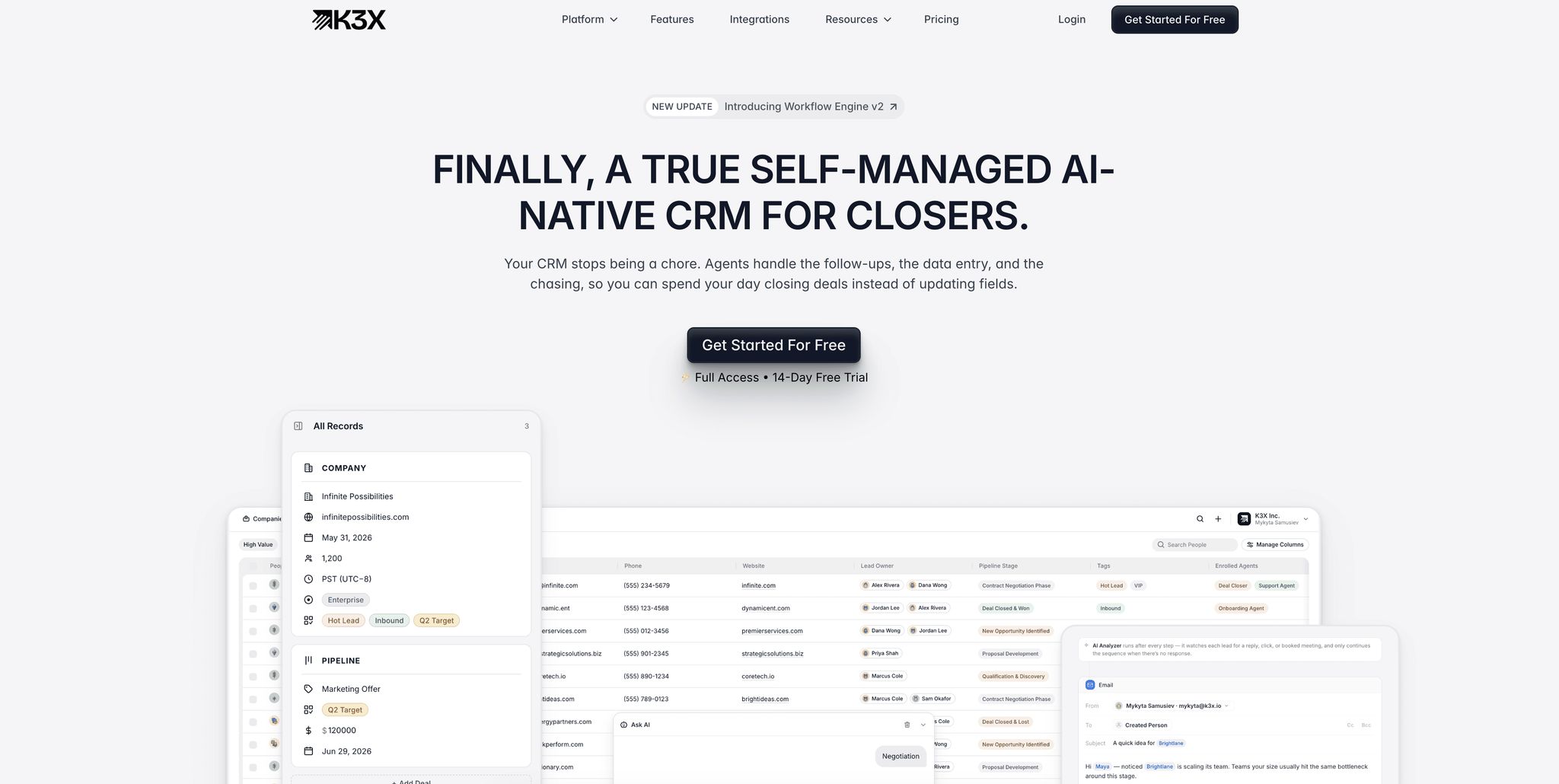
K3X shifts the focus from managing workflows to achieving outcomes. Sales reps simply state what they want to accomplish, and the platform handles the execution. This approach sets K3X apart from both legacy CRMs and newer tools, offering a streamlined alternative for sales teams.
Prompt-to-Action: How K3X's AI Model Works
K3X eliminates the need for manual logging and complex workflows by interpreting desired outcomes and executing the necessary steps. Co-founder and CEO Mykyta Samusiev explains:
"Most CRMs record activity. K3X understands outcomes. It listens, knows what changed, and makes the next moves." [1]
The prompt-to-action model allows users to type commands like "Book demo calls with every lead who hasn't responded in five days", and K3X automatically drafts outreach, updates pipeline stages, and assigns tasks. Unlike platforms like Salesforce or HubSpot, which require multi-step workflows and manual setup, K3X simplifies the process entirely.
Traditional CRMs rely on linear logic (if X, then Y), but K3X is outcome-focused, adapting to changes like unexpected lead responses or missing information. This flexibility ensures automation continues without interruptions.
Core Sales Features in K3X
K3X enhances its prompt-to-action capabilities with a robust set of tools. Every tier includes built-in email, calling, and SMS, along with features like a one-click native power dialer and unlimited call recordings. Pipeline stages update automatically based on communication patterns, while smart owner assignment distributes leads without manual input. Managers benefit from real-time dashboards and analytics without needing to create custom reports. Unlimited workflow automations and integrations eliminate the need for tools like Zapier.
The platform has saved over 312,000 hours of work for more than 50 teams, with users reporting an average of 8 hours saved per employee each week [1]. K3X estimates that clients have collectively reduced operational costs by $12.4 million [1].
An example of its impact: Ruby Capital Group, a 125-person funding company, implemented K3X in December 2025. Within two days, they reduced follow-up time by 70% and tripled ticket resolution speed. CEO Michael Chkechkov shared:
"Our sales team was spending half their day on admin work. Now they're talking to customers and closing deals. The automation handles everything from lead qualification to contract routing." [1]
K3X Pricing and Scalability
K3X offers a single pricing plan: $20 per seat per month, with no long-term contracts. Each seat includes 1,000 AI credits monthly, unlimited contacts and leads, unlimited automations, and built-in communication tools. Costs adjust automatically based on usage, increasing during busy months and returning to the base rate during slower periods.
This pricing structure contrasts sharply with legacy CRMs. Salesforce's Enterprise tier costs $175 per user per month as of August 2025 [12], while HubSpot's Sales Hub Professional is $100 per seat per month plus a $1,500 onboarding fee [12]. Both typically require dedicated administrators or implementation partners, adding hidden costs.
K3X is self-managed and requires no technical expertise, with most teams fully operational in under an hour [1].
Feature | K3X | Salesforce Enterprise | HubSpot Sales Hub Pro |
|---|---|---|---|
Monthly Price | $20/seat | $175/user | $100/seat + $1,500 onboarding |
Setup Time | Under 1 hour | 3–12 months | Days to weeks |
Data Entry | Fully automated | Primarily manual | Primarily manual |
Admin Required | No | Yes | Yes (at scale) |
AI Approach | Prompt-to-action | Einstein (add-on) | Breeze (add-on) |
Built-in Calling/SMS | Yes | Add-on | Add-on |
For growing sales teams looking to avoid the complexity and costs of traditional CRM systems, K3X's straightforward pricing and quick setup make it an appealing option.
Clarify: Overview and Positioning
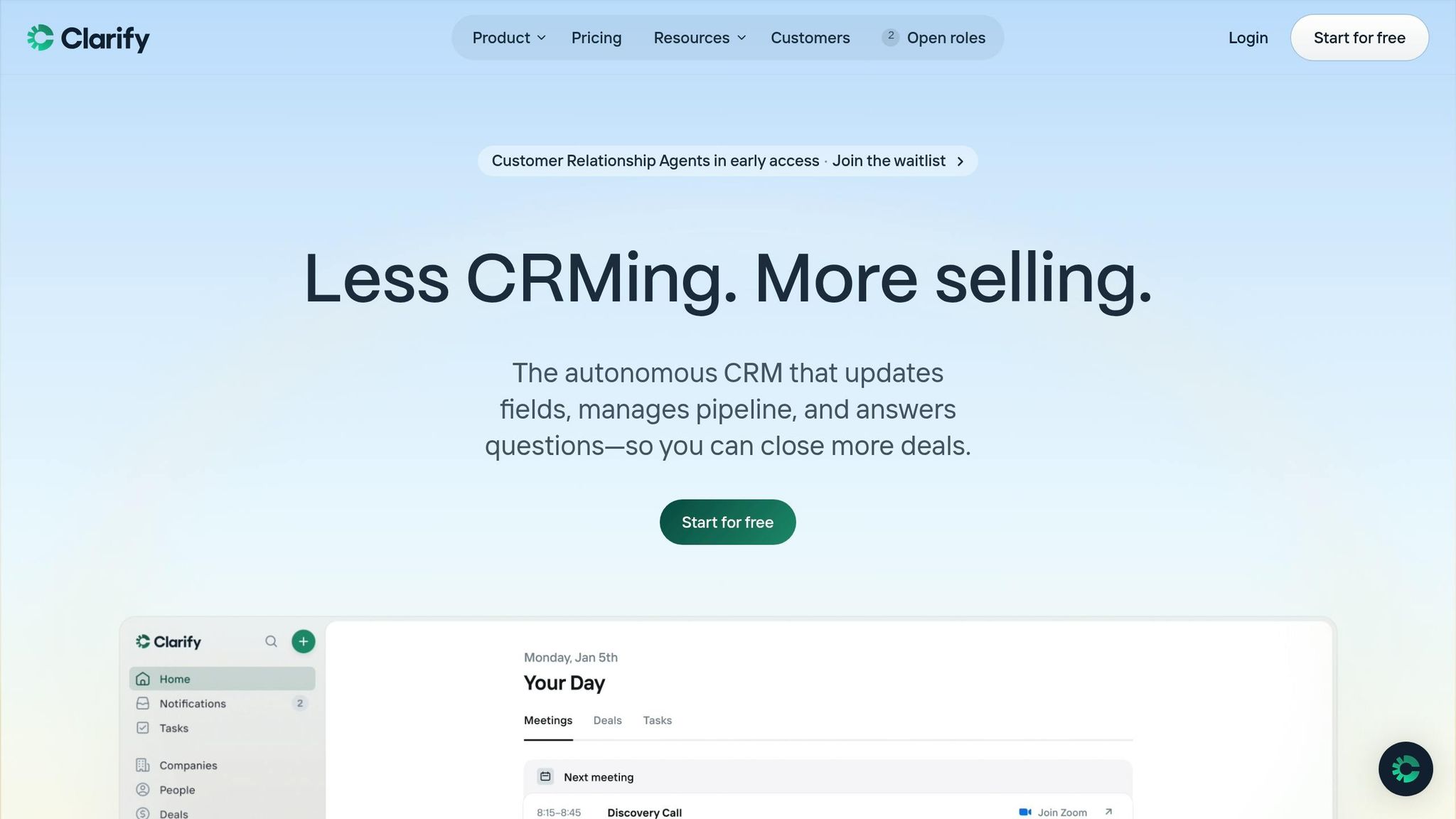
Clarify is designed for founder-led B2B startups with teams of 5 to 50 people, particularly those in the seed-to-Series-A stage. It offers a CRM that eliminates manual data entry by functioning autonomously. Unlike K3X's prompt-driven approach, Clarify leverages ambient intelligence, connecting seamlessly to tools like email, calendars, and video meetings to operate independently. As Ben Warren, co-founder of Snow Pilot, explains:
"As a startup founder, I wanted my CRM on autopilot - no manual data entry or 2-hour setup. The best thing about Clarify is that I never think about it." [2]
Below, we explore the AI tools that enable Clarify's autonomous functionality.
Clarify's AI Tools and Sales Use Cases
Clarify's primary AI feature is ambient intelligence, which observes communications and meetings to surface updates without user prompts. The AI agent, Rep, supports users by preparing meeting briefs, drafting follow-up emails, and answering natural language questions about the sales pipeline [6][9]. Meeting intelligence tools record, transcribe, and summarize Zoom, Google Meet, and Microsoft Teams calls, automatically extracting tasks and action items [6][8].
Two standout features for sales teams include:
Deal Detection: This monitors emails and messages for buying signals, suggesting new deals with draft names and pre-filled contact details [6][8].
Self-Configuring Fields: Users can create custom fields, like "Tech Stack", and the AI will extract relevant data from conversation transcripts [2][9].
Additionally, Clarify provides free background enrichment (e.g., company domains, employee counts, LinkedIn profiles) across all plans [9][8]. By automating around 90% of manual CRM data entry, Clarify replaces standalone tools like Gong, Fireflies, Clearbit, and Apollo, consolidating meeting recording, data enrichment, and follow-up drafting into one platform [10][9]. It has a 4.9/5 rating on G2 from 21 reviews and a perfect 5.0/5 on Product Hunt [3].
Core Features and Workflow Support in Clarify
Clarify integrates its AI capabilities into a standard CRM setup, with familiar categories like Deals, People, Companies, and Lists [6]. This traditional structure makes it accessible for users familiar with platforms like HubSpot or Pipedrive, reducing the learning curve. Setup is quick - connecting Google Workspace or Microsoft 365 takes just 30 minutes [6].
The platform includes a Lead Finder and campaign management tools to support the entire sales cycle, from prospecting to closing [9][2]. However, it offers fewer workflow customization options than competitors like HubSpot or Salesforce and lacks built-in calling features [9][7]. Teams relying on outbound phone sales will need a separate dialer. Reporting and analytics are also basic, with Salesdorado reviewers rating the platform 4.0/5, noting it may not meet the needs of larger sales teams [13].
Clarify Pricing and Limitations
Clarify uses a credit-based pricing model instead of charging per seat, allowing unlimited users on all plans. This approach aligns with its focus on automation and usage-based operations.
Plan | Monthly Price | AI Credits | Records |
|---|---|---|---|
Free | $0 | 1,000–2,500/mo | 20,000 |
Starter | $20–$50/mo | 5,000/mo | 250,000 |
Growth | Custom | Custom | Custom |
The unlimited-seat structure is ideal for early-stage teams, but heavy usage can lead to higher costs. For example, meeting summaries, deal creation, and field updates consume 30, 20, and 10 credits, respectively [14]. Reviewers on MakerStack, who rated Clarify 8.0/10, noted that active sales teams might spend up to 6x the base subscription price due to credit top-ups [14][9]. Additionally, credit definitions are not always clear on the pricing page, making cost predictions challenging for high-volume teams [13][7].
Clarify has raised $23.5 million in its seed round as of early 2026 [7], signaling strong backing to compete with larger CRM platforms. However, its limited native integrations and lack of built-in calling features may make it less suitable for outbound-heavy sales teams.
K3X vs Clarify vs Legacy CRMs: Direct Comparison
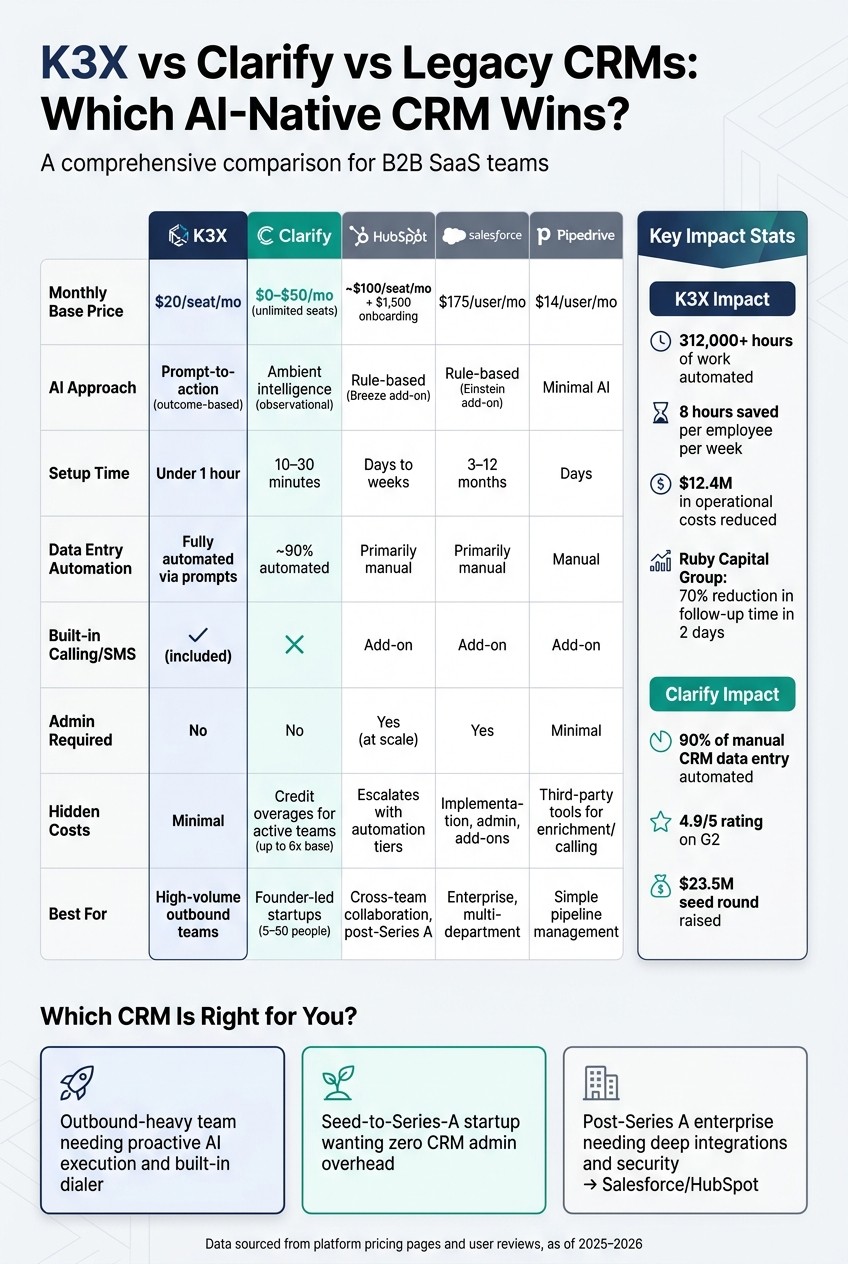
K3X vs Clarify vs Legacy CRMs: AI-Native CRM Comparison 2025
Here's how K3X, Clarify, and legacy CRMs measure up against each other, focusing on AI capabilities, workflow coverage, integration, reporting, and pricing.
AI and Automation: How Each Platform Operates
K3X uses a prompt-driven model, where users describe desired outcomes (e.g., "Book a demo with this lead"), and the AI takes action. Clarify, on the other hand, relies on ambient AI that passively observes emails, calendars, and meetings to act without explicit prompts. As Mykyta Samusiev, Co-Founder & CEO of K3X, explains:
"Most CRMs record activity. K3X understands outcomes. It listens, knows what changed, and makes the next moves." [1]
Legacy CRMs like Salesforce and HubSpot rely on fixed, rule-based workflows, which can struggle with unexpected lead behavior. This fundamental difference in AI design highlights how each platform approaches sales processes.
AI Model | K3X | Clarify | Salesforce / HubSpot |
|---|---|---|---|
Approach | Outcome-based (prompt-driven) | Ambient/observational | Rule-based (manual workflows) |
Auto-Fill | Via prompts | ~90% automated via "Rep" agent [9] | Primarily manual |
Setup Time | Under 1 hour | 10–30 minutes [6] | Weeks to months |
Adapts to Conversation | Yes | Partially | No |
Sales Workflow Coverage
K3X supports the entire sales cycle, including a built-in dialer, SMS, and unlimited call recordings. Clarify, however, lacks built-in calling capabilities [1], which can be a drawback for teams focused on outbound sales.
While Salesforce and HubSpot offer broader workflow functionality, they often require extensive configuration and, in some cases, assistance from RevOps specialists or implementation partners. Pipedrive offers a simpler alternative but still depends on manual pipeline management and third-party tools for features like enrichment and meeting intelligence.
Data, Integrations, and Reporting
K3X simplifies integrations with a "no-Zap" approach, enabling email, calling, and SMS to work seamlessly without third-party connectors [1]. Clarify integrates with Google Workspace or Microsoft 365 in under 30 minutes and includes free background enrichment (e.g., company domains, employee counts, LinkedIn profiles) on all plans [9]. However, its native integration library is limited, earning it a 3.2/5 integration score from reviewers [11].
Legacy CRMs like Salesforce and Zoho provide extensive integration options but often add complexity, requiring dedicated administrators. Both K3X and Clarify aim to eliminate the need for a fragmented stack of tools by consolidating essential functions [5][10].
In terms of reporting, K3X offers live performance data via prompt-based queries, while Clarify provides basic analytics, covering metrics like win rate and average deal size but lacking historical pipeline insights [7]. Legacy systems, such as Salesforce and HubSpot, offer highly customizable reporting but often require additional paid add-ons.
Pricing and Total Cost of Ownership
Pricing varies significantly across platforms, with hidden costs being a common issue for legacy CRMs. K3X stands out with its transparent $20/seat/month pricing, which includes the dialer, unlimited workflows, and AI credits [1].
Clarify's unlimited-seat model is appealing for early-stage teams, but its credit-based pricing can lead to higher costs for teams with heavy usage.
Platform | Base Price | Seat Model | Hidden Costs |
|---|---|---|---|
K3X | $20/seat/mo [1] | Per seat | Minimal - dialer and workflows included |
Clarify | $0–$50/mo [9] | Unlimited seats | Potential credit overages for active teams |
HubSpot | ~$20/seat/mo [9] | Per seat | Costs escalate with advanced automation tiers |
Salesforce | $25/user/mo [11] | Per seat | Implementation, admin fees, and add-on expenses |
Pipedrive | $14/user/mo [11] | Per seat | Third-party tools needed for enrichment and calling |
A clear example of K3X's cost efficiency comes from Ruby Capital Group, a 125-person funding company that implemented K3X in December 2025. Within just two days, the company reduced follow-up time by 70% and tripled ticket resolution speed. CEO Michael Chkechkov shared:
"The automation handles everything from lead qualification to contract routing, and our close rates have never been higher." [1]
Overall, K3X reports automating over 312,000 hours and saving an estimated $12.4 million in operational costs across its user base [1].
Which Platform Fits Your Sales Team?
Choosing the right CRM depends on your team's specific needs, workflow, and size. While AI-driven platforms like K3X and Clarify are reshaping sales processes, traditional CRMs such as Salesforce and HubSpot continue to serve more complex, multi-department operations.
When to Choose K3X
K3X is ideal for sales teams focused on outbound efforts that require proactive AI assistance. Its "prompt-to-action" model allows reps to simply state tasks - like "follow up with every unresponsive lead from last week" - and the platform handles it across email, SMS, and other integrated tools. This eliminates manual steps, saving users an average of 8 hours per week per employee. At $20 per seat per month, K3X offers both efficiency and affordability [1].
When to Choose Clarify
Clarify excels for small teams and startups, especially founder-led groups with 5 to 50 members, by providing an autonomous CRM experience. Its AI agent, "Rep", automates up to 90% of data entry by capturing emails, calendar events, and meeting notes. Ben Warren, Co-founder of Snow Pilot, shared:
"As a startup founder, I wanted my CRM on autopilot - no manual data entry or 2-hour setup. The best thing about Clarify is that I never think about it." [2]
Clarify’s Starter plan, priced at $50 per month for unlimited seats, ensures predictable costs for smaller teams. However, heavy usage can increase expenses to around $140 per month due to credit top-ups [7][14].
When Legacy CRMs Still Make Sense
Traditional CRMs like Salesforce and HubSpot remain essential for larger, post-Series A companies with complex, multi-department workflows. These platforms are particularly effective when deep integrations between sales, marketing, customer success, and finance are required. They also offer enterprise-grade security features like SAML/OIDC, which AI-native platforms like K3X and Clarify currently lack.
Salesforce excels in pipeline tracking, with 37% of users giving positive feedback.
HubSpot is favored for cross-team collaboration, earning 40% positive reviews [4].
However, these systems come with significant implementation challenges. For example, 23% of Salesforce users report a steep learning curve, and HubSpot’s Sales Hub Professional includes a $1,500 onboarding fee [4][15]. These platforms are best suited for teams with sufficient budgets and dedicated CRM administrators to manage their complexity.
Scenario | Best Fit |
|---|---|
High-volume outbound with phone/SMS outreach | K3X |
Founder-led startup wanting zero CRM admin | Clarify |
Team of 5–50 needing self-managing pipeline | Clarify |
Revenue-focused team needing outcome-based AI | K3X |
Post-Series A with multi-department workflows | Salesforce / HubSpot |
Enterprise requiring deep customization and security | Salesforce |
Conclusion
K3X and Clarify provide distinct approaches to automating sales workflows, making the decision between them dependent on your team's specific needs.
K3X focuses on proactive, goal-oriented sales execution. For example, you can set a target like "follow up with every unresponsive lead from last week", and the AI handles it through email, SMS, and calls without requiring manual input. This makes K3X an ideal choice for high-volume outbound teams that prioritize action and momentum over traditional record-keeping.
On the other hand, Clarify excels at automating CRM data management. Its ambient AI "Rep" takes care of 90% of data entry by pulling information from emails, calls, and calendar events. This makes it particularly appealing to founder-led teams of 5–50 members who want a CRM that essentially manages itself. The added benefit of unlimited seats on all plans enhances its practicality for smaller teams.
The key difference lies in their focus: K3X drives results, while Clarify ensures seamless context management. While legacy CRMs may offer broader feature sets, K3X's action-oriented simplicity and Clarify's automated data entry bring a fresh perspective to CRM automation. For larger, post-Series A companies requiring intricate integrations, complex workflows, or enterprise-level security, Salesforce and HubSpot remain the more scalable - though more demanding - options.
FAQs
How many AI credits will my team use each month?
Monthly AI credit usage depends on how actively your team engages in sales tasks, as each type of activity consumes a specific number of credits. The K3X plan provides 1,000 AI credits per month, with the option to scale usage as needed.
Clarify uses a task-based credit system: preparing for meetings or generating summaries costs 30 credits per task, creating deals uses 20 credits, and updating fields requires 10 credits. Teams with high activity often go beyond the base allocation, leading to additional costs that typically range from $140 for three users to over $250 for larger teams.
What’s the easiest way to migrate my contacts and pipeline data?
To ensure a smooth data migration, begin by reviewing your existing records. Eliminate duplicates, remove outdated entries, and keep custom fields that are still relevant. Set up your new workspace with a simplified workflow rather than copying over old processes. Import data in this sequence: companies, contacts, deals, and activities, making sure to maintain the connections between records. Start by testing with a small sample to verify that field mappings are correct before proceeding with the full migration.
Which tool requires less ongoing admin work as we scale?
Scaling teams often face the challenge of reducing administrative workload, and tools like Clarify and K3X are designed to address this need. Clarify uses an ambient intelligence system to handle tasks such as updating records, managing pipelines, and logging activities automatically - no manual setup required. Similarly, K3X simplifies administration with its AI-native, prompt-to-action design, sidestepping the need for the technical expertise and dedicated administrators often required by platforms like Salesforce.
Both tools are built to handle increasing workloads seamlessly, ensuring teams can grow without sacrificing efficiency.