Sales Automation
•
AI Timing for Sales Follow-Ups
AI analyzes lead behavior to schedule follow-ups at the right time and channel, boosting response and cutting manual work.

Timing matters in sales. Contact a lead too early, and you might seem pushy. Wait too long, and the opportunity could slip away. Here's the key takeaway: AI tools like K3X can optimize follow-up timing by analyzing lead behavior, reducing manual work, and improving response rates.
Key Insights:
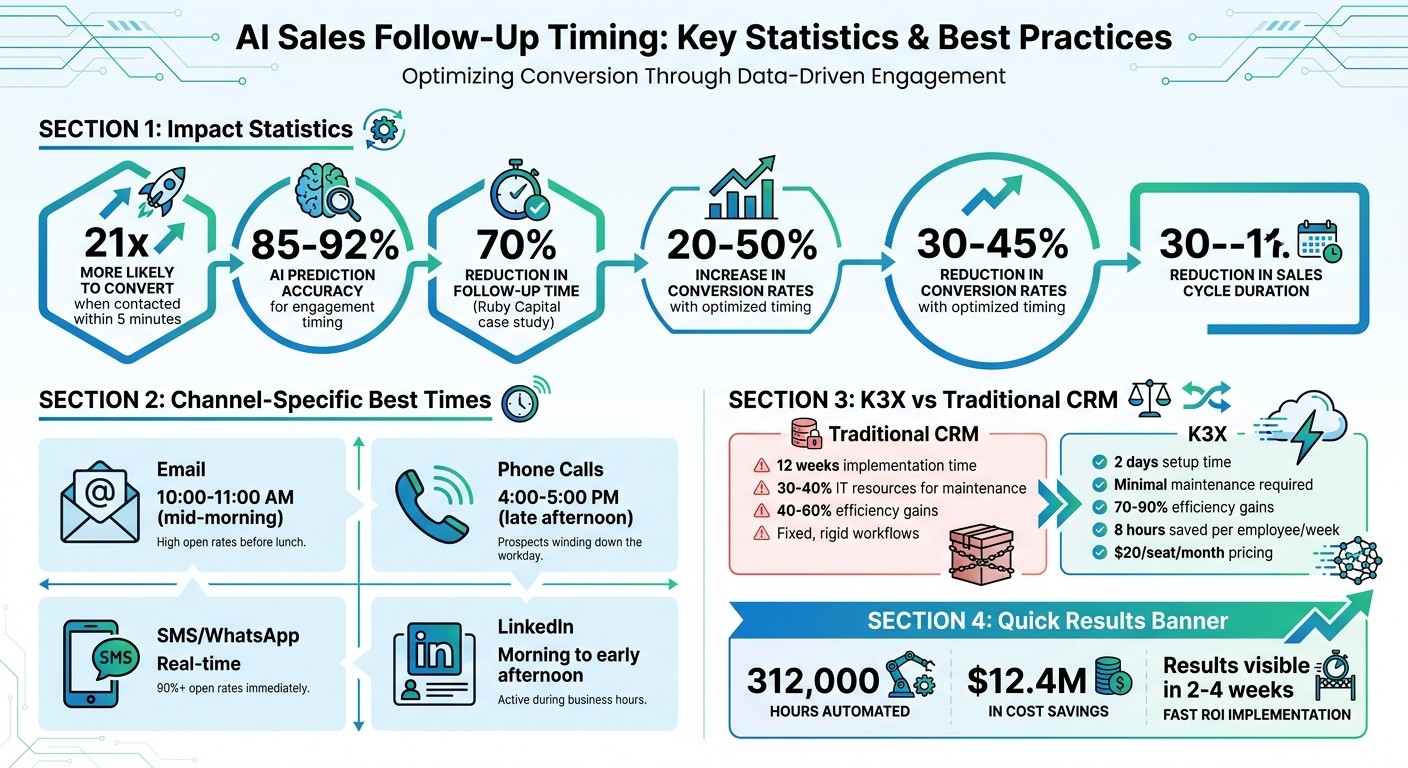
Response Time Advantage: Leads contacted within 5 minutes are 21x more likely to convert.
AI Accuracy: Predicts the best engagement time with 85%-92% precision.
Efficiency Boost: Companies like Ruby Capital cut follow-up time by 70% and tripled ticket resolution speed using AI.
Channel-Specific Timing:
Email: Best sent mid-morning (10:00–11:00 AM).
Phone Calls: Late afternoon (4:00–5:00 PM).
SMS/WhatsApp: Real-time responsiveness works best.
LinkedIn: Morning to early afternoon is ideal.
AI doesn't just save time - it ensures every message reaches leads at the right moment, on the right channel, improving conversions and reducing wasted effort.
AI Sales Follow-Up Timing Statistics and Channel Optimization Guide
Never Lose a Lead Again: AI-Powered Follow-Ups That Close Deals
How AI Determines Optimal Follow-Up Times
AI takes the guesswork out of follow-up timing by using data and real-time adjustments to pinpoint the best moments to engage with leads. Every interaction - whether it's an email open, a link click, or a visit to a pricing page - creates a digital footprint. By analyzing these signals, AI develops a dynamic understanding of when prospects are most likely to respond.
Data Points AI Evaluates
The timing strategies of AI rely heavily on behavioral signals. For example, frequent visits to key pages or extended engagement with content suggest a high level of interest [2]. AI also factors in past response patterns, preferred contact windows, and historical conversion data to refine its approach.
Context is another key piece of the puzzle. AI considers elements like time zones, work schedules, job roles, and where a lead is in their buying journey. For instance, a CFO in New York might respond best to early-morning emails, while a product manager in California may prefer later outreach. To avoid overloading prospects, the system tracks contact frequency to identify and prevent outreach fatigue. Additionally, it evaluates the tone and urgency of incoming messages, ensuring that high-priority leads receive prompt attention [3].
When emails are sent at the right time, conversion rates can increase by 20–50% [2]. By combining behavioral and contextual insights, AI ensures that follow-ups align perfectly with a lead's activity in real time.
Real-Time Adjustments Based on Lead Activity
Rigid schedules often fail to account for the unpredictable nature of lead behavior. AI, however, continuously updates its predictions as new signals come in [1]. For example, if a lead revisits a demo page after a period of inactivity, the system identifies this as a prime opportunity and triggers a follow-up within five minutes to capitalize on the renewed interest [2].
Follow-up sequences are just as adaptable. For highly engaged leads, AI may shorten the time between touchpoints to maintain momentum. On the other hand, if a lead starts ignoring messages, the system can extend the intervals or switch to a different channel, like LinkedIn, to re-engage them [3]. This approach ensures persistence without becoming intrusive. AI also enforces quiet hours based on a lead's location and pauses outreach temporarily if it detects negative signals, such as email bounces or complaints [4].
Optimizing Timing Across Multiple Communication Channels
AI has taken real-time adjustments a step further, fine-tuning follow-ups based on the best timing for each communication channel. Different platforms have their own "golden hours" - email might get the most attention mid-morning, while phone calls are better received in the late afternoon. AI identifies these trends and adjusts its strategy, ensuring every message hits when engagement is likely to be highest.
Best Times for Each Channel
Each communication channel has its own sweet spot for engagement:
Email: Mid-morning, typically between 10:00 AM and 11:00 AM, tends to be the best time. This is when professionals are settling into their workday and prioritizing their inbox [3].
Phone Calls: Late afternoon, around 4:00 PM to 5:00 PM, is ideal. By then, decision-makers have usually wrapped up meetings and are more available to talk [3].
SMS and WhatsApp: These instant messaging channels thrive on real-time responsiveness, with open rates exceeding 90%. They’re perfect for immediate follow-ups, like when a lead visits a pricing page. AI can send these messages within minutes, taking advantage of peak interest [3][5].
LinkedIn: Engagement is strongest during morning and early afternoon business hours, aligning with when professionals are most active on the platform [3].
AI doesn’t stop at general trends - it also learns individual preferences. Some leads might respond better to emails, while others engage more through phone calls. By analyzing past interactions, AI identifies these tendencies and tailors outreach to match each lead’s preferred method [2].
Coordinating Timing Across Channels
Timing isn’t just about finding the right moment - it’s also about avoiding overcommunication. AI employs "stop on engagement" logic, which halts all other automated follow-ups as soon as a lead responds on any platform [5][8]. For example, if a prospect replies to an email, the system cancels any pending LinkedIn messages or phone call reminders, preventing unnecessary or redundant outreach.
If a lead becomes unresponsive on one channel, AI seamlessly shifts to another. For instance, it might move from email to LinkedIn or phone calls [3]. With SMS and WhatsApp, AI introduces short, natural delays between messages, making the interaction feel more human and less automated [5]. This synchronized, multi-channel strategy ensures outreach feels thoughtful and well-timed, reflecting the advanced capabilities of modern CRMs like K3X.
K3X vs. Traditional CRM Timing Features
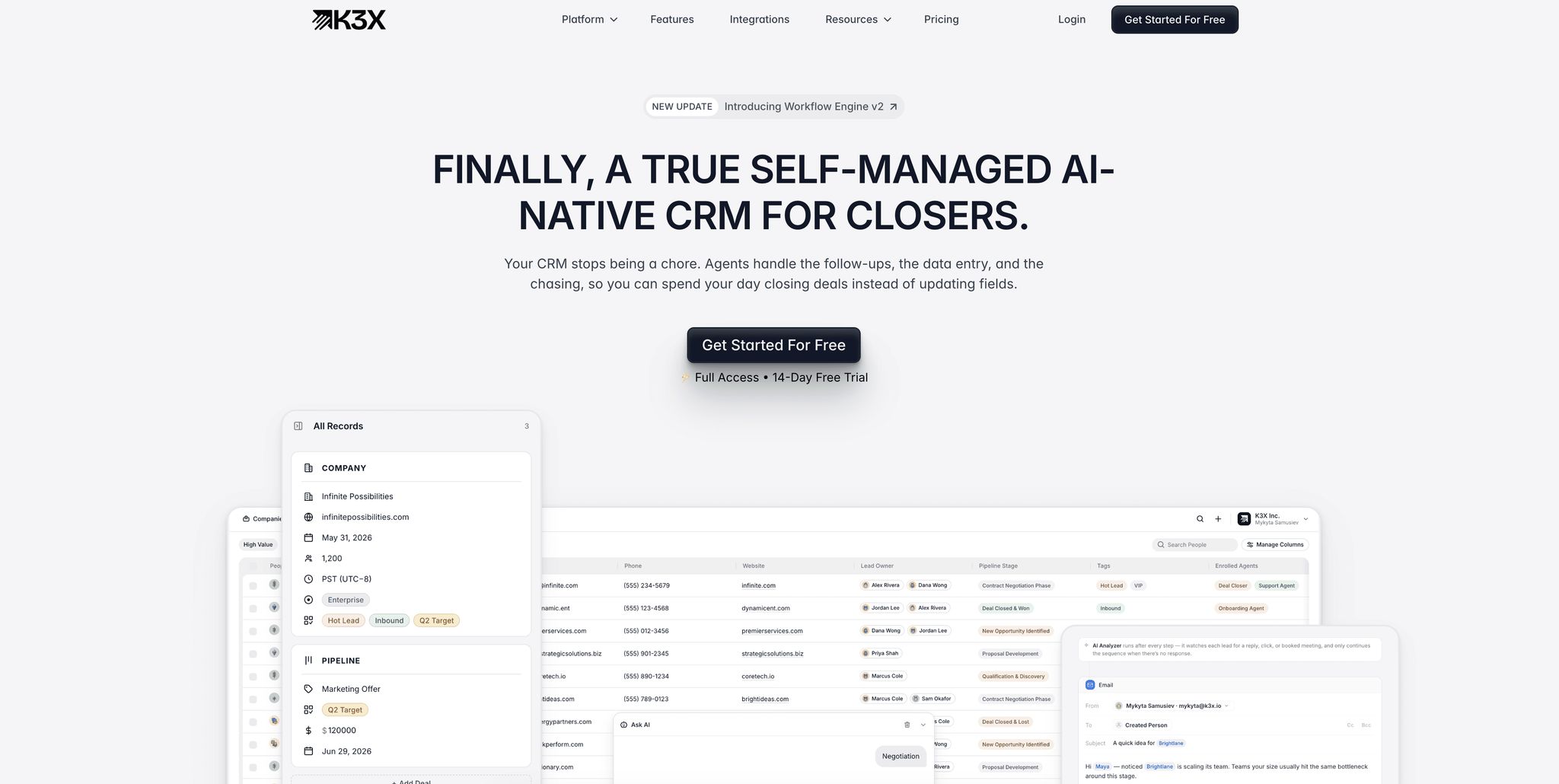
Traditional CRMs rely on rigid, step-by-step workflows that often fail when unexpected situations arise. K3X takes a different approach by using AI-driven prompts to make real-time timing decisions, eliminating the complexity of static workflows.
Problems with Traditional CRM Timing
Traditional CRMs are built around fixed sequences, which can easily break down if a lead responds out of order or asks an unanticipated question [6]. When this happens, sales teams are forced to spend hours fixing workflows or manually stepping in to keep the process moving.
Setting up these systems is no small task either. Implementation can take up to 12 weeks, requiring thorough auditing, mapping, and training [6]. Even after launch, they demand constant attention - IT teams often allocate 30–40% of their resources to maintaining rules and fixing automation issues [9]. Many companies also rely on third-party tools like Zapier or Make to fill functionality gaps, adding both cost and complexity [6].
These timing tools also lack flexibility. They operate on fixed schedules or basic rules, failing to adapt to how leads actually behave. As Wajahat Ali from Smartlead explains:
"Traditional sales teams are essentially playing a game of pin the tail on the donkey with follow-up timing" [2].
This inability to adjust quickly often leads to slower responses and missed opportunities, making traditional systems less effective compared to modern alternatives like K3X.
How K3X Automates Timing Decisions
K3X ditches the rigid workflows of traditional CRMs and focuses on achieving goals. Instead of programming sequences like "Send email, then wait 2 days", users simply define the desired outcome - such as "Schedule a demo" or "Follow up until a meeting is confirmed" - and the AI handles everything else [6].
"Most systems are linear. They follow fixed steps - and if something unexpected happens, the flow breaks... K3X works on goals."
– Mykyta Samusiev, Co-Founder & CEO, K3X [6]
The setup process is refreshingly simple. K3X is ready to use within minutes, requiring no third-party integrations or coding [6]. For example, if a lead visits a pricing page at 2:47 PM, K3X can immediately follow up, adjusting its strategy based on the lead's behavior.
A real-world example of this efficiency comes from Ruby Capital Group. In December 2025, the company, with 125 employees, implemented K3X's AI-driven agents and completed its automation setup in just 2 days. The results were striking: a 70% reduction in time spent on follow-ups and a threefold improvement in ticket resolution speed. CEO Michael Chkechkov shared:
"Our sales team was spending half their day on admin work. Now they're talking to customers and closing deals. The automation handles everything from lead qualification to contract routing" [6].
K3X's goal-based system ensures that follow-up timing is always optimized to maximize engagement. The platform seamlessly adapts to real-time changes, keeping the process aligned with the defined objective. This dynamic approach has led to efficiency improvements of 70–90%, far surpassing the 40–60% gains typically seen with traditional rule-based systems [9]. To date, K3X has automated over 312,000 hours of work, saving its users $12.4 million in costs [6].
How to Set Up AI Timing in K3X
K3X leverages AI to make timing follow-ups seamless and efficient. Here's how you can set it up to optimize your outreach.
Setting Goals with Prompts
With K3X, you don't need to wrestle with complicated workflows. Instead, you simply describe your goal in plain language. For example, type something like, "Book demo calls with every non-responsive lead," into the "Describe your intent" field. The AI then takes over, figuring out the best timing, communication methods, and follow-up frequency. Even if a lead responds unexpectedly, the system adjusts automatically. This intuitive, goal-driven approach makes K3X a step ahead of traditional CRMs. Most teams can complete their setup in under an hour [6].
Enabling Predictive Timing Features
To activate AI timing, connect your email, phone, and other communication channels - no need for complicated migrations or IT assistance. Once linked, K3X analyzes behavioral signals like website visits, pricing page views, and email interactions in just a couple of seconds [5]. The system includes smart features like stop-on-engagement, which cancels pending messages as soon as a lead replies. It also incorporates natural delays, such as waiting a few minutes before sending an automated SMS, to make interactions feel more personal. You can tweak your prompts anytime, and the system will instantly adjust its timing logic [6]. Plus, all this activity is displayed in a live dashboard for easy performance tracking.
Reviewing and Adjusting Timing Settings
K3X’s live dashboard allows you to monitor performance metrics and deal progress in real time [6]. If things aren't moving as expected, you can quickly adjust your prompts. For instance, you might update it to say, "Prioritize leads who visited the pricing page twice this week" [5]. These updates apply instantly across all active leads, giving you the flexibility to respond to changing data. On average, this streamlined approach saves employees about 8 hours per week [6][10]. By staying responsive to lead behavior, you can ensure your follow-up timing stays effective and relevant.
Measuring the Results of AI Timing
With AI timing in K3X, you can track its impact instantly through the live dashboard. This feature provides real-time metrics, allowing you to immediately observe how follow-up timing influences engagement and conversions. Most businesses start seeing noticeable improvements within 2–4 weeks, thanks to the continuous flow of actionable data.
Metrics to Monitor
Here are the key metrics to keep an eye on:
Response rates: Typically improve by 30% to 50% with AI timing compared to manual methods [2].
Conversion rates: Businesses often report gains of 20% to 50% [2].
Sales cycle duration: SaaS companies, in particular, see cycles shorten by 30% to 45% [2].
Meeting attendance: AI-timed reminders can reduce no-show rates by 20% to 30% [7].
Cost per lead: Companies using AI-powered timing see acquisition costs drop by an average of 15% [2].
These metrics highlight how AI timing can significantly enhance operational efficiency and outcomes.
Before and After Comparison
The difference AI timing makes is striking. For instance, response times plummet from an average of 47 hours to under 5 minutes, dramatically increasing conversion opportunities [2][7]. Traditional follow-up methods often fall short - 44% of sales reps stop after just one attempt, even though 80% of sales require five or more follow-ups [2][7]. AI solves this by automating consistent, well-timed sequences, ensuring no lead slips through the cracks.
AI also excels at re-engaging dormant leads. Through AI-driven re-engagement campaigns, businesses typically recover 15% to 25% of unresponsive leads within 30 days [7]. Additionally, automated WhatsApp follow-ups outperform manual outreach, boosting response rates by 40% to 60% [7].
To measure the impact effectively, start by auditing your current metrics - response times, reply rates, and conversion percentages - before activating AI features. Then, track weekly performance after activation. Many K3X users notice meaningful improvements within just a few weeks as the AI adapts to their specific lead behaviors [4].
Conclusion
AI-driven timing takes the guesswork out of sales, improving conversion rates by 20%–30% and reducing sales cycles by as much as 45% [2][3]. Instead of sticking to rigid schedules or relying on intuition, AI evaluates lead behavior to schedule follow-ups at the most effective times. Plus, it eliminates over 20 hours of manual tasks per week [6].
K3X builds on these efficiencies by transforming CRM operations with its goal-oriented, prompt-based automation. Forget flowcharts or managing complex workflows - simply state what you need, like “Follow up with every lead until they book a call,” and K3X handles the rest. It determines the optimal timing, channels, and actions. Even if a lead responds with an unexpected question, the system adapts instantly.
"We're building a CRM that works the way people expect it to, not through menus, workflows, or complexity, but through intention. You tell it the outcome. The system figures out the work." - Mykyta Samusiev, Co-Founder & CEO, K3X [6]
On average, K3X saves employees 8 hours per week [6]. With pricing starting at $20 per seat per month [6], it delivers real time savings and better results - without the hassle of traditional CRM systems. By leveraging AI-powered timing, your team can spend more time having meaningful conversations and closing deals.
FAQs
What data does AI use to determine the best follow-up time?
AI examines various behavioral data points, such as engagement patterns, likelihood of responses, ideal timing, and interaction signals across multiple channels like email, LinkedIn, and phone calls. By leveraging these insights, it can predict the best times to follow up, helping to boost response rates and overall engagement.
How do I avoid over-messaging leads across email, SMS, and LinkedIn?
Spacing out follow-ups is key to avoiding over-messaging. For most contacts, a gap of 3–5 days works well, while 24–48 hours is better for urgent cases. AI tools can step in to fine-tune this timing by analyzing lead behavior, ensuring messages land when recipients are most likely to engage.
Platforms like K3X take this a step further. They use AI to schedule follow-ups smartly, adapting in real time to prevent overwhelming contacts. This not only reduces manual effort but also enhances engagement by maintaining a balanced, multi-channel communication strategy.
How long does it take to see results after enabling AI timing in K3X?
When you activate AI timing in K3X, you may notice an improvement in follow-up effectiveness almost right away. The system fine-tunes timing to boost response rates and engagement. These benefits usually start to stand out within a few days to a couple of weeks as the AI adjusts and learns from user behavior.