



AI-driven rescheduling forces teams to focus on high-impact work by reprioritizing tasks in real time based on lead activity, availability, and deadlines.
AI-powered task rescheduling ensures sales teams focus on high-priority actions instead of wasting time on outdated workflows. Here’s why it matters:
Lead Response Gap: Responding to leads within 1 minute boosts conversion rates by 391%, but most teams take 42 hours on average.
Task Overload: Sales reps spend 60% of their time on admin tasks instead of selling.
Dynamic Prioritization: AI identifies urgent triggers - like reopened proposals or unexpected replies - and reshuffles tasks instantly.
Behavior Tracking: By analyzing patterns (e.g., email opens, call outcomes), AI pushes critical tasks to the forefront.
K3X, an AI-native CRM, simplifies this process with natural language prompts. Instead of rigid workflows, you define goals like “follow up with unresponsive leads,” and the system handles the rest. It adjusts in real time, ensuring no opportunities are missed, while saving teams hours each week. Businesses using K3X report faster follow-ups, reduced admin work, and improved efficiency - all for just $20 per user per month.
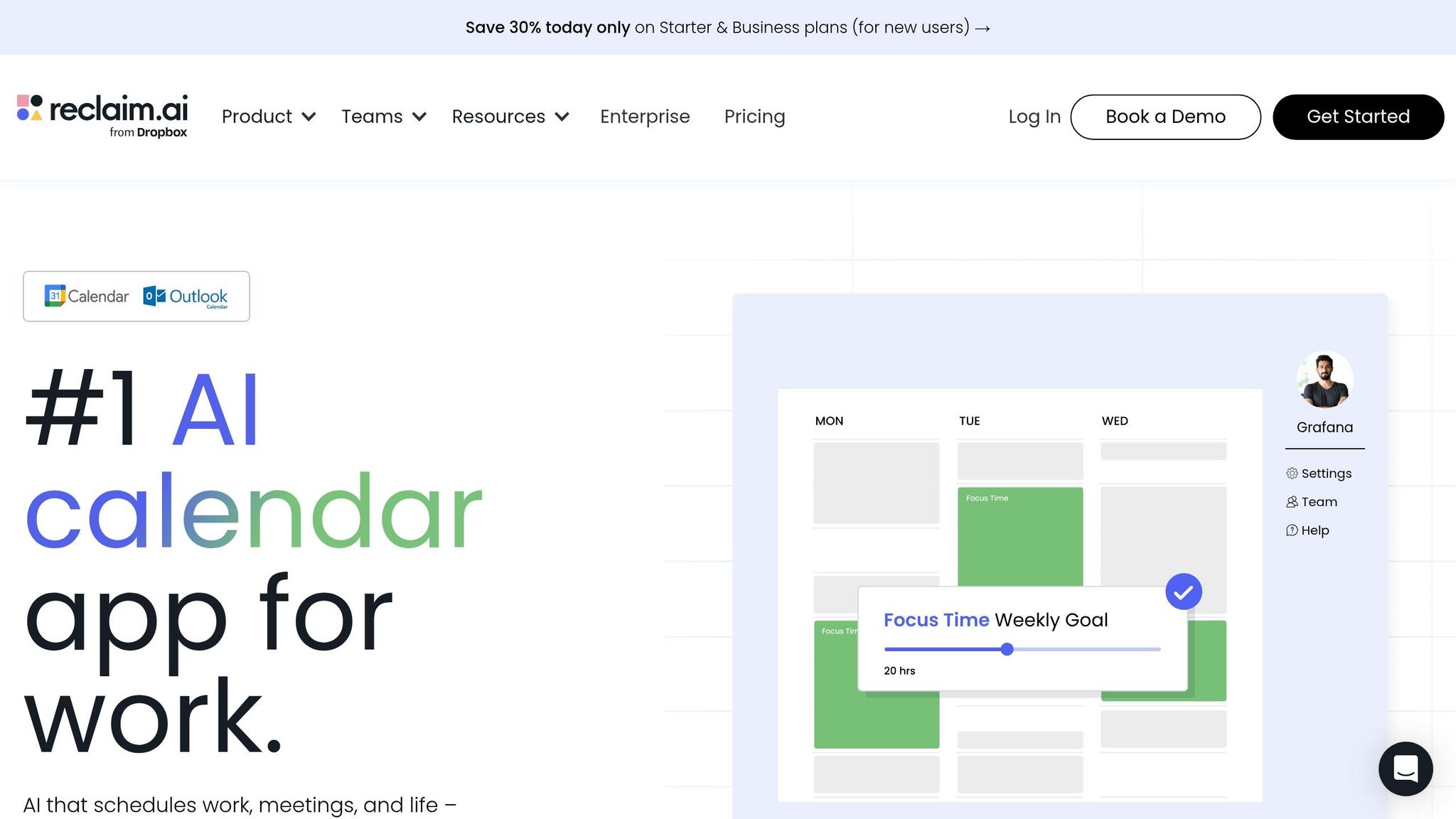
Reclaim: a Smart AI Scheduling App that Organizes Your Calendar and To-Dos
Common Triggers for Real-Time Task Rescheduling
AI systems excel at identifying triggers that demand immediate shifts in task priorities. These triggers ensure that the right actions happen at the right time, balancing urgency with efficiency.
Changes in Lead Behavior
When a prospect responds to an email - especially with unexpected questions or comments that alter the direction of a deal - AI quickly adjusts the follow-up plan. For example, if a lead downloads a resource like "2025 B2B Marketing Trends", the system may prioritize an outbound call right away, overriding the next scheduled outreach.
Inbound activities also act as critical triggers. If a high-value lead makes a direct call, AI ensures the call is routed to the appropriate deal owner, updating their task list with relevant details to keep them informed. Additionally, tools like conversation intelligence can identify new objections or mentions of competitors during calls, prompting tailored follow-ups or even scheduling coaching sessions for the sales rep. On the flip side, if a lead becomes unresponsive for a set period, AI reschedules the outreach to maintain engagement.
Team Availability and Workload
AI integrates with tools like Google Calendar or Outlook to track team schedules in real time. If a meeting runs over or a new appointment is added, the system automatically adjusts task blocks to prevent conflicts and protect dedicated focus time. It also balances workloads by distributing tasks based on team members’ current capacity and skills. Drawing on historical data, AI can estimate how long tasks might take and redistribute responsibilities accordingly.
When urgent issues arise, like a critical support ticket or a hot lead, AI reshuffles lower-priority tasks and assigns them to available team members without requiring manual input. This dynamic approach to scheduling has been shown to boost overall team efficiency, with research suggesting a 20% increase in human capital ROI.
External Factors and Deadlines
External changes, such as shifting client deadlines or new requests, also drive AI to reschedule tasks dynamically. For instance, if a client moves up a project deadline, the system adjusts all dependent timelines and notifies stakeholders to prevent delays. AI uses temporal reasoning to prioritize tasks nearing their deadlines, ensuring nothing slips through the cracks.
It also handles logistical challenges like time zone differences and daylight saving changes, keeping global teams aligned. Companies using these automated scheduling features report saving 20–30 hours per week on routine administrative tasks by 2026. This level of adaptability ensures that high-priority tasks remain front and center, much like K3X's prompt-driven scheduling model, which prevents critical priorities from being missed.
How K3X Handles Task Rescheduling

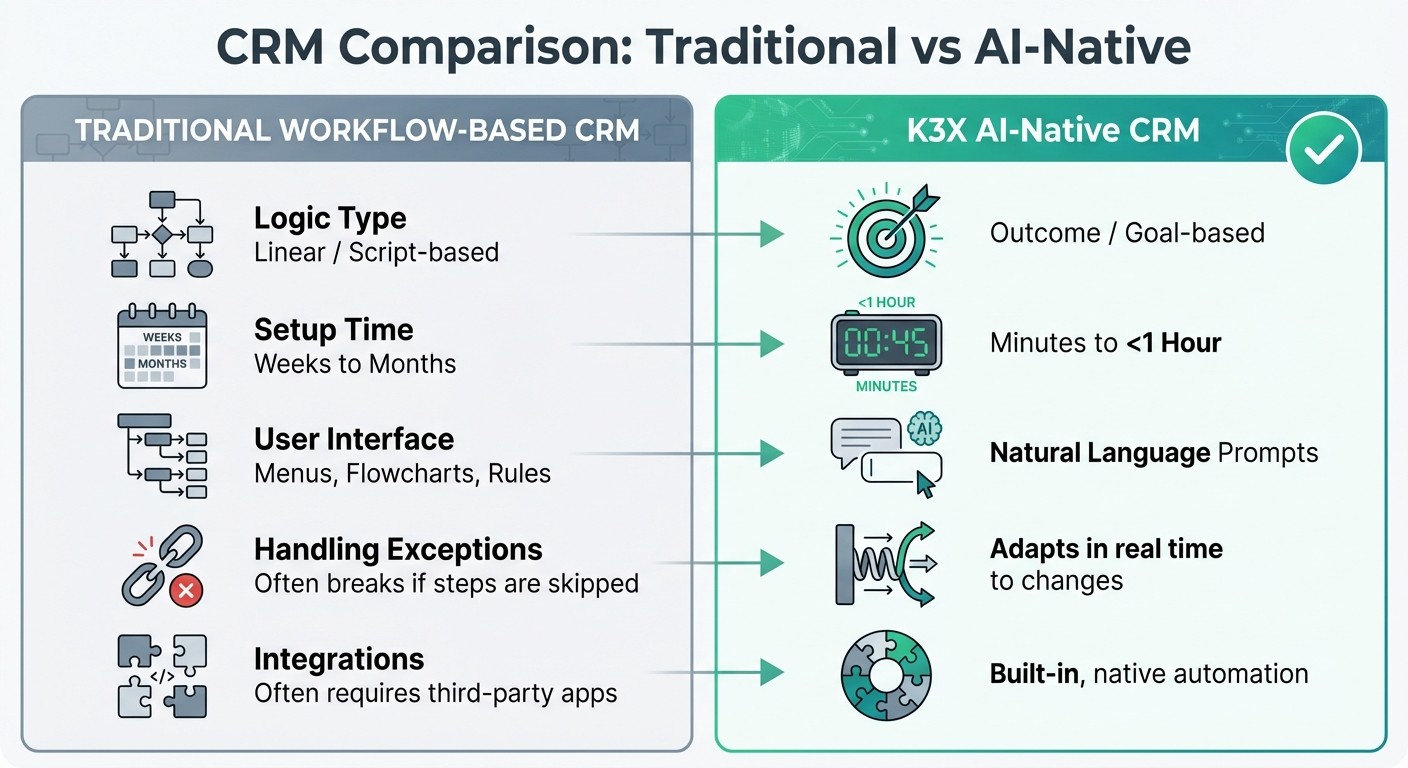
K3X AI-Native CRM vs Traditional Workflow-Based CRM Comparison
Prompt-Driven Control
K3X simplifies task management by removing the need for flowcharts, triggers, or complex automation tools. Instead, users can define outcomes using natural language prompts. For example, typing something like, "Book demo calls with every lead who hasn't responded", tells the system what needs to happen - and K3X figures out the steps to make it work.
This flexibility means workflows stay on track, even when things don't go as planned. If a lead responds out of order, asks an unexpected question, or gives incomplete information, K3X adjusts automatically. It doesn’t rely on rigid scripts, so it keeps moving toward the goal without requiring manual fixes.
"Most CRMs record activity. K3X understands outcomes. It listens, knows what changed, and makes the next moves." - Mykyta Samusiev, Co-Founder & CEO, K3X
What’s more, users can tweak goals, reassign tasks, or change logic at any time by simply updating their prompts. The system instantly restructures tasks without disrupting ongoing operations, making it incredibly adaptable. Combined with its ability to adjust in real time, K3X ensures task rescheduling happens smoothly.
Real-Time Adaptation in K3X
K3X doesn’t just follow instructions - it actively monitors all interactions, whether they’re calls, emails, or SMS messages. It tracks changes in conversations and learns from user behavior over time. For example, it notices which tasks are prioritized, when team members are most responsive, and how leads typically move through the pipeline.
Here’s how it works in practice: if a lead mentions a competitor during a call, K3X updates the deal stage, adjusts follow-up timing, and notifies the right team member with all the context they need. This ongoing learning helps the system make smarter decisions about task prioritization and scheduling in the future.
Take Ruby Capital Group as an example. In December 2025, this funding company, with 125 employees, implemented K3X. Within just two days, they saw a 70% reduction in time spent on follow-ups and tripled their ticket resolution speed. CEO Michael Chkechkov shared, "Our sales team was spending half their day on admin work. Now they're talking to customers and closing deals. The automation handles everything from lead qualification to contract routing."
Across its user base, K3X has automated over 312,000 hours of work, saving companies approximately $12.4 million in operational costs. Employees, on average, save 8 hours per week by reducing manual tasks.
K3X vs. Workflow-Based CRM Tools
K3X stands apart from traditional CRMs by making setup and operation simpler and faster. Workflow-based CRM tools often require weeks or months to set up. Teams have to build automation rules, connect integrations, and account for every possible scenario. These systems follow rigid, linear logic: if a step is missed or a lead behaves unpredictably, the workflow can break, requiring manual fixes.
K3X, however, operates differently. Its setup takes less than one hour because it eliminates the need for complex flowcharts or third-party connectors like Zapier. The AI is built directly into the CRM, making automation seamless and intuitive.
Feature | Traditional Workflow-Based CRM | K3X AI-Native CRM |
|---|---|---|
Logic Type | Linear / Script-based | Outcome / Goal-based |
Setup Time | Weeks to Months | Minutes to <1 Hour |
User Interface | Menus, Flowcharts, Rules | Natural Language Prompts |
Handling Exceptions | Often breaks if steps are skipped | Adapts in real time to changes |
Integrations | Often requires third-party apps | Built-in, native automation |
While some CRMs offer AI-powered task prioritization, they still rely on traditional frameworks that demand manual setup. K3X’s natural language-driven design eliminates these limitations, allowing for faster changes and greater flexibility when things don’t go as planned.
Best Practices for AI-Driven Task Rescheduling
Set Clear Business Goals
Start by defining clear, outcome-oriented goals instead of rigid workflows. For instance, instead of prescribing a strict process like "send an email, wait two days, then call", guide the AI by stating, "book demo calls with every lead who hasn't responded." This approach allows the system to adapt and prioritize effectively.
To streamline priorities, create an urgency matrix that ranks tasks based on deadlines and business impact. For example, tasks due within 24 hours should take precedence over those due in two weeks. Companies leveraging AI for task prioritization have seen a 60% boost in representative capacity and a 30% increase in revenue per representative by concentrating on high-value activities.
Additionally, pinpoint task dependencies so the AI can identify blockers. If one task delays others, it should automatically be prioritized. Use impact scoring to weigh tasks by their importance - revenue-generating tasks might get a multiplier of 1.5x, while less critical ones, like internal documentation, could be set at 0.8x.
Integrate AI with Existing Systems
Once you’ve outlined your objectives, focus on integrating AI into your current tools. The good news? Integration doesn’t mean overhauling your tech stack. For example, K3X operates seamlessly without third-party connectors like Zapier but also supports unlimited integrations for more complex needs. The key is ensuring bi-directional sync so updates flow automatically into your central CRM.
Start by documenting your existing workflows and running the AI in "shadow mode" alongside manual processes. This step lets you validate the AI's decisions against human judgment before fully deploying it. Fragmented tools are a common issue - over 56% of leaders identify this as their primary challenge, with employees losing an average of 12 hours per week searching for information across disconnected systems.
To ensure smooth integration, standardize your data terminology. For instance, make sure terms like "Client Meeting" and "Customer Call" are recognized as the same task type. Clean up historical data from the past 6–12 months, including task completion times and resource assignments. This helps the AI learn from real team patterns rather than theoretical assumptions.
Monitor and Refine AI Performance
Once the AI is integrated, ongoing monitoring is essential for maintaining a responsive scheduling system. Track metrics like deadline adherence, project completion rates, and hours saved on administrative tasks. Sales teams using AI-driven insights have achieved forecast accuracy as high as 95%. Comparing the AI's initial outputs with refined models over time allows for steady improvement in task prioritization.
Create feedback loops to address off-target AI recommendations. These corrections help the system improve with use. Set up escalation triggers for complex scheduling conflicts or high-stakes decisions, ensuring they’re flagged for human review rather than handled automatically. Regular calibration sessions - monthly or quarterly - allow team leads to analyze recurring errors and update the AI’s rules to prevent future issues.
"The goal is focusing human attention on exceptions rather than routine execution, not eliminating human judgment entirely." - Datagrid Team
To fine-tune the system, run A/B tests comparing AI-driven rescheduling against traditional methods over a 4–6 week period. This can reveal specific areas for improvement. Companies that use AI for task management report a 20–30% boost in project efficiency. Document scenarios where the AI struggles, and use these insights to refine exception-handling processes over time.
Conclusion
AI-driven task rescheduling is changing the way teams work by shifting the focus from managing workflows to achieving results. Instead of wasting hours manually updating pipelines, logging calls, or figuring out which lead to contact next, sales teams can channel that time and energy into closing deals and building stronger relationships. For instance, the average sales rep spends 3.4 hours each week on manual CRM data entry - time that could be better spent on activities that directly drive revenue.
K3X removes these inefficiencies by centering on outcomes. As Mykyta Samusiev, Founder & CEO of K3X, puts it:
"We're building a CRM that works the way people expect it to... through intention. You tell it the outcome. The system figures out the work."
This intuitive, outcome-focused approach allows teams to adjust priorities instantly without disrupting workflows or needing technical know-how.
The benefits are clear and measurable. Companies using K3X have reported faster follow-up times and quicker ticket resolution, showcasing how automation tailored to outcomes can deliver immediate results.
This isn't about replacing human decision-making - it's about eliminating time-consuming administrative tasks so teams can focus on what truly matters. By automating real-time rescheduling, K3X lets teams shift their attention to strategic sales efforts. When your CRM adapts automatically to changes like lead behavior, team availability, or shifting priorities, you can concentrate on growing your business instead of managing software.
Best of all, this efficiency comes with straightforward pricing - starting at $20 per seat per month - with no long-term commitments. K3X works right out of the box, integrates seamlessly with your existing tools, and begins delivering value immediately - no IT team required.
FAQs
What data does AI use to reshuffle my sales tasks?
AI dynamically reorganizes sales tasks by analyzing factors like lead activity, interaction history, pipeline progress, and relevant context. This real-time adjustment helps ensure that tasks are prioritized according to the most current updates and shifting circumstances.
How does K3X decide what’s truly urgent right now?
K3X leverages AI to analyze real-time data from user interactions and activities, constantly pinpointing the most pressing tasks or opportunities. By evaluating factors like lead activity, engagement signals, and situational context, it adjusts priorities dynamically as conditions shift. This approach helps users concentrate on high-impact tasks, cutting down on manual work and decision fatigue. It also empowers teams to react swiftly and effectively to urgent needs.
How do teams keep humans in control of AI rescheduling?
Teams can keep a firm grip on AI-powered rescheduling by using tools that provide both oversight and the ability to step in manually. While AI systems excel at resolving scheduling conflicts and making real-time updates, human involvement ensures decisions stay in line with business objectives. For example, platforms like K3X offer dynamic, AI-driven scheduling but also let users set specific goals, review AI suggestions, and make adjustments when necessary. This blend of automation and hands-on control strikes a balance between efficiency and thoughtful decision-making.