


AI-powered CRMs that sync data in real time move work from admin to selling—prioritize prompt-driven automation and tight integrations.
Your CRM might be costing you more time than you think. Sales reps spend only 28% of their week selling, with the rest tied up in manual tasks. AI-powered data sync changes this by automating updates, organizing data from calls, emails, and meetings in real time. Traditional CRMs rely on manual input, leading to 34% annual data decay and up to 80% inaccuracies over time. AI-driven systems, however, deliver efficiency gains of 70–90%.
Here’s a breakdown of four platforms offering AI data sync:
K3X: Uses conversational prompts to automate workflows and integrates without middleware. Pricing starts at $20/seat/month.
Salesforce Einstein: Offers predictive analytics and deep integration but requires technical expertise and high costs.
HubSpot AI CRM: Focuses on user-friendly marketing tools with pricing starting at $15/seat/month but can become costly as teams grow.
Momentum: Acts as a layer connecting tools like Slack and Zoom to CRMs, requiring existing CRM infrastructure.
Quick Comparison:
Platform | Real-Time Syncing | Automation Complexity | Integration Depth | Pricing (Starting) |
|---|---|---|---|---|
K3X | Dynamic, prompt-based | Low (Conversational) | Native/No-code | $20/seat/month |
Salesforce Einstein | Scheduled/static rules | High (IT-dependent) | Enterprise-level (7,000+ apps) | Custom ($15,000+ annually) |
HubSpot AI | Trigger-based | Moderate (Rule-based) | High (1,500+ apps) | $15–$75/seat/month |
Momentum | Real-time orchestration | Moderate (Slack-native) | Native (e.g., Slack, Zoom) | Custom (enterprise-focused) |
K3X stands out for its simplicity and real-time automation, while Salesforce Einstein suits large enterprises with complex needs. HubSpot AI is ideal for smaller teams, and Momentum enhances existing CRMs by connecting tools.
AI-powered CRMs are reshaping workflows, helping teams focus on selling rather than managing data.
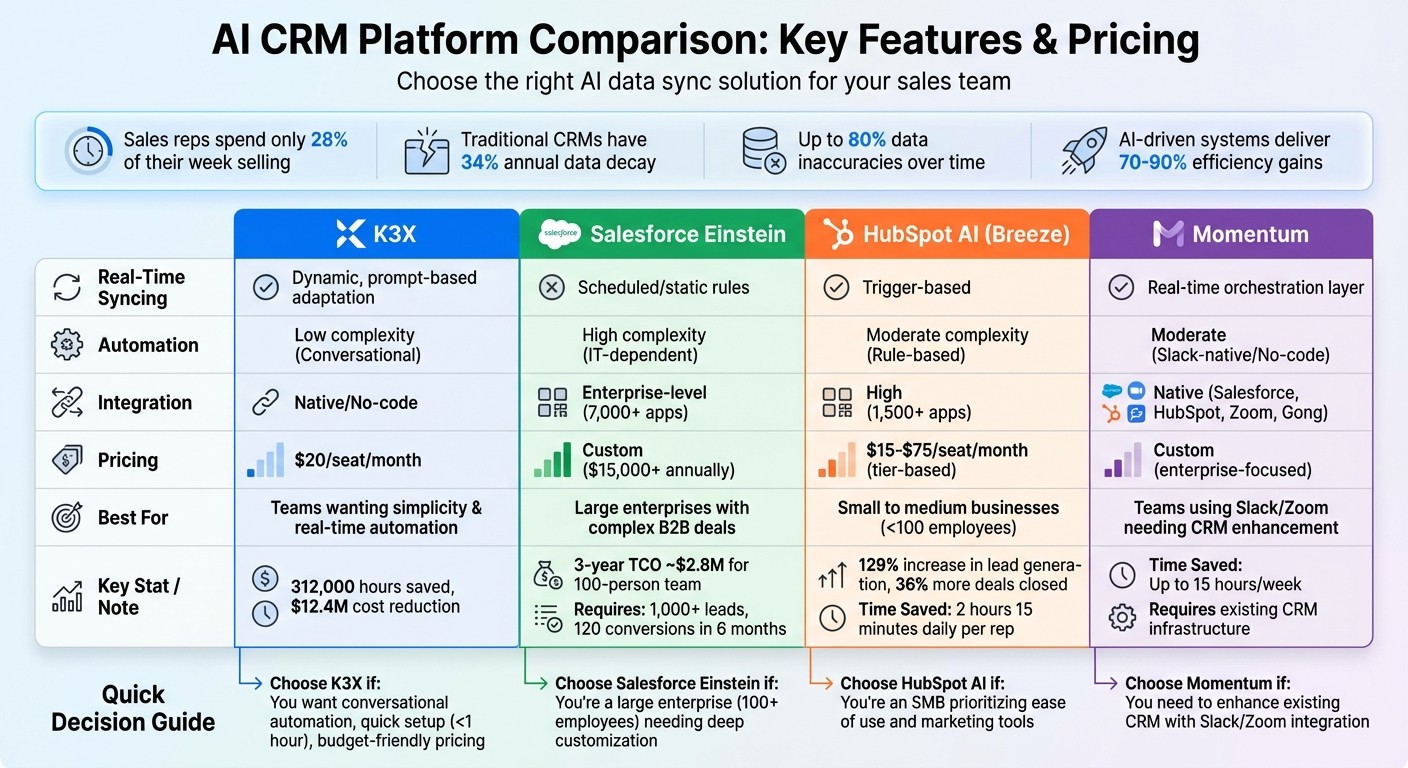
AI CRM Platform Comparison: Features, Pricing, and Capabilities
1. K3X

Real-Time Syncing
K3X keeps your records up-to-date by automatically logging emails, recording calls, and refreshing contact details as interactions happen. For example, when a lead responds to an outreach email or a sales call wraps up, the system captures the conversation, interprets the results, and moves the deal into the correct pipeline stage - immediately. Mykyta Samusiev, Co-Founder & CEO of K3X, explains it best:
Most CRMs record activity. K3X understands outcomes. It listens, knows what changed, and makes the next moves.
This means your dashboards always show live performance metrics without requiring manual updates. Businesses using K3X have seen a dramatic drop in follow-up times, thanks to this instant data capture.
By combining real-time updates with intuitive automation, K3X transforms how teams manage workflows.
Automation Complexity
Traditional CRMs rely on rigid "if-then" workflows, requiring users to manually build complex rules step by step. K3X takes a different approach - allowing you to set high-level goals using conversational prompts like, "Book demo calls with every lead who hasn't responded". The AI then determines the most effective way to achieve those goals, adapting tone, timing, and follow-up sequences based on how leads behave.
This eliminates the need for thousands of manual rules, often referred to as the "rigidity tax", and delivers efficiency gains of 70–90% compared to static models. Michael Chkechkov, CEO of Ruby Capital Group, highlights the impact:
Our sales team was spending half their day on admin work. Now they're talking to customers and closing deals.
This conversational, dynamic automation works effortlessly across your entire tech stack, saving time and boosting productivity.
Integration Depth
K3X integrates seamlessly with your existing tools - email, phone, SMS, and more - without requiring middleware. With unlimited integrations, a built-in power dialer, and call recording capabilities, everything is housed within one platform. Most teams can complete their setup in under an hour, avoiding the lengthy implementation timelines that are common with other CRMs.
This deep integration ensures K3X fits into your workflow without disrupting operations, offering both simplicity and functionality.
Pricing and Scalability
K3X uses a flexible Adaptive Pay As You Go pricing model, starting at $20 per seat per month. Each seat includes 1,000 AI credits monthly, and pricing adjusts automatically during high-usage periods, returning to the base rate when activity slows. This ensures you only pay for what you use.
To date, K3X has saved its users over 312,000 hours and reduced operational costs by an estimated $12.4 million. Whether you're a small team or a larger organization like Ruby Capital Group, K3X scales effortlessly without requiring a dedicated RevOps team.
2. Salesforce Einstein
Real-Time Syncing
Salesforce Einstein incorporates Einstein Activity Capture (EAC) to sync emails, calendar events, and contacts seamlessly between Salesforce and platforms like Microsoft 365 or Google Workspace. This synchronization, combined with Salesforce Data Cloud, creates a unified view of customer data by pulling information from multiple sources.
However, EAC isn't without its limitations. It struggles with recurring events in Outlook, delegated calendars, and lacks two-way task synchronization. Instead of real-time streaming, it relies on scheduled or incremental updates, which means dashboards may not always reflect the most current activity.
Next, we’ll explore how Einstein’s static automation compares to more dynamic, prompt-driven solutions.
Automation Complexity
Einstein’s automation relies on "if-then" rules, which are fixed and require expertise in Apex and Lightning Web Components (LWC) to manage effectively. As businesses grow and variables increase, these rules can become overwhelming, leading to what’s known as a "combinatorial explosion".
This static approach contrasts with platforms that allow users to set goals dynamically through conversational prompts. Maintaining these workflows is resource-intensive - businesses typically dedicate 30% to 40% of their IT resources to upkeep. A Product Manager in the education sector shared:
Einstein uses machine learning and NLP to predict sales outcomes, though it faces data storage and migration challenges.
While Einstein provides detailed control, it requires substantial expertise and ongoing maintenance, making it less flexible than platforms that use plain language for goal-setting.
Integration Depth
Salesforce boasts a vast ecosystem for third-party integrations, supported by the AppExchange, which offers over 7,000 apps. MuleSoft APIs and Flows provide deep customization options. Additionally, the Unified Knowledge feature connects Einstein to external data sources like Confluence, Google Drive, SharePoint, and Notion, helping to address issues with siloed information.
However, most native connectors are one-way, and achieving real-time, bidirectional synchronization often requires third-party tools like OutboundSync or Stacksync. These complexities highlight the growing trend toward AI-native CRMs, which aim to simplify integration challenges.
Despite these hurdles, Salesforce Einstein has delivered impressive results. In June 2025, Iron Mountain achieved an 80% case close rate by using AI-generated replies to automate service responses. Similarly, in December 2024, FPT Software reported a 90% improvement in data quality after deploying Einstein AI for CRM management and cleanup.
Pricing and Scalability
Einstein’s pricing reflects the cost of maintaining a workflow-heavy system. Prices vary depending on features:
Einstein Conversation Insights: $50 per user per month
Agentforce for Service: $125 per user per month
Einstein 1 Bundle (includes Data Cloud, Generative AI, and Slack): Up to $500 per user per month
For a 100-person team, the total cost of ownership (TCO) over three years is about $2.8M. Large enterprises often need Salesforce Data Cloud, which costs between $200,000 and $400,000 annually. Implementation expenses range from $75,000 to $150,000+, with setup typically taking 2 to 3 months.
Einstein is designed for larger businesses with 100+ employees and requires a high level of data maturity. For predictive features to work effectively, companies need at least 1,000 leads and 120 conversions within six months.
3. HubSpot AI CRM
Real-Time Syncing
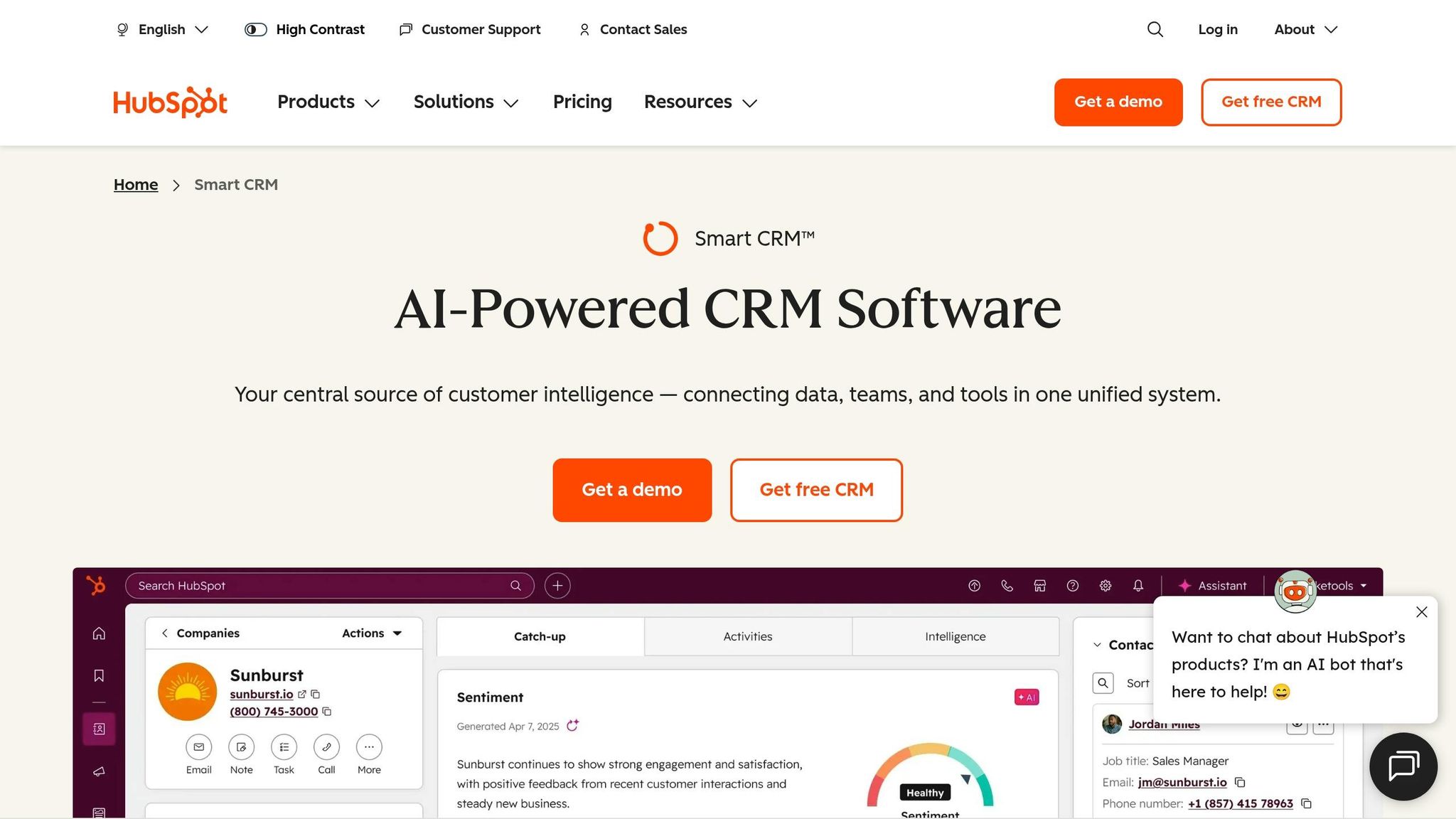
HubSpot's Data Sync feature ensures information flows automatically in both directions between the CRM and numerous third-party apps. Its Breeze AI suite, fully integrated into the platform, syncs AI-generated activities directly to contact records and deal pipelines without the need for extra connectors or APIs.
While native connectors generally handle one-way data transfers (like email sends or replies), achieving full bidirectional real-time syncing often requires external tools like OutboundSync or Stacksync. For example, in late 2025, a fintech startup managed to cut its lead response time from 12 hours to just 90 seconds by integrating AgentiveAIQ chatbot submissions with HubSpot through webhooks. This change led to a 34% increase in demo bookings in just one quarter.
However, HubSpot's API v3 imposes a rate limit of 100 requests per 10 seconds for OAuth apps, which can be a challenge in high-demand scenarios. By contrast, platforms like K3X rely on API-driven updates that respond instantly to user intent, such as updating deal stages when a prospect requests a contract.
Next, let’s look at how HubSpot's workflow-based automation compares to more dynamic systems.
Automation Complexity
HubSpot’s automation is built around "if-then" workflows that require manual setup for each decision point. Setting up AI integrations typically takes 2–4 days using its REST API v3 and OAuth 2.0. A developer shared:
HubSpot [is] the easiest CRM to integrate with, hands down. HubSpot's API v3 uses REST with OAuth 2.0, offers CRM webhooks for real-time event triggers... Documentation is excellent.
SlashDev
Despite the ease of integration, maintaining clean data often requires manual effort or third-party tools for tasks like resolving duplicates and filling in missing fields. For instance, in December 2025, Popl used Zapier to connect HubSpot with Salesforce for lead routing. By setting static triggers based on company size and region, they saved $20,000 annually in operational expenses.
This static workflow approach differs from platforms like K3X, where users define outcomes in plain language (e.g., "Follow up with leads who haven’t responded in 3 days"), and the AI handles the rest. Traditional workflows can improve efficiency by 40–60%, but dynamic AI-driven systems push those gains to 70–90%.
While automation is a key strength, HubSpot also excels in its ability to integrate with other tools.
Integration Depth
HubSpot's RESTful API v3, paired with OAuth 2.0, simplifies AI integration. The platform supports over 2,000 apps through its Marketplace, and its Breeze Intelligence feature enriches customer records with more than 40 attributes. Starting in 2025, HubSpot Enterprise users gained access to bidirectional custom object sync, enabling advanced data structures like Salesforce Campaigns to be mirrored within HubSpot.
Teams using AI-powered CRM tools report 67% less manual data entry and achieve lead response times that are 2.8 times faster. For example, integrating HubSpot with a WhatsApp AI agent eliminated 90% of manual CRM logging. Additionally, businesses using HubSpot's AI tools have seen a 129% increase in lead generation and 36% more deals closed.
Deep bidirectional integrations typically cost between $5,000 and $15,000 upfront, with ongoing maintenance fees ranging from $200 to $500 per month. This contrasts with AI-native platforms that avoid manual rule configuration altogether.
Pricing and Scalability
HubSpot offers transparent pricing, often undercutting enterprise competitors like Salesforce. Its Smart CRM tiers include:
Free: $0/month (basic contact and deal management)
Starter: $15–$20/month per seat (includes data enrichment)
Professional: $50/month per seat (includes duplicate merging)
Enterprise: $75/month per seat (includes AI insights and custom object support)
With 87% of users describing HubSpot as easy to use and 83% saying it effectively unifies data, it’s clear why many businesses choose it. Leslie McGill, President and CEO, highlighted:
HubSpot's implementation costs were 10X less than Salesforce. And they seemed hungrier, more nimble, more willing to work with us, and more flexible.
Leslie McGill, President and CEO
Sales reps save an average of 2 hours and 15 minutes daily with HubSpot's AI automation. However, with up to 30% of CRM data becoming outdated annually, real-time data enrichment and syncing remain essential. While HubSpot offers accessible pricing and familiar workflows, newer platforms like K3X take a different approach by using goal-driven prompts, starting at $20 per user per month, and eliminating ongoing integration costs.
4. Momentum
Real-Time Syncing
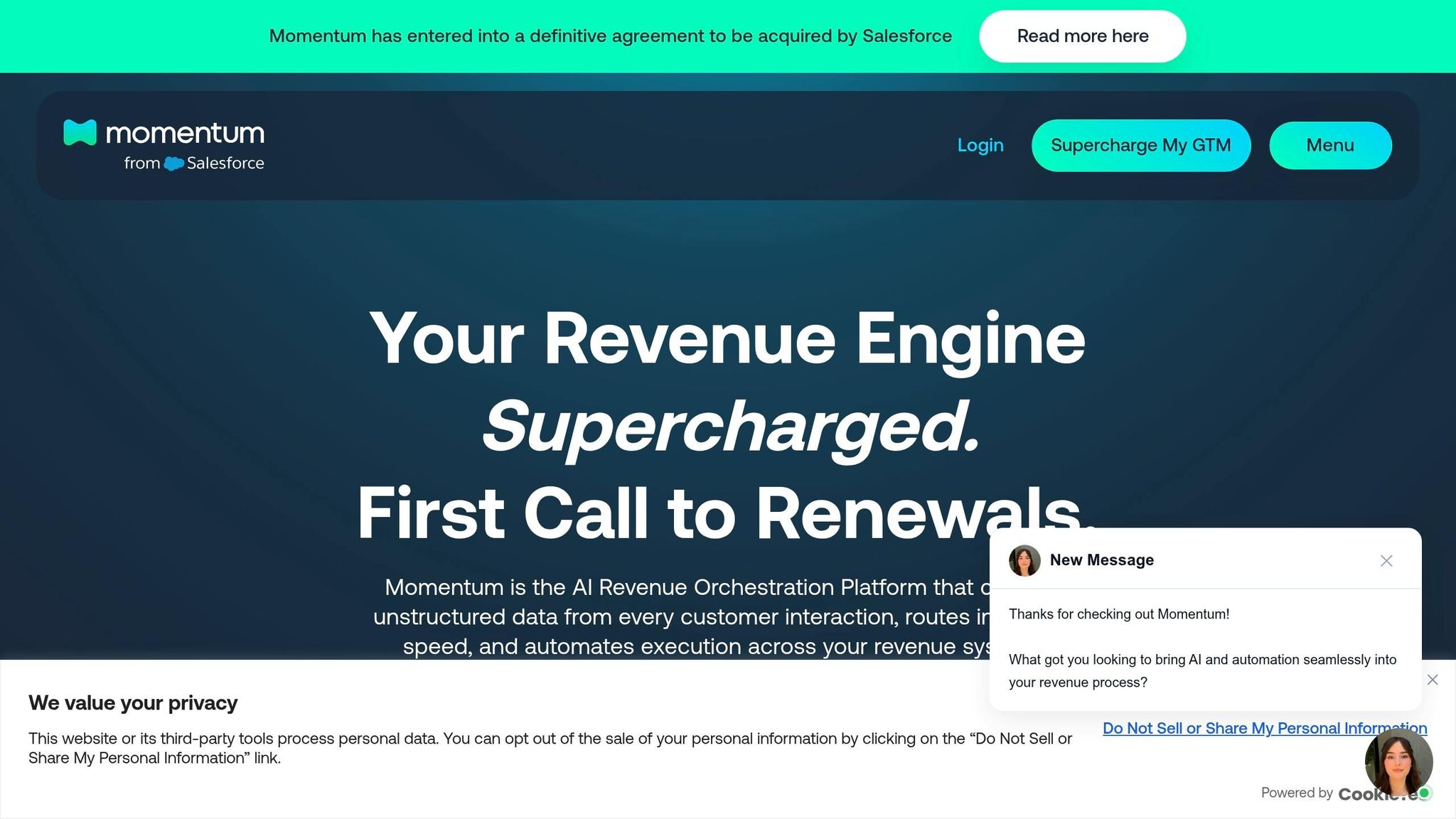
Momentum serves as an orchestration layer that works on top of CRMs like Salesforce and HubSpot. It pulls data from emails, calls, and meetings, processing it in real time through its AI Data Pipeline. This system updates CRM records with contact details, custom fields, and activity histories automatically. It goes a step further by extracting critical information - like MEDDIC fields, risk signals, and next steps - from unstructured conversations and mapping them directly into CRM fields. Sales teams benefit from this automation by cutting down on manual data entry. Momentum also integrates seamlessly with tools like Zoom, Google Meet, Webex, Gong, Chorus, Salesloft, and Dialpad, ensuring every customer interaction is captured without additional effort.
This real-time data capture lays the groundwork for automating essential sales processes.
Automation Complexity
Momentum’s automation centers around Slack-native workflows, enabling sales reps to handle tasks like updating deals, approving actions, and managing handoffs directly within Slack. Additionally, the platform generates Executive Briefs for leadership, summarizing key details such as objections, pain points, and pricing discussions. It even flags potential churn risks before deals can stall. According to Momentum:
Momentum isn't a forecasting platform. It's the orchestration layer that ensures your sales strategies, playbooks, and follow-ups actually happen when they matter most. - Momentum
To implement Momentum effectively, businesses need to map their existing sales playbooks to the platform. This setup can save up to 15 hours per week by reducing manual data entry. Unlike static systems that rely on rigid rules, platforms like K3X use conversational prompts to drive outcomes, leading to greater efficiency gains.
Momentum’s capabilities extend beyond automation and data capture, with deep integration features being a key strength.
Integration Depth
Momentum offers enterprise-grade integrations while meeting compliance standards like SOC 2 and GDPR. It supports custom Salesforce schemas and connects with tools such as Gong, Chorus, and Clari Co-Pilot, centralizing data across the entire go-to-market stack. However, since Momentum operates as an add-on layer, businesses must maintain their existing CRM infrastructure alongside it. This differs from AI-native platforms like K3X, which are designed to function independently without requiring complex integration setups.
Pricing and Scalability
Momentum uses a custom pricing model based on the number of seats and integration requirements, making it a better fit for large enterprises. The platform supports multi-app workflows and handles complex Salesforce configurations, making it highly adaptable for larger organizations. On the other hand, K3X offers a simpler, usage-based pricing structure starting at $20 per seat per month. To date, K3X has saved its users over 312,000 hours and reduced operational costs by $12.4 million.
5 Best AI CRM Software 2025 (Detailed Breakdown)
Strengths and Weaknesses
Here’s a closer look at how each platform stacks up in terms of strengths and weaknesses:
K3X stands out by streamlining tasks with conversational, outcome-based prompts, offering efficiency gains of 70–90%. Its straightforward setup and affordable price of $20 per seat per month make it an appealing choice for teams focused on results rather than managing complex workflows. However, as a newer player in the market, it lacks the established presence of some enterprise solutions.
Salesforce Einstein shines with its extensive customization options and deep integration capabilities, supported by an ecosystem of over 7,000 apps. This makes it ideal for large organizations handling complex B2B deals. On the downside, it presents challenges for 67% of revenue leaders during implementation, with a hefty 3-year total cost of ownership reaching approximately $2.8 million for a 100-person team. Additionally, it requires technical expertise and at least 1,000 leads to fully leverage its predictive analytics.
HubSpot AI (Breeze) focuses on simplicity and quick deployment. For instance, in August 2025, Agicap reported saving 750 hours per week and boosting deal velocity by 20%. While it’s a great fit for small to medium-sized businesses (SMBs) with fewer than 100 employees, costs can escalate as businesses grow due to per-contact fees and onboarding charges ranging from $1,500 to $3,500.
Momentum takes a different approach as a Slack-native orchestration layer, enhancing CRM functionality by connecting CRM data with team collaboration tools. It integrates seamlessly with platforms like Salesforce, HubSpot, Zoom, and Gong, while adhering to SOC 2 and GDPR compliance standards. However, it requires businesses to maintain their existing CRM infrastructure, and its custom enterprise pricing may not be ideal for smaller businesses.
Platform | Real-Time Syncing | Automation Complexity | Integration Depth | Pricing (Starting) |
|---|---|---|---|---|
K3X | Dynamic, prompt-based adaptation | Low (Conversational) | Native/No-code | $20/seat/month |
Salesforce Einstein | Static rules; requires middleware for sub-second sync | High (IT-dependent) | Deep Enterprise (7,000+ apps) | Custom ($15,000+ annually) |
HubSpot AI | Trigger-based; real-time on form submissions | Moderate (Rule-based) | High (1,500+ apps) | Tier-based ($450–$3,600/month) |
Momentum | Real-time orchestration layer | Moderate (No-code/Slack-native) | Native (Salesforce, HubSpot, Zoom, Gong) | Custom (enterprise-focused) |
This comparison underscores how newer systems like K3X simplify CRM processes with prompt-driven technology, bypassing the complexities of traditional, rule-based platforms.
Conclusion
Choose CRM features that align with your team's goals. For large enterprises managing complex B2B deals, especially those already using Salesforce, Salesforce Einstein offers advanced predictive analytics and extensive customization options. However, it requires technical expertise and a considerable budget. On the other hand, HubSpot AI CRM is a better fit for small to medium-sized businesses looking for marketing automation and a quick, user-friendly setup.
If your team relies on tools like Slack or Zoom, Momentum enhances your CRM by improving integration and team collaboration. However, it's meant to complement platforms like Salesforce or HubSpot, not replace them.
Where Momentum focuses on integration, K3X takes automation to a new level. It simplifies traditional workflows with conversational, outcome-oriented prompts, managing tasks like follow-ups and pipeline updates automatically. K3X adapts in real time to lead behavior and team activity, making it a standout choice for teams prioritizing real-time, results-driven automation. With pricing at $20 per seat per month and setup completed in under an hour, K3X allows sales teams to focus on closing deals instead of managing processes.
The CRM landscape is evolving from rule-based systems to platforms that drive results. As Miguel Guevara from Augment aptly explains:
Automation moves work forward. AI moves outcomes forward.
Ultimately, the decision isn't just about what a CRM can do - it's about how those features can directly impact your sales outcomes.
FAQs
What does 'real-time' CRM data sync mean in practice?
In practice, real-time CRM data sync means customer information gets updated instantly as interactions happen. This removes frustrating delays - like waiting up to 48 hours for deal stage updates - and uses AI tools, such as K3X, to automate data logging. By keeping the CRM updated with the latest information, businesses can simplify workflows and stay on top of insights without relying on manual updates.
How can I tell if a CRM’s AI automations are truly prompt-driven vs. just rules?
To spot prompt-driven AI in a CRM, pay attention to systems that respond to conversational prompts rather than relying on strict "if-then" logic. These platforms adjust dynamically, learning from user interactions without needing constant manual updates. Unlike traditional rule-based systems, they allow users to set goals through natural language, handling tasks like follow-ups or pipeline updates instantly. This approach provides more adaptability and streamlines workflows.
What data sources should an AI CRM auto-capture without manual entry?
An AI-powered CRM can automatically gather data from important interactions. This includes contact details, communication history, behavioral signals, and engagement activities. By removing the need for manual data entry, it simplifies workflows and ensures records stay accurate and current.