
Data model
A CRM that takes the shape of your business
Tell K3X what you sell and it sets up the objects, fields and stages for you. Change any of it by asking, in K3X, Claude or ChatGPT. No admin, no consultants.


1 prompt
to add an object, a field or a whole new pipeline
Unlimited
contacts, companies, deals and custom objects
0 admins
needed to keep your data model up to date
Objects
Every object you need. And any one you don’t have yet.
Companies
Object
Website
Industry
Headcount
Owner
Companies
Every account in one place, enriched with firmographics and linked to its people and deals.
People
Object
Phone
Title
Company
People
Contacts with verified email and phone, every conversation and the deals they touch.
Deals
Object
Stage
Value
Close date
Owner
Deals
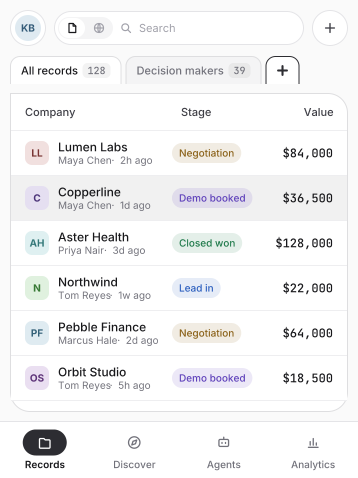
Stages set for how you sell, with value, close dates and next steps on every deal.
Custom object
Object
Name
Status
Linked to
Owner
Custom objects
Projects, properties, policies or partners. If your business runs on it, K3X can track it.
Custom field
Field
Type
Options
Required
Visible to
Custom fields
Text, numbers, dates, picklists, currency and links. Add them by asking, not by digging through settings.
Smartview
View
Filter
Sort
Columns
Shared
Smartviews
Save any filtered list as a view your team can open, share and work from.
How it works
Describe your business. K3X builds the data model.
STEP 1
Tell K3X what you sell
Pick your business type or describe it in a sentence. K3X sets up objects, fields and deal stages that fit.
STEP 2
Bring your data in
Import a CSV or connect your email and calendar. K3X matches people to companies and skips duplicates.
STEP 3
Change it by asking
Need a new field or a new object? Ask in K3X, Claude or ChatGPT and it is there, ready for your whole team.
Objects
Properties
Properties
New
Custom object · Created from one prompt · 6 fields
Owner
MC
Maya Chen
Linked to
Companies and deals
Fields
Address, units, rent, status
Views
All, vacant, under contract
Access
Whole team
Created
2 minutes ago
Claude · K3X connected
Add a Properties object linked to companies, with address, units, rent and status.
Done. Properties now lives in K3X with 6 fields, linked to Companies and Deals. I also made a Vacant view.
1 object created
6 fields added
Why it fits
Your business is not a template. Your CRM shouldn’t be either.
Mykyta Samusiev
Co-founder and CEO, K3X
Minutes
to a CRM set up for how your team actually sells

Integrations
Your data model, reachable from any tool you use.
All integrations


Data model questions
Can I create my own objects?
Do I need an admin to change fields?
Can I import from my current CRM?
Is there a limit on records?